Welcome. In this knowledge base, we will explore various checkout settings in WooCommerce and demonstrate how these options seamlessly integrate into our user-friendly plugin. Whether you’re new to WooCommerce or looking to enhance your checkout experience, this guide will provide step-by-step instructions for optimal customization.
WooCommerce Checkout Options:
WooCommerce offer checkout options to cater to different user preferences and business needs. They are for guest checkout in WooCommerce >> Settings >> Accounts & Privacy
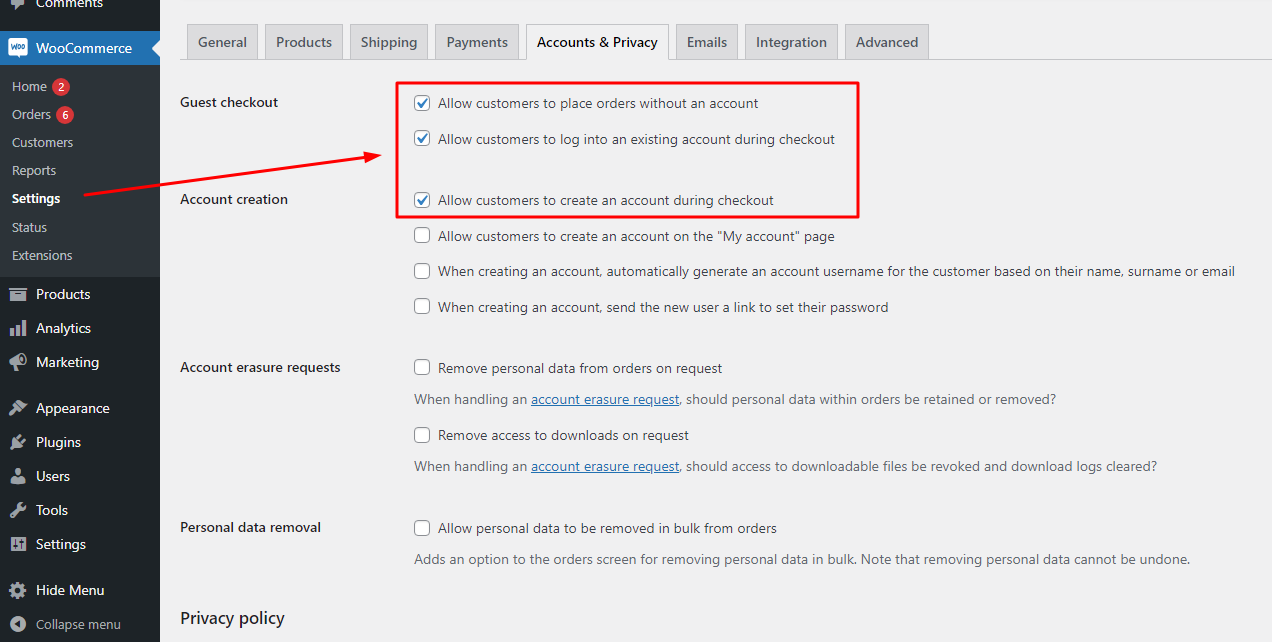
Case 1: Show all forms for guest checkout
Enable all 3 options >> Customer can place an order without login/registering a new account, and/or login to their account, or create a new one right on the Checkout page
Case 2: Show “Create an account?” checkbox, customer is able to create an account during checkout
Enabling all 3 options:
- Allow customers to place orders without an account
- Allow customers to log into an existing account during checkout
- Allow customers to create an account during checkout.
By that, when the customer tend to checkout without login/registering, they can create an account using a “Create an account?” checkbox
Case 3: Hide “Create an account?” checkbox, customer is unable to create an account during checkout
Enable:
- Allow customers to log into an existing account during checkout
- Allow customers to place orders without an account
Disable: Allow customers to create an account during checkout
Case 4: Hide login form, but customer is still able to place an order without login/registering.
Enable:
- Allow customers to place orders without an account
- Allow customers to create an account during checkout
Disable: Allow customers to log into an existing account during checkout
Case 5: Hide login form, but force customer to login (not on the Checkout page) or create a new account (registration form available on the Checkout page) to place an order
Enable: Allow customers to create an account during checkout
Disable:
- Allow customers to log into an existing account during checkout
- Allow customers to place orders without an account
Case 6: Hide the Create new account form, show the login form. Customer must login to place an order
Enable: Allow customers to log into an existing account during checkout
Disable:
- Allow customers to place orders without an account
- Allow customers to create an account during checkout
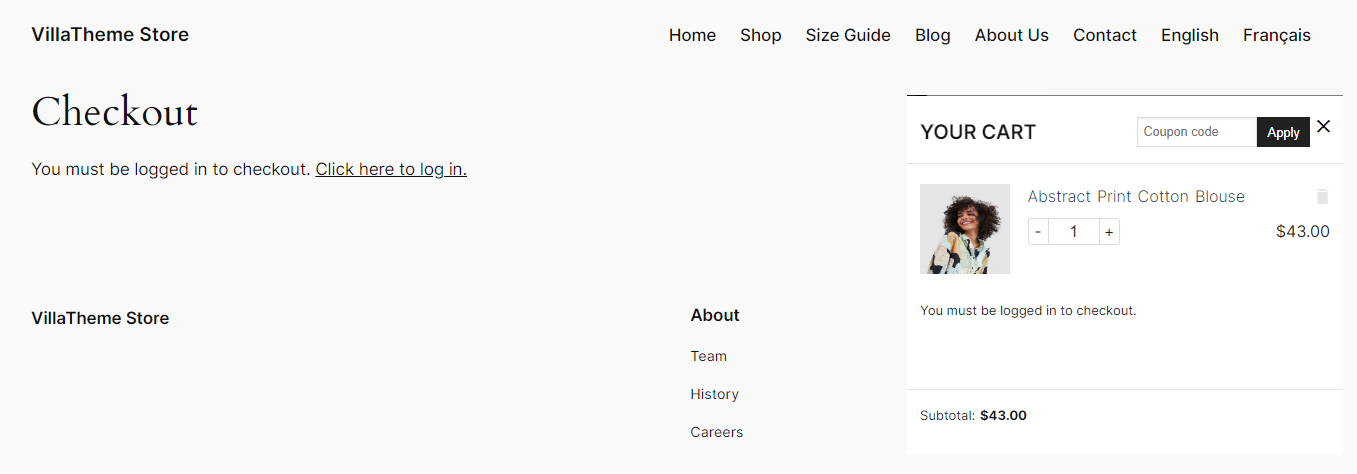
Case 7: Disable checkout for guest. Customer must login/create a new account before reaching checkout process.
Disable all 3 options and custom have to login/register before checkout
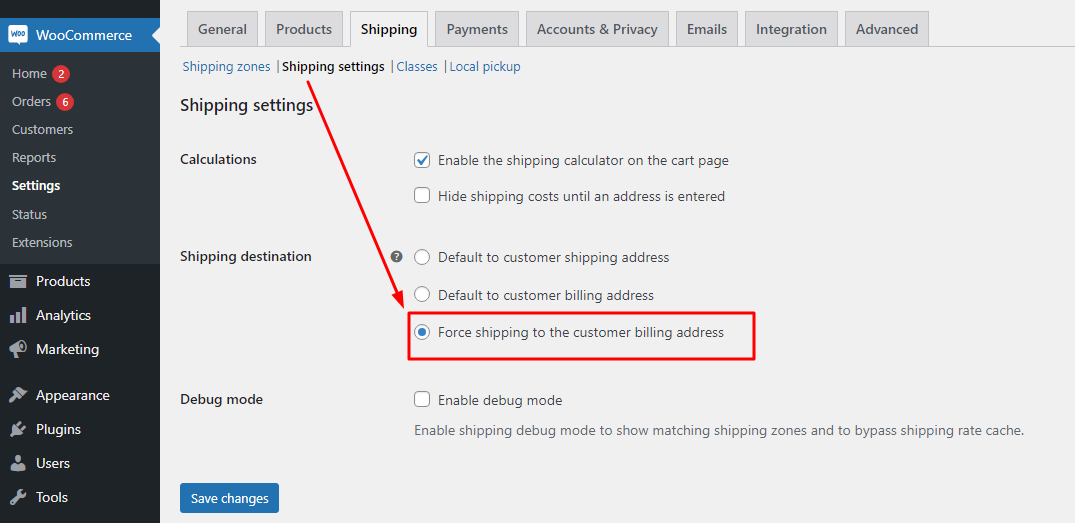
Or hide Shipping form on the Checkout page by forcing shipping address by billing address, go to WooCommerce >> Settings >> Shipping >> Shipping settings:
Integration with WooCommerce Cart All In One – One Click Checkout – Sticky|Side Cart:
Case 1: Show all forms for guest checkout
- Login form
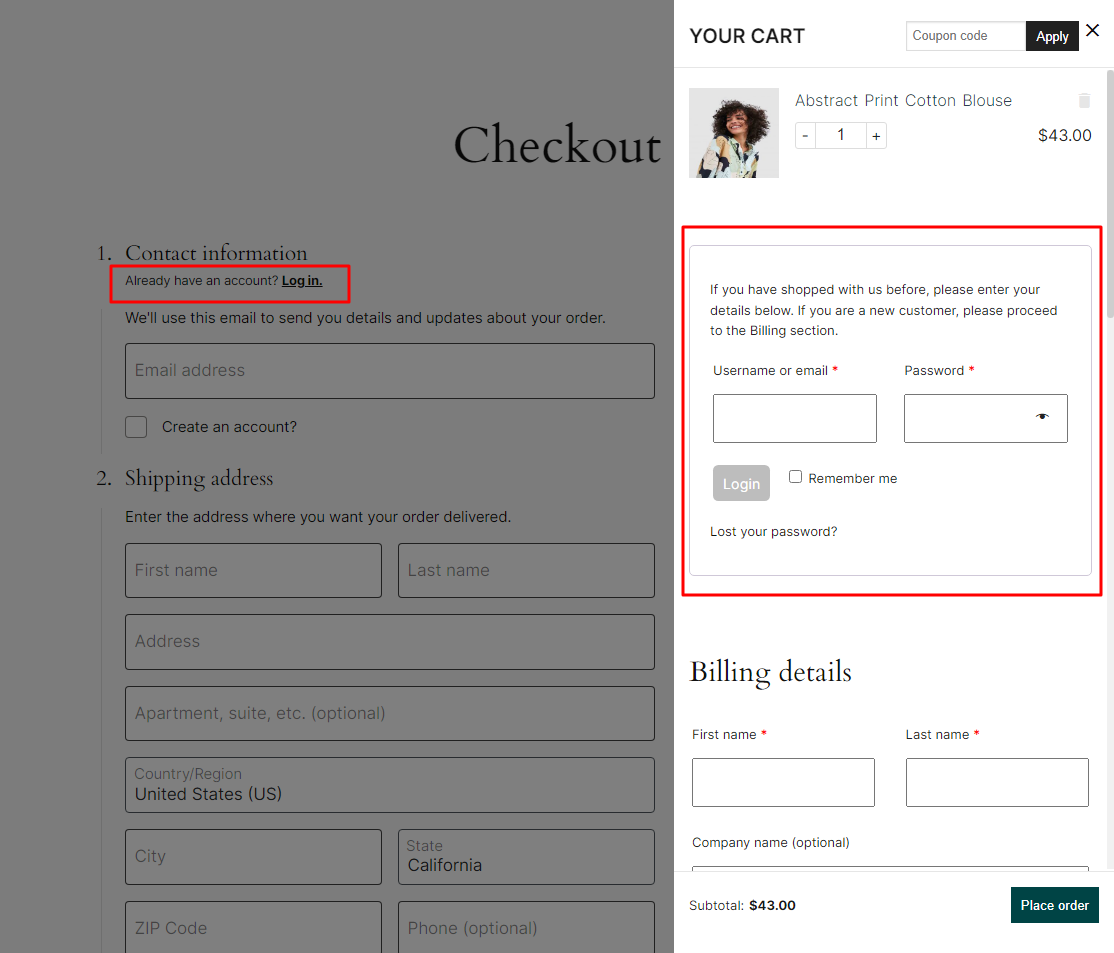
- “Create an account” checkbox
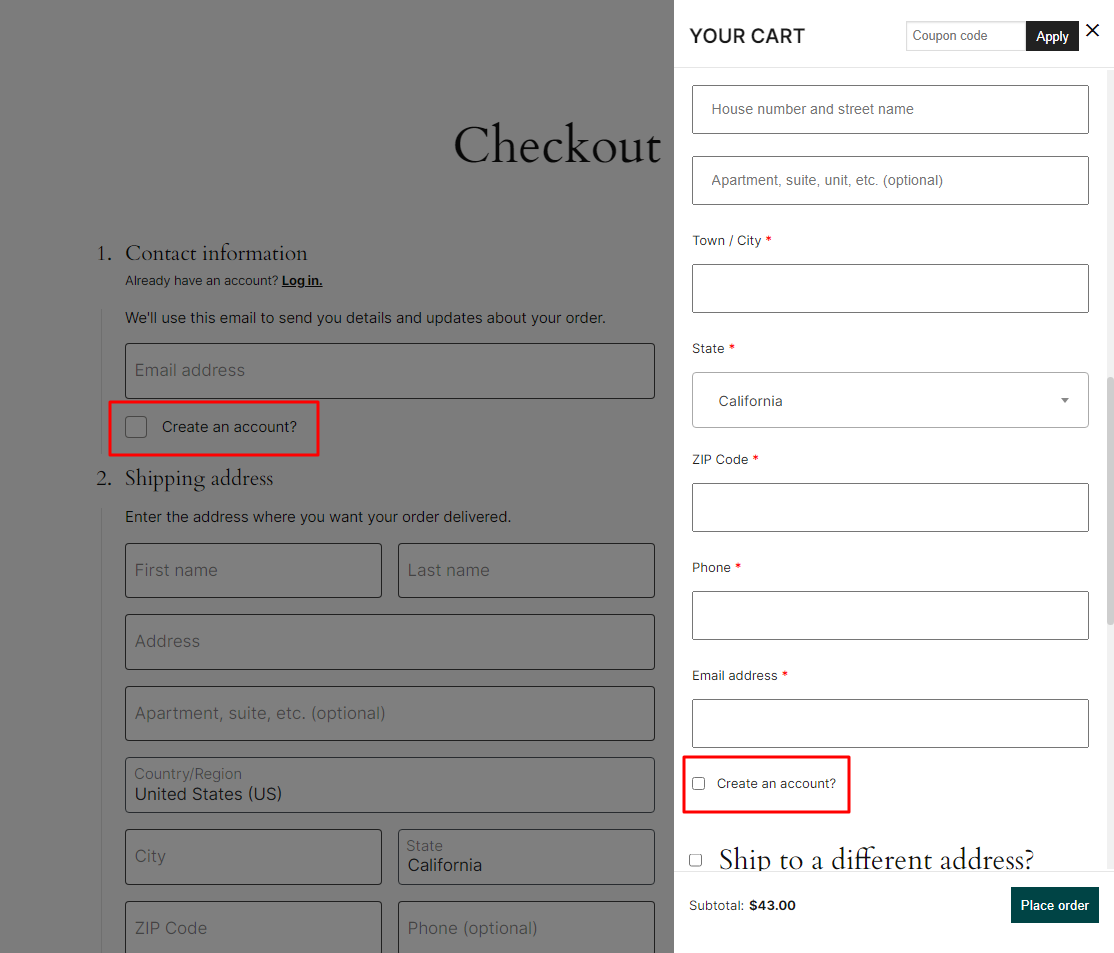
Case 2: Show “Create an account?” checkbox, customer is able to create an account during checkout
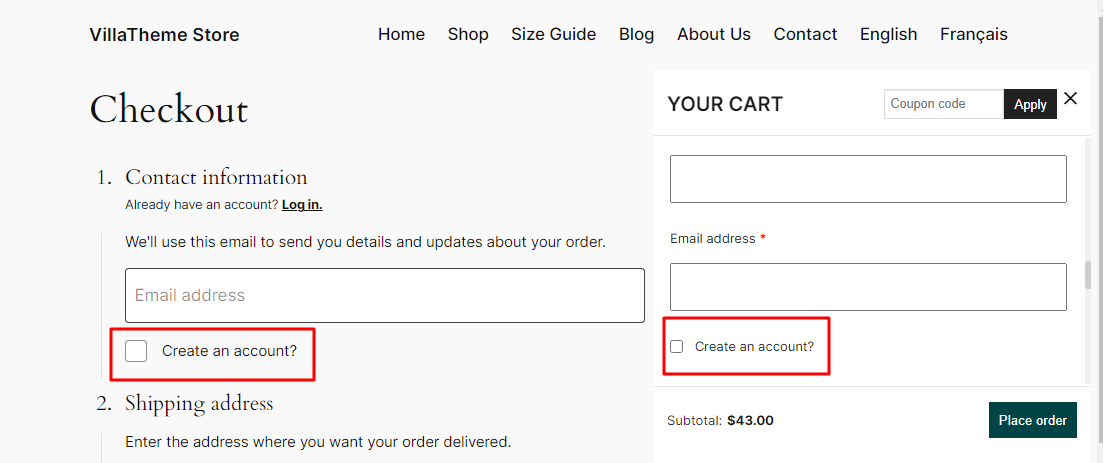
Case 3: Hide “Create an account?” checkbox, customer is unable to create an account during checkout
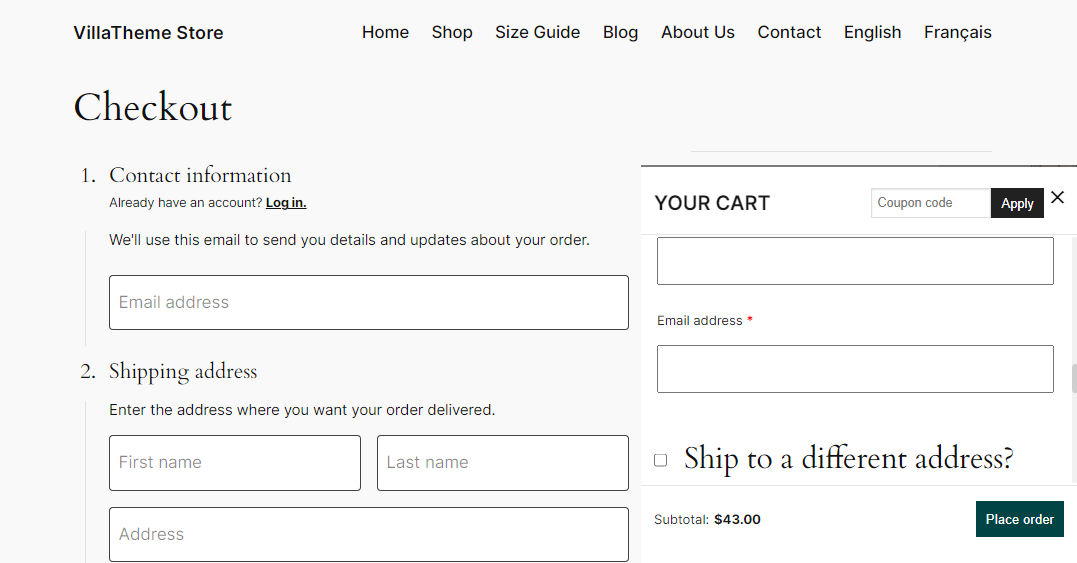
Case 4: Hide login form, but customer is still able to place an order without login/registering
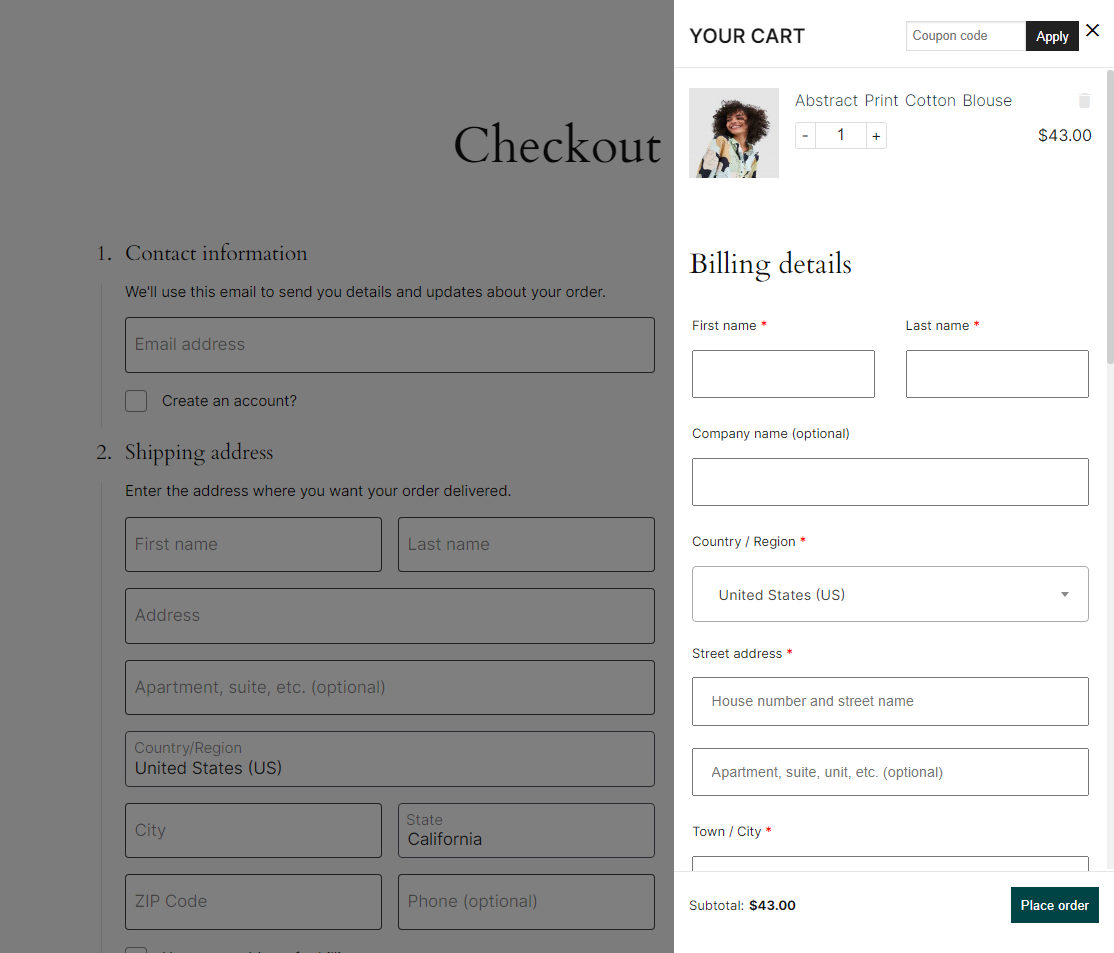
Case 5: Hide login form, but force customer to login (not on the Checkout page) or create a new account (registration form available on the Checkout page) to place an order
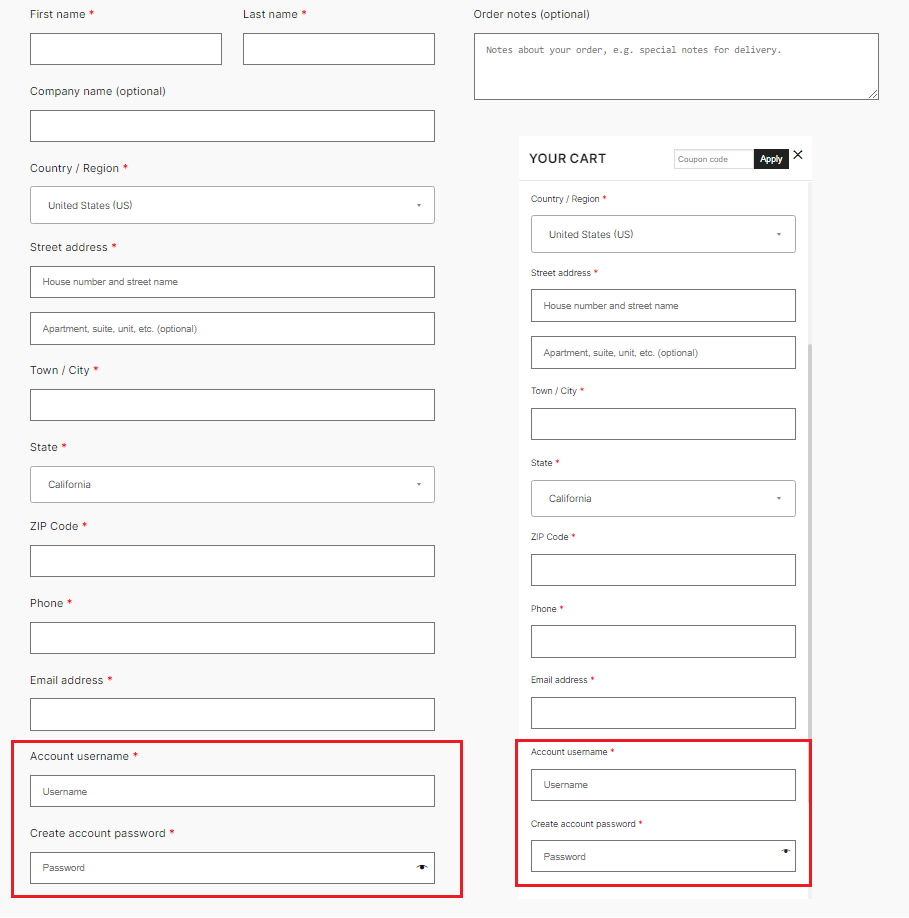
Case 6: Hide the Create new account form, show the login form. Customer must login to place an order
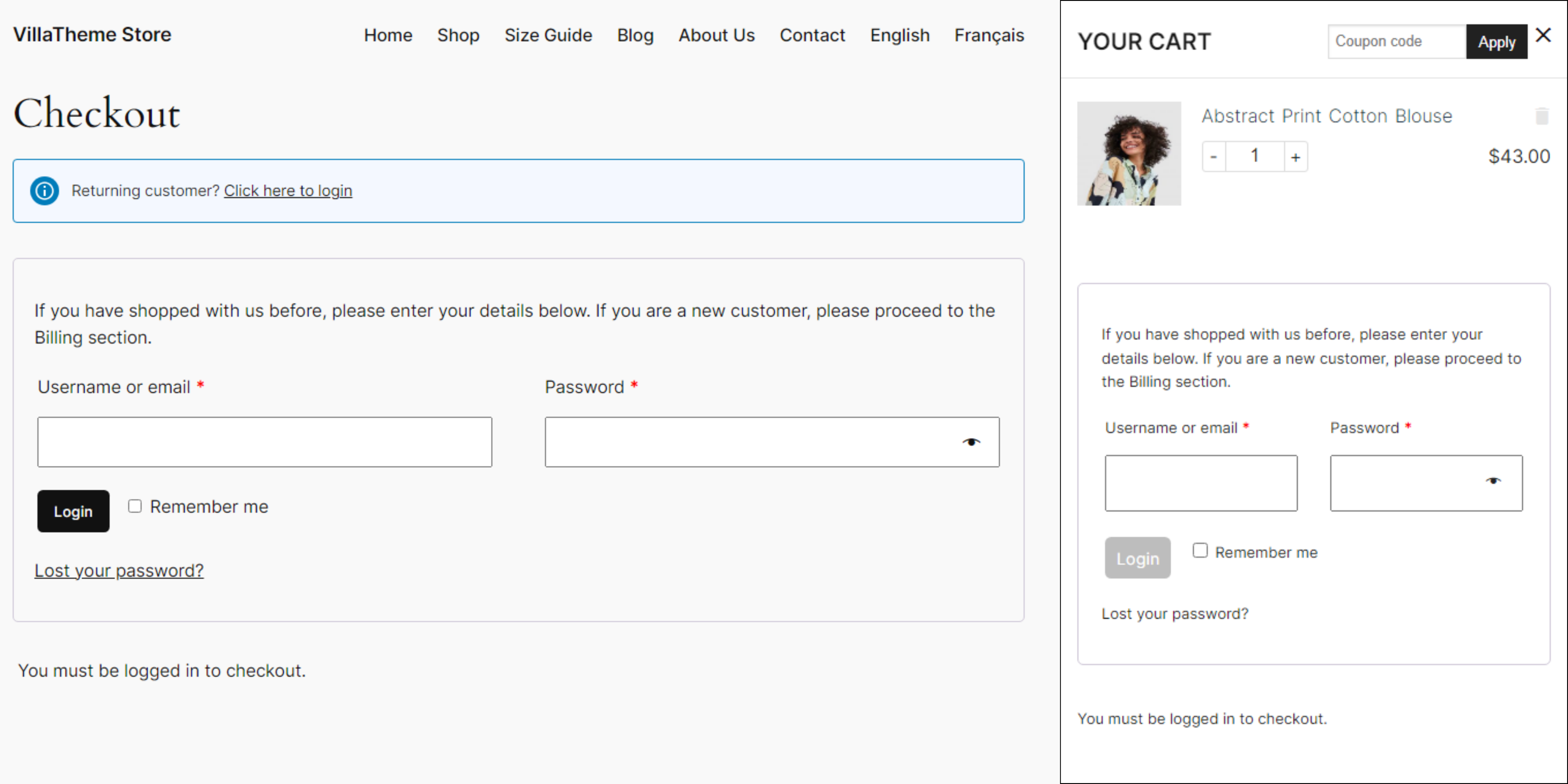
Case 7: Disable checkout for guest. Customer must login/create a new account before reaching checkout process.