
This article is for our users of:
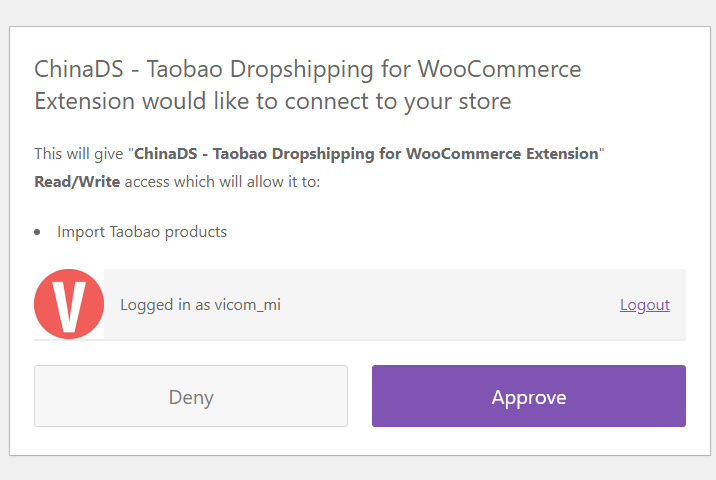
If you receive this message trying to connect your domain to the chrome extension using REST API: Error: An error occurred in the request and at the time were unable to send the consumer data.
This is a common issue when connecting WooCommerce to the AliExpress/Taobao/Tmall platform via APIs. Here are some potential causes and solutions.

Possible Causes:
-
- Outdated WooCommerce Version: The chrome extensions of both ChinaDS and ALD require the specific or latest version of WooCommerce. You can find the details under “System Requires” or “Required” section – Visit ALD documentation and ChinaDS documentation for more details.
- Missing HTTPS/SSL Certificate: This is required – Ensure you install and activate a valid HTTPS/SSL certificate to enable communication with the WooCommerce API.
- Website Access Restrictions: If your website is password-protected or using a “coming soon” or “site under construction” plugin, it may block public access and API functionality, and disable these restrictions to allow API access.
- Caching Plugin Issues or 3rd Plugin Conflicts: Some caching plugins remove the “Authorization” header, which can cause problems. Additionally, conflicts with other plugins on your site might also be the reason for this issue.
- Server Configuration: Your server might be stripping the “Authorization” header.
Possible Solutions:
-
- Keep your plugins up to date
- Caching plugin configuration: Review your caching plugin settings to ensure headers are not being cached or stripped.
- SSL certificate: Generate and install a new, valid LetsEncrypt certificate for your subdomain at the server level.
- If your site uses Cloudflare: Try disabling the CDN proxy for your subdomain by pointing it directly to your server’s IP address.
- Examine conflict with other plugins/themes: Rule out any possible conflict with your plugins/theme. Please refer to our self-service guide for more details. Once identified, focus on resolving the issue with the party that causes this.
Important Note:
+ If the issue is caused by conflicts with other plugins or themes: After running a conflict test, please submit a ticket on our support forum, with details of the conflicting plugin/theme, and your site’s admin and FTP access. Our team will dig it deeper for you.
+ If the issue is due to your server configuration or none of the above solutions work: It’s best to contact your hosting provider, as server-related issues are often beyond our support capabilities.