A Better Shipping Experience for Modern WooCommerce Stores with VIMA – Multi Customer Addresses for WooCommerce
By default, WooCommerce allows customers to save only one shipping address. While this works for simple use cases, it quickly becomes a limitation for customers who frequently ship to different locations—such as home, office, family members, or multiple delivery destinations.
VIMA – Multi Customer Addresses for WooCommerce removes this limitation by enabling customers to save, manage, and select multiple shipping addresses with ease. It enhances the customer experience without disrupting WooCommerce’s default checkout flow, making repeat purchases faster and more convenient.
Many WooCommerce stores serve customers who:
- Regularly ship orders to different locations
- Purchase gifts for others
- Order for both personal and business use
- Manage deliveries for multiple recipients
Without multiple address support, customers must manually edit their shipping details on every checkout. This creates friction, increases the chance of errors, and slows down the purchase process.
VIMA solves this problem by allowing customers to store multiple shipping addresses and select the correct one during checkout in just a few clicks.
How VIMA – Multi Customer Addresses for WooCommerce Works
- Once installed and activated, VIMA automatically extends WooCommerce’s address system.
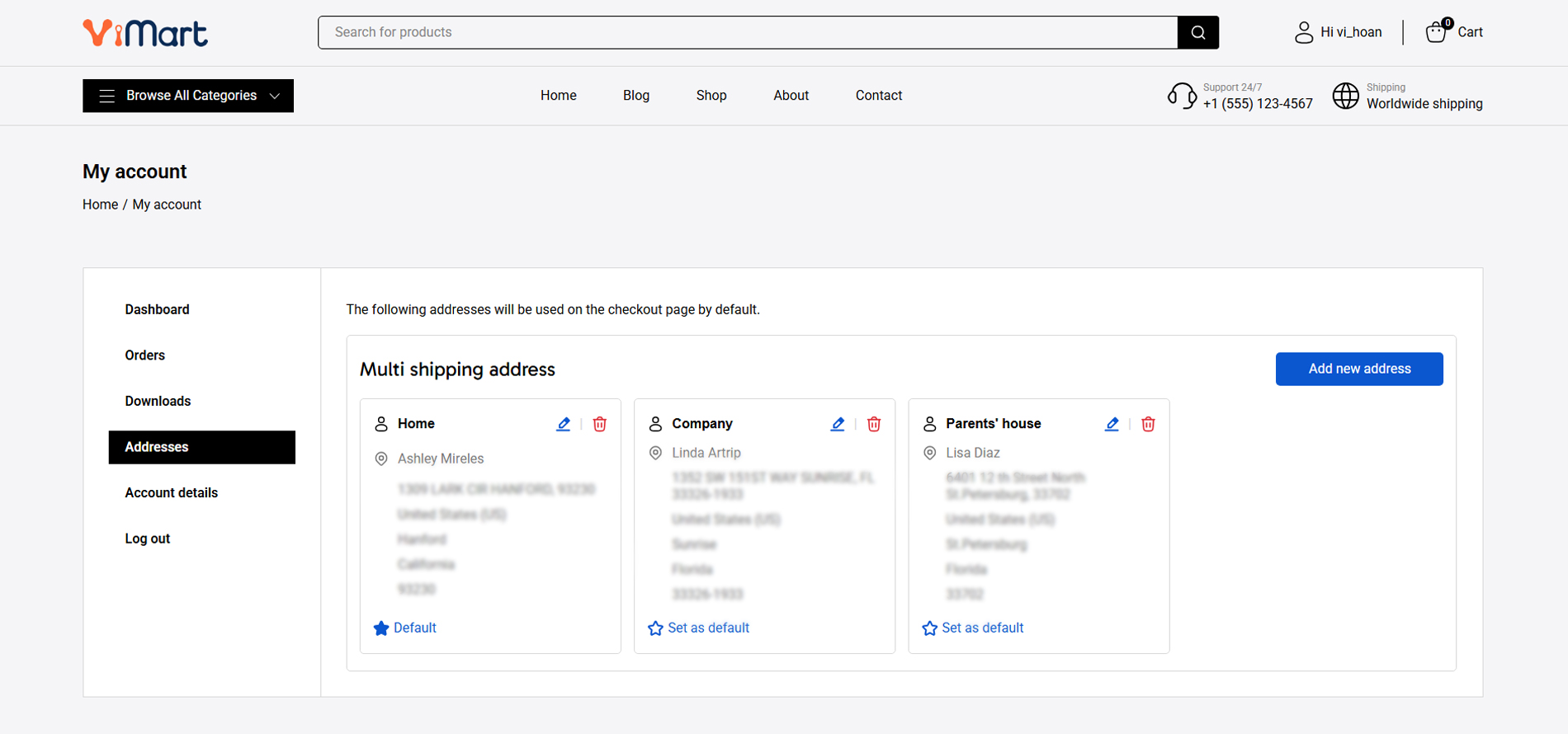
- A new address management form becomes available under My Account → Addresses
- Customers can add, edit, and delete multiple shipping addresses
- Each address can be saved with a nickname for easy identification
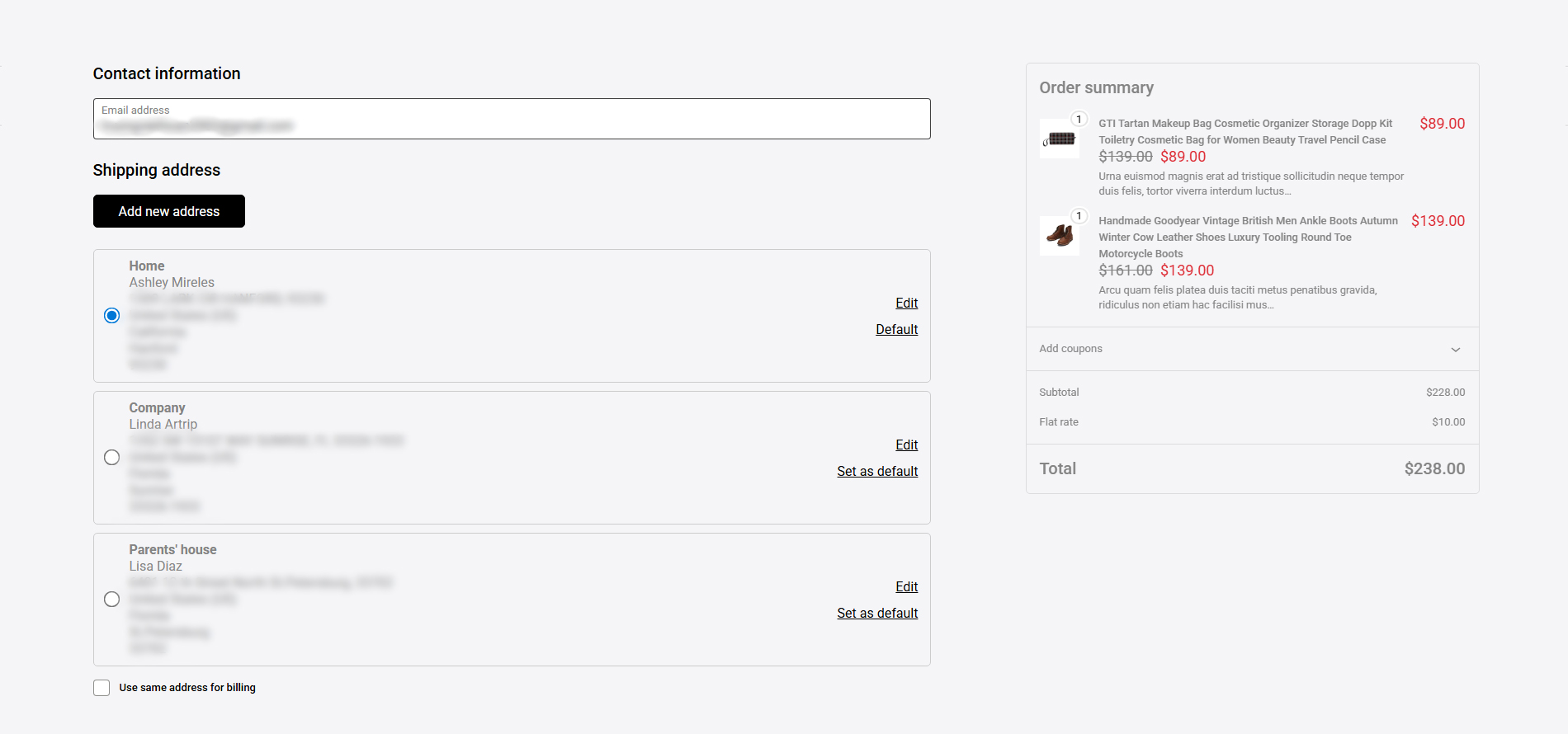
- During checkout, customers can select one of their saved addresses
- Customers can set a default shipping address for future orders
All of this works seamlessly within the existing WooCommerce experience, without requiring custom checkout pages or complex configuration.
Key Features of VIMA – Multi Customer Addresses for WooCommerce
Multiple Shipping Addresses per Customer
VIMA allows logged-in customers to save multiple shipping addresses instead of being limited to a single one. Customers can add, edit, or delete addresses at any time, making it easy to manage deliveries to different locations such as home, office, or recipients for gifts. Each address is stored securely under the customer’s account and can be reused for future orders.
Seamless Address Selection at Checkout
During checkout, customers can select one of their saved shipping addresses without manually re-entering shipping details. Once selected, the address is automatically applied to the shipping section, reducing checkout time and minimizing input errors. This results in a faster, smoother checkout experience, especially for returning customers.
Default Address Management
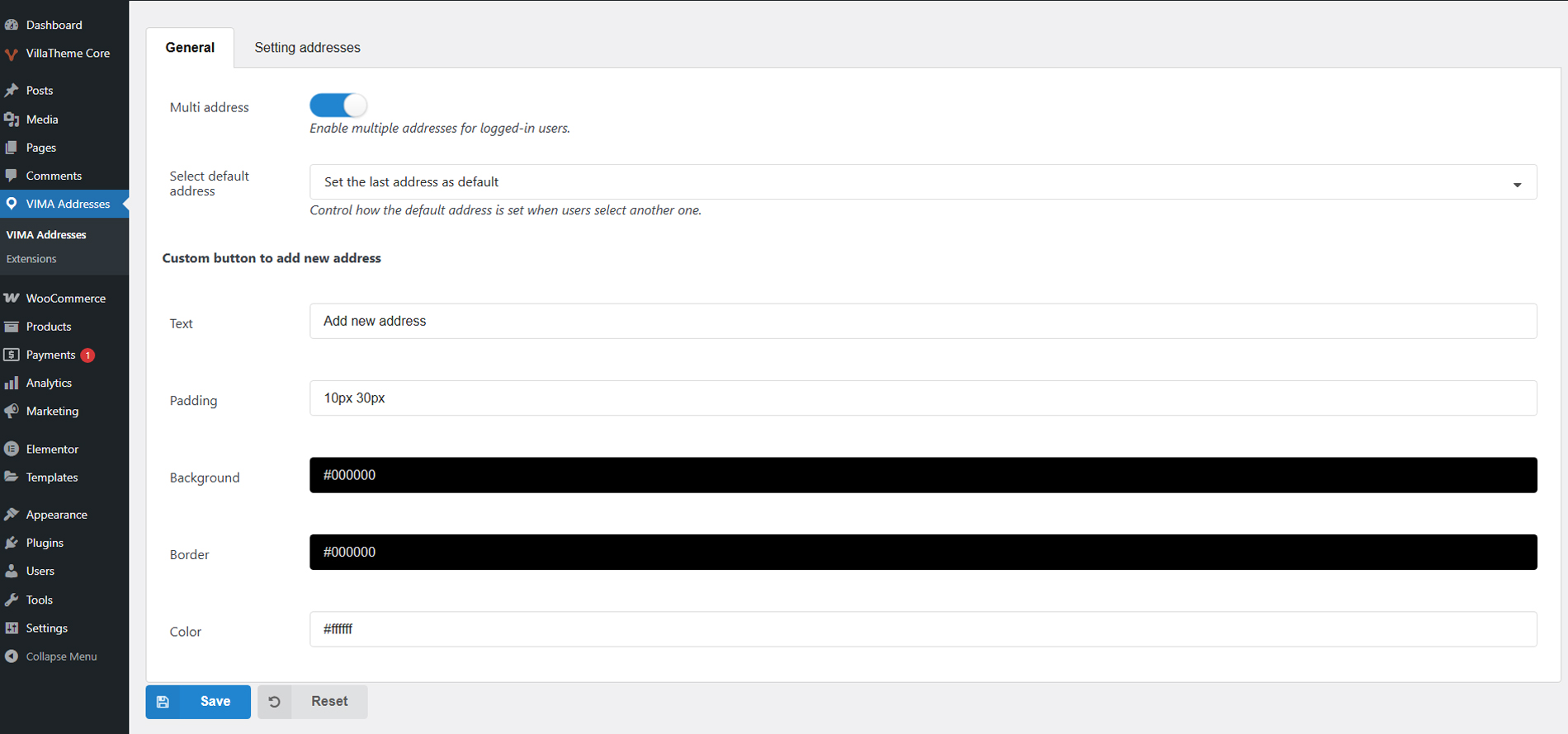
VIMA gives customers and store owners flexible control over default shipping addresses. Customers can manually choose a preferred default address, or the system can automatically set the most recently selected address as the default. This ensures the correct address is always used for future purchases unless the customer chooses otherwise.
Automatic Integration with My Account
The plugin seamlessly integrates into WooCommerce’s My Account → Addresses section. After activation, no additional configuration is required to enable address management. Customers can access their saved addresses directly from their account dashboard, keeping the experience consistent with WooCommerce’s native interface.
Custom Address Management Page via Shortcode
VIMA provides the [vima_address_list] shortcode, allowing store owners to display the address list and address input form on any page. This makes it possible to create a dedicated “My Addresses” page, place it in the main menu, or include it in a custom account layout. The shortcode outputs both the list of saved addresses and the form for adding new ones, offering full address management anywhere on the site.
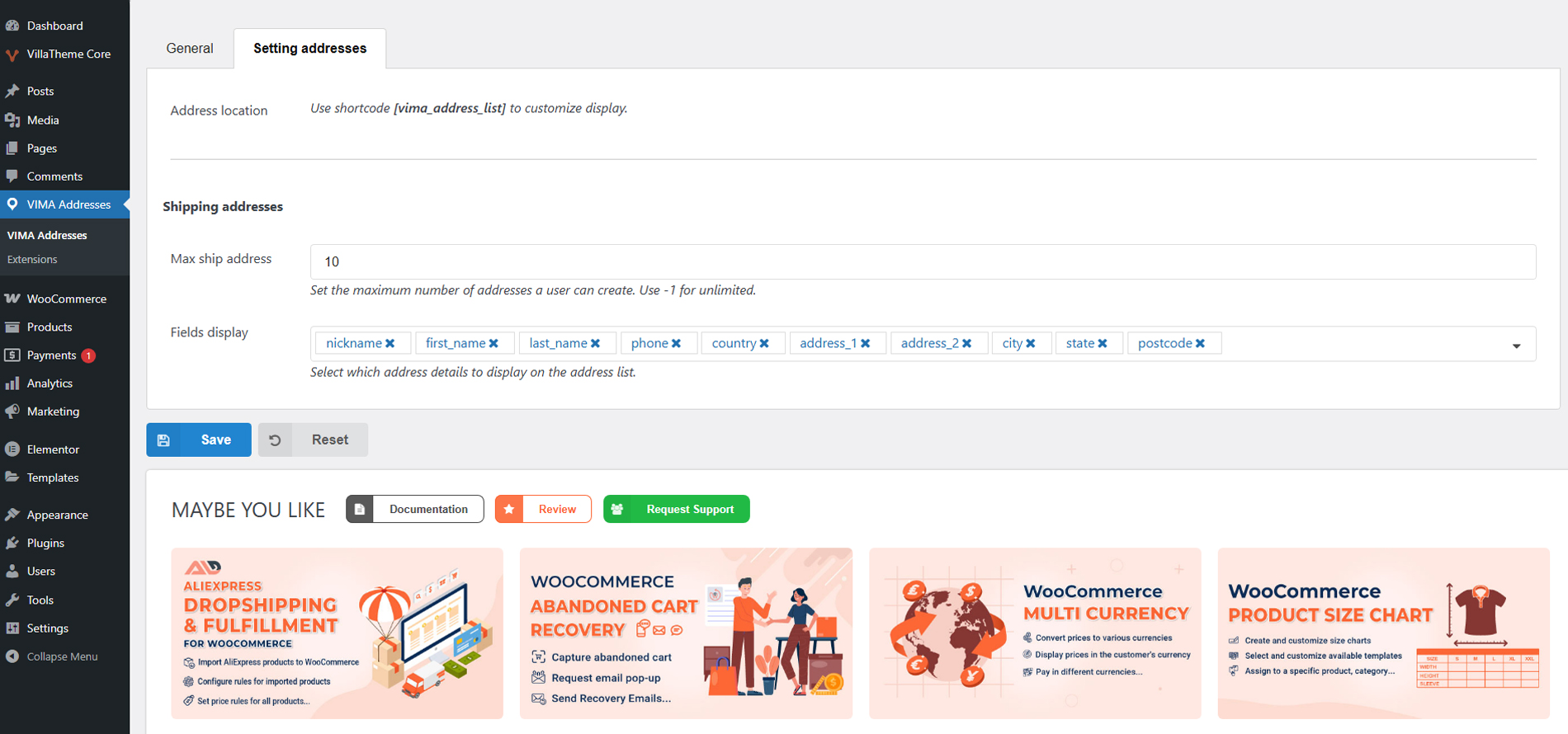
Flexible Address Limits and Fields Display
Store owners can control how many shipping addresses a customer is allowed to save. You can set a fixed limit to keep address lists manageable or allow unlimited addresses for customers who frequently ship to many locations. This flexibility makes VIMA suitable for both small stores and large, repeat-customer businesses.
VIMA allows you to choose which address fields are shown in the address list, such as name, phone number, company, city, or postcode. This helps keep the address list clean and readable while still showing all necessary information. The available fields align with WooCommerce’s standard address structure for full compatibility.
Customizable “Add New Address” Button
The plugin lets you customize the appearance of the “Add New Address” button, including text, padding, background color, border, and text color. This ensures the address management interface matches your store’s design and branding, providing a consistent and professional look across your site.
Lightweight and WooCommerce-Compatible
VIMA is built to work alongside WooCommerce without modifying core files or templates. It uses WooCommerce’s native address data structure, ensuring compatibility with most themes and extensions. The plugin is lightweight and optimized to avoid performance issues, even on stores with a large number of customers and saved addresses.
With VIMA, you can:
- Improve checkout speed for returning customers
- Reduce abandoned carts caused by checkout friction
- Minimize address entry errors
- Offer a more professional and flexible shopping experience
- Increase customer satisfaction and repeat purchases
- Support business customers and frequent shoppers more effectively
And customers benefit from:
- Faster checkout with fewer steps
- No need to re-enter shipping details every time
- Easy management of multiple delivery locations
- Clear and organized address selection
- A smoother, more user-friendly shopping experience
- Lightweight & WooCommerce-Friendly
Compatible plugins

Wait no more – take a look at this tutorial video!