ALD – Aliexpress Dropshipping and Fulfillment for WooCommerce 2.3.3
Rated 4.50 out of 5 based on 6 customer ratings
$29.00–$49.00Price range: $29.00 through $49.00
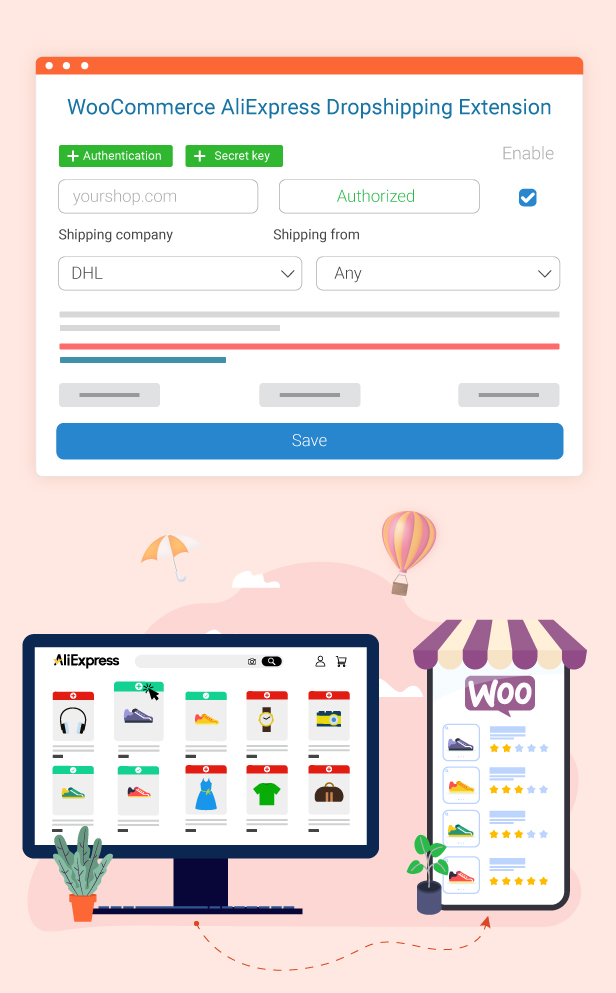
WooCommerce AliExpress Dropshipping is a plugin that allows shop owners to import products from aliexpress.com to their own WooCommerce store. That helps shop owners easily possess and run their own business on the E-Commerce site with a wide range of products from Aliexpress and earn more money from online business.
AliExpress Dropshipping for WooCommerce is like turning your online store into a global retail powerhouse!
AliExpress Dropshipping for WooCommerce probably is the most commonly searched keyword on browsers. If you have a plan to do your dropshipping business, AliExpress, and WooCommerce are wise choices to start – you would just need a plugin for AliExpress Dropshipping for WooCommerce and let it help you pull all the winning products to your store.
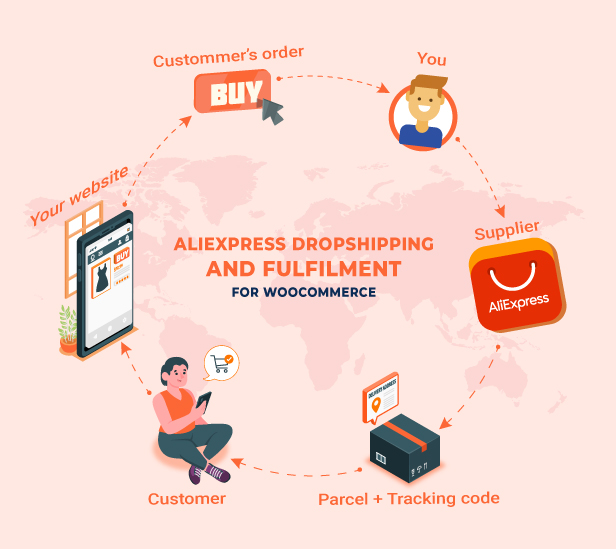
Dropshipping is an eCommerce business model where you sell products without keeping inventory. Instead of stocking items yourself, you list products in your online store and purchase them from a supplier only after a customer places an order. The supplier then ships the product directly to the customer.
This model allows you to start an online business with low upfront costs, reduced risk, and no inventory management, making it especially popular for new store owners and growing businesses.
AliExpress is one of the largest product marketplaces in the world, offering millions of products across countless categories with global shipping options. WooCommerce, on the other hand, is a powerful and flexible platform for building an online store on WordPress.
By combining AliExpress and WooCommerce, you can:
Access a massive product catalog
Test products without bulk purchasing
Sell globally with flexible pricing strategies
Fully control your store’s branding and customer experience
However, managing product imports, pricing, inventory updates, and order fulfillment manually can be time-consuming and error-prone. That’s where a dropshipping automation tool becomes essential.
AliExpress Dropshipping for WooCommerce (ALD) is a complete solution that connects your WooCommerce store with AliExpress, helping you automate and simplify every stage of your dropshipping workflow.
With AliExpress Dropshipping for WooCommerce, you can:
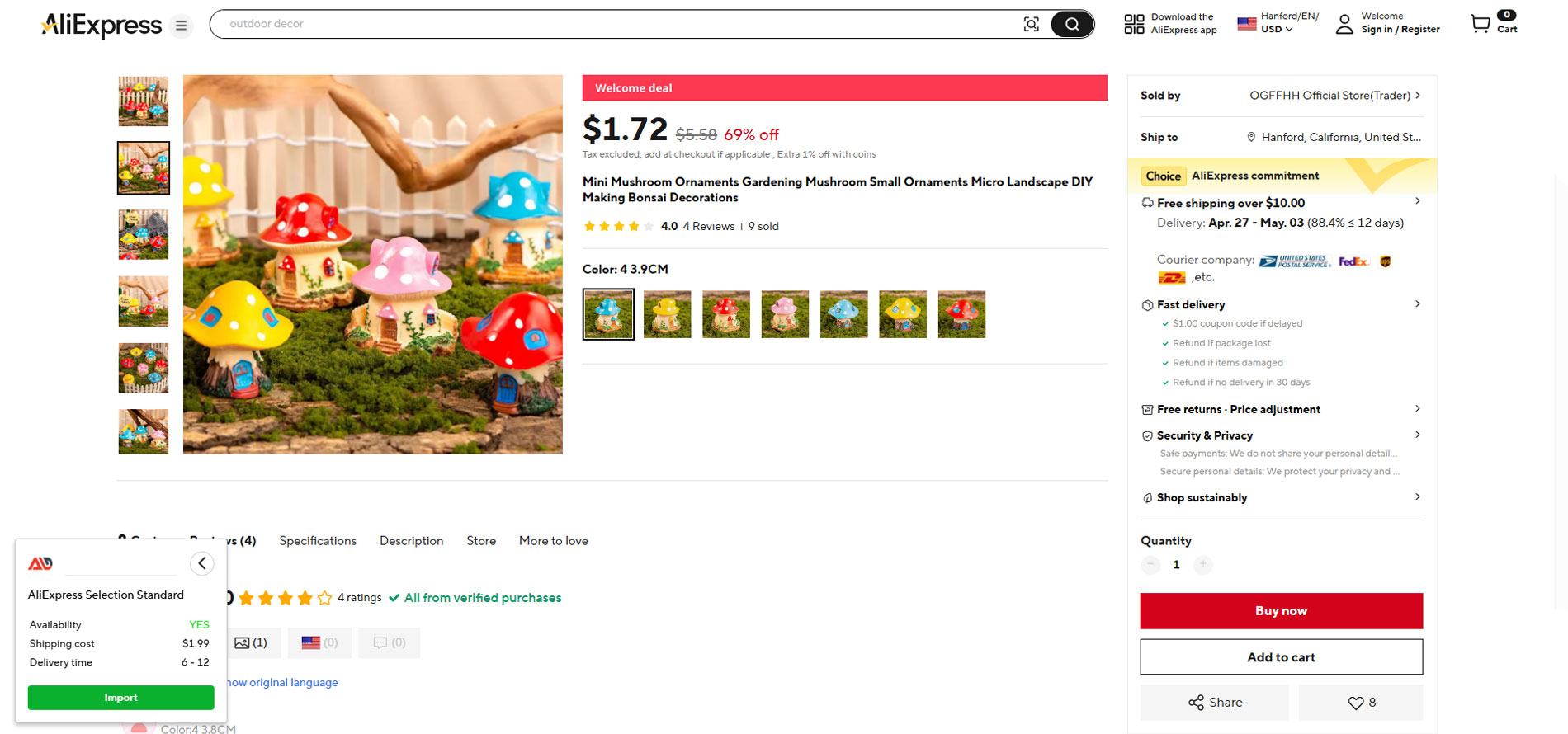
Import products from AliExpress into WooCommerce individually or in bulk
Customize product titles, descriptions, images, videos, attributes, and variations before publishing
Apply global rules to manage pricing, exchange rates, and profit margins
Import product reviews (via Chrome extension) to build trust and social proof
Sync inventory and prices to stay up to date with AliExpress changes
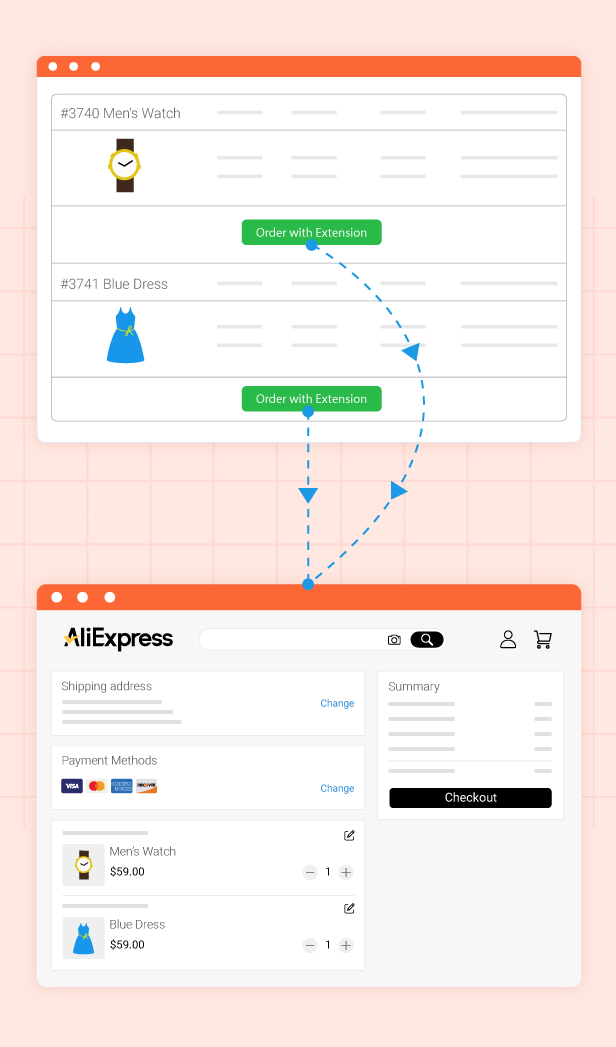
Fulfill orders directly on AliExpress using the Chrome extension or API
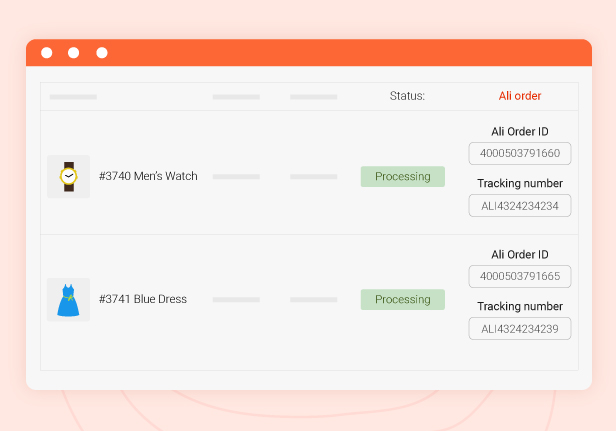
Automatically sync AliExpress order IDs and tracking numbers back to WooCommerce
Manage shipping methods and estimated delivery times on the frontend
Migrate products from other AliExpress dropshipping plugins
Monitor updates, logs, and notifications in one centralized dashboard
…
AliExpress Dropshipping for WooCommerce is designed to save you time, reduce manual work, and give you full control over how AliExpress products are presented and sold in your WooCommerce store.
* IMPORTANT NOTE:
AliExpress does not currently support shipping to certain countries, like India or mainland China. Before starting dropshipping on this platform, it’s recommended to verify whether your country or your target dropshipping destination is supported. Visit AliExpress and check their shipping policies to avoid any potential issues
We use our affiliate link when you fulfill orders through the Chrome extension. This doesn’t change your experience or cost anything extra – it just helps us improve the tool. To continue using the extension’s features, you’ll need to accept this in the Disclosure popup notice.
For API features like Fulfill orders, Auto fulfill orders – the Chrome extension must still be installed, enabled, activated, and used with affiliate consent.
Regarding the Accuracy of Raw Information from AliExpress.
We make no guarantees about the raw information imported from AliExpress and AliExpress API provided by our plugin and will not be held liable if it is not accurate, complete, or up to date, or if it does not otherwise satisfy your specific needs. All risks regarding raw information and the material may not be accepted and will not be our responsibility.
There may be instances when the information provided through the plugin contains typographical mistakes, inaccuracies, or omissions that come from AliExpress and AliExpress API such as product descriptions, promotions, offers, pricing, shipping fees, availability, and delivery timeframes. Apart from the official laws required, we do not commit to correcting, updating, altering, or clarifying such material. There is no specific update or refresh date supplied through AliExpress and AliExpress API that should be interpreted as indicating that all information on AliExpress has been edited or updated.
AliExpress Dropshipping for WooCommerce – Feature Overview
AliExpress Dropshipping for WooCommerce lets you securely connect your WooCommerce store with AliExpress, enabling product import, order fulfillment, and data synchronization. You can connect the two platforms using one of the following methods:
Secret Key
WooCommerce REST API
Both methods ensure a stable connection between your store and AliExpress for importing products and fulfilling orders.
Import Products from AliExpress
AliExpress Dropshipping for WooCommerce makes it easy to bring AliExpress products into your WooCommerce store with flexible import options:
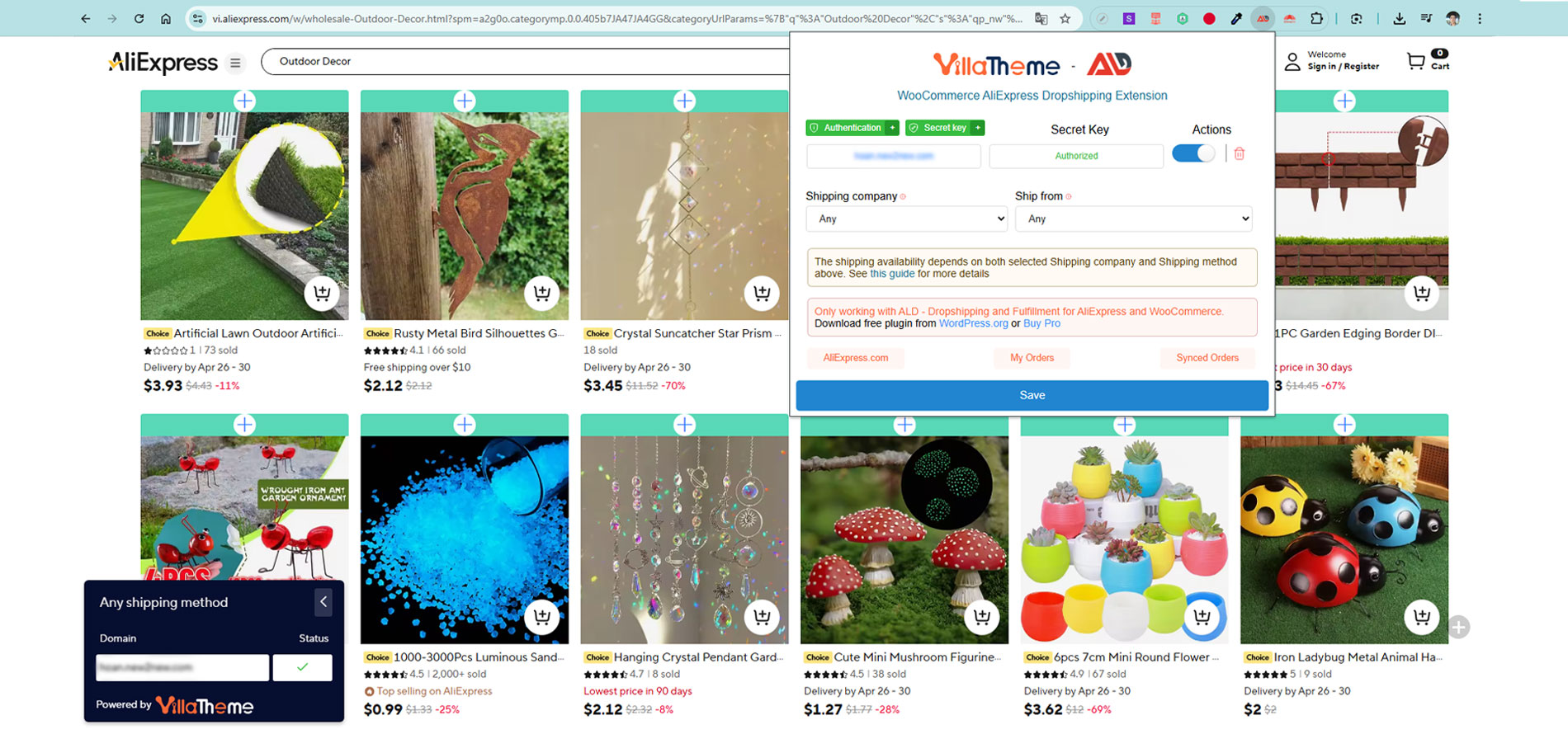
Import single products directly from AliExpress
Import entire categories to speed up bulk product sourcing
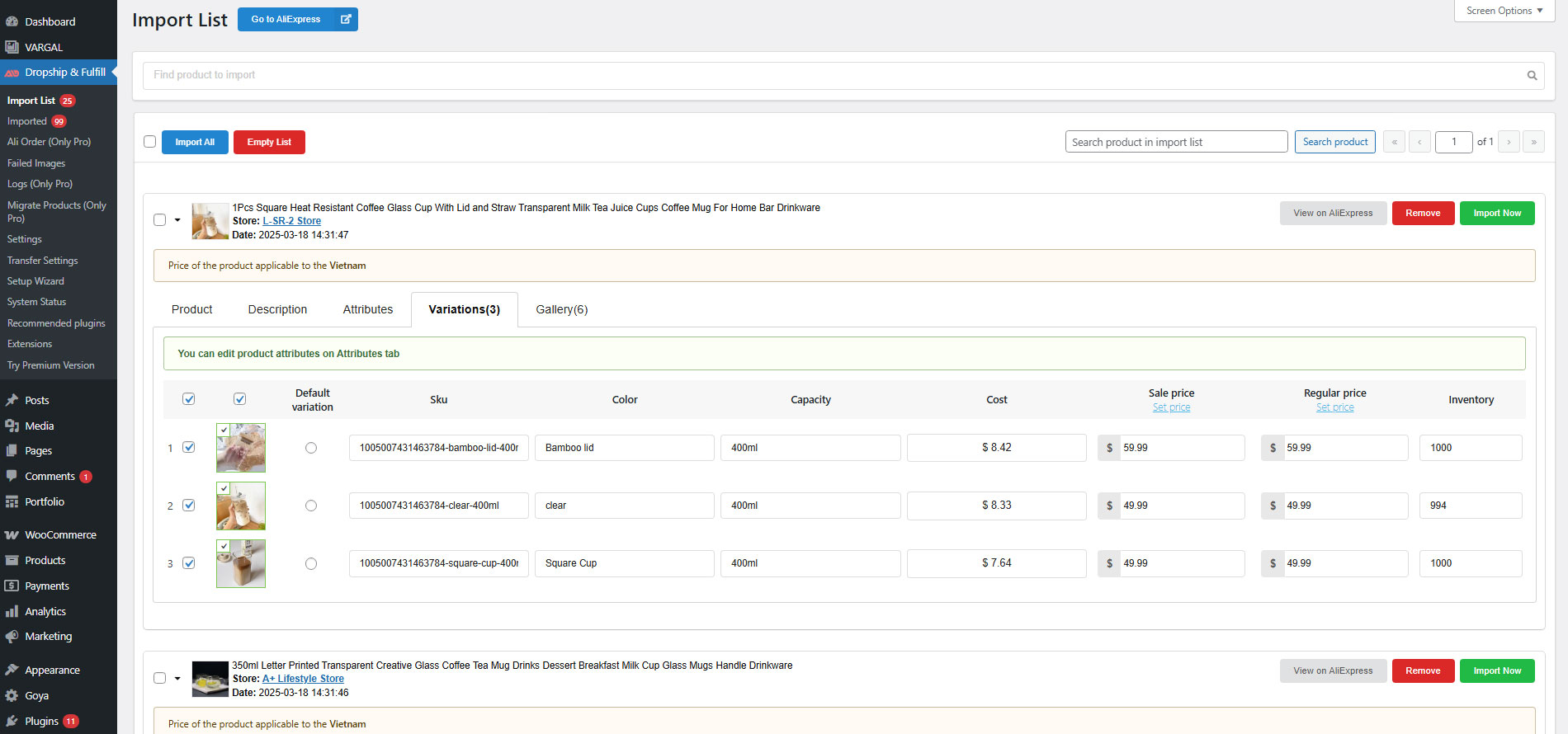
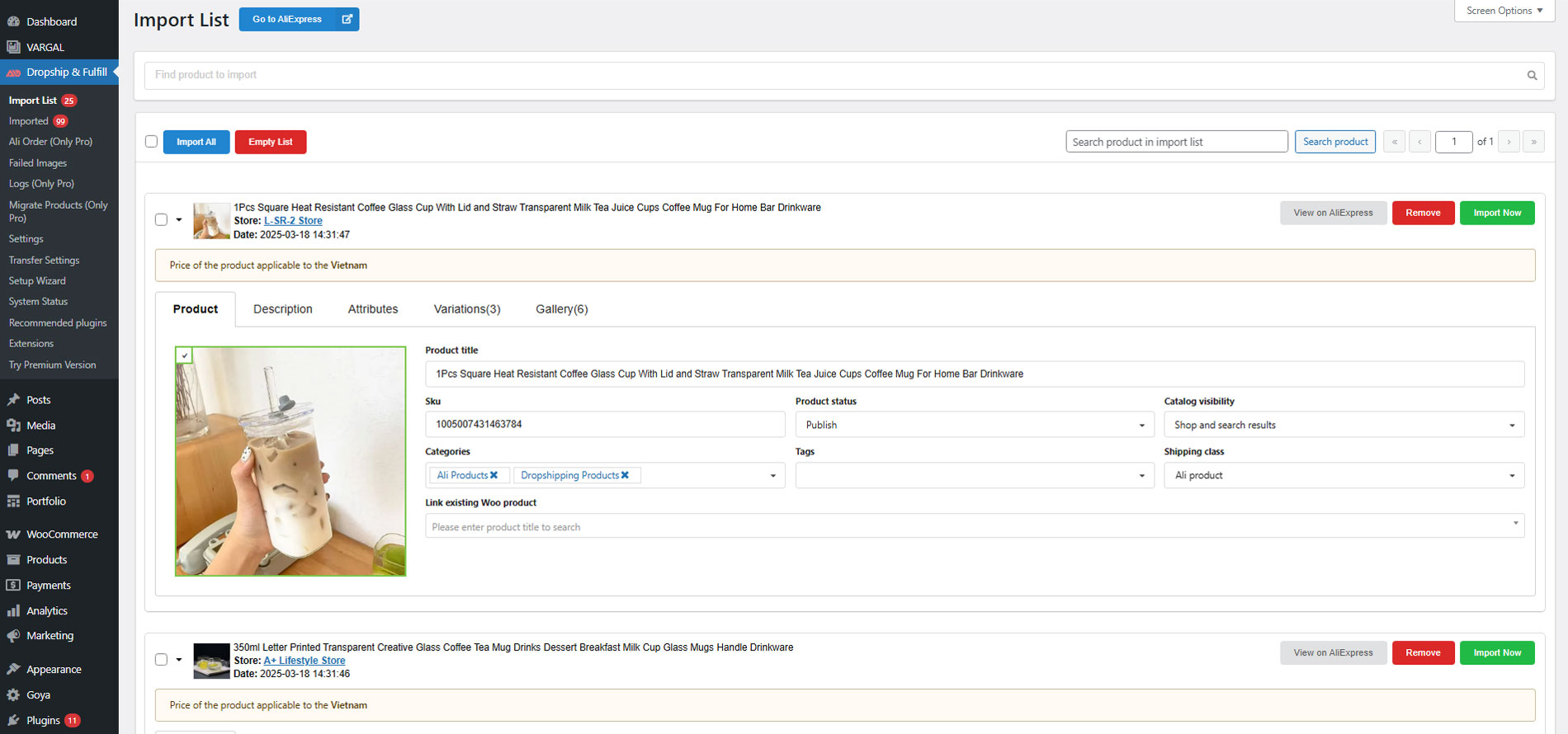
Imported products are first added to the Import List, where you can review and customize them before publishing.
Global Product Setup and Pricing Rules
Before products are moved into WooCommerce, AliExpress Dropshipping for WooCommerce allows you to apply global rules to control how products and prices are created.
Global Product Rules: These rules apply to products in the Import List before they are published:
Product status: Automatically set imported products as Published, Pending, or Draft
SKU rules:
Use AliExpress product ID as SKU via {ali_product_id}
Auto-generate a unique SKU if a duplicate exists
Product title: Enter default title using your own content or use the placeholder {ali_product_title}
Global attributes: Convert custom attributes into WooCommerce global attributes
Shipping options:
Display available shipping methods and costs
Add shipping cost to product price after pricing rules
Simple product conversion: Import products with a single variation as simple products
Catalog visibility: Control where products appear (Shop, Search, Both, or Hidden)
Product description rules:
Import item specifics
Import product description
Import both or none
Image handling:
Use external image links (via EXMAGE plugin) to save server storage
Variation display: Control whether variations are visible on product pages
Stock management:
Import inventory and manage stock
Or mark products as “In stock” without syncing inventory
Ship-from rules: Option to import only variations shipped from China
Find & Replace: Bulk edit product titles and descriptions during import
Global Pricing Rules: AliExpress Dropshipping for WooCommerce provides advanced pricing automation to ensure accurate and profitable pricing:
Currency exchange:
Convert USD to your store currency
Support for CNY → USD and RUB → USD conversions
Exchange rate sources:
Google Finance
Yahoo Finance
Cuex
TransferWise
Automatic rate updates with scheduling options
Exchange rate rounding control
Quantity-based pricing rules for bulk purchases
Price formatting rules to create attractive psychological pricing
Attribute & Variation Customization
Edit and replace all attribute terms globally
Modify variation labels before products are published
Product Videos: WooCommerce does not natively support product videos. Imported videos are added as external links and may be blocked by AliExpress in some cases.
Import AliExpress product videos using the original video URL
Automatically generate a video shortcode for use on product pages
Show or hide videos on specific products
Product Reviews (Chrome Extension): Review import is not available for API-based imports.
Import AliExpress product reviews when using the Chrome extension
Reviews appear in the Reviews tab of the Import List
Helps build trust and social proof
Product Updates & Overrides
Manually update price and quantity when AliExpress data changes
Send email notifications for updates
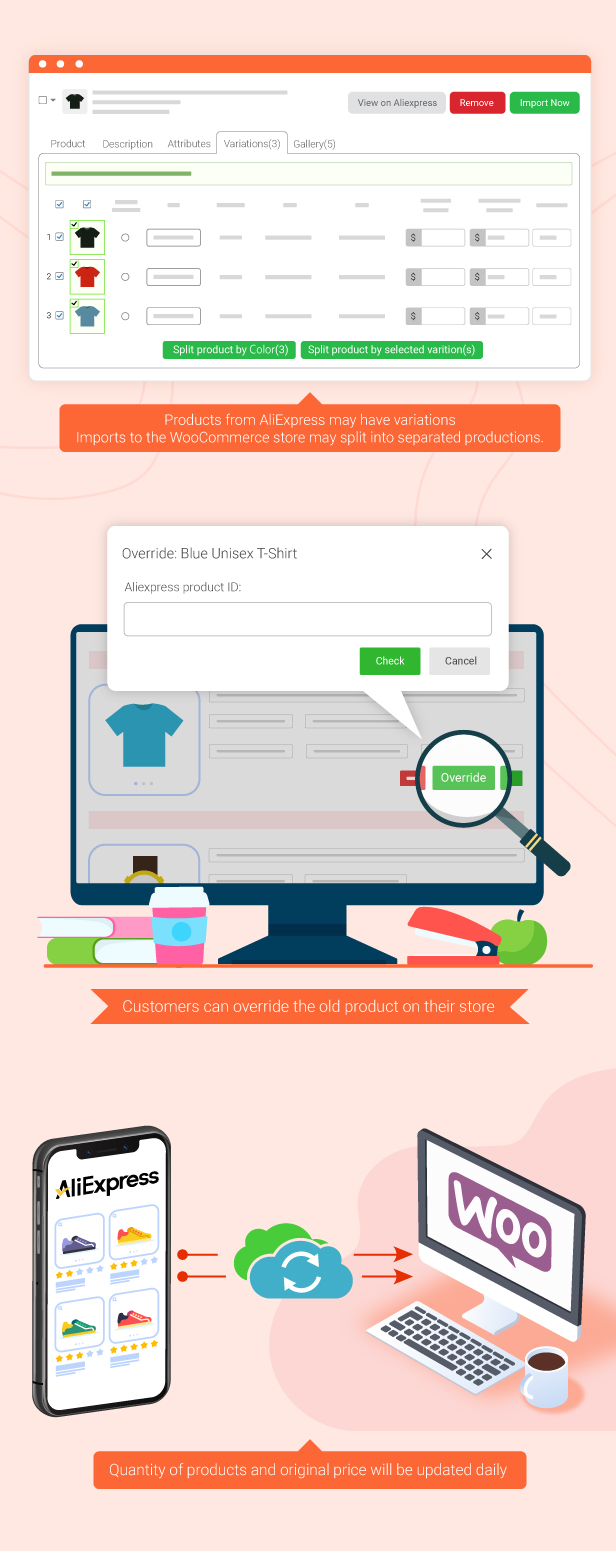
Override products by assigning alternative AliExpress items
Migrate products from other plugins such as:
Ali2Woo
AliDropship
Manage Products in the Import List
The Import List is where you fine-tune products before publishing them to WooCommerce.
You can customize:
Product title, SKU, and status
Catalog visibility
Categories and tags
Descriptions
Product videos
Attributes and attribute terms
Variations and variation images
Editable variation SKUs
Shipping costs and methods
Original AliExpress cost
Calculated regular and sale prices
Inventory levels
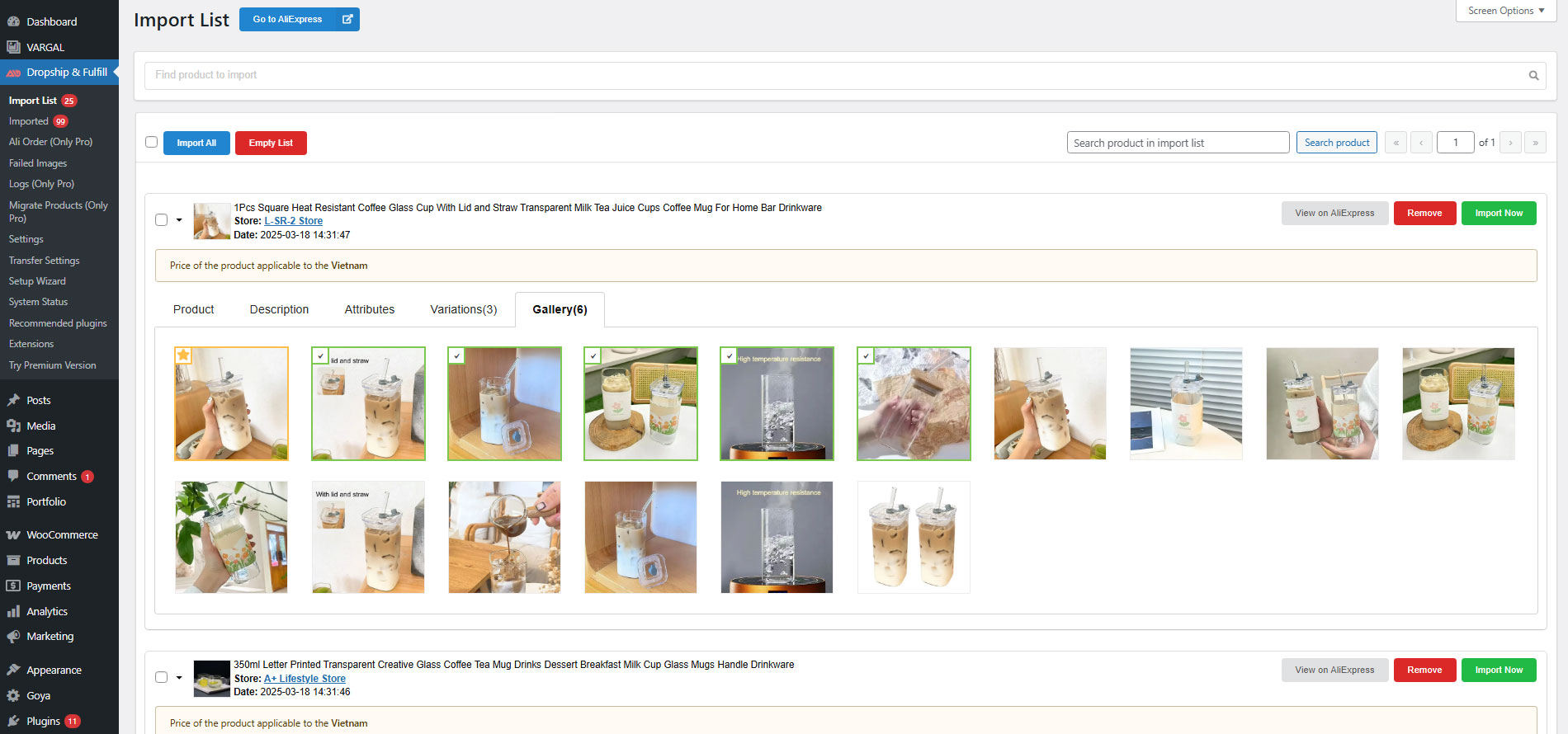
Product galleries
Imported reviews (if enabled)
Split Products by Variations
Split a variable product into multiple single products
Choose specific attributes or variations to split
Bulk Actions
Apply changes to multiple products at once:
Categories
Tags
Status
Visibility
Import or remove selected products
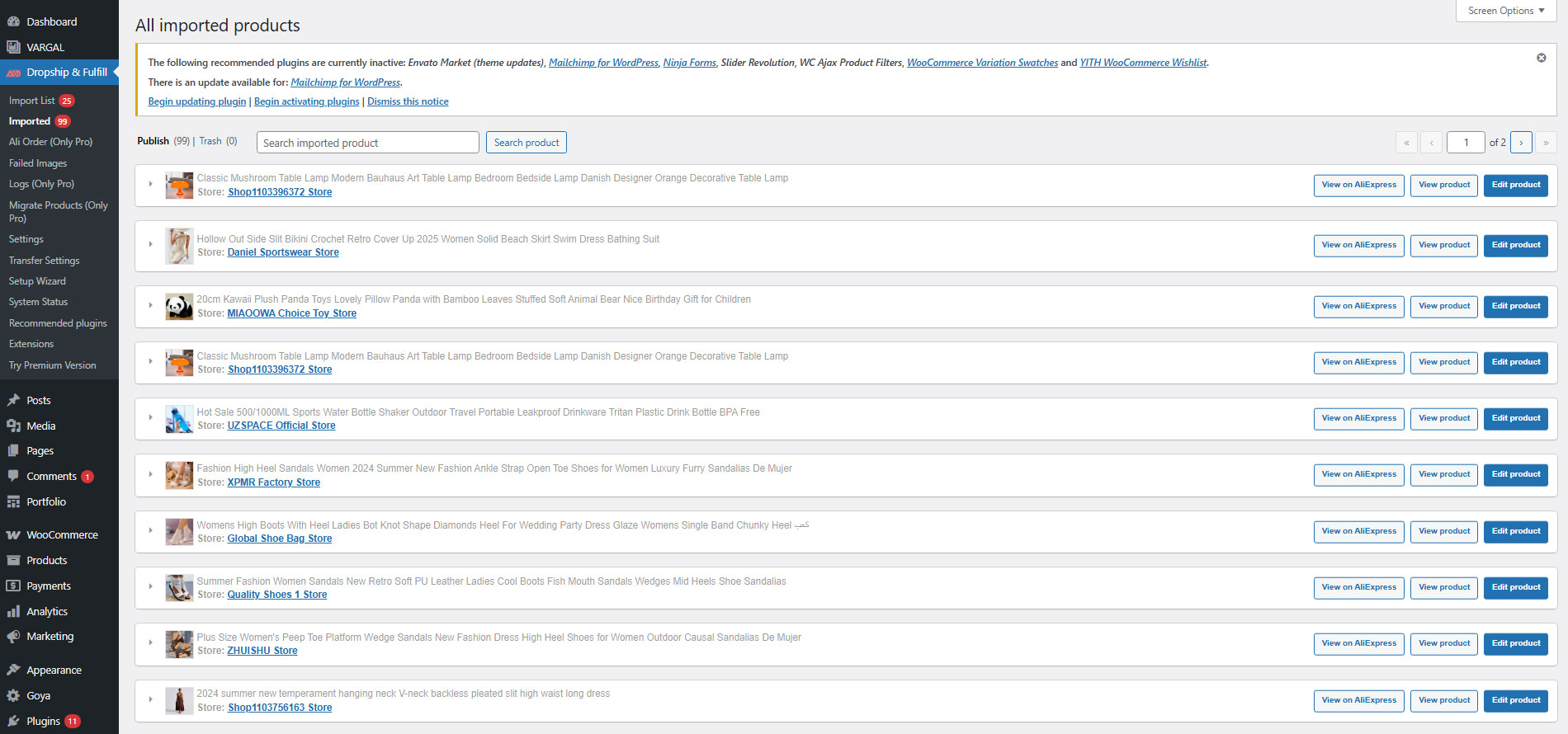
Manage Imported Products
Once products are published to WooCommerce, AliExpress Dropshipping for WooCommerce provides an Imported Products section to help you:
View product details such as cost, price, shipping info, and status
Override existing products with new AliExpress sources
Update prices and inventory to stay in sync
Inventory and Price Synchronization
Keep your store up to date with flexible syncing tools
Custom price rules per product or category
Sync inventory and prices via Chrome extension
Automatic syncing using Cron jobs
Detailed sync logs with timestamps and change history
Email notifications for updates
Automatic product status changes when:
Products go out of stock
Variations are removed
Shipping methods become unavailable
Products are no longer sold on AliExpress
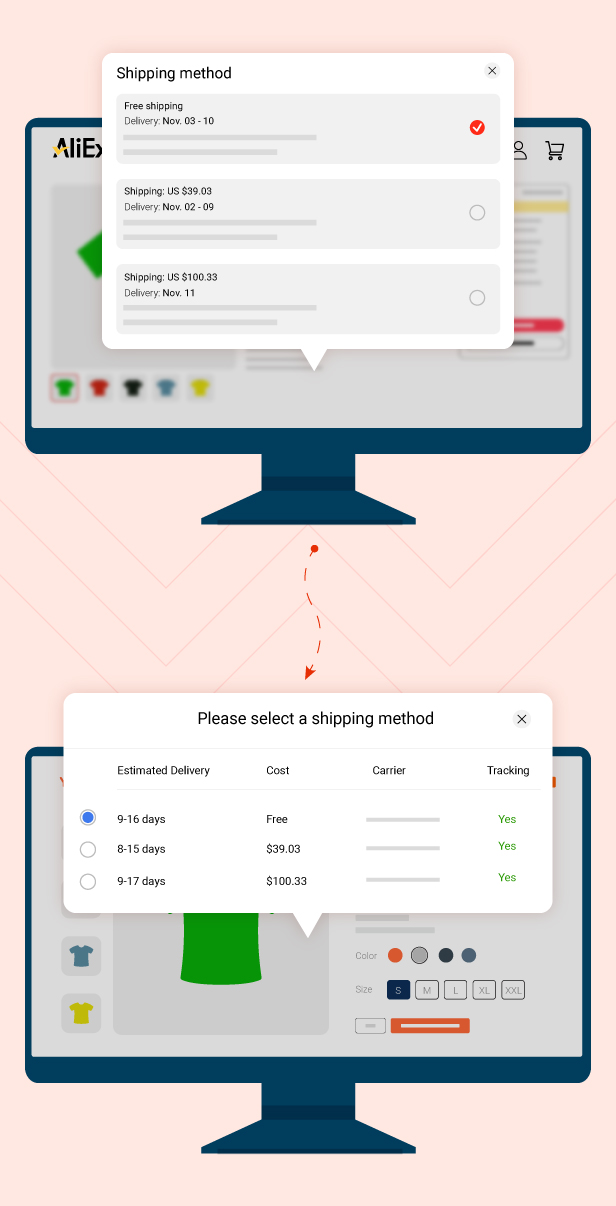
Shipping and Estimated Delivery Display
AliExpress Dropshipping for WooCommerce enhances the storefront by displaying AliExpress shipping information
Select shipping methods per product
Configure shipping selection on:
Single product pages
Cart and checkout pages
Handle products with no available shipping method
Mask shipping carrier names if needed
Manage AliExpress Orders
AliExpress Dropshipping for WooCommerce integrates AliExpress order handling directly into WooCommerce
View and manage AliExpress orders from the plugin dashboard
Fulfill orders directly from WooCommerce order admin
Sync AliExpress order IDs and tracking numbers to WooCommerce
Update tracking via order notes
Order Fulfillment Options
AliExpress Dropshipping for WooCommerce supports two fulfillment methods
Fulfillment via AliExpress API
Generate an access token using your plugin update key
Automatically place AliExpress orders
Set default options:
Carrier company
Phone number fallback
Order notes
Order status after fulfillment
Fulfillment via Chrome Extension
No API token required
Fulfill orders directly using the browser extension
Works from:
Ali Orders section
WooCommerce order admin
You can also fulfill AliExpress orders directly from:
WooCommerce → Orders
The process is identical to managing standard WooCommerce orders
Running an online business is a trendy business that brings you benefits and practical experience, starting an online business with AliExpress Dropshipping for WooCommerce is safer and more effective than ever when many unpredicted challenges and obstacles are out there. Let’s build skills and knowledge about AliExpress Dropshipping for WooCommerce using ALD – AliExpress Dropshipping and Fulfillment for WooCommerce and run your own business, you will collect values and master online business, shorten the distance to your future goal.
*** ALD - Aliexpress Dropshipping and Fulfillment for WooCommerce Changelog ***
2026.08.20 - version 2.3.3
- Updated: Compatible with WP 7.1
- Updated: Compatibility check with WC 11.0
- Updated: Update support class
2026.07.10 - version 2.3.2
- Added: Connect Chrome extension using WooCommerce REST API key.
2026.06.19 - version 2.3.1
- Removed: Secret key authentication for Chrome extension connection.
2026.06.04 - version 2.3.0
- Updated: Compatible with WP 7.0 and WC 10.8
2026.03.26 - version 2.2.5
– Updated: Update overwrite a product that is not already in the import list.
2026.02.27 - version 2.2.4
– Updated: Update support class
2026.02.06 - version 2.2.3
- Added: Option Image name & Image format
2026.01.23 - version 2.2.2
- Added: Import product reviews while adding a product to the import list by using the extension
- Added: Option to set the default product title in Import List
- Updated: Display all matching products that are available in the Import list while searching by Ali product ID in the override pop-up
- Updated: compatibility with TranslatePress for the Frontend Shipping feature
2025.10.31 - version 2.2.1
- Fixed: Display the error correctly if it exists while placing an order via api
- Updated: Compatibility with WC 10.3
2025.09.30 - version 2.2.0
- Fixed: Compatibility with EXMAGE – WordPress Image Links Premium
– Updated: Update product shipping information, sync orders, and bulk fulfill AliExpress orders using only a valid Auto Update Key, no live required
– Added: A button on the Ali Orders page that, when clicked, automatically places all matching orders on AliExpress based on your settings using the extension
– Deleted: Automatically place that order while a new order is placed or change the status
2025.09.12 - version 2.1.14
- Updated: Improved compatibility with EXMAGE – WordPress Image Links Premium
- Updated: Compatibility check with WC 10.1.2
– Updated: Update support class
- Updated: file language
2025.08.15 - version 2.1.13
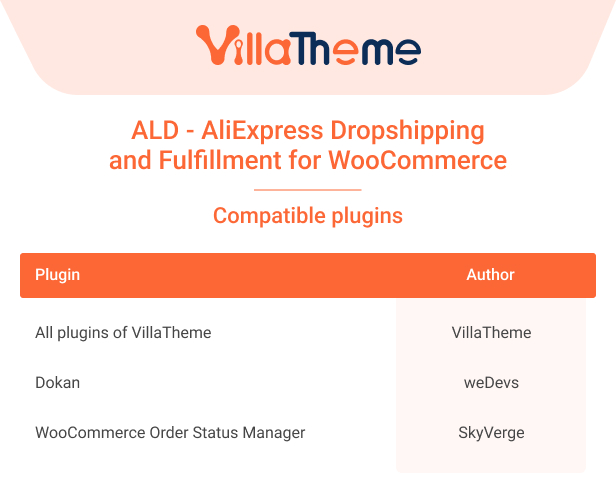
- Updated: Compatibility check with Dokan
– Updated: Update support class
- Updated: Compatibility check with WP 6.8.2 and WC 10.0.4
- Updated: file language
2025.07.04 - version 2.1.12
- Fixed: Fixed Yahoo Finance exchange rate api
- Fixed: Fixed some servers will base64 encode when sending $_POST to the server
- Dev: Add filter hook 'vi_wad_description_product_filters'
– Updated: Update support class
- Updated: Compatibility check with WC 9.9.5
2025.05.16 - version 2.1.11
- Fixed: Fixed Cuex exchange rate api
- Fixed: Remove code log shipping api
- Fixed: Fixed some servers will base64 encode when sending $_POST to the server
– Updated: Update support class
- Updated: Compatibility check with WP 6.8.1 and WC 9.8.3
- Updated: file language
2025.04.25 - version 2.1.10
- Fixed: Fixed Cuex exchange rate api
- Updated: Update Transferwise rate new api
- Updated: Update get image url in page imported list
- Updated: Warning message for "Use the external link for image" option users and Video feature, regarding media access restriction
- Updated: Compatibility check with WP 6.8 and WC 9.8.2
- Updated: file language
2025.03.07 - version 2.1.9
- Added: Added options to filter on the imported list page.
- Added: Added "Restore" button for products that are in trash on the imported page but have a WooCommerce status other than trash.
- Fixed: Fixed an issue where the product price was incorrect when importing as a simple product.
- Updated: Compatibility check with WC 9.7.0
– Updated: Update support class
2025.02.07 - version 2.1.8
- Added: Added an option "Remove special characters" for shipping first/last name and city
- Added: Added an option for the "RFC/CURP meta field" to fulfill orders for customers in Mexico.
- Added: Added an option has been added to select a DOKAN vendor for products in both the import list and the imported list.
- Added: Added an option has been added to search for products in the ALD import list within the Dokan vendor dashboard.
- Added: Added an option has been added to customize the subject and content of the product sync notification email..
- Fixed: Not auto fulfill orders when Frontend Shipping is disabled for some countries
- Updated: Compatibility check with WC 9.6.1
2024.12.05 - version 2.1.7
- Fixed: Resolved issue with retrieving access token.
- Updated: Compatibility check with WP 6.7.1
2024.12.02 - version 2.1.6
- Fixed: Fixed WooCommerce Order Shipping and Billing Address Mapping Issue with AliExpress
- Updated: Compatibility check with WC 9.4.3
– Updated: Update support class
2024.11.07 - version 2.1.5
- Updated: Compatibility check with WP 6.7 and WC 9.3.3
- Fixed: Fixed WooCommerce Order Shipping and Billing Address Mapping Issue with AliExpress
2024.11.07 - version 2.1.5
- Updated: Compatible with Dokan
- Updated: Compatibility check with WP 6.7 and WC 9.3.3
- Fixed: Fixed WooCommerce Order Shipping and Billing Address Mapping Issue with AliExpress
2024.10.14 - version 2.1.4
- Fixed: Frontend shipping via API and product synchronization through API.
2024.09.21 - version 2.1.3
- Updated: Compatibility check with PHP version 8.2.
- Fixed: Removed debug log during API synchronization.
2024.09.14 - version 2.1.2
- Updated: Migrate products with API without AliExpress access token
- Updated: Allow to sync product information via API without AliExpress access token
- Updated: Only import AliExpress products to the domain opening 'Find product to import' with the Chrome extension
- Fixed: Can not click the previous/next page buttons on the vendor dashboard
- Added: Option to use API while getting AliExpress product data to re-import, override product, and import product from 'Find product to import'
2024.08.13 - version 2.1.1
- Fixed: Don't show the product shipping cost on the frontend
– Added: Option to Use the regular price of AliExpress product while importing and syncing
2024.08.10 - version 2.1.0
- Updated: Remove the old API and use the new API to get product information, get access token, and place orders to your AliExpress account
- Updated: Import AliExpress product categories data from Aliexpress.ru
2024.07.16 - version 2.0.6
- Updated: Compatibility check with WP 6.6 and WC 9.0
- Updated: Re-import AliExpress product data from AliExpress's new design
- Deleted: Sync attributes of products by applying attribute mapping rules
- Fixed: Update product price correctly for Ali's product simply while syncing
2024.07.04 - version 2.0.5
- Fixed: Can not load the setup wizard page
2024.06.10 - version 2.0.4
– Added: Option to change product status if AliExpress product is available for purchase
– Updated: Import AliExpress product data from AliExpress's new design
- Updated: Just get shipping information for AliExpress variation in stock on the import list
– Updated: Update support class
2024.03.28 - version 2.0.3
- Updated: Modify AliExpress product specification before importing as Woo product additional information.
– Updated: Replace the additional information of the overridden product with the new product's specification.
– Updated: Replace the video of the overridden product with the new product's video.
– Updated: Delete the old image of the overridden product when overriding if turn on the 'Override images' option
2024.03.14 - version 2.0.2
– Updated: Compatible with WooCommerce Cart and Checkout block
- Updated: Alert first-purchase discount may apply when importing the product.
- Updated: Get shipping information
- Updated: Keep the status unchanged when synchronizing draft/pending products.
2023.12.27 - version 2.0.1
- Fixed: Check permission for product in new table
- Fixed: Empty trash of imported product
– Fixed: Can not fill contains a space if enable 'Require billing fields in Latin'
- Update: Import AliExpress product specification as Woo product additional information.
- Fixed: Import AliExpress product characteristics and description from Aliexpress.ru
2023.09.29 - version 2.0.0
– Updated: Move Ali product to new table
– Updated: Add Ali categories when import product
– Updated: Default shipping when import product
– Updated: Change to new AliExpress API for product/order sync, place order
2023.08.11 - version 1.2.1
– Fixed: Missing item count at admin menu
2023.08.10 - version 1.2.0
– Added: Find Ali product to import from Import list
– Updated: Compatible with WooCommerce HPOS(COT)
– Updated: Remove tax from sync product
– Updated: Keep SKU option when override
– Fixed: Cannot retrieve data when data contain tradeComponent
– Added: Notice to admin email when auto fulfill
– Added: Save custom attributes to WooCommerce Product Variations Swatches plugin
– Added: Change shipping country option at single product page
2023.05.25 - version 1.1.11
- Added: Compatible with Codisto Channel Cloud
- Added: Option add video to description
- Updated: Notice Price of the product applicable to the country
- Updated: Compatible with Dokan subscription module
2023.04.04 - version 1.1.10
- Fixed: Dispatch again when queue not empty
- Updated: Get shipping information
2023.03.10 - version 1.1.9
- Updated: "Ignore import ship from" option now changes to "Remove Ship-from attribute" so that it's possible to choose "Default Ship-from country" instead of only China
- Updated: Remove product URL at email heading because WooCOmmerce esc_html on email heading
- Fixed: Migrate products
- Added: Always use default carrier option
- Added: Don't allow vendor use setting page
- Updated: Import product data with Ship to Australia
2023.01.12 - version 1.1.8
- Updated: Show imported status of products on AliExpress products list when the chrome extension only connects to 1 store
- Updated: Remove Auto fulfilment debug log
2023.01.06 - version 1.1.7
- Updated: Allow syncing products from aliexpress.ru if the store currency is RUB or if RUB/USD rate is configured
- Updated: skuId is required to fulfill orders on aliexpress.ru so search in original ALD product data if not available in woo product meta
- Updated: Prevent "find and replace" feature from changing image urls in product description
2022.12.02 - version 1.1.6
- Fixed: Override products from ID
- Fixed: Cart item shipping not updated when switching between countries that shipping is and is not available from cart
- Fixed: "Override/Link existing variations only" when target product is simple but source product is variable
- Improved: Possible to search products with SKU for ajax product search
- Improved: Possible to search subcategories
- Added: Option to remember shipping company when switching country in cart/checkout
2022.11.25 - version 1.1.5
- Fixed: Script of ThemeHunk MegaMenu Plus plugin causing error on ALD settings page
- Added: Options to set order meta field to get billing/shipping number and neighborhood from
- Added: Button to update shipping companies list manually
- Updated: Prevent "Write posts or pages in plain-text Markdown syntax" option of Jetpack plugin from wrapping product description with pre and code tags
2022.11.19 - version 1.1.4
- Fixed: Admin scripts are enqueued incorrectly in some cases
2022.11.02 - version 1.1.3
- Updated: Compatibility check with WP 6.1 and WC 7
- Fixed: Unexpected ')' error thrown in PHP5
- Added: Option to sync attributes
2022.10.15 - version 1.1.2
- Fixed: Unable to import products from aliexpress.ru due to new changes from AliExpress
- Added: Option to only link existing variations when overriding/reimporting products
2022.10.04 - version 1.1.1
- Fixed: Unable to copy site url and secret key within the setup wizard
- Fixed: Security report
- Added: Option to migrate products from AliDropship Woo plugin
2022.09.27 - version 1.1.0
- Fixed: All features regarding AliExpress API including products auto sync, orders auto fulfill/sync
- Optimized: Make it possible to connect the chrome extension from wp admin of a WordPress site that installs ALD plugin
- Optimized: Setup wizard
2022.09.21 - version 1.0.24
- Fixed: Some products are imported with incorrect video URLs
- Fixed: Some types of images from product description are unable to import
- Updated: Use get_option( 'woocommerce_currency' ) instead of get_woocommerce_currency() to avoid conflict with WOOCS plugin
- Updated: [Dokan compatibility]Do not allow vendors to access the settings page directly from admin dashboard
- Updated: [Dokan compatibility]Status of products imported by vendors should be the same as "New Product Status" option in dokan(pro) settings
- Updated: [Dokan compatibility]Some product sync options are now available for vendors
- Added: Vietnamese translation
2022.07.22 - version 1.0.23
- Fixed: Shipping options for customers from Brazil
- Updated: RTL
- Updated: States/Cities list
- Added: Ability to import in RUB as AliExpress now does not allow changing currency when Ship-to country is set to Russian Federation
- Added: Custom pricing rules by products/categories for syncing products
2022.06.22 - version 1.0.22
- Fixed: Bulk orders/Auto fulfill - AliExpress orders placed but not saving to Woo orders if an order contains multiple items of the same seller
- Added: Option to select which elements to show menu count for
2022.06.08 - version 1.0.21
- Fixed: Some shipping options are missing for some countries
- Added: Option to show tracking availability for Popup type(frontend shipping)
2022.05.10 - version 1.0.20
- Fixed: Unable to dismiss renew message in 1.0.19
2022.05.09 - version 1.0.19
- Fixed: False alert of offline products that have 2 different versions with different IDs for different countries
2022.05.05 - version 1.0.18
- Fixed: Unable to import due to different designs of some products from https://pt.aliexpress.com/
2022.04.27 - version 1.0.17
- Fixed: Some issues in importing products from aliexpress.ru
- Fixed: Import products in bulk from a seller's products list whose url is a sub domain of aliexpress(***.aliexpress.com)
2022.04.22 - version 1.0.16
- Fixed: Some issues with prices due to recent changes from aliexpress.com
- Added: Option to only sync products with selected statuses
2022.03.29 - version 1.0.15
- Fixed: Shipping company mapping not working when syncing orders via chrome extension due to recent changes from aliexpress.com
- Fixed: Unable to save video tab configuration for variable products
- Updated: VillaTheme support
2022.03.19 - version 1.0.14
- Updated: Support Class
2022.03.18 - version 1.0.13
- Added: Button to sync AliExpress orders from WordPress dashboard(orders and Ali Order page) to make it work with new changes on AliExpress/My orders page
- Updated: Support Class
2022.03.02 - version 1.0.12
- Fixed: Unable to import products from aliexpress.ru
- Fixed: Auto-select variation replacements when overriding/reimporting products
- Fixed: Unauthorized error when syncing orders via chrome extension
- Updated: Able to change ship-to country for imported products even "Show shipping option" is off
- Added: Option to show/hide video tab for individual product
- Added: Option to automatically fulfil AliExpress order whenever a new order is placed on your site
2022.02.09 - version 1.0.11
- Fixed: Deleting products on Imported page does not remove connection/delete respective WooCommerce products
- Fixed: False alert of unavailability of some products with the new API
2022.01.28 - version 1.0.10
- Fixed: Unable to import from aliexpress.ru due to recent changes from AliExpress
- Updated: New API for products auto-sync feature
2022.01.15 - version 1.0.9
- Fixed: Deprecated is_ajax in WC6.1
- Fixed: Some shipping methods are missing for some products from some sellers
- Fixed: Error saving attributes mapping if attributes contain double quotes character(")
- Added: Compatibility with Dokan
- Added: Option to import product video
- Added: Product video shortcode [ald_product_video product_id=""]
- Added: Option to not sync price if a product is on sale
- Added: Migrate products from other plugins
- Changed: Exclude products and Exclude categories options are now only applied to price sync
- Updated: AliExpress product info on product edit screen
- Updated: Encrypt old log files
- Updated: Logs are now stored in the same log folder of WooCommerce
2021.12.13 - version 1.0.8
- Fixed: Orders auto-sync
- Added: Option to select an action If a variation is no longer available
- Added: "Empty trash" button
2021.12.08 - version 1.0.7
- Fixed: Simple product is always out-of-stock if the "Manage stock" option in the plugin settings is turned off
- Fixed: Incorrect AliExpress shipping options on Ali orders page if shipping address is empty
- Fixed: "Change order status when Ali order ID is filled" not working with bulk orders
- Added: Option to use AliExpress cdn links for product featured image, gallery images and variation image. EXMAGE – WordPress Image Links plugin is required
2021.10.02 - version 1.0.6
- Fixed: Remove refunded items when fulfilling orders
- Updated: Ability to fulfill translated products(WPML)
- Updated: Sync AliExpress order ID after fulfillment no matter the order is paid or not
- Added: Filter failed images by "Used for"
2021.09.25 - version 1.0.5.4
- Fixed: Do not show shipping options in the sidebar cart of WooCommerce Cart All In One plugin
- Fixed: Shipping cost added to product is tax excluded for some countries
- Fixed: Link of Request support button from the plugin settings page
2021.09.11 - version 1.0.5.3
- Fixed: Some issues with product attributes mapping feature when replacement contains accented words
- Fixed: Shipping cost imported in wrong currency for some products from some suppliers
2021.09.01 - version 1.0.5.2
- Fixed: Original AliExpress variation can not be saved correctly for some products
2021.08.20 - version 1.0.5.1
- Fixed: Price sync not working correctly in some cases when pricing rules change
- Optimized: Add pagination for attributes mapping feature
- Optimized: Add Ajax search for filtering failed images by product in case there are too many products
2021.08.14 - version 1.0.5
- Fixed: Shipping cost is still counted when syncing product even it's disabled
- Fixed: Frontend shipping not showing shipping options of UK customer in some cases
- Fixed: Product prices are sometimes different after auto-sync if ship-to country has tax
- Added: Actions and option to send email if selected shipping method of a product is no longer available when syncing product
- Added: Ability to choose a WooCommerce product to map to when importing to make it possible to migrate products imported by other plugins/apps
- Added: Support RUT number for fulfilling orders of Chilean customers
- Added: Ability to delete/download log file
- Optimized: Only send data of selected variations when importing to reduce error with max_input_vars when a product has too many variations
- Optimized: Categories are now displayed as tree
- Updated: Brand
2021.07.26 - version 1.0.4.1
- Fixed: Override product
2021.07.21 - version 1.0.4
- Fixed: Fulfill states for some countries
- Fixed: Attributes display inconsistently in the Import list after being edited
- Fixed: Compatibility issue(in shipping cost if Frontend shipping is enabled) with WooCommerce Multi Currency from VillaTheme
- Changed: Separate the cases when variations changed and product is not available
- Optimized: Background processing notices
- Added: Ability to reimport product due to variations changed
- Added: Ability to keep Woo product when overriding products
- Added: Ability to manually select mapping variations of imported products
- Added: Option to set shipping class
2021.06.02 - version 1.0.3.1
- Fixed: Conflict with WooCommerce Order Status Manager by SkyVerge in searching orders
- Added: Option to turn on/off the batch request for orders API
- Added: Option to use a custom order meta field as CPF for customers from Brazil
2021.05.22 - version 1.0.3
- Fixed: Missing CPF for Brazilian customers when fulfilling orders
- Fixed: Fulfilling AliExpress orders issue with some states
- Fixed: Fulfilling issue with some states
- Fixed: Update product prices
- Fixed: Override product shows error
- Fixed: Update product inventory when stock unit on AliExpress is "lot"
- Added: Option to exclude products/categories from being updated
- Added: Allow customers to choose shipping for each product on single product page/cart page/checkout page
- Added: Allow to change shipping option of imported products
- Added: Option to change order status when Ali order ID is filled
- Added: Global admin notice when Access token expires
- Added: Option to override customer phone with default phone number
2021.02.08 - version 1.0.2
- Changed: Price rules UI
- Added: Bulk edit products in Import list: tags, categories, status, visibility
- Added: Product sku format in Import list
- Added: Option to change product status/stock status when ali product is out of stock/no longer available
- Added: Option to change Number of items per page on the plugin's settings page
2021.01.26 - version 1.0.1
- Fixed: Wrong price when running Update product if AliExpress currency is not USD or price rules change
- Fixed: Bug when trashing a WooCommerce product
- Fixed: Attribute value is now case-sensitive when editing in Import list
- Added: Automatically update product price/quantity with cron
- Added: Automatically get order tracking numbers with cron
- Added: WooCommerce product status on Imported page
- Added: Custom address to receive notification when updating products
- Added: Map shipping company when syncing orders
- Added: Button to update individual product with extension on Imported page
- Added: Auto generate unique sku if exists
- Changed: Move the "Get access token" section to Update tab
- Changed: Bulk Set price button only works for selected variations in Import list
- Changed: Do not use background process to import product description anymore
2020.12.19 - version 1.0.0.6
- Fixed: Get download key in setting page
- Fixed: Can not import correct attributes when attribute name is in Non-Latin languages
- Fixed: Filter failed images by product
- Added: Option to automatically remove attribute when splitting a product by a specific attribute
- Added: Compatibility with WP 5.6 and WC 4.8
2020.12.10 - version 1.0.0.5
- Fixed: Split variations
- Added: Ability to remove attribute
2020.11.25 - version 1.0.0.4
- Fixed: Set variation image button
- Fixed: Ali orders not show if there's no orders with status "To order"
- Fixed: Can not bulk fulfill simple product
2020.11.25 - version 1.0.0.3
- Fixed: Wrong price source if users import a product while viewing it in other currencies but USD
2020.11.23 - version 1.0.0.2
- Fixed: Import description
- Added: Button to empty Import list
2020.11.21 - version 1.0.0.1
- Added: Auto update feature
- Added: Round price in Import list
- Added: Add shortcut to Imported page/Original product on Product page
/**1.0.0 - 2020..*/
~ The first released