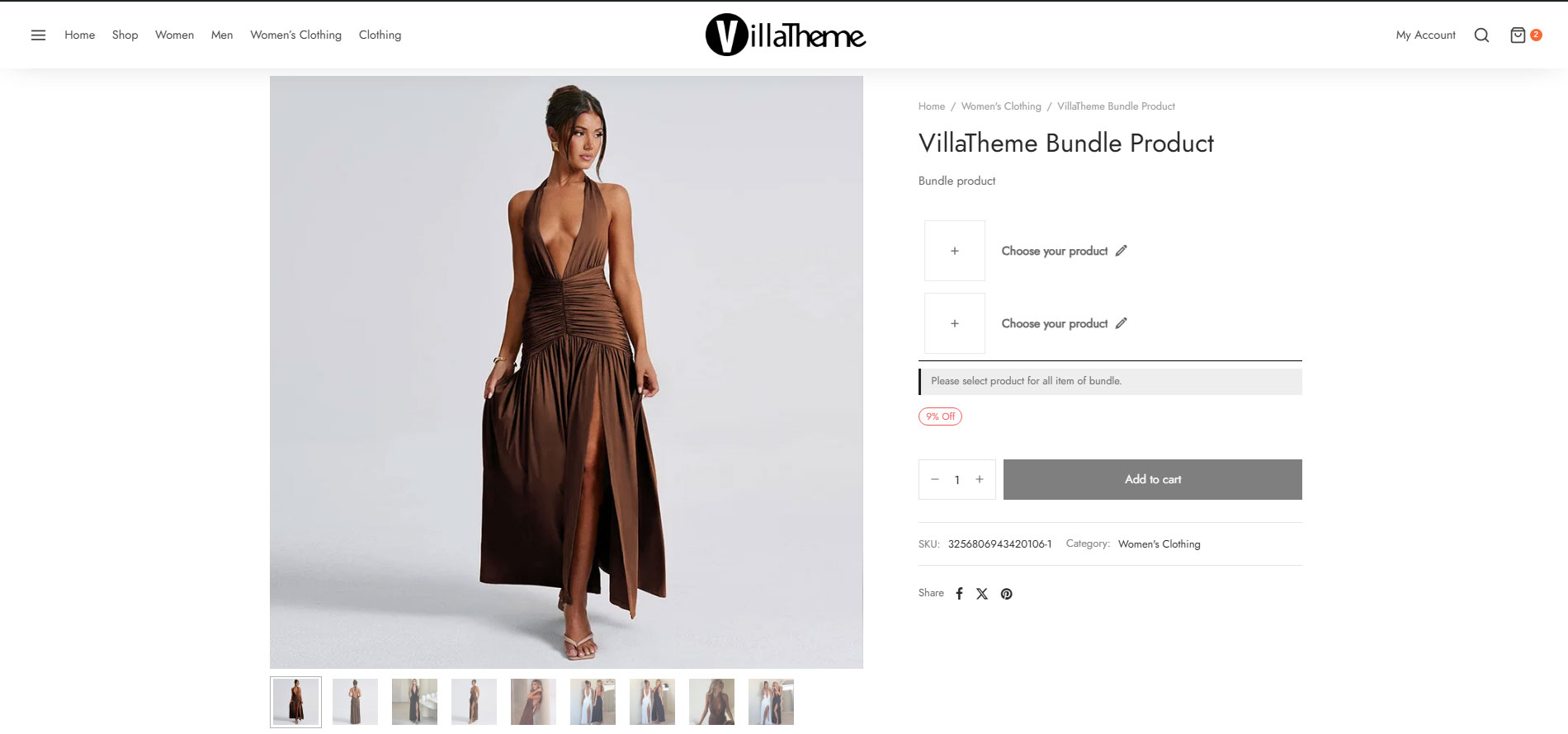
Bopo – WooCommerce Product Bundle Builder (Best for WooCommerce product bundle) is built for shop owners to create amazing deals that combine several products to put for sale together. This is such a powerful plugin for boosting sales of different product types, and at the same time offering customers some benefits.
Bopo – WooCommerce Product Bundle Builder is a smart tool for enhancing cross-selling strategies on your online WooCommerce shop. It is also optimized for search engines, increases site ranking, and ensures a higher conversion rate.
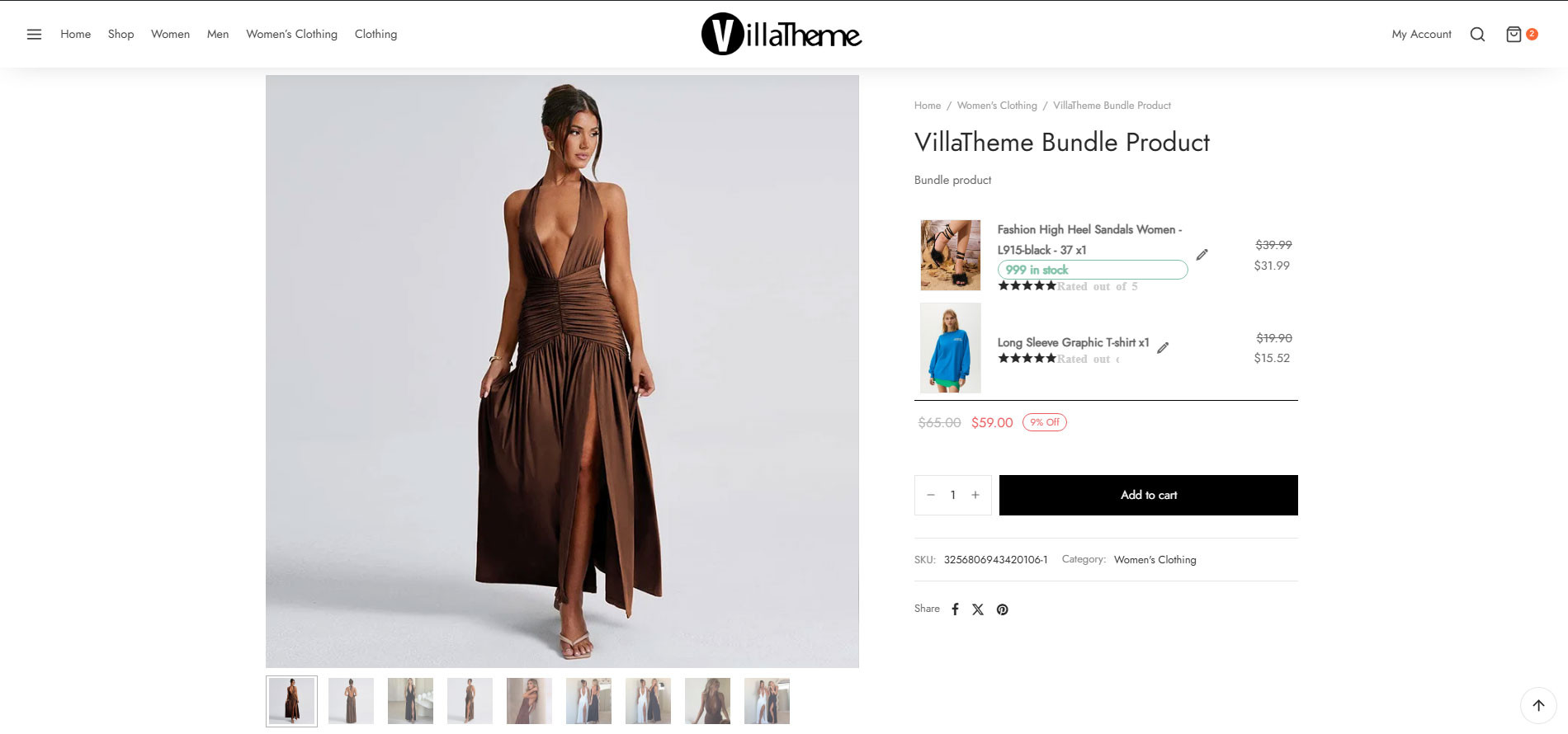
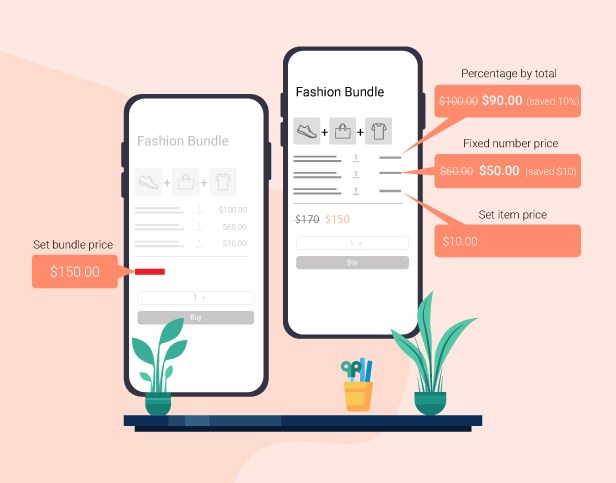
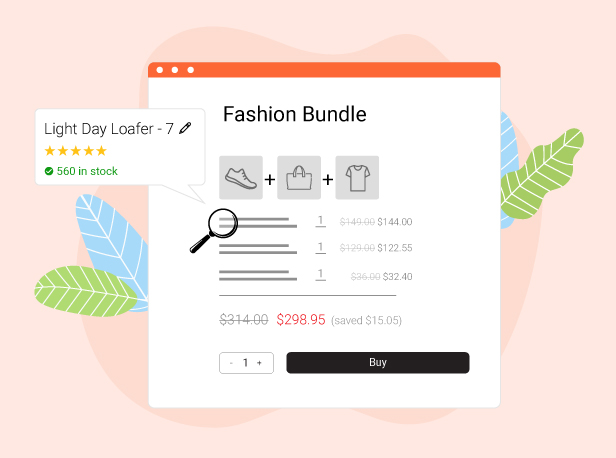
Encourage customers to buy more by offering special pricing when products are purchased as a bundle. You can apply discounts based on the total bundle value or set discounts for individual items. This flexibility helps you create compelling offers that increase average order value and boost sales.
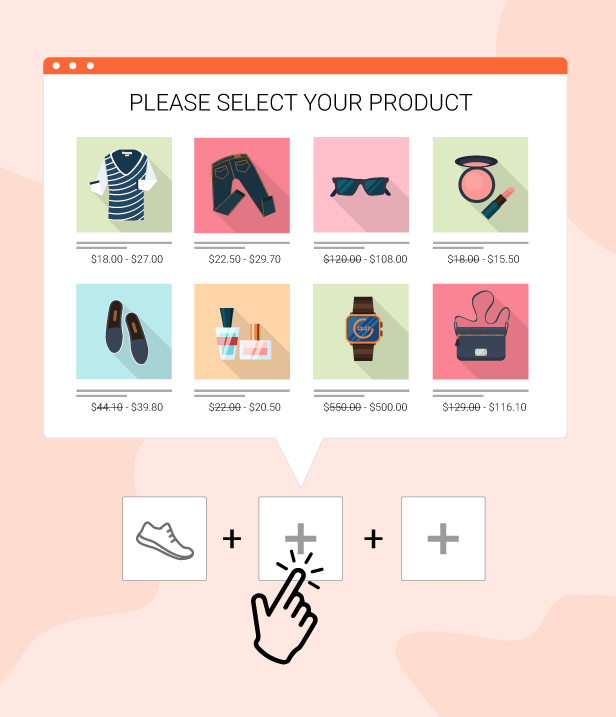
Easy Bundle Selection with Interactive Popup
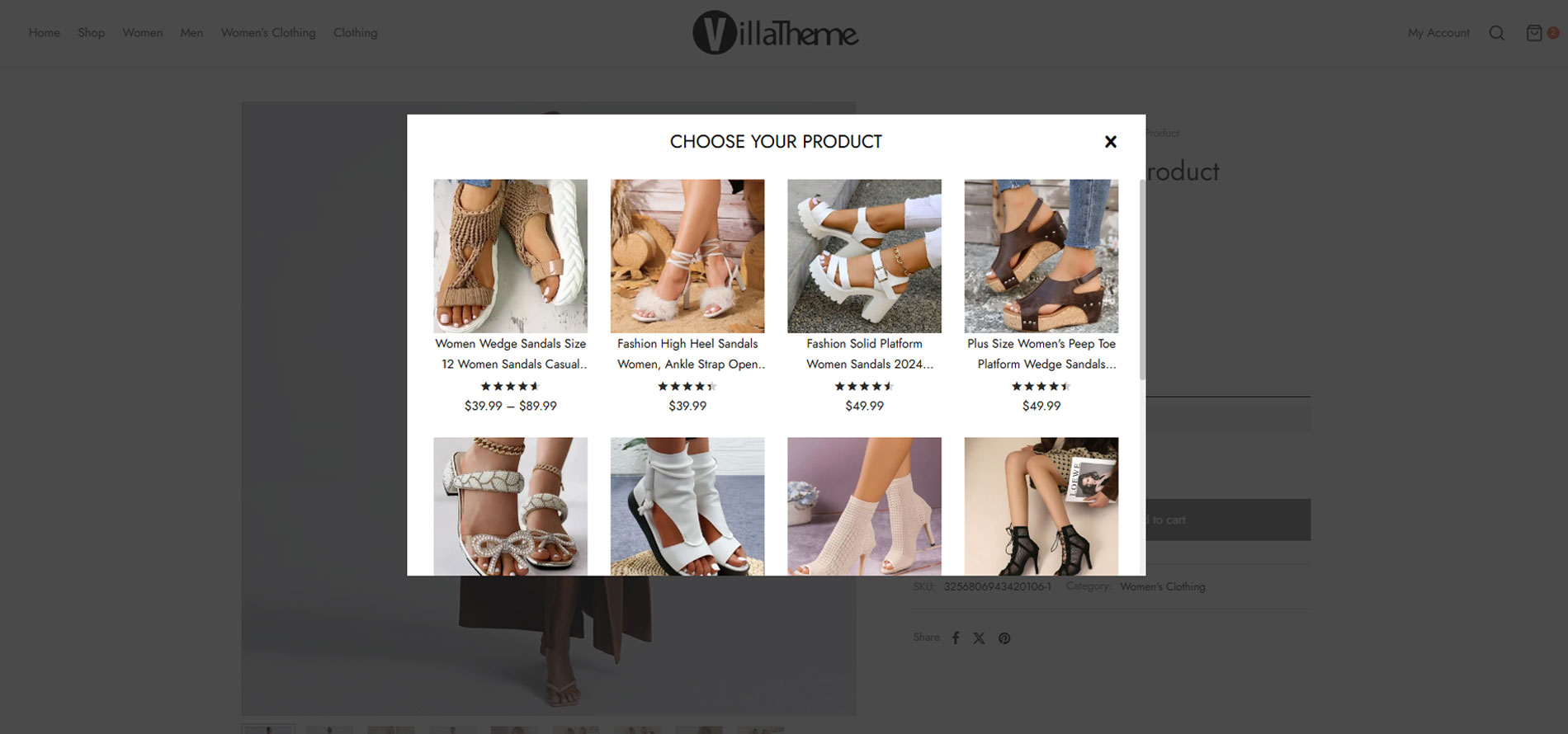
When customers choose to build a bundle, a smooth popup appears, allowing them to select, replace, or customize items before adding the bundle to the cart. The experience is simple, intuitive, and does not require page reloads, making the buying process seamless.
Search and Filter Inside the WooCommerce Product Bundle Popup
Customers can quickly find the products they want using built-in search and filtering options within the popup. This makes it easier to build a bundle, especially when you offer a large number of items.
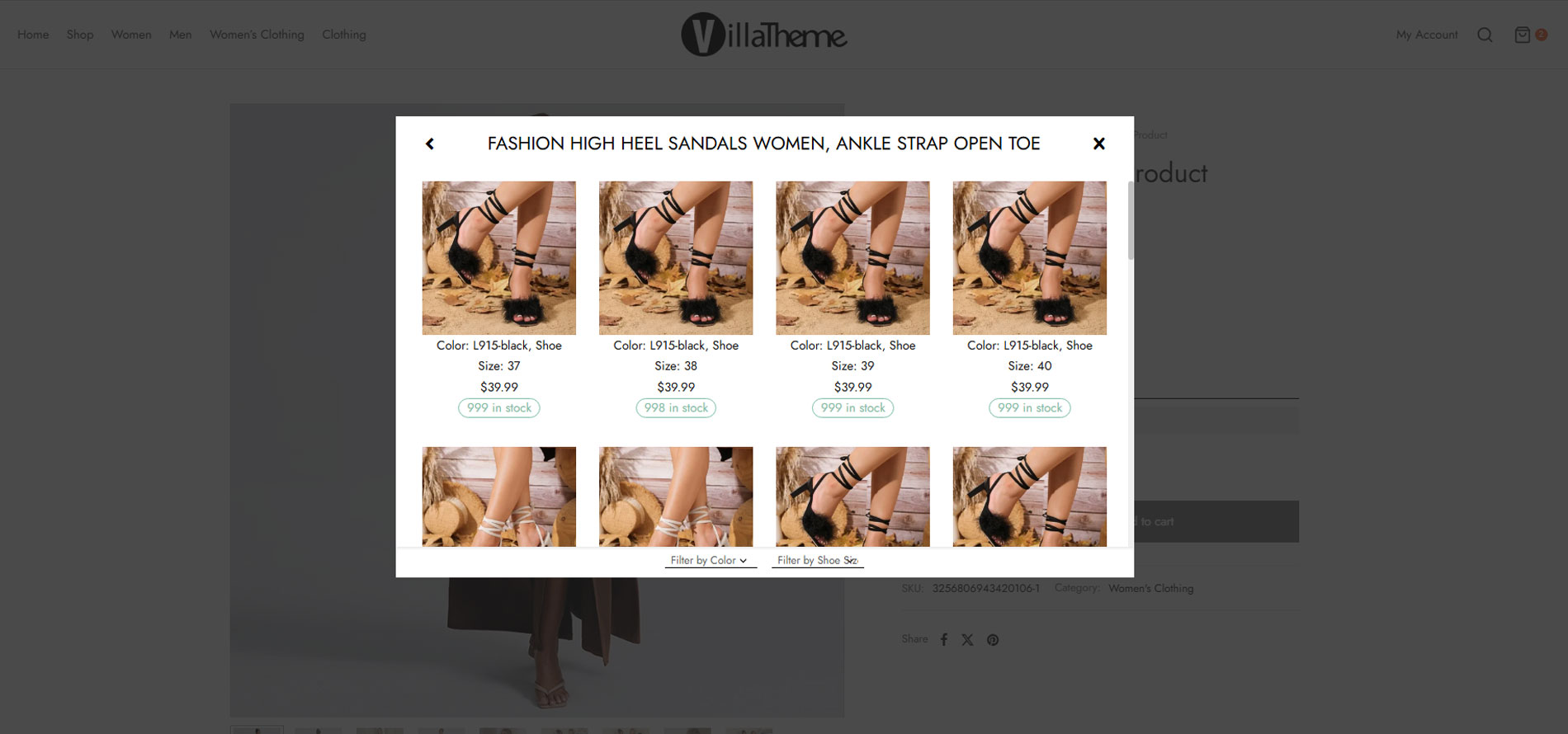
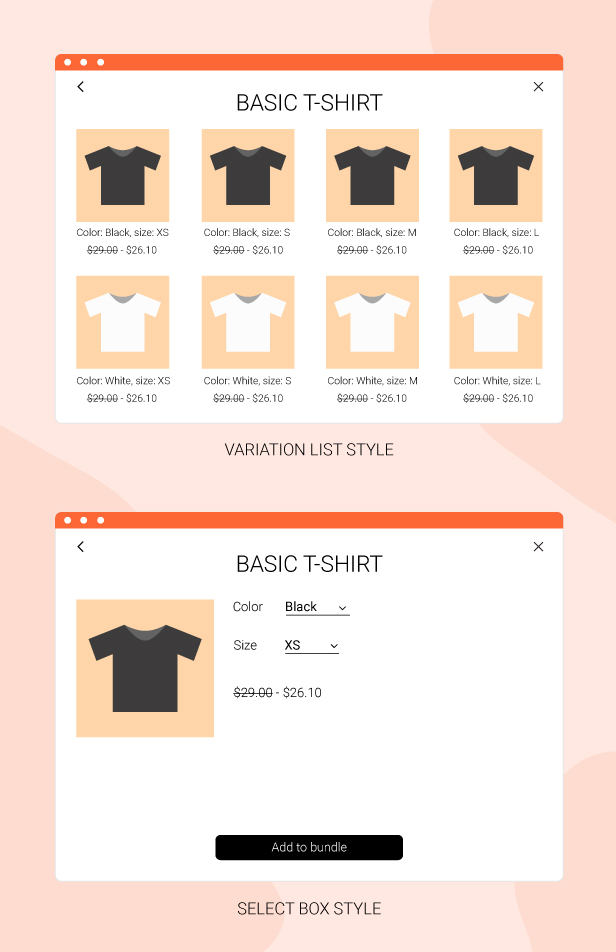
Clear and Visual Variation Display
Choose between two variation display styles that make product options easier to understand. Customers can clearly see available variations and select their preferred options with confidence.
Short Item Information
Each bundle item includes brief product details so customers can understand what they are selecting without leaving the bundle interface. Clear information helps speed up decision-making and improves the shopping experience.
Modify Bundle Items in Cart and Checkout
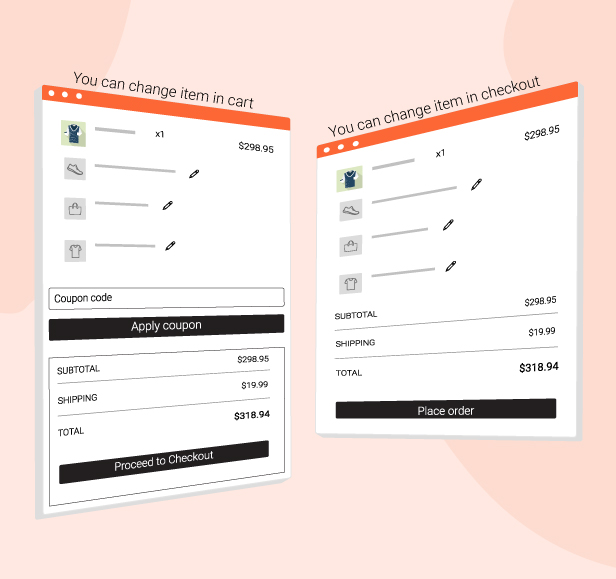
Customers can easily change selected bundle items directly on the Cart or Checkout page. If they want to swap a product, they can do so without restarting the entire process, making the experience flexible and user-friendly.
Fully Responsive Design
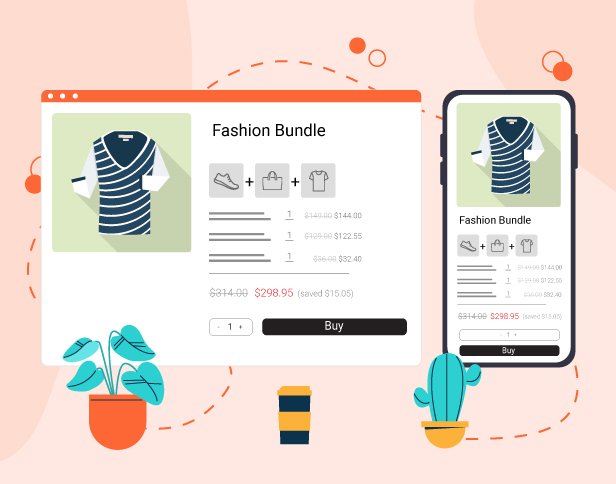
The bundle builder works smoothly on desktop, tablet, and mobile devices. Customers can create their own box anytime and from any device.
Add Unlimited Bundle Items
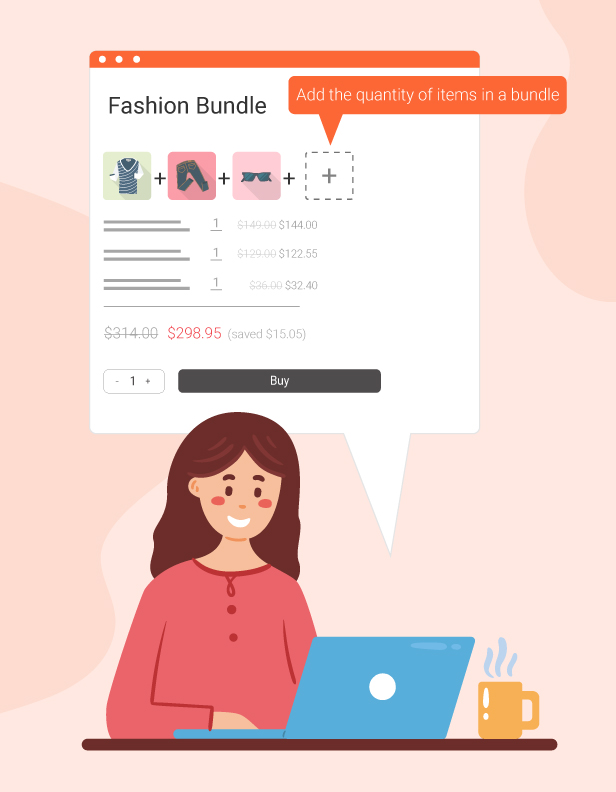
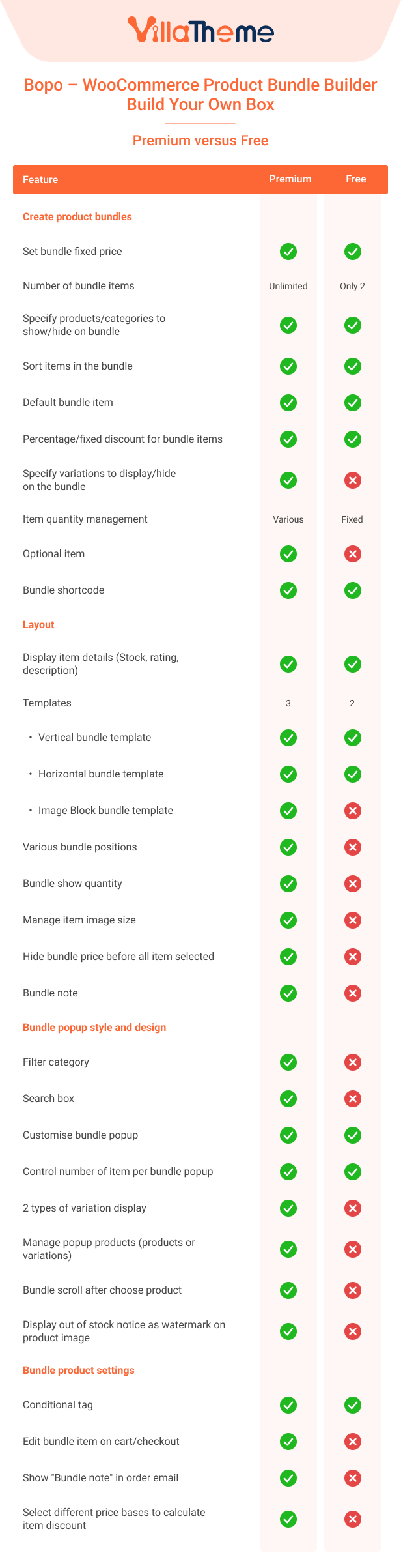
You can include as many products as needed in a bundle. Whether you want to create small curated sets or large customizable boxes, the plugin gives you full freedom.
Advanced Display Conditions
Control which products appear in the bundle list using flexible display rules. Show specific items based on your own conditions to create targeted and strategic bundle offers.
Customizable Bundle Design
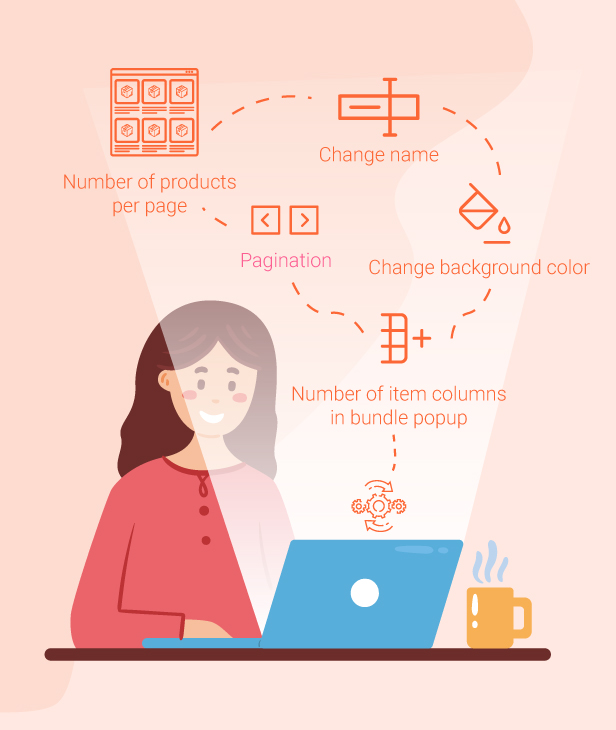
Customize the appearance of the bundle popup to match your store’s branding. Adjust layout and styling so the bundle builder integrates perfectly with your website design.
*** Bopo – WooCommerce Product Bundle Builder – Build Your Own Box Changelog ***
2026.08.20 - version 1.2.4
- Updated: VillaTheme support
2026.08.14 - version 1.2.3
– Updated: Compatibility check with WC 11.0
– Updated: Optimize code
- Fixed: Share content display not correct
2026.06.19 - version 1.2.2
- Updated: VillaTheme support
2026.06.12 - version 1.2.1
- Updated: Compatible with WordPress 7.0 and WooCommerce 10.8
2026.04.03 - version 1.2.0
- Updated: Optimize code
- Updated: Only specific conditional tags are supported.
2025.12.17 - version 1.1.12
- Updated: layout bundle single product
- Updated: Compatible with WooCommerce Cart/Checkout Blocks (hide bundled item price/subtotal on cart/checkout when set to Hide)
2025.11.24 - version 1.1.11
- Updated: Compatible with WooCommerce Multi Currency
2025.07.18 - version 1.1.10
- Updated: Compatible with WordPress 6.8.2 and WooCommerce 10.0.2
- Updated: Updated support file
- Dev: Add filter Hooks: 'set_cart_bopobb_price', 'bopobb_get_product_sale_price_html', 'bopobb_get_product_price_html'
- Fixed: Fixed display total price equal 0
2025.06.06 - version 1.1.9
- Updated: Updated some filter hooks for custom overrides
- Updated: Updated allows templates to be overwritten by themes
- Updated: Updated support file
- Updated: Compatible with WordPress WooCommerce 9.8.5
2025.05.16 - version 1.1.8
- Updated: Updated support file
- Updated: Compatible with WordPress 6.8.1 and WooCommerce 9.8.3
- Fixed: Fixed display wrong bundle total price with option beautiful price of Curcy
2025.03.14 - version 1.1.7
- Fixed: Errors reported by customers
- Updated: Updated support file
- Updated: Compatible with WooCommerce 9.7.1
2025.02.14 - version 1.1.6
- Updated: Add option to display scroll animation after selected product
- Updated: Updated support file
- Updated: Compatible with WordPress 6.7.2 and WooCommerce 9.6.2
2024.12.02 - version 1.1.5
- Updated: Updated support url
- Updated: Compatible with WordPress 6.7 and WooCommerce 9.4.3
- Added: option to show bundle note in order confirmation emails
- Fixed: Fixed display wrong bundle total price on shop page
- Fixed: Fixed get current language
2024.10.10 - version 1.1.4
- Fixed: Display wrong custom attribute name
- Fixed: Add language code for ajax request
- Updated: Add option to display out-of-stock text as a watermark on the product image
- Updated: Add option to disable bundle item link in cart
- Updated: Add option to search bundle item by menu order
- Updated: Duplicate bundle item on bundle setting
- Updated: Compatible with WordPress 6.6 and WooCommerce 9.3.3
2024.06.18 - version 1.1.3
- Fixed: Display wrong item price when Discount type is Set item price
- Updated: Display price and sale price of simple product when Discount type is Set item price
- Updated: Add option to Limit variable selection
2024.03.14 - version 1.1.2
- Updated: Add option to Show item price on admin order
- Updated: Add option to Show item price in cart and checkout
2023.10.10 - version 1.1.1
- Fixed: Wrong range price with other currency of CURCY-WooCommerce Multi Currency
- Updated: Add option to disable product link on select item popup
- Updated: Add option to disable customer select duplicate item on select item to bundle
- Updated: Add option to edit bundle Add to cart button title on the shop page
- Updated: Add filter bopobb_setting_bundle_min_item to edit bundle minimum item cap
2023.08.08 - version 1.1.0
- Updated: Add filter bopobb_item_gallery_size to edit gallery image size
- Updated: Set bundle shortcode template to setting template if input template is empty
- Updated: Price range calculate with discount price and exclude optional item
- Updated: Share bundle in shortcode
- Updated: Conflict with Variation Swatches for WooCommerce
- Updated: Add option to use custom meta field: bopobb_min_price, bopobb_max_price to display range price of the bundle
- Updated: Add shortcode param redirect, input blank value to stay current page after add to cart
- Updated: Compatible with High-Performance order storage (COT)
2023.04.13 - version 1.0.6
- Fixed: Conflict with Theme Porto about bundle price on archive page
- Fixed: Conflict with Theme Divi
- Fixed: Conflict with Theme Vapier
- Fixed: Load un purchasable product when initializing the bundle
- Fixed: Error when load popup
- Fixed: Error when include/exclude variation of bundle
- Updated: Add some description option
- Updated: Load delay scripts to init bundle
- Updated: Option image size on bundle popup
- Updated: Option to load variations product if current selector is a variation
- Updated: Add filter for stripe payment on bundle
- Updated: Add Item fixed price option for bundle
- Updated: Add Block image bundle template
- Updated: Add option for image border on bundle
- Updated: Add social share option for bundle
- Updated: Add print option for bundle
- Updated: Add a custom title option for each item of the bundle
- Updated: Ignore conditional tag effect with shortcode
2022.08.15 - version 1.0.5
- Updated: Add option order product by date
- Fixed: Conflict with Hub-core
- Fixed: Some text can't be translate
- Fixed: Script error with Elementor
- Fixed: Wrong price with default product
- Fixed: Show description when this setting disabled
- Fixed: Variation image loaded not correct on some product
- Updated: Add feature to filter product by category on popup
- Updated: Add feature to search product by title on popup
- Updated: Add option to change bundle position on single page
- Updated: Add bundle note
- Updated: Add field to include/exclude variation product
- Updated: Add bundle range price on shop page
- Updated: Add option to select calculated sale/regular/current price on bundle
- Updated: Add option to select position of alert text
- Updated: Add custom attributes handle
- Updated: Popup variation style select box compatible with WooCommerce Product Variations Swatches by VillaTheme
- Updated: Update support file
2022.03.29 - version 1.0.4
- Updated: Update support file
- Fixed: Icon error
- Fixed: Display price on any variations
2022.03.23 - version 1.0.3
- Fixed: Can't add variable with more than 30 variations on variation select
- Fixed: Conflict Add to cart button with Divi theme
- Fixed: Conflict Add to cart button with Cerato theme
- Updated: Setting for alert text
- Updated: Compatible with WordPress 5.9 and WooCommerce 6.3.0
- Updated: Update support file
2022.02.24 - version 1.0.2
- Fixed: Auto-update key does not work
2022.02.22 - version 1.0.1
- Fixed: Conflict Add to cart button with Zoa theme
- Fixed: Conflict Add to cart button with XStore theme
- Fixed: Coupon percentage discount does not work with bundle
- Updated: Compatible with Elementor
- Updated: Compatible with WooCommerce Cart All in One by Villatheme
- Updated: Display variation description on select box type
- Updated: Increase the maximum number of items in the bundle
2022.01.25 - version 1.0.0
- First release