WooCommerce Product Builder is a plugin that allows your customers to build a full product set from small parts step by step. The plugin works base on WooCommerce with many useful features like compatible, email completed product, attributes filters …
WooCommerce Product Configurator appears to be a must-have app for any component and part-building pages, particularly PC builder pages. Imagine if customers could go through the process of building a PC and selecting the components and parts they want through steps. That would be incredible, and that is what WooCommerce Product Configurator can provide.
WooCommerce Product Builder is a supportive plugin that allows your customers to build a full product set from small parts step by step. This plugin works as a WooCommerce Product Configurator based on the WooCommerce platform, promising to provide you with many useful features like compatible, email-completed products, and attributes filters …
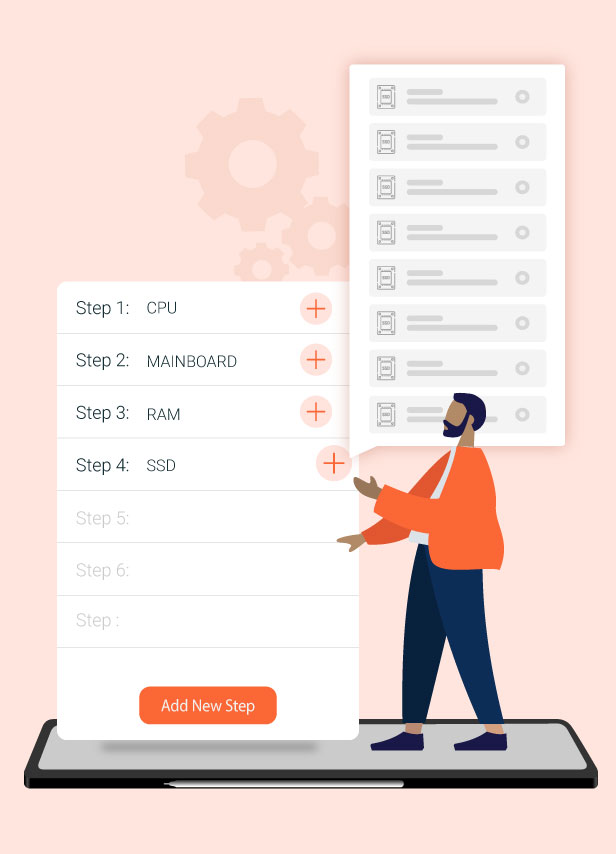
Step-by-Step Product Builder for Custom Sets
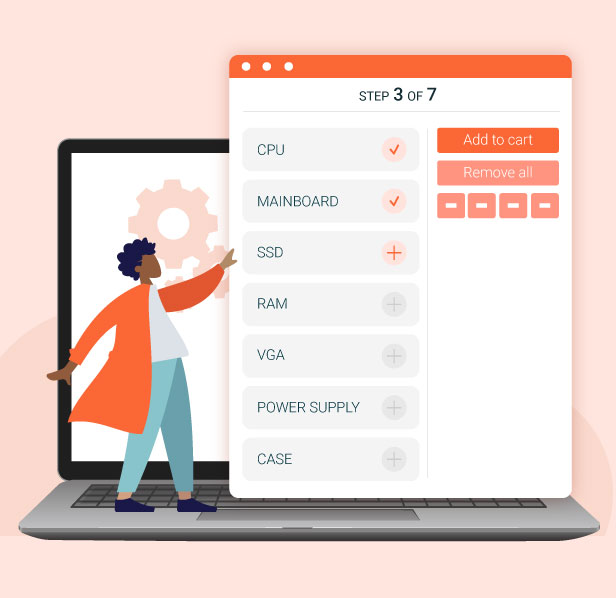
Allow customers to build a complete product set by selecting individual components step by step. This guided process makes it easy to configure complex products from smaller parts, ensuring a smooth and intuitive shopping experience.
Unlimited Product Builder Pages Creation
Shop owners can create as many product builder pages as needed without any limitations. This allows you to build multiple custom configuration flows for different products, categories, or use cases, giving customers a flexible and tailored shopping experience.
Choose Your Style with Multiple Product Builder Layouts
Select from three different display templates to match your needs and create the best product building experience. Each template offers a unique layout style, helping you present product configuration steps in a clear, attractive, and user-friendly way.
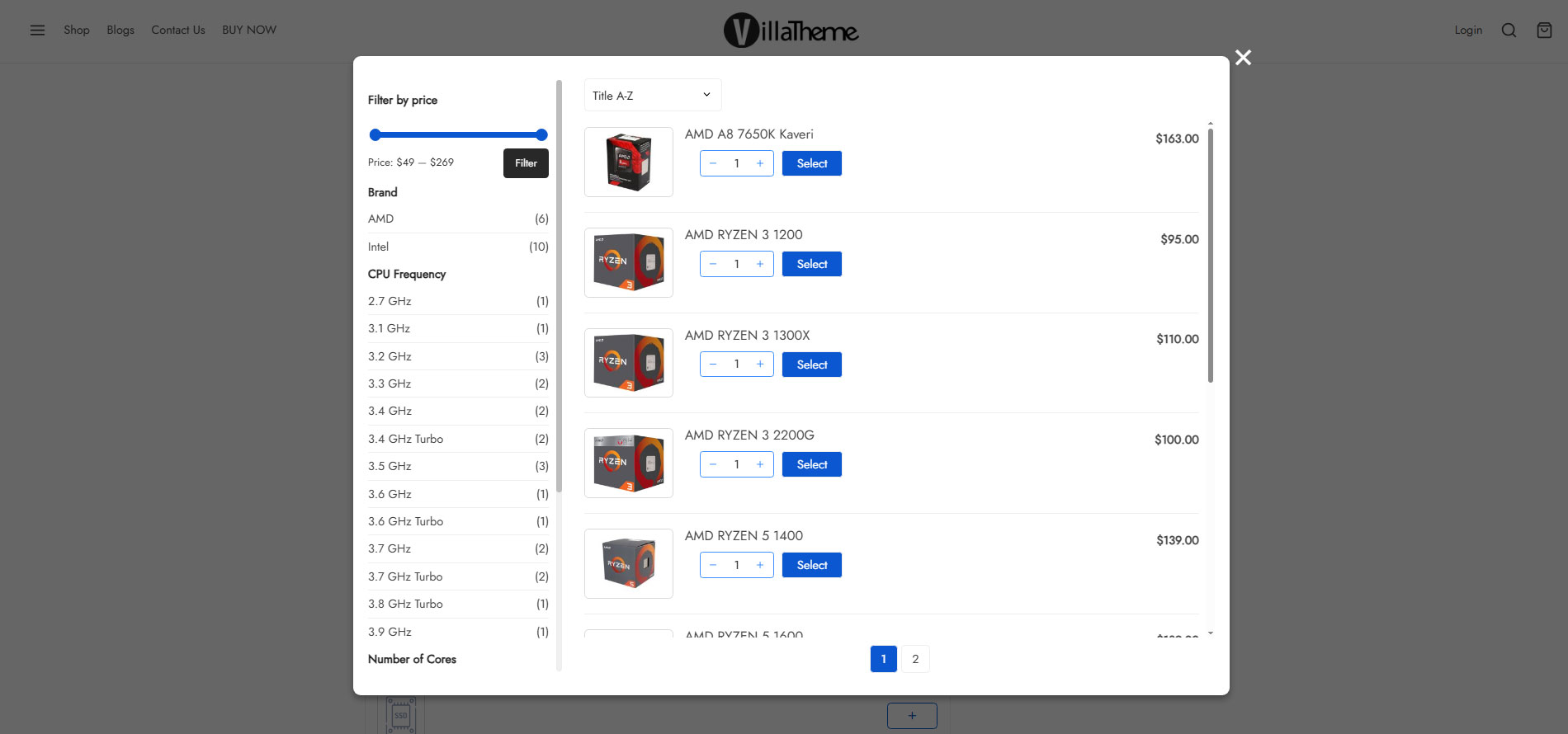
AJAX style
Classic styleModern style
Smart Step Dependency for Product Configuration
This feature ensures that all selected product components are compatible and work properly together. The next configuration steps will only appear when the previous selections meet the required attributes, helping users build valid and error-free product combinations.
Attribute Widgets for Smarter Product Selection
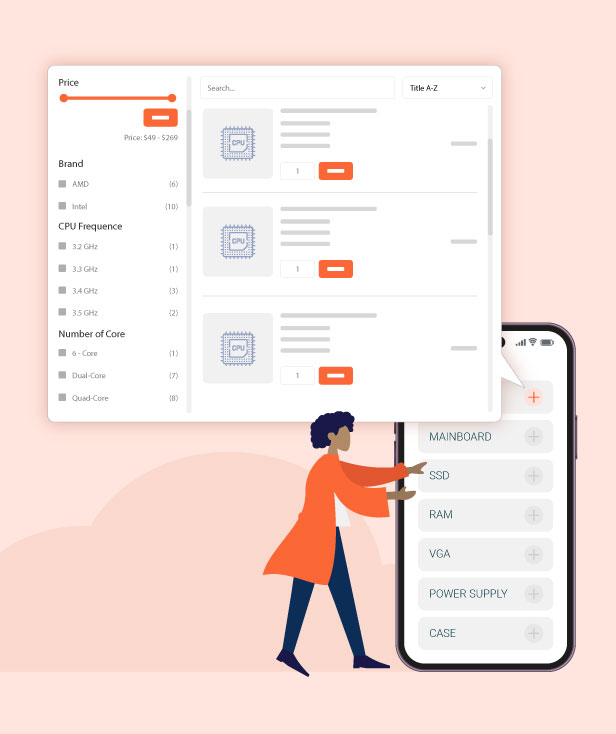
Attribute widgets help customers quickly filter and find the exact products they want to purchase. By organizing products based on key attributes, users can easily narrow down options and make faster, more accurate buying decisions.
Flexible Component-to-Cart Product Building
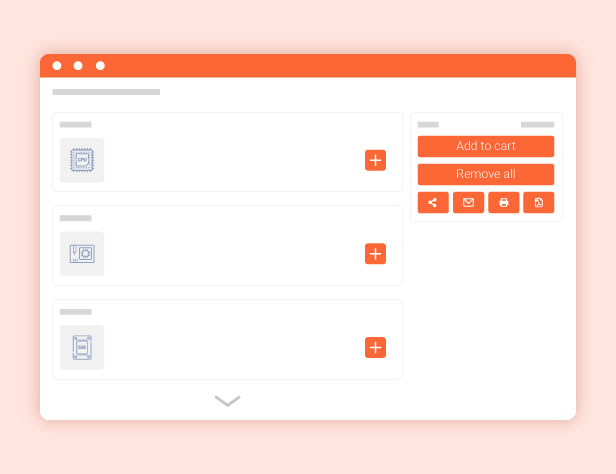
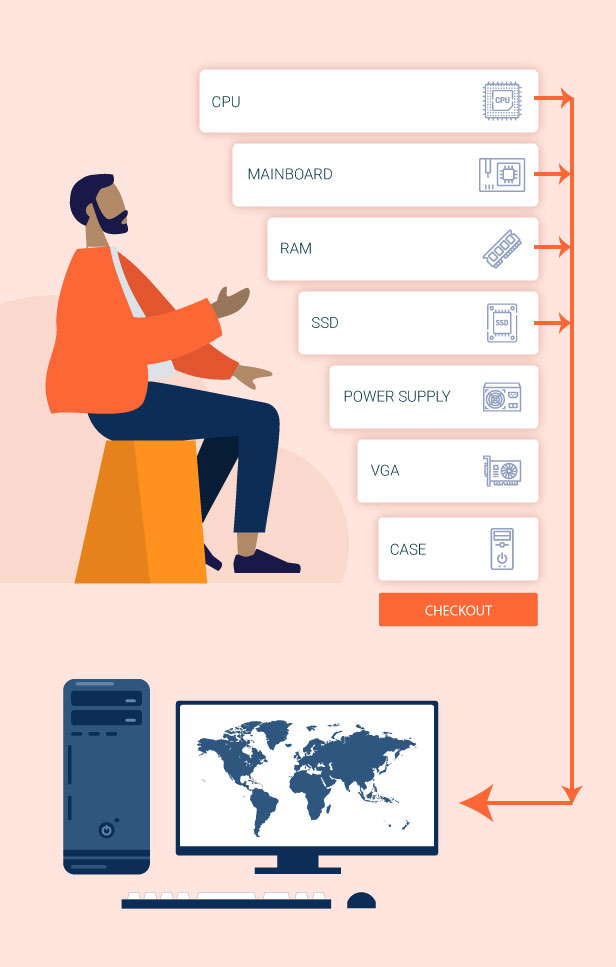
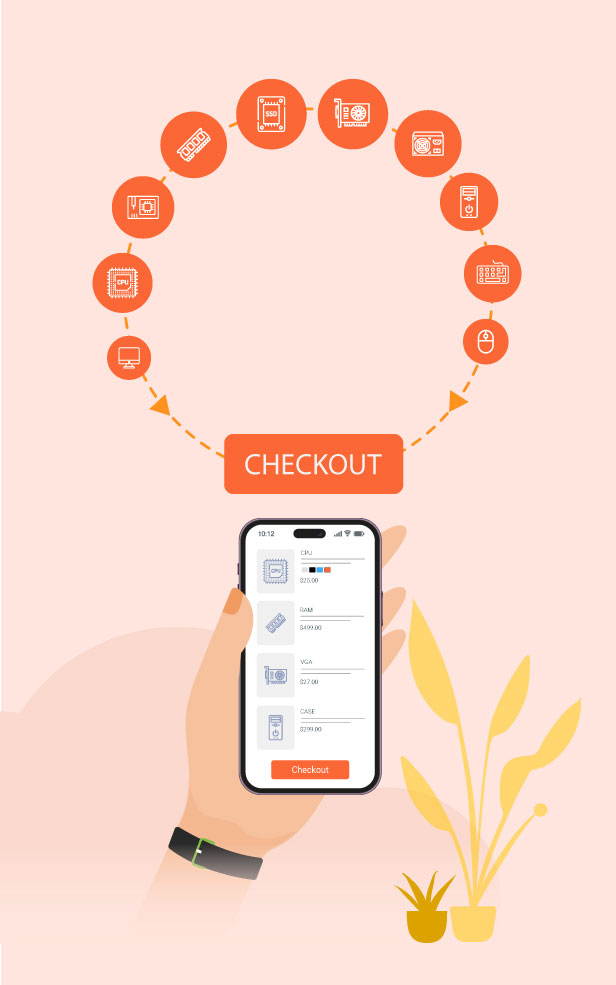
Customers can easily purchase a complete product set by selecting and collecting individual components through a step-by-step process. This makes it simple to build custom products and add everything to the cart in a smooth and flexible way.
Live Product Preview Before Purchase
The preview feature allows customers to see their fully configured product before completing the purchase. This helps them review all selected components, ensure everything is correct, and make confident buying decisions.
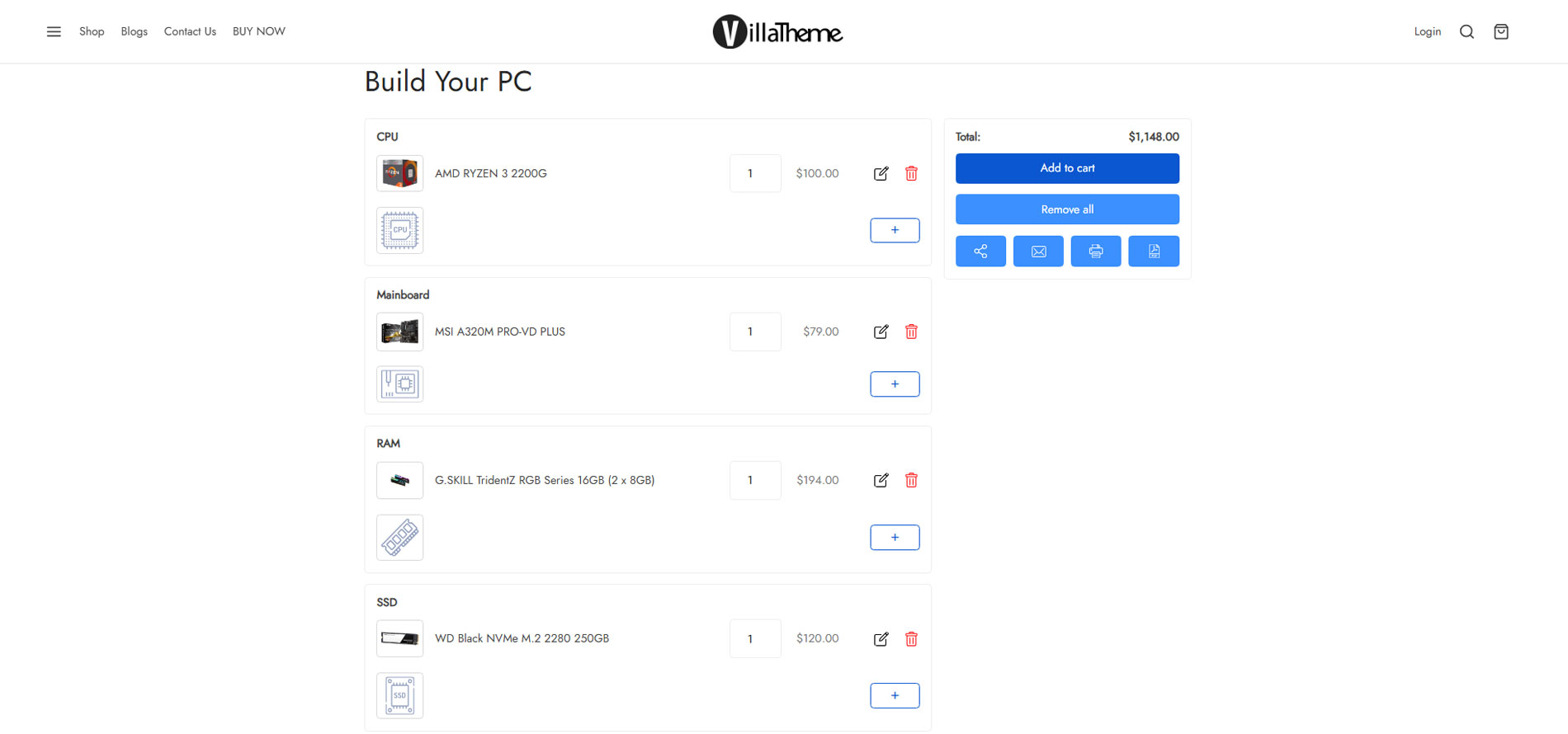
Share Your Custom PC Build Configuration Easily
Customers can easily share their custom PC build by email, print it out, or download it for later use. This makes it simple to save, review, or send their configuration to others before making a purchase decision.
Creating WooCommerce Product Configurator Pages
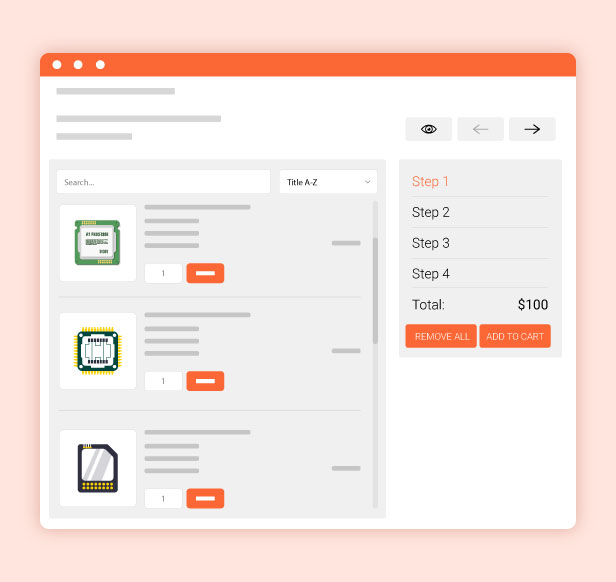
WooCommerce Product Builder helps create as many WooCommerce Product Configurator pages as you want and builds complete products step by step. You can set up steps, in each step, there will be products. You will decide which products will appear in a step then customers will pick one or more from those products in this WooCommerce Product Configurator plugin.
Create Product Builder pages: Each product builder will be displayed on the front end as a page, and customers will build their products on this page. You can add as many product builders as you want.
Multiple steps: Add as many steps as you need, so customers can select products contained in each part.
Add/ remove steps: Easy to plus or remove steps in each product builder.
Change step name: Name for each step like STEP 1 – Mainboard, STEP 2 – CPU…
Select products and categories for each step: You can select which products and categories that will appear in each step and then customers can pick up one (or more) in those steps.
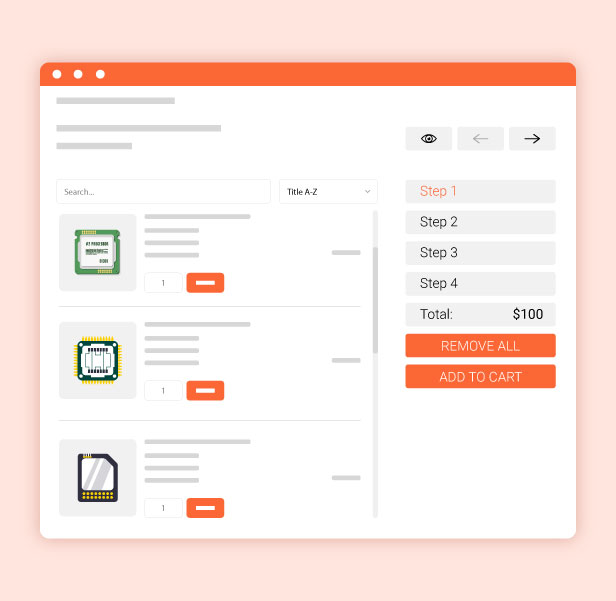
Search: The search bar available allows you to quickly look for a product or category.
Icon of step: You can add an icon that stands for a step in general.
Settings on product builder pages
Text prefix each step: Quickly name each step with a fixed part and use the shortcode {step_number} to display the number of current steps.
Description: Add a description to tell more what a product builder page is for, this description will appear under the product builder page name, applied for the Classic template only.
Sort Default: You can sort items on a product builder page in order: Title A-Z, Title Z-A; Price low to high, Price high to low, or Sort by latest. Choose the default option you want.
Child categories: Display all products in child categories.
Select multiple products: Allow customers to add more than one product in each step. If this option is disabled, when customers select a product they will be automatically redirected to the next step.
Quantity field: This option allows customers to select product quantity. If this option is disabled, the quantity will be set as 1.
Preview button always shows: The preview feature allows customers to view their full product before purchase. The preview page will appear in the last step, by enabling this option you will allow customers to visit the preview page from any step.
Add to cart always shows: If disable this option, the add to cart button only displays in the final step.
Remove all buttons: Enable to display the remove all button on the product builder pages.
Search product form: Enable if you want to display search products form by Ajax.
Product is required for each step: To move to the next step, customers must select at least one product from the previous steps.
Out-of-stock products: Enable it to display out-of-stock products on the product builder page.
Hide zero price product: Enable it to hide the products that have zero prices.
Remove product title link: Not redirect to the single product page when clicking on the product title on the product builder pages
Product per page: Set the maximum number of products per builder page.
The Depend feature in WooCommerce Product Configurator
Make sure all selected product parts will work properly. The Depend feature works based on attribute values. For example: In STEP 1 – CPU, customers select a CPU with the attribute “Socket” has its value as “LGA 1151”, then in STEP 2 – Mainboard they will find only mainboards which have the socket LGA 1151 (this attribute value must be added to products)
Attribute widgets in WooCommerce Product Configurator
Attribute widgets help your customers to easier to find the product they want to purchase. To enable attribute widgets, visit Appearance/ Widgets, look for WC Product Builder Widgets, and drag/drop them to the WC Product Builder Sidebar Area. Please take note that the plugin will not work with custom attributes. To add/edit attributes, please visit Products/ Attributes
Price Filter: Allow customers to find products in a price range.
Rating Filter: Allow customers to find products based on ratings.
Attribute Filter: This allows customers to find products based on attributes. Like color, brand…
Preview page
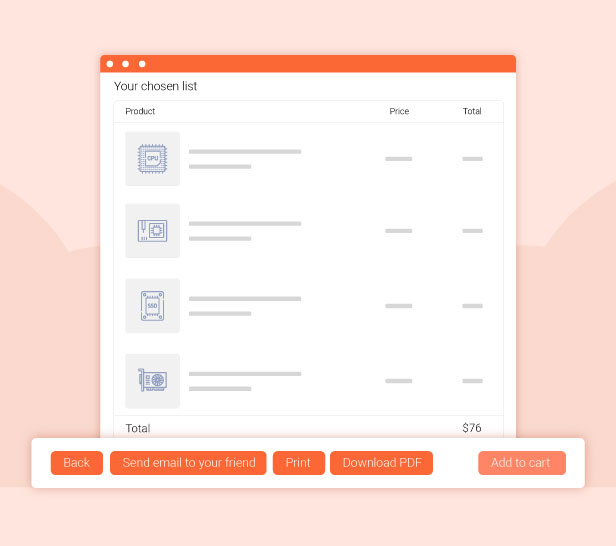
After finishing building a product, customers can review it again on the preview page. This page will display information about product names, prices, quantity, and total price. Then customers can select to check out or email the completed product.
Send emails containing the selected product using WooCommerce Product Configurator
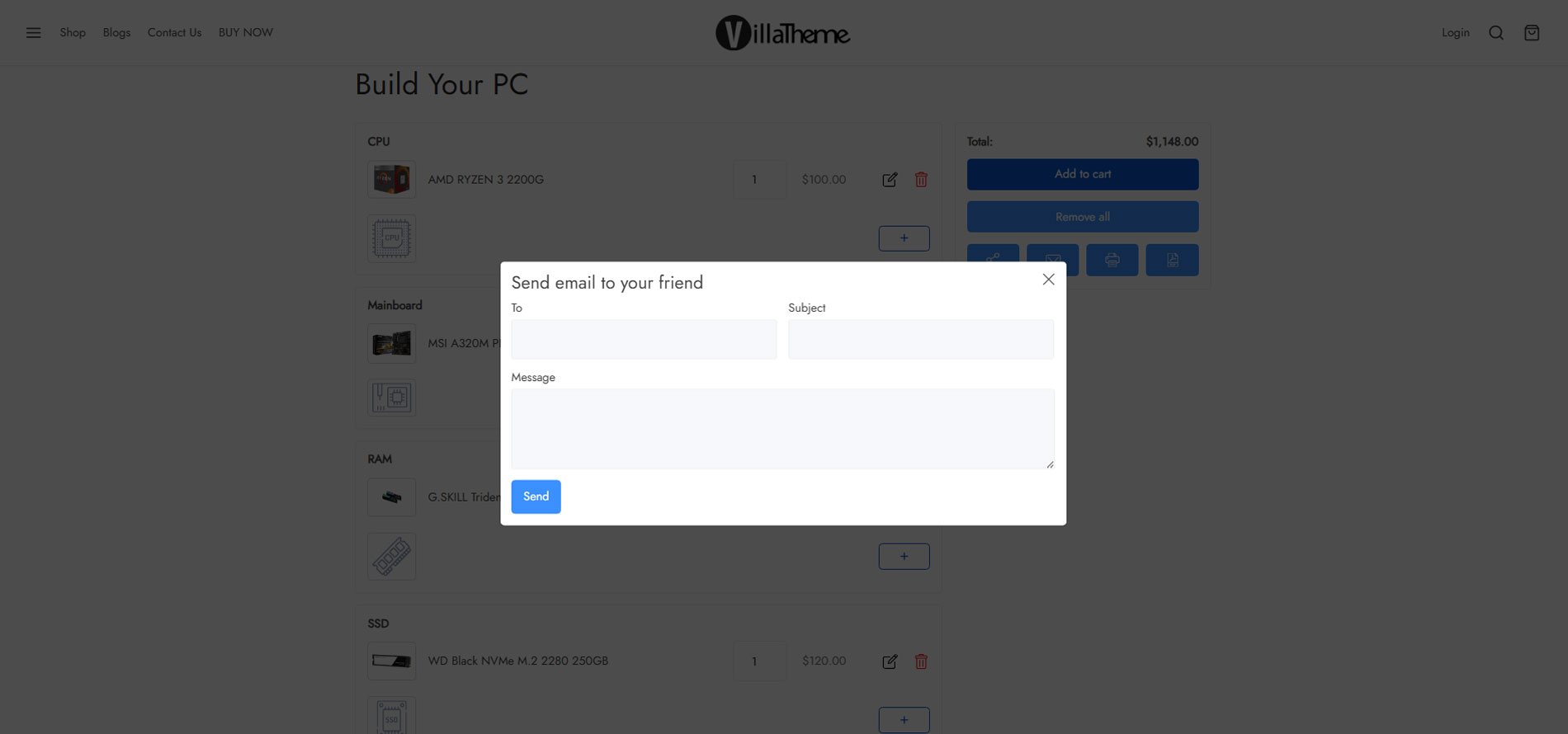
There is a Send email to your friend button on the selected product list page, customers can share their selected products via emails.
Shortcode: There are 3 shortcodes to help you configure the emails. {email}: sender email {subject}: Email subject {message_content}: product information
“Thank you” message: A message notice to customers that their products have been sent successfully.
Customize email content: Flexibly build the email content with available shortcodes.
Design
The plugin offers many options to change the front-end design.
Template: There are 3 different templates of the product builder page that you can select to display on the front end.
Classic
Modern
Ajax
Text color: Change the button text color
Background color: Change the button background color
Primary text color: Change the button text hover color
Primary background color: Change the button background hover color
Button Icon: Select the button icon style. There are 2 styles of text and icons.
Custom CSS: Add your own CSS code to configure the front-end style as you want.
Print and PDF
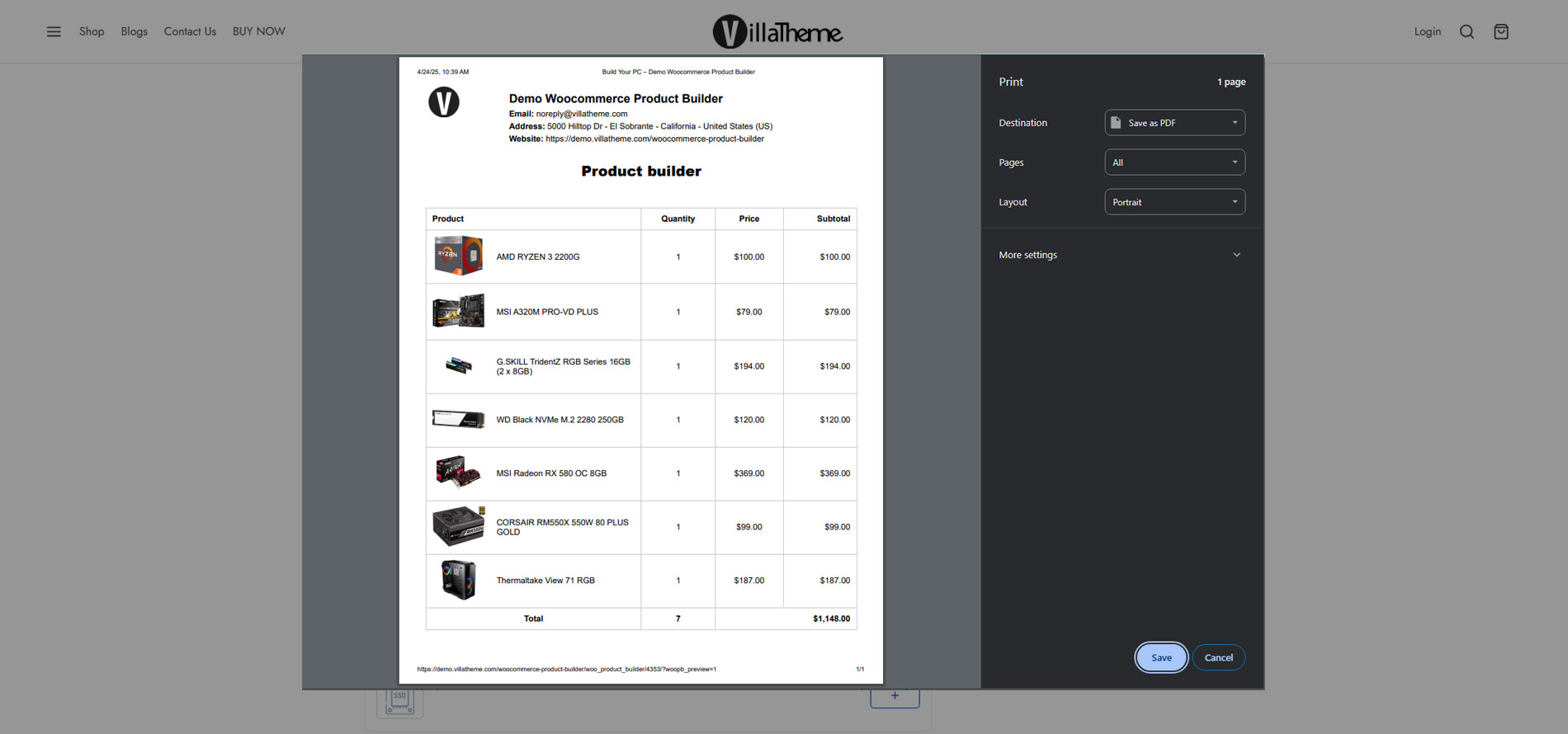
After assembling a set of component products, you can export the selected product list to a PDF file and print it on the preview page.
Print button: Enable to display the print button on the preview page, and use the print function.
Download PDF button: Enable to display of the Download PDF button on the preview page, and use the Download PDF function.
Show short description: Enable to display of the product’s short description in the PDF file and printed file.
Header of layout: Customize the content of the header using available shortcodes.
The footer of layout: Customize the content of the footer using available shortcodes.
Other useful features
Support control bar on mobile mode: This feature helps to display a control bar and at the bottom of the product builder page when clicking the menu on the bar, the detailed table of selected products will show up.
Distance from bottom: Control the space from the bar to the bottom.
Design control bar: You can change the text color and background color of the control bar.
Display share link: Copy and share a URL that links to the selected products.
Remove short share link records after x day(s): Automatically clear the short share link after a certain day you set.
Custom CSS: Design the product builder page as you want.
Preview our WooCommerce product configurator plugin by this short video
Additional information
License Time
12 months for 1 website, 6 months for 1 website
*** Woocommerce Product Builder Premium Changelog ***
2026.08.20 - version 2.3.10
- Updated: Optimize code
- Updated: Compatibility with WP 7.1 and WC 11.0
2026.06.19 - version 2.3.9
- Update: VillaThem support
- Updated: Compatibility check with WP 7.0 and WC 10.8.1
2026.05.15 - version 2.3.8
– Added: An option to require product selection for individual steps in the builder.
2025.11.17 - version 2.3.7
– Added: warning message when saving a step without selected category or product.
- Added: Option Remember Modal State
2025.11.03 - version 2.3.6
– Fixed: Error when save/load wc session
2025.08.22 - version 2.3.5
- Fixed: Product image display issue when using the Avada theme.
- Fixed: Product selection in default step not working properly
– Fixed: Could not save step description
– Fixed: Issue where the builder description did not display.
– Updated: Compatible with WPML and Polylang
– Updated: Update support class
– Updated: Compatible with WP 6.8.2 and WC 10.1.0
2025.07.04 - version 2.3.4
– Added: close button for ajax template popup
– Updated: Update support class
– Updated: Compatible with WP 6.8.1 and WC 9.9.5
2025.04.16 - version 2.3.3
– Updated: Update file language
– Updated: Update support class
– Updated: Compatible with WP 6.8 and WC 9.8
– Added: A fee option for the entire product builder
2025.03.28 - version 2.3.2
– Updated: Update file language
– Updated: Update support class
– Updated: Compatible with WC 9.7.1
- Updated: Improved "Template" setting layout for better feature visualization.
2025.03.07 - version 2.3.1
- Dev: Add Action hook: do_action('woopb_before_title_product_added',$product) and do_action('woopb_after_title_product_added',$product)
- Dev: Add Filter hook: 'woopb_ajax_get_step_product_price','woopb_ajax_get_step_product_title', 'woopb_ajax_get_step_product_desc'
- Fixed: Fixed show and hide product select button in ajax template
- Fixed: Fixed responsive style ajax template
– Updated: Compatible with WP 6.7.2 and WC 9.7.0
– Updated: Compatible with Electron theme by Ninetheme
– Updated: Update support class
2025.01.16 - version 2.3.0
- Fixed: Fixed the option to remove links for all displayed products.
- Added: Added plugin layout on both back end and front end
– Updated: Compatible with WP 6.7.1 and WC 9.5.3
– Updated: Update support class
2024.11.19 - version 2.2.8
– Updated: Compatible with WP 6.7 and WC 9.3.3
- Updated: Compatibility B2BKing
– Updated: Update support class
- Updated: Hide the Select button until variation chosen
2024.07.16 - version 2.2.7
- Added: Compatibility with EPOW - Custom Product Options for WooCommerce by VillaTheme
- Updated: Compatibility check with WP 6.6 and WC 9.0
- Fixed: Search product at each step
2024.04.23 - version 2.2.6
– Updated: Compatible with WP 6.5 and WC 8.7
– Updated: Update support class
2023.10.12 - version 2.2.5
- Add: Duplicate product builder
- Fixed: Product is required at each step with Ajax template
– Updated: VillaTheme_Support
2023.04.20 - version 2.2.4
- Fixed: Product builder quantity
2023.04.11 - version 2.2.3
- Added: Vietnamese translation
- Fixed: Sort products for search results
– Updated: Compatible with 'High-Performance order storage (COT)'
2022.09.09 - version 2.2.2
- Fix: Selected attributes not showing on preview page if attribute type is custom or number of attributes is greater than 2
2022.07.07 - version 2.2.1
- Updated: Description for step when no product found
- Updated: Enable/Disable short description when print
- Fix: Show search pagination in classic template
2022.06.30 - version 2.2.0
- Fix: Insert image to email content
- Fix: AJAX template, depend notice
- Fix: Remove pagination in count filter
- Updated: Scroll bar to top when change page (AJAX template)
- Updated: Print button
- Updated: Download PDF
- Updated: Check compatible with WordPress 6.0 & WooCommerce 6.5
2022.03.31 - version 2.1.5
- Fix: Empty section when no product found in a step
- Fix: Improve 2 new template
2022.03.30 - version 2.1.4
– Updated: VillaTheme_Support
2022.03.23 - version 2.1.3
- Fixed: Display price at products selected section
- Fixed: Ignore step when no product found and require product each step
- Fixed: Icon & description after sort steps
- Updated: VillaTheme_Support
2022.01.15 - version 2.1.2
- Fixed: RTL support for AJAX template
- Update: is_ajax is deprecated since WC version 6.1.0! Use wp_doing_ajax instead.
2021.11.22 - version 2.1.1
- Fixed: AJAX template duplicate step
2021.11.05 - version 2.1.0
- Add: Option sort by latest products
- Add: 2 new template
2021.08.03 - version 2.0.9
- Fixed: Can not add product to cart after search
2021.05.06 - version 2.0.8
- Fixed: Can not add single product to cart
- Fixed: Display image of product parent if can not find product variation image
- Updated: Compatible with Woodmart v5.3.6
2021.01.27 - version 2.0.7
- Fixed: Attributes depend
- Updated: Lightbox for product thumb
- Updated: Add option Show product within out of stock
- Updated: Add option Hide product with price is zero
- Updated: Add option Remove link from product
2020.11.11 - version 2.0.6
- Updated: Get short share link feature
- Updated: Clear filter option when redirect step
- Updated: Change variation image feature
- Updated: Select variation product with attribute 'any'
- Updated: Steps table & sidebar change to responsive
- Updated: Mobile layout
- Fixed: Check update request
- Fixed: Show select button when ajax search products
2020.06.12 - version 2.0.5.4
- Fix: Add to cart when use shortcode
- Updated: Use enter for search items in back end
- Updated: Steps sortable in back end
2020.05.20 - version 2.0.5.3
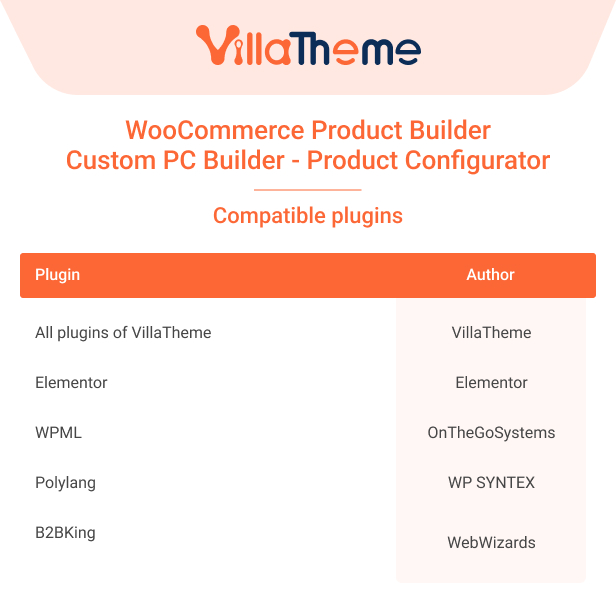
- Updated: Compatible with Elementor
- Updated: Clear selected items in product builder after add to cart
2020.05.15 - version 2.0.5.2
- Fix: Share link
2020.05.05 - version 2.0.5.1
- Updated: Add shortcode [woocommerce_product_builder id=''], using on post or page
- Updated: Add description field
2020.04.25 - version 2.0.5
- Added: Remove all product selected button
- Added: Search product form
- Added: Product is required each step
- Added: Select attributes depend
- Fix: Exclude custom attribute when use attribute depend
- Updated: Sort default title A->Z
- Updated: Link for share after build product
2019.05.01 - version 2.0.4.5
- Updated: Auto get key
- Updated: Products pagination when there are too many pages
2018.12.06 - version 2.0.4.4
- Fixed: Remove product
- Added: Always show preview button
2018.12.05 - version 2.0.4.3
- Fixed: Not save session
2018.12.04 - version 2.0.4.2
- Fixed: Compatible
- Fixed: Select products in step
2018.12.03 - version 2.0.4.1
- Fixed: Select many categories in step
2018.11.30 - version 2.0.4
- Fixed: Class support
- Fixed: Check SSL
- Fixed: Tab JS in backend
- Fixed: CSS on Price Filter widget
- Fixed: Include WC Product Builder Widget
- Fixed: Reload preview page when remove product
- Fixed: Term IDs query
- Fixed: Session cart
2018.09.26 - version 2.0.3.1
- Fixed: Compatible with many attributes
- Update : Class support
2018.09.26 - version 2.0.3
- Fixed: Remove product on the step
- Fixed: Product compatible
2018.08.02 - version 2.0.2
- Fixed: Class check update
- Fixed: Filter price widget CSS
- Fixed: Layer filter widget CSS
- Added: Image thumb on select
- Added: Support RTL
2018.06.26 - version 2.0.1
- Fixed: Extension page
- Fixed: Reponsive
- Fixed: Auto update
- Fixed: Check key
2018.06.11 - version 2.0.0
- Rebuild new version
- Optimize code
- Added: New features
2017.07.05 - version 1.0.2
- Added: 2 layouts option (2 columns or 3 columns)
- Added: Change quantity product on review page
- Added: Text prefix on each step
- Fixed: Select box product variable.
- Fixed: Compatible with WooCommerce 3.1.0
2017.05.17 - version 1.0.1
- Updated: Responsive post for post type.
- Added: Select multiple product in a step.
- Fixed: Chose product variable.
- Updated: Button Clear all chosen list.
- Fixed: Filter product and multi filter product.
2017.05.11 - version 1.0.0
~ The first released.
We use cookies to personalise content and ads, to provide social media features and to analyse our traffic. We also share information about your use of our site with our social media, advertising and analytics partners. View more