Description
WooCommerce Lucky Wheel Spin and Win attract customers to subscribe by spinning the lucky wheel and gaining the prize. WooCommerce Lucky Wheel Spin and Win will encourage customers to come back to your website to purchase, increase traffic, and improve sales and revenue.
WooCommerce Lucky Wheel Spin and Win offers visitor entering their email address to spin the lucky wheel. Then the plugin will send a discount coupon to the subscribed email address.
The emails will be synced with some email marketing platforms such as Mailchimp, Active Campaign, Sendgrid, Klaviyo, Brevo (Sendinblue), MailPoet, Hubspot, and Metrilo, FunnelKit.
- Allowing customers to subscribe to emails, and win discount coupons.
- Auto-generate unique coupons with selected options.
- Send coupon code to the email address that is required to spin the wheel.
IMPORTANT NOTE:
Our plugin supports assigning the coupon box popup on certain pages using WP’s Conditional tags. To handle WP’s Conditional Tags, this plugin uses eval() which is very dangerous because it allows the execution of arbitrary PHP code. Therefore, please only fill this field with proper conditional tags that are validated and/or provided by trusted developers.
Benefits of Collecting Email Subscribers for Your Store
Collecting email subscribers helps shop owners build a valuable customer list for marketing campaigns. You can use this list to send promotions, discount offers, product updates, and special announcements, helping you increase customer engagement, retention, and repeat purchases over time.

Boost Email Subscribers with WooCommerce Lucky Wheel
WooCommerce Lucky Wheel is a unique and engaging way to grow your email subscriber list more effectively than traditional methods. By letting customers spin the lucky wheel to receive rewards, it creates excitement and encourages sign-ups, with conversion rates significantly higher up to 70% compared to many other collection methods.
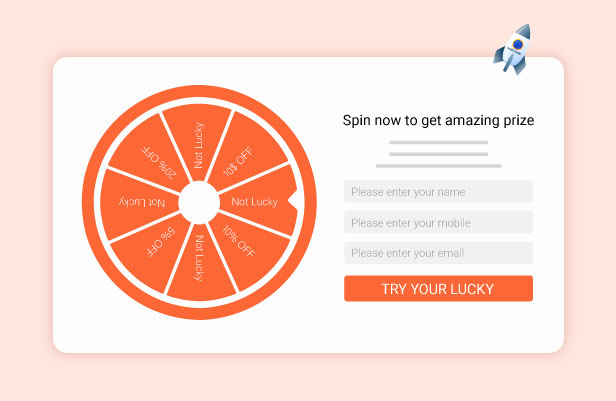
Interactive Lucky Wheel Reward System
After subscribing with their email or mobile number, customers can spin the Lucky Wheel on your website for a chance to win special offers. This creates an engaging experience that encourages sign-ups while rewarding users with discounts or promotions instantly.
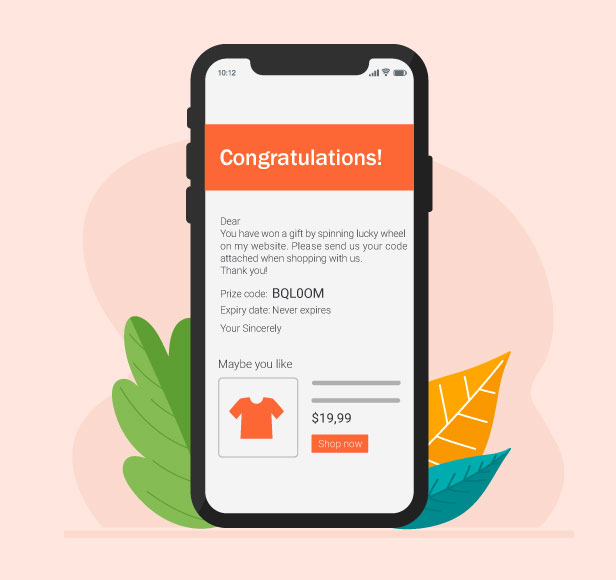
Automated Coupon Email for Lucky Wheel Winners
When customers land on a winning segment of the Lucky Wheel, a coupon email will be automatically sent to their registered email. A congratulatory message is included, and you can also attach suggested products to encourage further shopping and increase conversions.
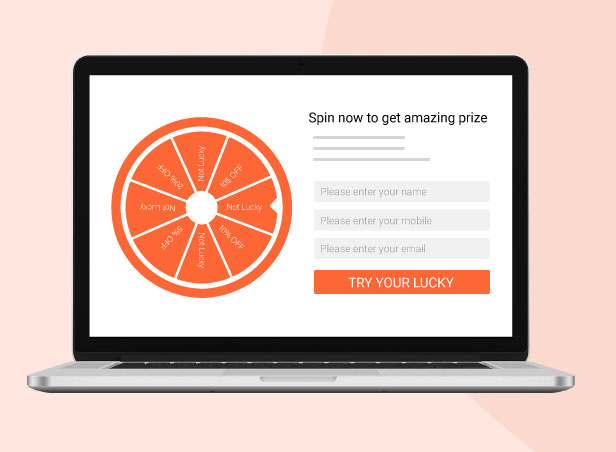
Flexible Display of WooCommerce Lucky Wheel Anywhere
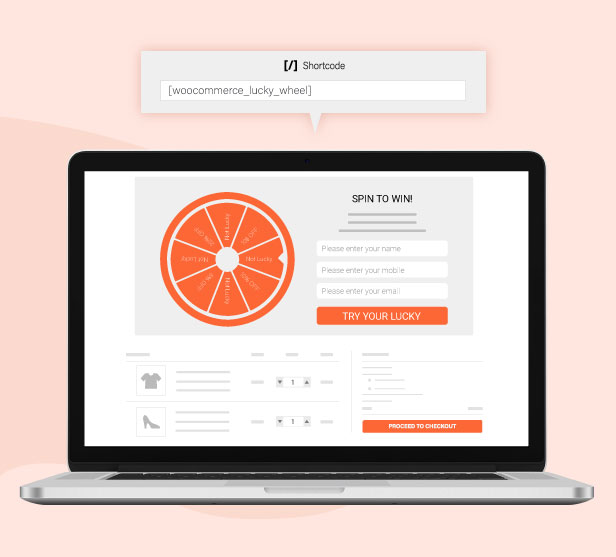
WooCommerce Lucky Wheel can be displayed on any page of your website using shortcodes. This gives you full flexibility to place the wheel on landing pages, product pages, or any custom section to maximize visibility and increase subscriber conversions.
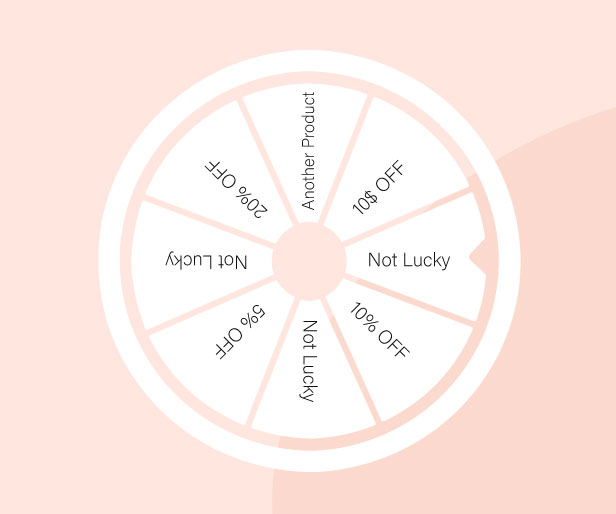
Customizable Lucky Wheel Rewards & Probability Settings
Shop owners can fully customize each section of the Lucky Wheel, including the type of offers and their winning probabilities. This allows you to control the chances of each reward, create balanced promotions, and design more engaging campaigns that attract and convert customers effectively.
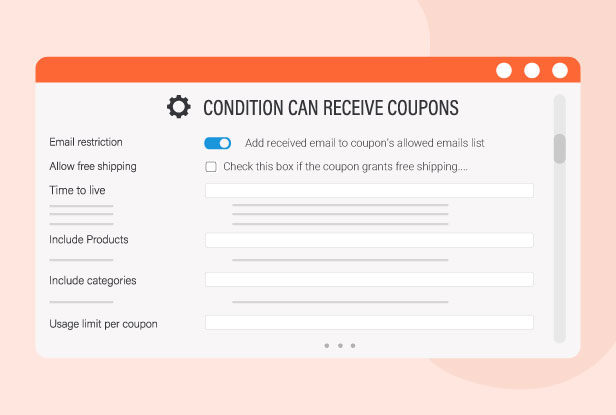
Advanced Unique Coupon Configuration & Control
You can fully customize unique coupons by setting which emails, products, categories, and conditions are eligible to receive them. In addition, you can control coupon duration, usage limits, and restrictions per user or per item, giving you complete flexibility to run targeted and effective promotions.
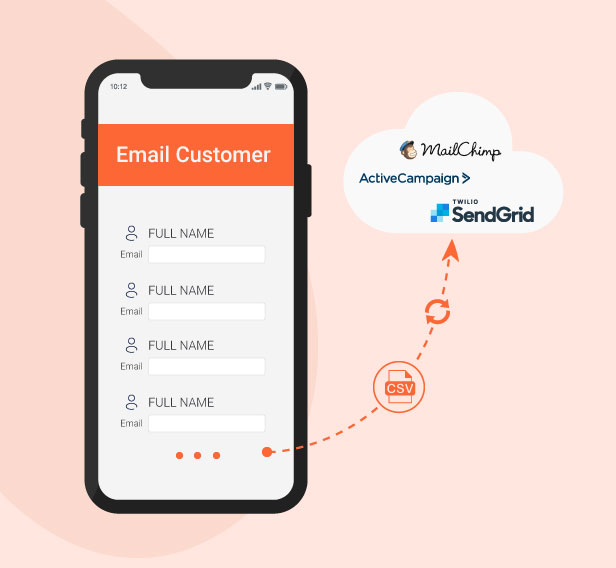
Email Integration with Mailchimp, ActiveCampaign & SendGrid
Shop owners can easily export collected emails to CSV files and sync them with Mailchimp, ActiveCampaign, or SendGrid using API keys. This helps you seamlessly manage and grow your email marketing lists across multiple platforms without manual effort.
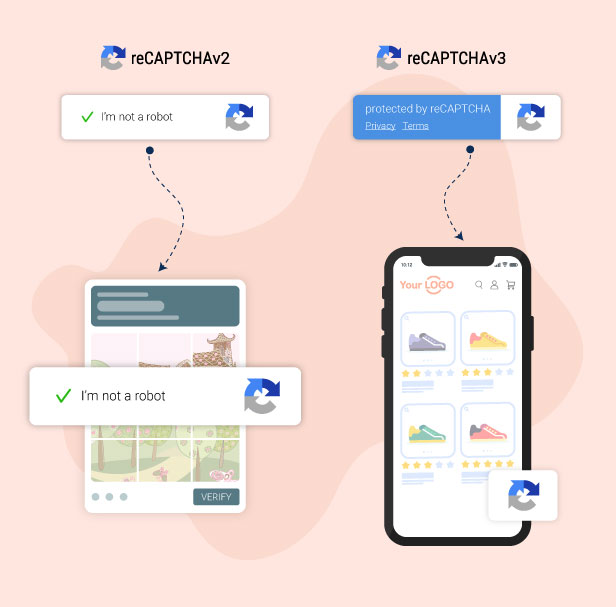
Secure Forms with Google reCAPTCHA Protection
Protect your forms from spam and bots by enabling Google reCAPTCHA v2 or v3. This adds an extra layer of security to ensure only real users can submit forms, helping you maintain clean and high-quality email subscriber data.
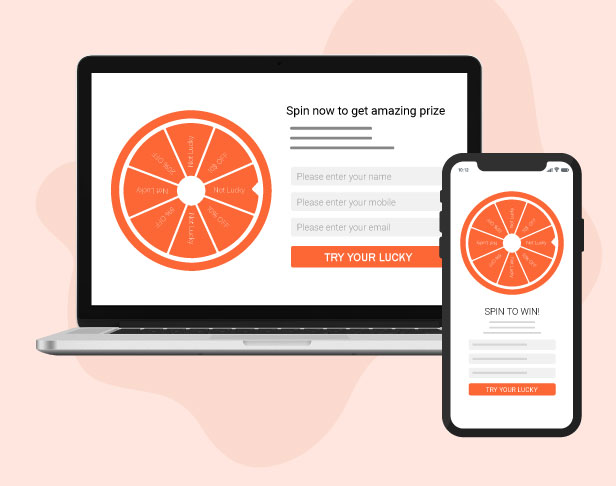
Fully Responsive Design for All Devices
Our plugin is fully responsive and works smoothly on all devices, including desktop, tablet, and mobile. All elements automatically adapt to different screen sizes to ensure a consistent and user-friendly experience everywhere.
FEATURES:
This WooCommerce lucky wheel spin and win plugin displays a Lucky Wheel pop-up when users visit your website. Allowing them to subscribe to emails and spin to win prizes.
- Server-side calculation: The result will be calculated on the server side. No cheating.
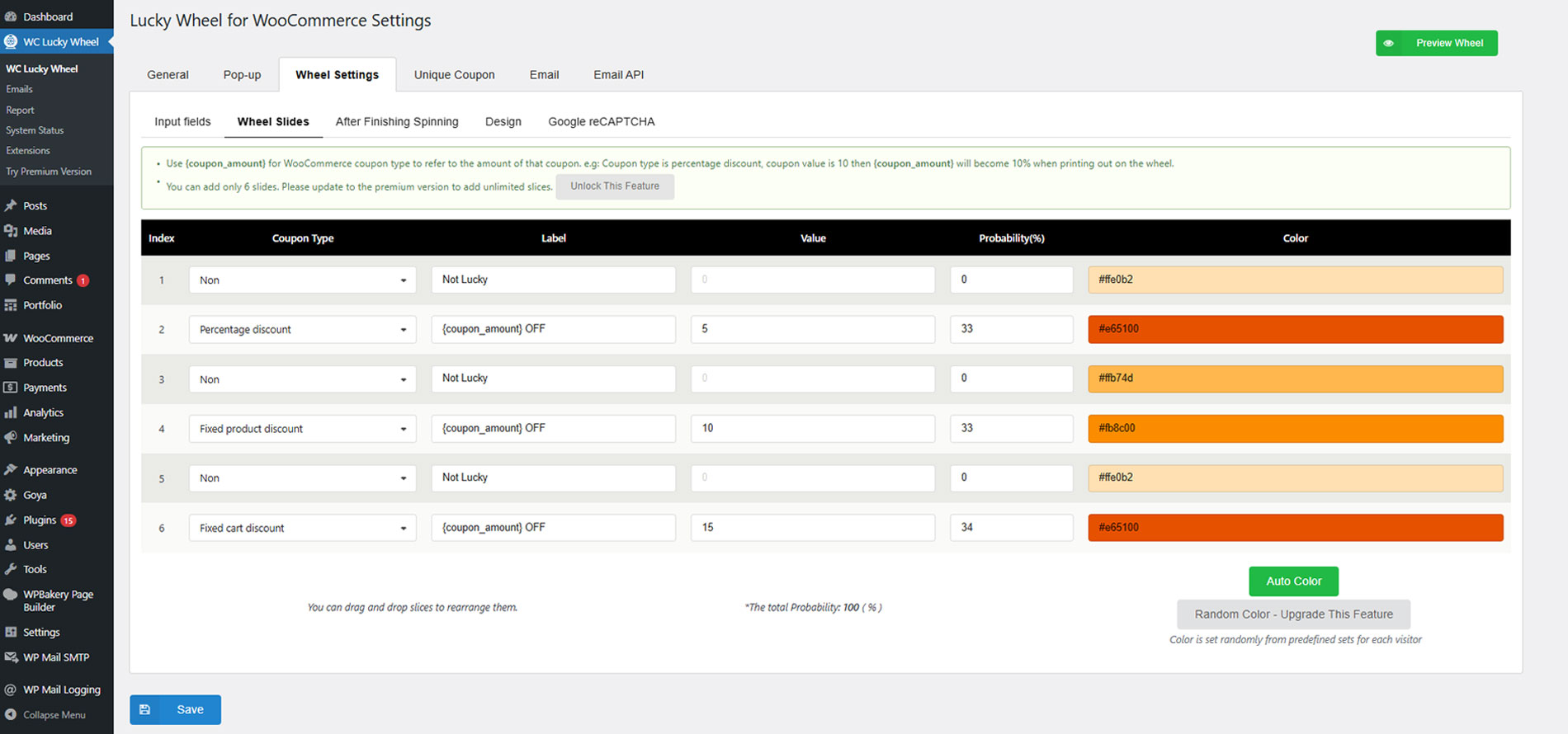
- Adding up to 20 slides: The plugin allows you to add up to 20 slides to the Lucky Wheel.
- Wheel label: Add a custom label for each wheel slide.
- Winning probability: Select the winning probability of each slide.
- Pop-up intent: Display the wheel after the scheduled time, after scrolling down the page, or when visitors are about to leave.
- Lucky Wheel icon: A small lucky wheel icon, allows visitors to open the Luck Wheel pop-up.
- Popup icon position: Select the pop-up icon position on your site front-end, available: Top left, Top right, Middle left, Middle right, Bottom left, Bottom right.
- Hide popup icon: Option to hide the popup icon.
- Initial time: Schedule a time for the Lucky Wheel pop-up to appear after the page finishes loading.
- Scroll amount: Select a scroll amount in percentage. The Lucky Wheel pop-up will appear when visitors scroll down this amount.
- Spinning time: Select how many times an email address can be used to spin the wheel.
- Wheel spinning duration: Set up how long the wheel will take to finish a spin.
- Conditional Tags: You can display the lucky wheel on selected pages only. Using built-in options for home pages, Blog pages, Shop pages, or using WordPress conditional tags.
- Wheel Description: Display the description of the wheel. This will be displayed in the front end.
- Custom fields: You can add up to 3 fields to your Lucky Wheel pop-up, including email, name, and phone number.
- Show pop-up after closing without spinning: Select a time to display the lucky wheel pop-up if a visitor closes it without spinning.
- Show pop-up after a successful spin: Select a time to display the lucky wheel pop-up after a successful spin.
- Delay time between each spin: Select the delay between each spin of an email address.
- Do not display again: allows customers to hide the pop-up if they don’t want to subscribe.
- Automatically hide the wheel after finishing spinning: Automatically hide the lucky wheel pop-up after the scheduled time.
- Wheel speed: You change the rolling speed of the lucky wheel. There are ten speeds from 1 to 10 for you to select.
LUCKY WHEEL PAGE
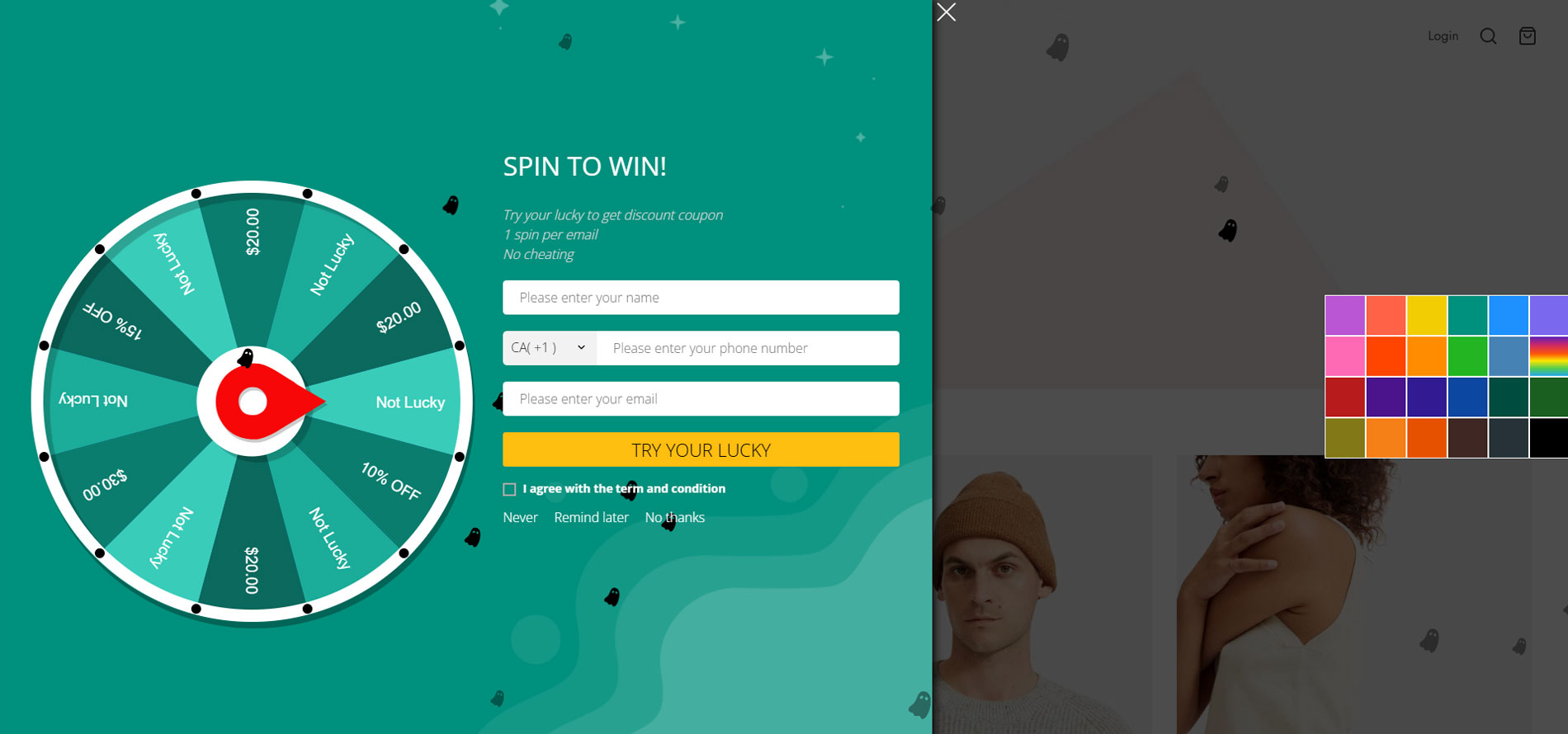
WooCommerce Lucky Wheel – Spin to win provides a shortcode that allows you to display the Lucky Wheel on any page.
- Shortcode: the shortcode
SPIN TO WIN!
- Try your lucky to get discount coupon
- 1 spin per email
- No cheating
- Shortcode params: You can add parameters to the short to change it without changing WooCommerce Lucky Wheel settings. Find the full details of all params that can be added to the shortcode and their explanation here in this documentation.
GENERATE AND SEND COUPON FROM WOOCOMMERCE LUCKY WHEEL SPIN AND WIN
Coupons will be sent to subscribed emails collected from WooCommerce lucky wheel spin to win. So you need to choose to use existing WooCommerce coupons or let WooCommerce Lucky Wheel generate unique coupons with given values.
- Existing coupons: Select a WooCommerce coupon to use as the prize for each slide.
- Unique coupons: Create unique lucky wheel coupons like the way to generate WooCommerce Coupons. You can add a suffix title for this unique coupon to distinguish it from other coupon types.
- Front-end message: The plugin allows you to create and display different messages when customers win a prize or do not win. Use shortcodes to display necessary information in your message.
{coupon_label}: the label of the coupon that customers win.{checkout}: “Checkout” with a link to the checkout page.{customer_name}: customers’ names if they enter.{customer_email}: the email that customers enter to spin.{coupon_code}: coupon code/customs value will be sent to the customer.
- Coupon email: Coupons will be sent to the winner automatically. The plugin provides shortcodes to display information:
{customer_name}: customer’s name.{coupon_code}: coupon code.{date_expires}: the expiry date of the coupon.{coupon_label}: the label of the wheel slide that the visitor hit when spinning the wheel.{featured_products}: display a list of featured products.{shop_now}: Display a “Shop Now” button in the email, redirecting to your shop page.
- Suggested products: Select specific products to display at the bottom of the coupon email.
- Send email to admin: The plugin will send a notification email to the admin whenever a customer wins a prize with the lucky wheel. The email included the coupon, and the email address of the winner. And you can edit this notification email.
WHEEL PRIZE
The WheelPrizess section allows you to create as many coupon prizes as you want, this helps you to quickly create, customize and manage coupon prizes for the lucky wheel on the Wheel Prizes page. The wheel prize section is designed as a page listing available wheel prizes. You can edit, quick edit, trash, and duplicate a wheel prize on this page. On each page, you can configure the coupon in detail.
COLLECT EMAIL FROM LUCKY WHEEL SPIN AND WIN
Subscribed emails from WooCommerce lucky wheel spin and win will be saved to your database. You can export to have CSV files of email addresses. Then WooCommerce lucky wheel spin and win also helps you to sync emails to your email marketing platforms (Email API).
- Save Emails: You can view subscribed emails in the plugin’s backend with email addresses, subscribed time, customer name, phone number, spun time, coupons, and wheel slide label of the last spin.
- Export CSV file: Select a date range and export the subscribed email at that time into a CSV file.
- Report: The report feature allows you to check the quantity of subscribed emails, spins, and given coupons at a specific time.
EMAIL API
This WooCommerce lucky wheel spin and win plugin integrates some email marketing platforms, allowing subscribed emails to sync to these platforms and perform other marketing strategies as needed. The email marketing platforms available:
- Mailchimp
- Sendgrid
- Active Campaign
- Hubspot
- MailPoet
- Klaviyo
- Brevo (Sendinblue)
- Metrilo
GDPR COMPLIANCE
The WooCommerce LuckyWheel Spin and Win plugin allows visitors to permit you to collect their information. Therefore, your site can fit with the GDPR law of Europe.
- GDPR Checkbox: The GDPR checkbox allows customers to agree with your site’s Terms of Use and Conditions. So visitors permit you to collect their information by ticking on the checkbox.
- GDPR Message: Set up your GDPR/ Term of Use and Conditions message as an HTML form.
DESIGN WOOCOMMERCE LUCKY WHEEL SPIN AND WIN
The WooCommerce lucky wheel spin and win plugin provides many design options that allow you to change the front-end design of the lucky wheel. So you can change the background, the text color, and each slide color.
- Preview: The plugin allows you to preview the wheel in your backend.
- Show full wheel: The plugin offers 2 wheel styles on desktops full-size and half-size.
- Background: Select an image or pick a color to use as your background.
- Background effect: Select a full-screen animation effect to display along with the lucky wheel pop-up.
- Winning effect: Display a full-screen animation effect when the visitor wins a prize.
- Text color: Change the color of the text on the Lucky Wheel pop-up.
- Font: Select the font family of the text on the Lucky Wheel pop-up.
- Spin button: Design the spin button with options for label text, text color, and background color.
- Wheel center color: select a color for the wheel center, you also can use a picture to display in the center of the wheel.
- Pointer: Select the position of the wheel pointer center, top, right, or bottom. You can change the color of the pointer.
- Wheel border: Change the color of the wheel border and the dots on the border.
- Currency: Choose to display a currency symbol ($, €… ) or currency code (USD, EUR…) on the Lucky Wheel pop-up.
- Wheel slides: Change the label text size, text color, and background color of the wheel slide.
- Wheel size: The plugin allows you to change the size of the wheel.
- Icon position: Select the wheel icon position on the screen. There are 6 icon positions bottom left, bottom right, top left, top right, middle left, and middle right. And the icon can be hidden after a successful spin.
- Auto-color: this option allows you to automatically color up the wheel.
- Custom CSS: This WooCommerce Lucky wheel spin and win plugin offers the Custom CSS section which allows you to add a custom design for the wheel on the front end.
This function of WooCommerce Lucky Wheel Spin and Win helps protect websites from spam and abuse. A “CAPTCHA” is a turning test to tell humans and bots apart. It is easy for humans to solve, but hard for “bots” and other malicious software to figure out. By adding reCAPTCHA to a site, you can block automated software while helping your welcome users to enter with ease.
The Google reCAPTCHA feature of the WooCommerce lucky wheel spin and win plugin is now available from version 1.1.1.
ADDITIONAL FEATURES
- Auto-update: Update the WooCommerce lucky wheel spin and win plugin automatically in your dashboard.
- AJAX end-point: The plugin provides 2 AJAX endpoints to make sure the pop-up works fine on your site.
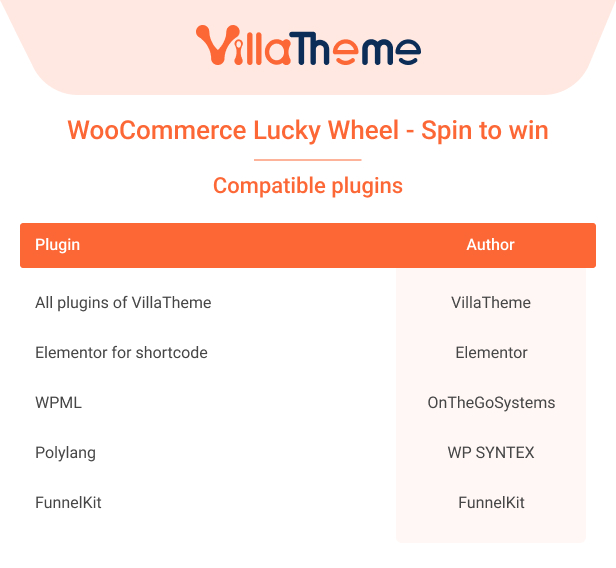
- Multilingual support: This WooCommerce lucky wheel spin and win plugin supports multiple languages. So you can create different front-end messages, emails, descriptions for different languages.
COMPATIBILITY
Free – Premium comparison

Watch Preview to see what WooCommerce Lucky Wheel Spin and Win can do
You can learn how to set WooCommerce Lucky wheel spin and win seeing this video guide: