
Description
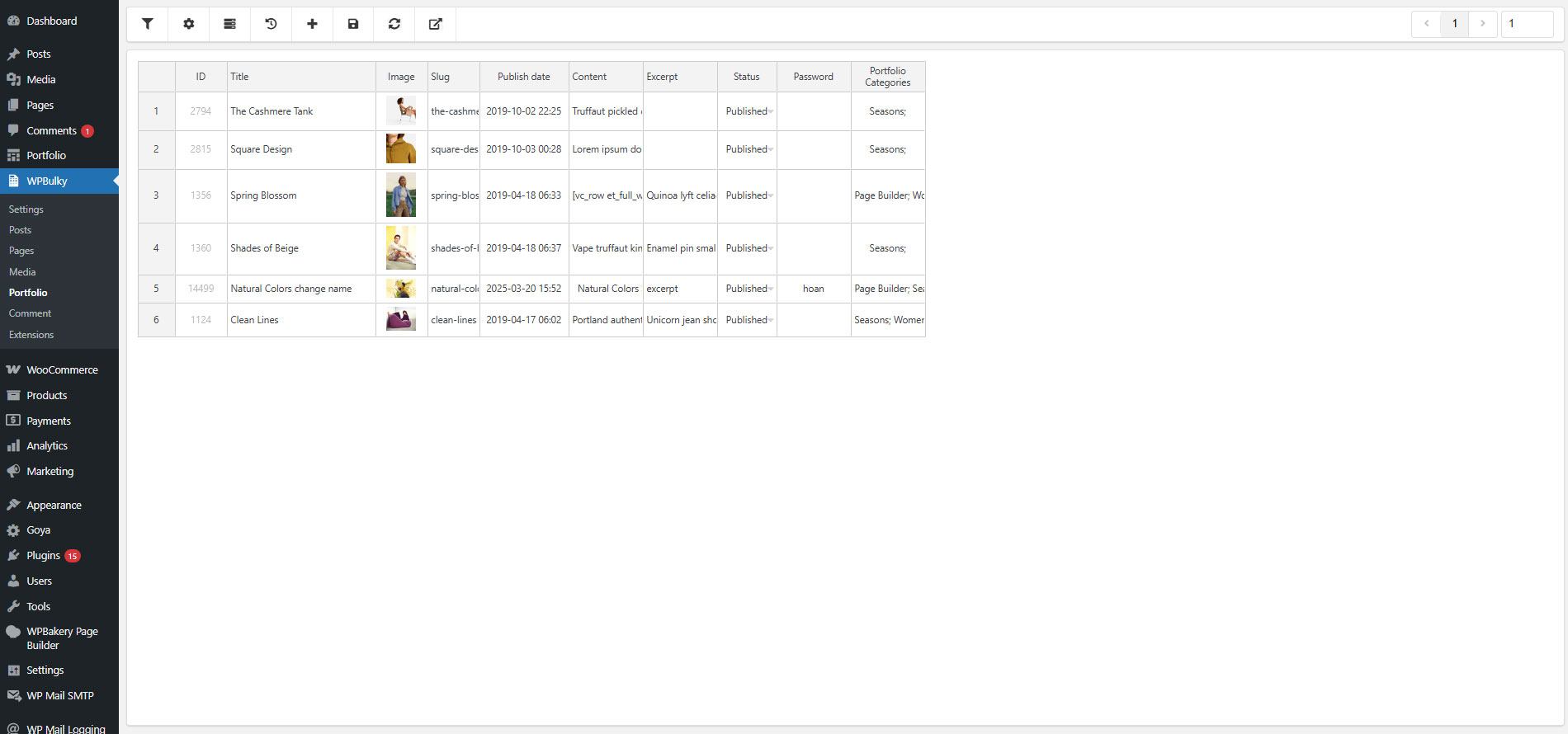
WPBulky – WordPress Bulk Edit Post Types is a helpful tool that allows you to work with post types in bulk. The plugin supports sufficient tools to bulk edit post types like posts, pages, media, and custom post types ….
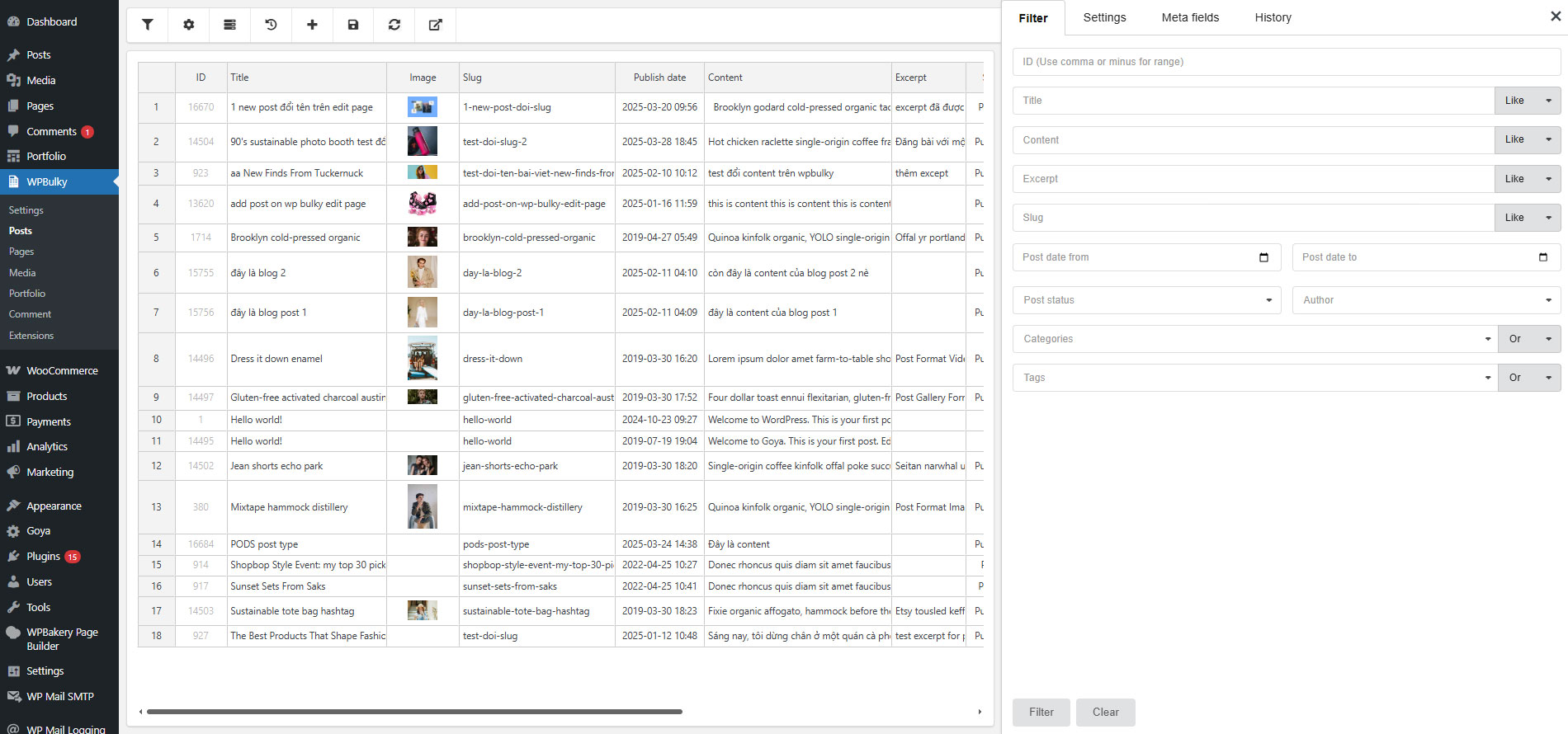
WPBulky – WordPress Bulk Edit Post Types can filter properties of post types such as title, slug, image, publish date, and status, allow comments, allow trackbacks, author, password, and metadata … quickly get post meta fields to edit in bulk. Take advantage of the plugin, you can master editing post types in bulk, save time, and enhance site management at a high level.
Bulk Edit Post Types: Posts, Pages, Media, and More
Eliminate tedious manual updates and supercharge your content management efficiency with WPBulky. This powerful engine allows you to seamlessly filter, select, and mass edit any WordPress post type including Posts, Pages, Media attachments, and custom post types in just a few clicks. Whether you need to update hundreds of titles, modify post statuses, reassign authors, or adjust meta fields simultaneously, WPBulky streamlines your bulk manipulations, saving you hours of administrative work and keeping your database perfectly organized.

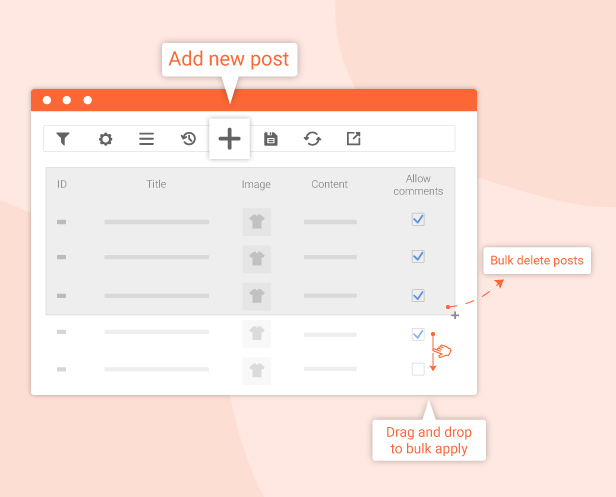
Quickly Add, Delete, and Edit Data
Transform the way you manage content with lightning-fast data manipulation right from a single dashboard. This feature allows you to instantly create new entries, permanently remove unwanted items, or modify existing content fields across multiple posts simultaneously, bypassing the slow, traditional WordPress editor. Engineered for speed and efficiency, it provides a seamless, spreadsheet-like workflow that lets you handle hundreds of data records in seconds with zero hassle.

Advanced Data Filtering for Precise Bulk Editing
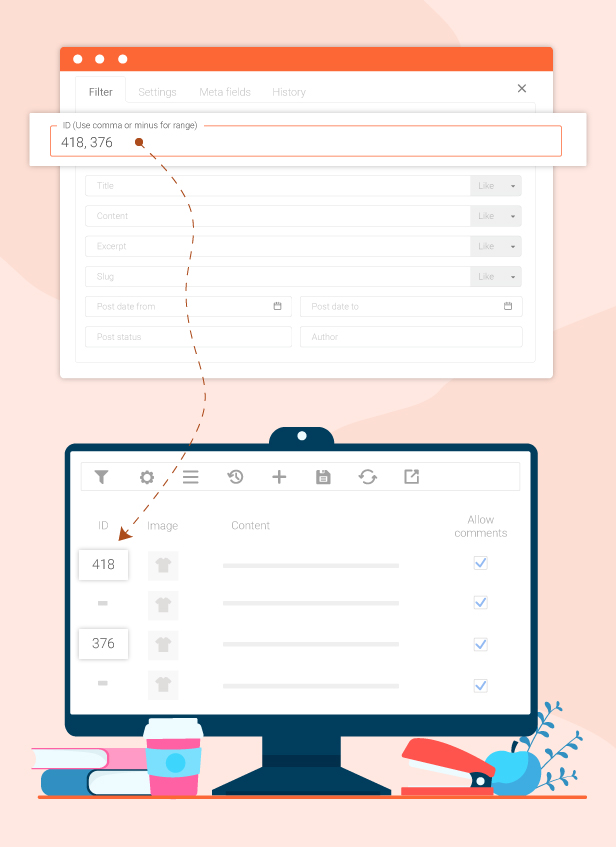
When managing thousands of posts or pages, finding the exact records you need to update can feel like looking for a needle in a haystack. WPBulky’s granular filtering engine allows you to instantly isolate specific content based on criteria like date ranges, categories, authors, post statuses, or custom fields. By drilling down to the exact dataset in seconds, you can perform bulk manipulations with absolute confidence, ensuring only the targeted items are modified while the rest of your website remains untouched.
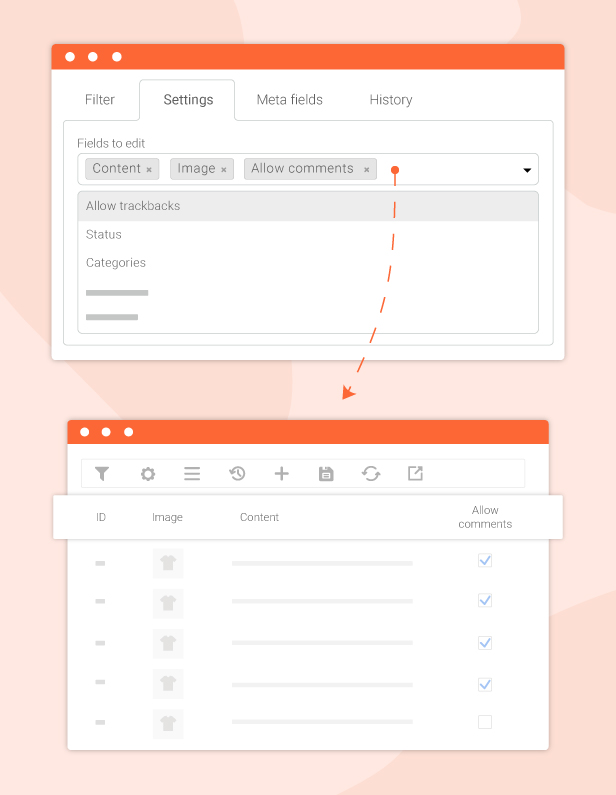
Select Specific Data Property Columns to Edit
Keep your workspace clean and focus exclusively on the data that matters most to your current task. Instead of cluttering your screen with unnecessary information, WPBulky allows you to easily select and display only the specific property columns you wish to modify such as Titles, Slugs, Publish Dates, Tags, or Custom Meta Fields. This tailored approach optimizes your dashboard layout, maximizes screen real estate, and drives a highly organized, distraction-free workflow.
Bulk Edit Post Types – Powerful Editing Utilities
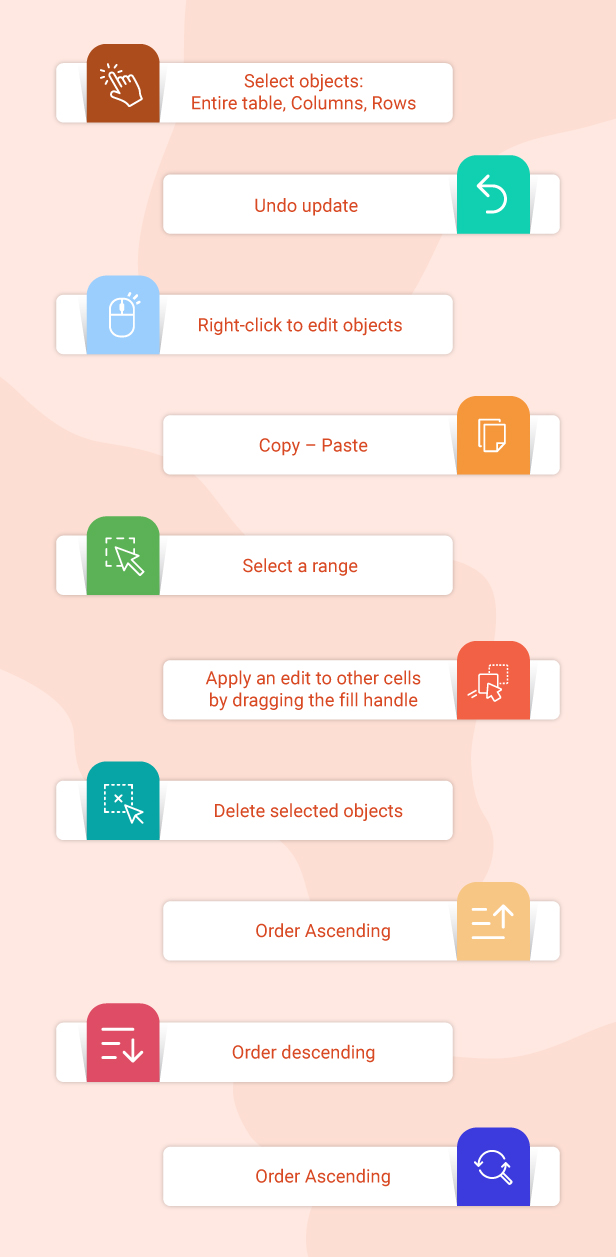
Experience a highly flexible, spreadsheet-like content management workflow backed by professional editing utilities. WPBulky equips you with intuitive shortcuts and smart actions to manipulate massive datasets with ultimate ease:
- Flexible Object Selection: Easily select an entire table, specific columns, or targeted rows in one go.
- Instant Undo functionality: Confidently experiment with your data changes with the ability to instantly revert updates.
- Right-Click Context Menu: Quick access to edit objects with a simple right-click.
- Seamless Copy-Paste: Duplicate and move field values across cells efficiently.
- Smart Fill Handle: Apply a single edit across multiple consecutive cells in seconds just by clicking and dragging down.
- Advanced Sorting (Ascending/Descending): Realign and reorganize your dataset in ascending or descending order at any moment to keep your dashboard perfectly structured.
Bulk Edit Custom Meta Fields & Meta Data
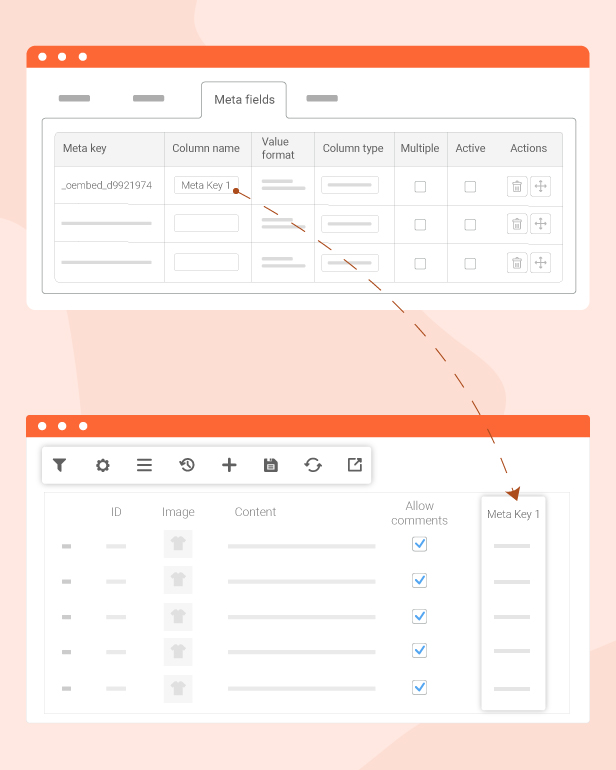
Gain absolute control over your website’s complex data architecture. Moving far beyond standard content fields, WPBulky empowers you to mass edit advanced custom meta fields and hidden metadata across any post type. Whether your site utilizes custom fields to store specialized information such as real estate pricing, technical product specifications, event timestamps, or complex fields generated by ACF you can filter and rewrite hundreds of metadata values simultaneously, ensuring flawless database consistency without opening a single post.
History of Bulk Edit – View and Restore Previous Fixes
Edit massive datasets with absolute peace of mind thanks to a smart, built-in revision tracking system. WPBulky automatically logs every bulk manipulation session you execute, allowing you to review detailed change logs, track exactly which items were modified, and see precisely when the updates took place. Most importantly, if you ever spot a mistake or need to roll back, the robust restore engine enables you to revert an entire editing session in a single click, instantly bringing your database back to its safe, original state.

THE PLUGIN FEATURES:
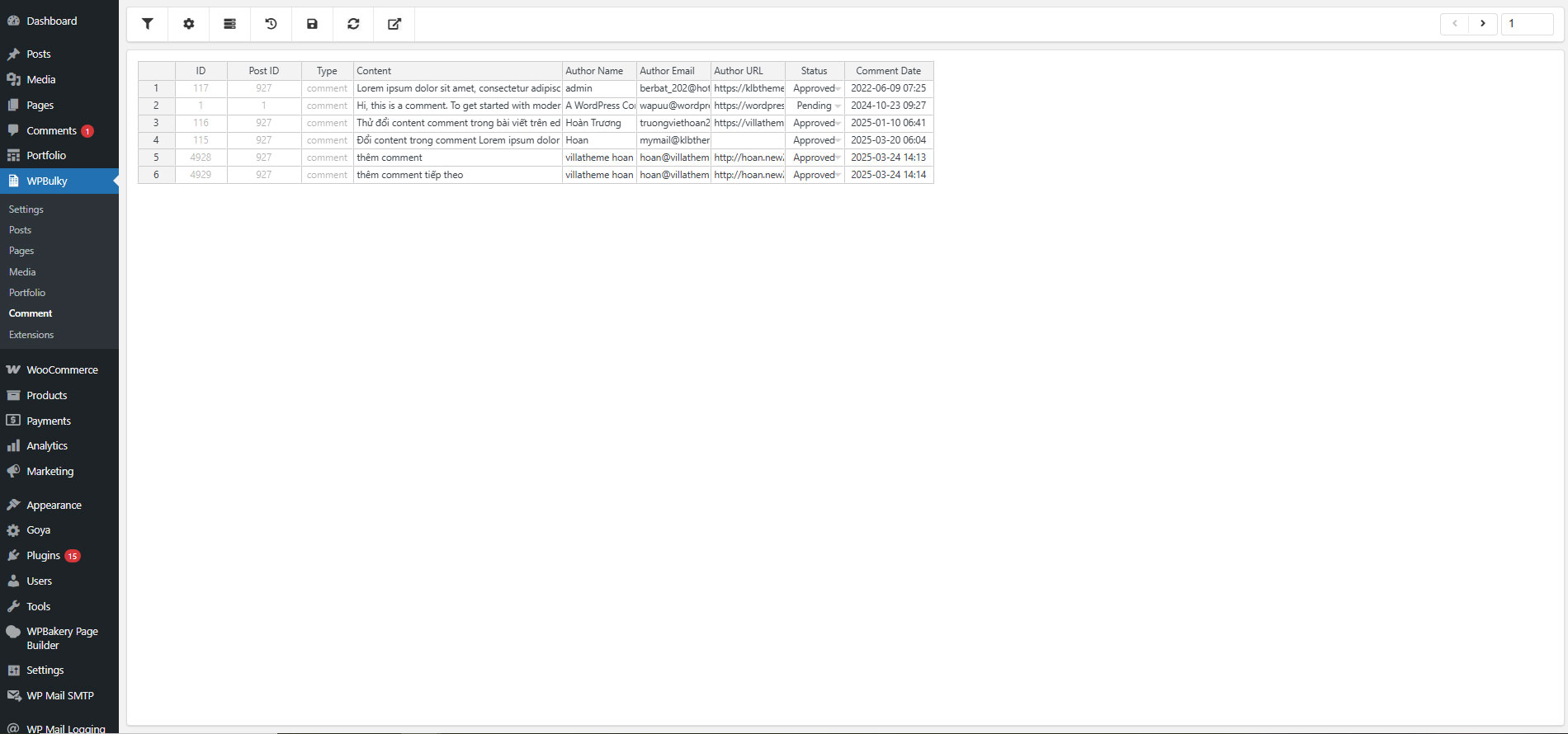
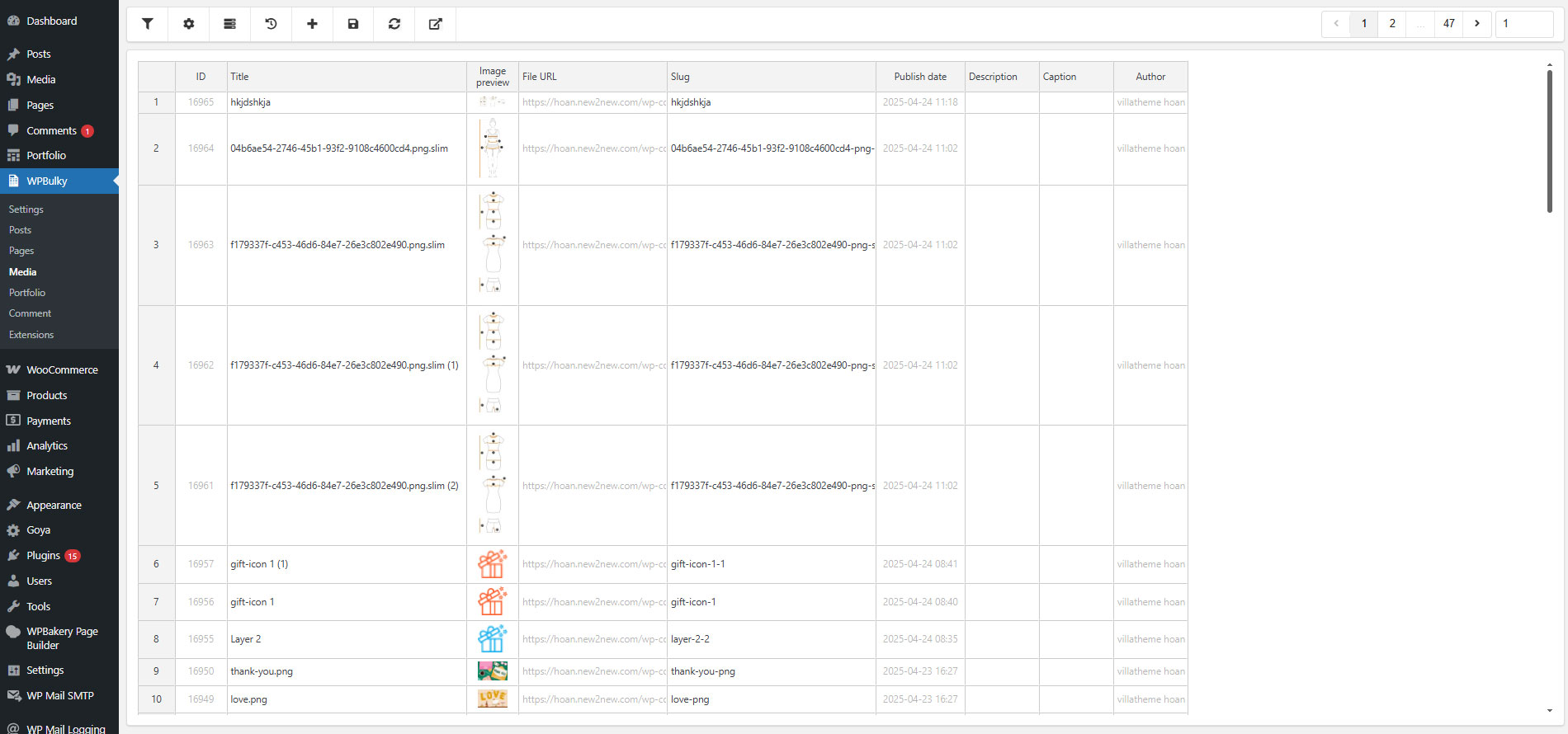
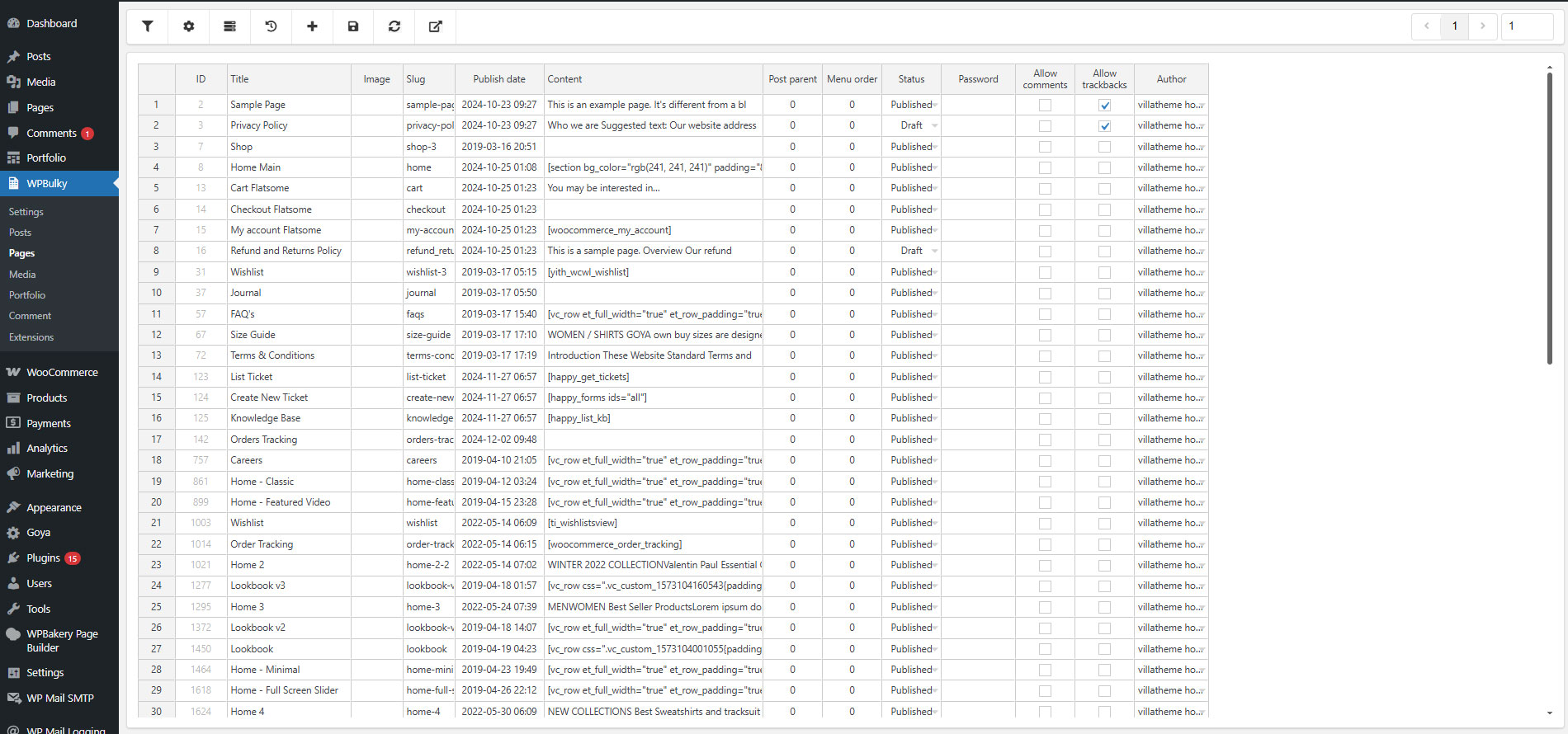
WPBulky – WordPress Bulk Edit Post Types can do functions to edit properties of Post types in bulk such as some default post types of WordPress: Posts, Pages, Media.
This plugin’s function does not include editing post types of WooCommerce like product, shop_order, and shop_coupon.
- Filter post types by ID; Title; Content; Excerpt; Slug; Range of date; status; Author; Categories; Tags; Formats
- Append, prepend, and replace text in text fields in bulk
- Add, change, and remove images of post types in bulk
- Enable, and disable comments in bulk
- Enable, and disable all trackbacks in bulk
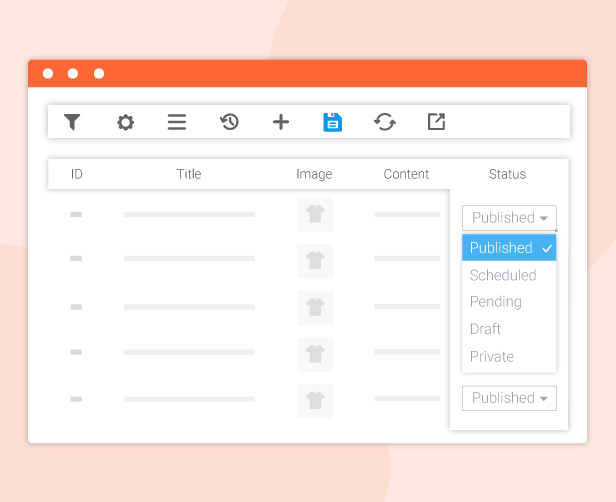
- Change the post type’s status in bulk maybe: Published, Scheduled, Pending, Draft, Private
- Assign, and remove categories for post type in bulk
- Assign, and remove tags for post type in bulk
- Change the post type’s format in bulk maybe: Audio, Gallery, Image, Link, or Video
- Set, edit, and remove post type’s password in bulk
- Change the post type’s author in bulk
- Metadata(Custom field in all post types)
Support bulk edits in all fields of a post type.
You can use filters to get fields of the post type based on their property to edit in bulk. The plugin is available with all fields of post types such as ID; Title; Content; Excerpt; Slug; Range of date; status; Author; Taxonomies; Formats….
- ID: You can filter the range of post types by ID, and separate IDs with commas or minus.
- Title: This allows you to filter a post type using the title that can be exact, like, not include, begin, end, or empty content.
- Content: This allows you to filter post types using content that can be exact, like, not include, begin, end, or empty content.
- Excerpt: You can filter post types using the excerpt that can be exact, like, not include, begin, end, or empty content.
- Slug: This allows you to filter post types using the slug that can be exact, like, not include, begin, end, or empty content.
- Range of Post date: You can filter post types based on the date of post.
- Post status: Filter post types by status: Draft, pending, private, Published.
- Author: Filter post types users who release.
- Taxonomies: Filter post type based on taxonomies.
Manipulations with the table and cells to bulk edit post types
- Select objects: Entire table; Columns; Rows,
- Undo update.
- Context menu.
- Copy – Paste
- Select a range
- Apply an edit to other cells by dragging the fill handle
- Delete selected objects
- Order Ascending
- Order descending.
- Find and Replace.
- Duplicate rows.
Bulk edit post types – Other outstanding features
- The Search tool to find the fields to edit in bulk. On the other hand, you can save time to quickly look for fields you want to edit.
- Filter orders by ID, and Title.
- Save the filter when reloading the page. In particular, the save filter button helps to save all your settings so that the selected options will remain even when you load the page.
- Bulk edit Custom meta fields from third-party.
- History to record the edits.
Compatible plugins
Free vs Premium comparison

For further reference, you can follow this video guide:
Besides, if you are looking for a plugin that offers sufficient simple and advanced tools to help bulk edit for WooCommerce products, Bulky – WooCommerce Bulk Edit Products is not an unignorable choice. You can follow this video guide.