WordPress Email Templates Designer is a useful tool for creating and customizing WordPress emails. If the default WordPress email template appears plain to you and you want to customize it, this is what you need. With no coding knowledge required, you can easily drag and drop, edit, and customize the layouts/contents within the email templates. Try our plugin to make the template look friendly and match your store design, and easily customize WordPress emails sent to customers.
Features of WordPress Email Templates Designer
Customize WordPress Emails with Ease
Turn default WordPress emails into beautifully branded messages that truly represent your website. With 9MAIL, every email sent to your users becomes an opportunity to impress, build trust, and bring them back to your site.
Support for Core WordPress Email Types
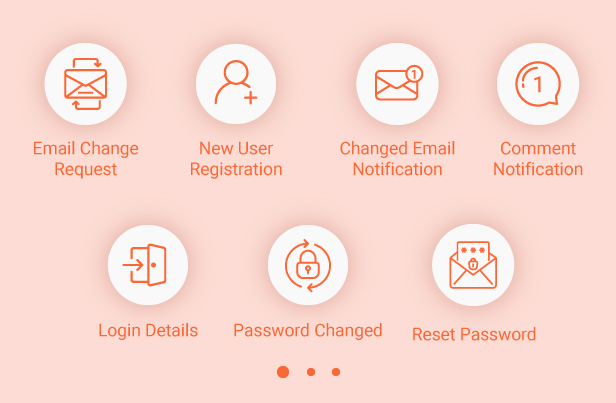
Redesign essential WordPress emails like new user registration, password reset, email change requests, and more. No technical skills required – just select the email type and start customizing.
Drag & Drop Builder
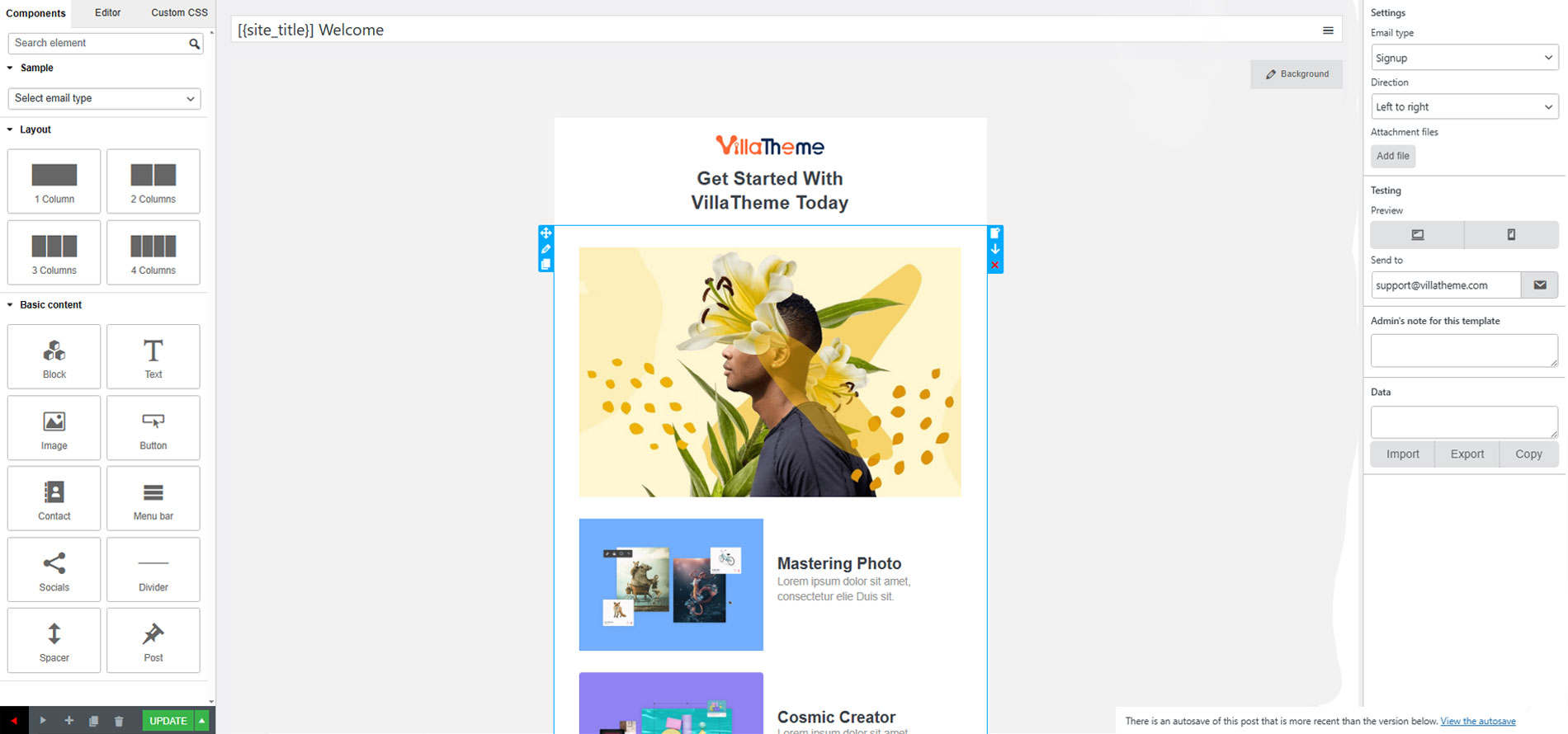
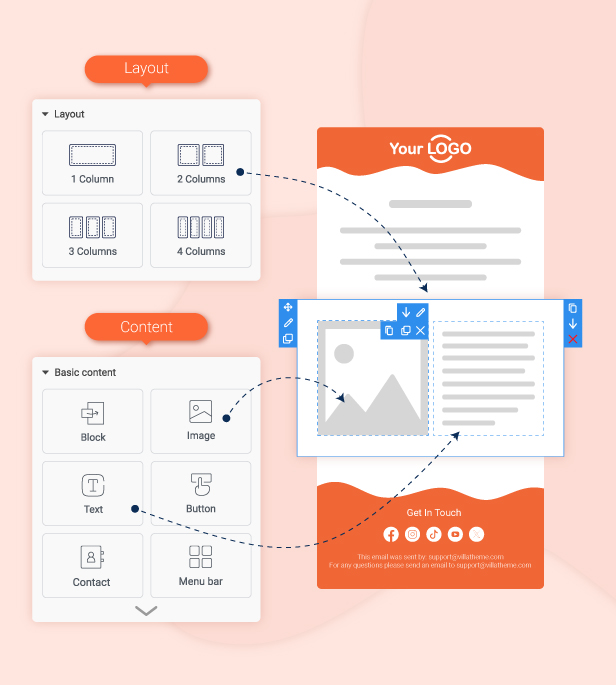
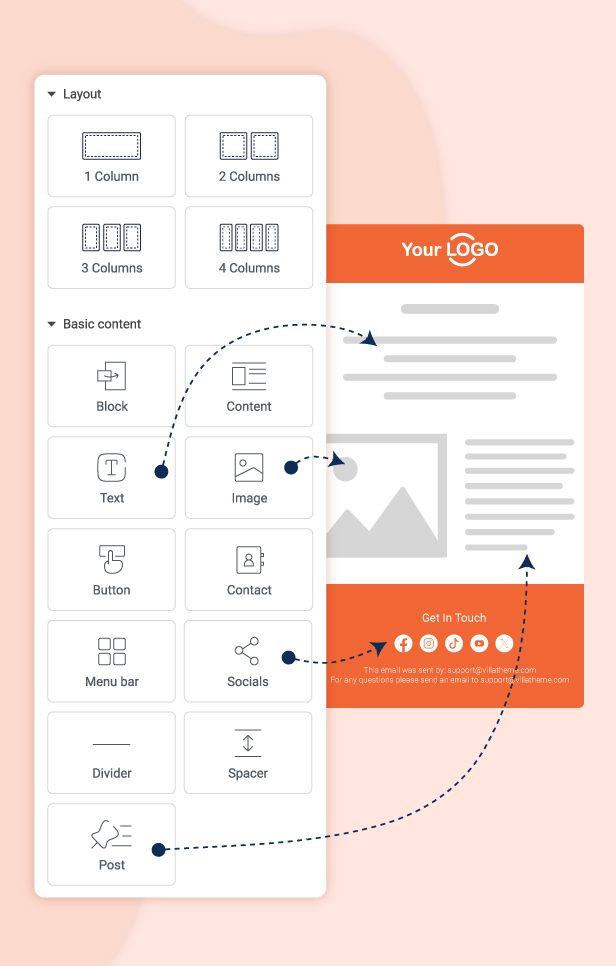
Create stunning emails effortlessly using an intuitive drag-and-drop interface. Simply move sections, adjust layouts, and arrange content exactly the way you want – no coding needed.
Powerful Content Elements
Access a rich collection of elements to build professional emails: text blocks, images, buttons, dividers, social icons, and more. Mix and match components to create emails that perfectly match your brand style.
Language Direction Support
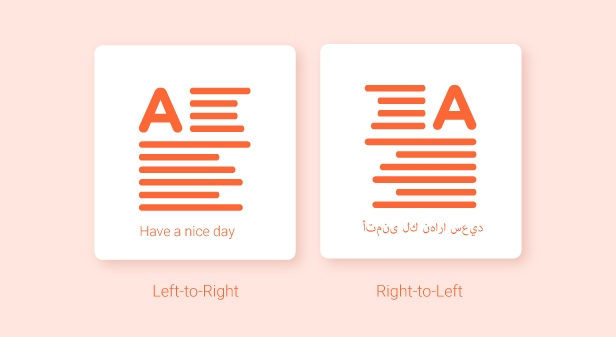
Support both left-to-right (LTR) and right-to-left (RTL) languages seamlessly. Whether your audience reads English, Arabic, Hebrew, or other RTL languages, your emails will display correctly and beautifully.
Fully Responsive Design
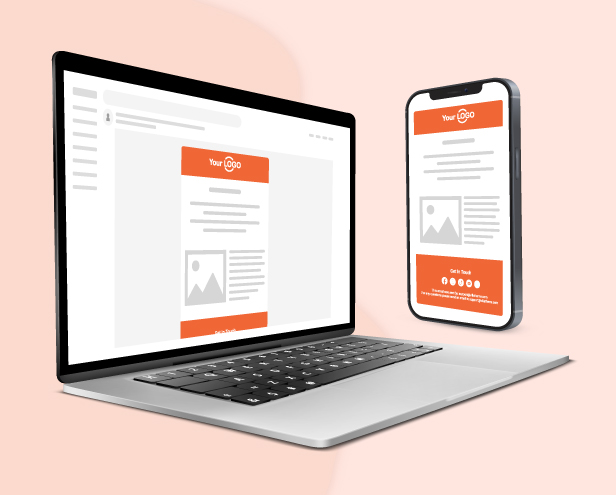
Every email looks polished on all devices – desktop, tablet, and mobile. Your users will enjoy a consistent, well-designed experience no matter where they open your message.
Elements in WordPress Email Templates Designer
Text: Add text content to the template and customize the font color, font size, alignment, border width, insert/edit link, insert/edit image, shortcode, info icon, social icon, border style, border color, background color, text padding, and text margin.
Divider: Add a single line divider to the template and choose a style for the divider. Customize the divider’s style, width, height, color, alignment, margin, and padding.
Socials: Add social icons to the email template, and enter your URL in the placeholder including Facebook, Twitter, Instagram, Youtube, Linkedin, Whatsapp, Telegram, Tiktok, and Printest.
Image: Add an image to the email template and adjust its size and alignment, border style, border color, background color, text padding, and text margin.
Button: Add and customize the button: Name, the link of a button, style the border, alignment, background, and padding.
Menu bar: Add and customize the menu bar or name the navigation bar that includes links to the most important sections of the site: Home, Shop, Contact…
Contact: Display contact information with icons on the email template.
Spacer: Add a space between other elements and customize its height, borders with style and color, and the background color.
Default template: If you are using the 3rd plugin and the email contents of this 3rd plugin are not attached to WordPress default emails, they create their own email templates. In this case, you can use the default template type.
Post: Add your suggested block posts of any categories you select to the email template.
Block: Building the mutual blocks that can be used among the templates can reduce your workload significantly.
Additional features in WordPress Email Templates Designer
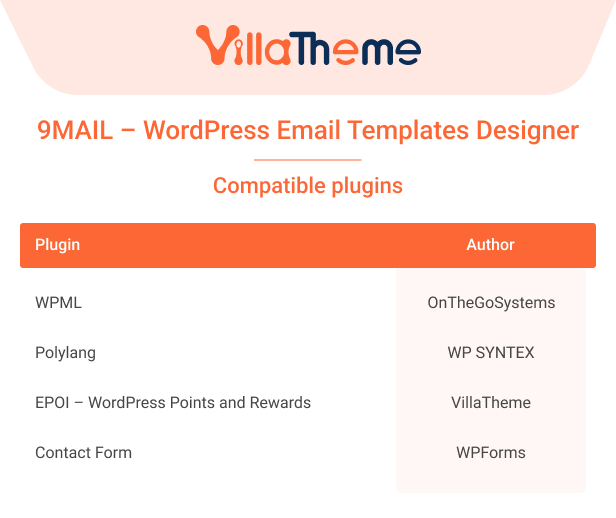
Support multilingual plugins: WPML, Polylang.
Import/Export email templates in just a few taps – Reduce your workload.
Build your template in no time with mutual blocks, and shortcodes.
Live Preview of Changes: Visually observe emails by the preview, update any changes in the preview mode, and integrate to see on the desktop, and mobile.
Send Test Emails: Check the email design before the real sending.
Display Dynamic Data with Placeholders: Displaying placeholders makes it easy to design templates. Placeholders such as customer name, site name, User name, Password, and My account URL will be replaced by real user while sending the WordPress emails.
Custom CSS: Add your own custom CSS to the email template if the available options are not enough for you. Moreover, you can add custom CSS directly to the text element.
Actively support: VillaTheme is always ready to support you!
Add admin’s note to particular templates: A simple reminder of things you need to pay attention to in those templates.
User-friendly: 9MAIL is simpler to use and always has the user in mind and adds appropriate updates to improve the user experience.
Integration compatibility: Compatible with 3rd parties.
*** 9MAIL - WordPress Email Templates Designer Premium Changelog ***
2026.08.27 - version 1.2.1
- Fixed: Text shortcodes {user_email} were offered in the editor for password-reset and admin password-change emails but were not replaced when those emails were sent.
- Fixed: Shortcode picker for new-user, email-change, and privacy-request templates was missing keys the send path already supports ({user_email}, {admin_url}).
- Fixed: Columns and elements kept the pixel width they had on the canvas, so text was clipped on narrow screens; the mobile media query now releases those widths instead of rewriting them, which leaves the desktop layout untouched.
- Fixed: Desktop preview showed the stacked mobile layout when the template Responsive point (px) was close to its Content width; the preview frame now stays above the breakpoint and no longer shrinks to fit the modal.
- Fixed: Desktop preview iframe now uses the template Content width (Width px) instead of stretching to the modal.
- Fixed: Saving a template could overwrite the Content width with the measured canvas width; the configured value is kept.
- Fixed: Rows lost all padding on mobile because the padding cell also carried the reset class; padding now stays on the row and the reset class is opt-in.
- Fixed: Email body is fluid instead of locked to 600px, so the Content width setting applies and long text wraps instead of being clipped.
- Fixed: Mobile preview in the editor renders in a frame sized to the template Responsive point (px), so the email media query decides the layout instead of duplicated admin CSS.
2026.08.25 - version 1.2.0
- Added: Developer actions and filters for templates, rendering, and wp_mail; see docs/hooks.md.
- Updated: Reduce admin and email queries for Query Monitor (skip default-template check after first run, cache template lookup, cap post/block queries).
- Updated: Cache published template IDs by type (transient) to avoid meta_query on every wp_mail.
- Updated: Match email templates by user role instead of capabilities.
- Updated: Avoid reverse DNS lookups on comment emails unless the template uses {comment_author_domain}; use cached comment counts.
- Updated: Slimmer builder-rendered email HTML (fewer nested tables, compact header CSS, minify on preview).
- Fixed: Send test email from the template editor (Send to) was not calling wp_mail reliably.
- Updated: Clearer error when PHP mail() is not available (SMTP required).
- Fixed: Text blocks (e.g. Help Center) could render as garbled characters when sending because HTML was decoded as base64 and minify broke UTF-8.
- Fixed: Admin mobile preview aligned with WETC — use Responsive point (px) as max-width + admin CSS to stack columns / fluid content (no iframe).
- Fixed: Duplicate template action was not shown in the list; nonce and post-type checks on duplicate.
- Fixed: Cancelled admin emails could still be processed because of a wrong variable in wp_mail.
- Fixed: Button links in rendered emails now use URL escaping.
- Fixed: Clearing template meta on save; test/send attachments only from readable media files.
- Fixed: Post block include/exclude IDs are integers; thumbnail URLs escaped.
2026.08.20 - version 1.1.3
- Updated: Compatible with WP 7.1
- Updated: Update support class
2026.06.19 - version 1.1.2
- Updated: VillaTheme support
2026.06.04 - version 1.1.1
- Updated: Compatible with WP 7.0
2026.03.27 - version 1.1.0
- Updated: Optimize code
2026.01.23 - version 1.0.11
- Updated: VillaTheme support
2025.11.21 - version 1.0.10
- Updated: VillaTheme support
- Update: Make the default template compatible with the emails of Solid Security – Password, Two-Factor Authentication, and Brute Force Protection by StellarWP.
2025.05.29 - version 1.0.9
- Fixed: Custom CSS only works on the mail test
- Added: Option to set up the class/id per layout/ component
2025.02.20 - version 1.0.8
- Fixed: Errors from customers' feedback
- Add: Option to disable Notify user signup to admin, Notify user's password change to admin, Notify moderator new comment to admin
2025.01.09 - version 1.0.7
- Update: Remove the settings box on the sidebar right on the block edit page
- Add: Rule to apply an email template based on the customer's user role
2024.11.22 - version 1.0.6
- Add: Filter: emtmpl_render_html_recover_content_auto_break_line
- Update: Compatible with WP 6.7
2024.10.18 - version 1.0.5
- Fixed: Fixed Generator Preset Template
- Updated: Change shortcode {{ignore_9mail}} to ignore_9mail
– Updated: Update support class
2024.04.23 - version 1.0.4
- Updated: Update social icon telegram, pinterest, tick tok, new twitter icon
- Updated: Update support
- Update: Compatible with WP 6.5
2023.10.10 - version 1.0.3
- Updated: Multiple templates for WPForms Lite
- Fixed: table td padding
- Updated: Update support version to 1.1.7
2023.05.29 - version 1.0.2
- Fix: Custom CSS issue
- Fix: Save blocks issue
- Add: Hooks: emtmpl_register_post_type, emtmpl_block_register_post_type, emtmpl_setting_page_parent_slug
- Updated: Compatible with WPForms Lite
- Fix: Add attachment files
2022.09.01 - version 1.0.1
- Fix: Sample dropdown is hidden
2022.08.17 - version 1.0.0
~ The first released.