Description
Trakoo – WooCommerce Orders Tracking – SMS – PayPal Tracking Autopilot empowers your customers to easily access live tracking information for their purchases. This plugin ensures your customers stay informed about their order’s progress through various channels. It enables you to manage tracking numbers, import/export orders, and offer direct tracking URLs, ultimately enhancing customer experience and streamlining your operations.
Trakoo – WooCommerce Orders Tracking – SMS – PayPal Tracking Autopilot collaborates with over 90 shipping companies and supports multiple payment gateways. Notably, it integrates with PayPal, allowing you to associate tracking details with customer transactions in their PayPal accounts. What sets our plugin apart is the capability to notify customers about tracking changes via SMS. Furthermore, if you’re using Polylang/WPML, you can send emails and SMS in various languages.
Update Order Status Anytime, Anywhere
Once customers place an order on your website, they gain the absolute flexibility to track their real-time shipment journey directly on your storefront or through automated email updates. Whenever a shipping status is updated, the plugin seamlessly pushes notifications to keep your buyers informed at every milestone. This end-to-end transparency drastically reduces customer anxiety, minimizes “Where is my order?” support tickets, and builds lasting trust in your brand.
Add Tracking Information for Orders
Managing and attaching shipping details to your orders is now simpler than ever. This feature allows you to effortlessly assign tracking numbers and designate shipping carriers directly within your order management dashboard. With native support for over 90 renowned global shipping carriers, you can connect your logistics instantly. Furthermore, if you partner with local couriers or manage an in-house delivery fleet, the custom carrier option lets you easily create tailored shipping profiles and tracking URLs to keep your workflow completely flexible.
Add Tracking at Item or Order Level
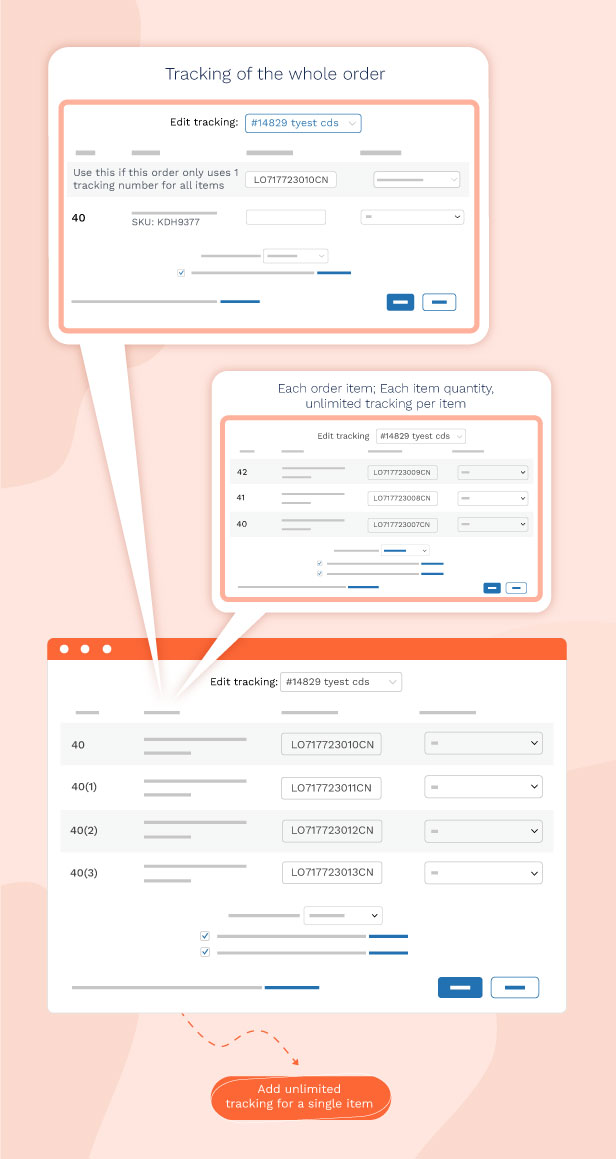
Experience ultimate logistical precision with highly granular tracking management tailored for complex shipments. This feature gives you the absolute flexibility to split and assign tracking numbers exactly the way you ship: apply a single tracking code to the entire order, assign distinct codes to individual order items, or map them to specific item quantities. With the ability to add unlimited tracking numbers per item, it serves as the perfect solution for multi-warehouse fulfillment, dropshipping, or when a large multi-item order must be dispatched in separate packages.
Tracking Services Integration
Harness the power of world-class tracking aggregates to centralize and automate your post-purchase logistics. This module connects seamlessly with leading global tracking networks including Cainiao, AfterShip, TrackingMore, TrackTry, 17Track, and EasyPost to retrieve accurate, live transit milestones. To ensure your store’s data is always current, you can establish automated schedules for recurring shipping data synchronization, or leverage real-time Webhooks to instantly push courier status updates to your WooCommerce dashboard the second they happen.

Customizations on Tracking Page – Easily Track Your Order
Build a fully branded, professional tracking page that keeps customers engaged directly on your storefront. Instead of redirecting buyers to external courier websites, this feature allows them to effortlessly check their delivery milestones by simply entering their order ID and email. You gain full creative control to customize the page layout, adjust color schemes to match your brand identity, and even embed targeted promotional banners or product recommendations to drive repeat purchases while they track their packages.

Translate the Tracking Page
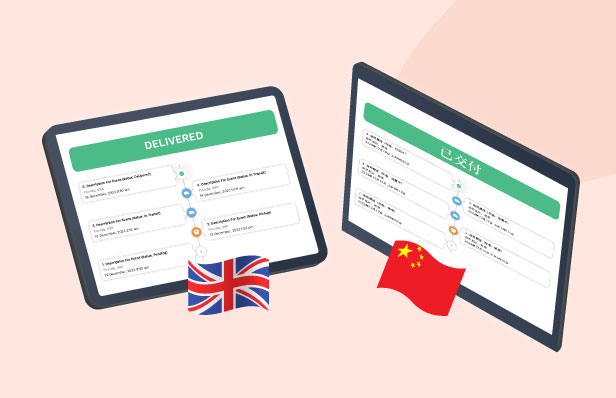
Break down language barriers and localize your post-purchase experience for global shoppers. This feature empowers you to effortlessly translate all text strings, delivery milestones, and input fields on your tracking page into any target language. Whether you are catering to a domestic market or expanding to international customers, presenting real-time logistics in their native language eliminates confusion, elevates user satisfaction, and builds powerful brand credibility worldwide.
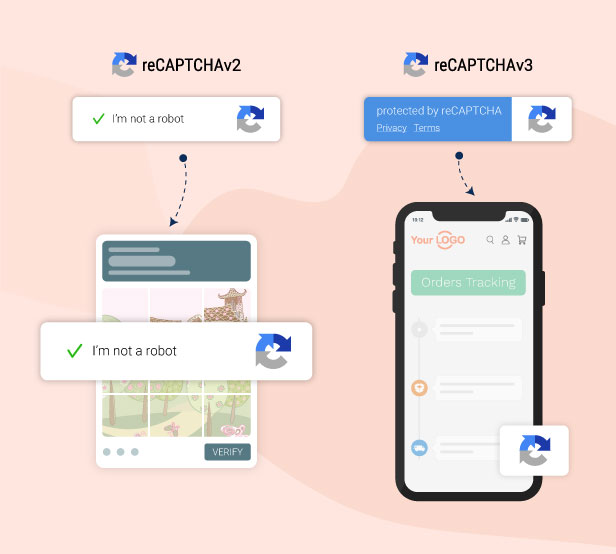
Secure Your Forms with reCAPTCHA
Shield your website’s forms and tracking modules from malicious automated bots, brute-force tactics, and frustrating spam. By integrating advanced reCAPTCHA security, this feature acts as a robust gatekeeper for your tracking queries and customer inputs. It works intelligently in the background to detect and block fraudulent traffic, preventing unauthorized order data harvesting while ensuring legitimate customers enjoy a frictionless, seamless verification experience.
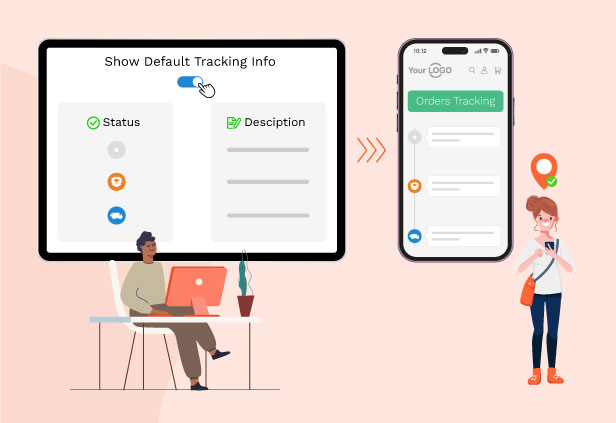
Show Default Tracking Info
Prevent confusing blank screens or tracking errors when an order is newly created and the courier has not yet updated the initial scan. This feature allows you to display a custom, pre-defined default status or custom timeline (e.g., “Order is being packed” or “Awaiting courier pickup”) the moment a customer looks up their package. Providing immediate, reassuring feedback right from the start eliminates buyer anxiety and keeps them informed while the logistics provider gets up to speed.
SMS Providers Integration
Elevate your customer service by delivering instant, automated shipping updates directly to your buyers’ mobile phones via SMS. This feature integrates flawlessly with world-class SMS gateways including Nexmo, Twilio, and Plivo. Whenever an order status shifts whether it’s dispatched, out for delivery, or successfully arrived a personalized SMS notification is automatically triggered. By bypassing crowded email inboxes, you ensure high-open-rate, time-sensitive delivery milestones reach your customers within seconds, heavily boosting brand satisfaction.

User Roles for Plugin Settings Management
Secure your store’s backend infrastructure by strictly controlling who can modify your core plugin configurations. This feature empowers you to define granular access permissions based on user roles (such as Store Managers, Shop Assistants, Developers, or Fulfillment Staff). By determining exactly who can view or edit specific setting panels, you protect critical assets like payment webhooks, carrier API connections, and SMS balances from unauthorized or accidental changes, ensuring a seamless and secure multi-user collaboration workflow.

WooCommerce Orders Tracking empowers you to:
-
- Manage tracking for orders, order items, or both, and add trackings on the order list page.
- Choose from 92 integrated shipping companies, and create custom shipping carriers.
- Send tracking emails to customers, customize with WooCommerce Email Template Customizer.
- Include tracking info in the customer’s PayPal account and inform via SMS.
- Utilize webhooks for instant tracking updates.
- Schedule updates for tracking numbers.
- Manually add tracking numbers to orders and send notifications.
- Import/export orders and tracking info with CSV files.
- Create and customize an Order Tracking page.
- Translate the tracking page timeline.
- Enhance tracking security with Google reCAPTCHA.
- Display tracking forms using shortcodes.
- Work seamlessly with WPML, and Polylang for multi-language support.
- Control plugin settings access for administrators or shop managers.
- Receive developer support.
1. Shipping Carriers in WooCommerce Orders Tracking
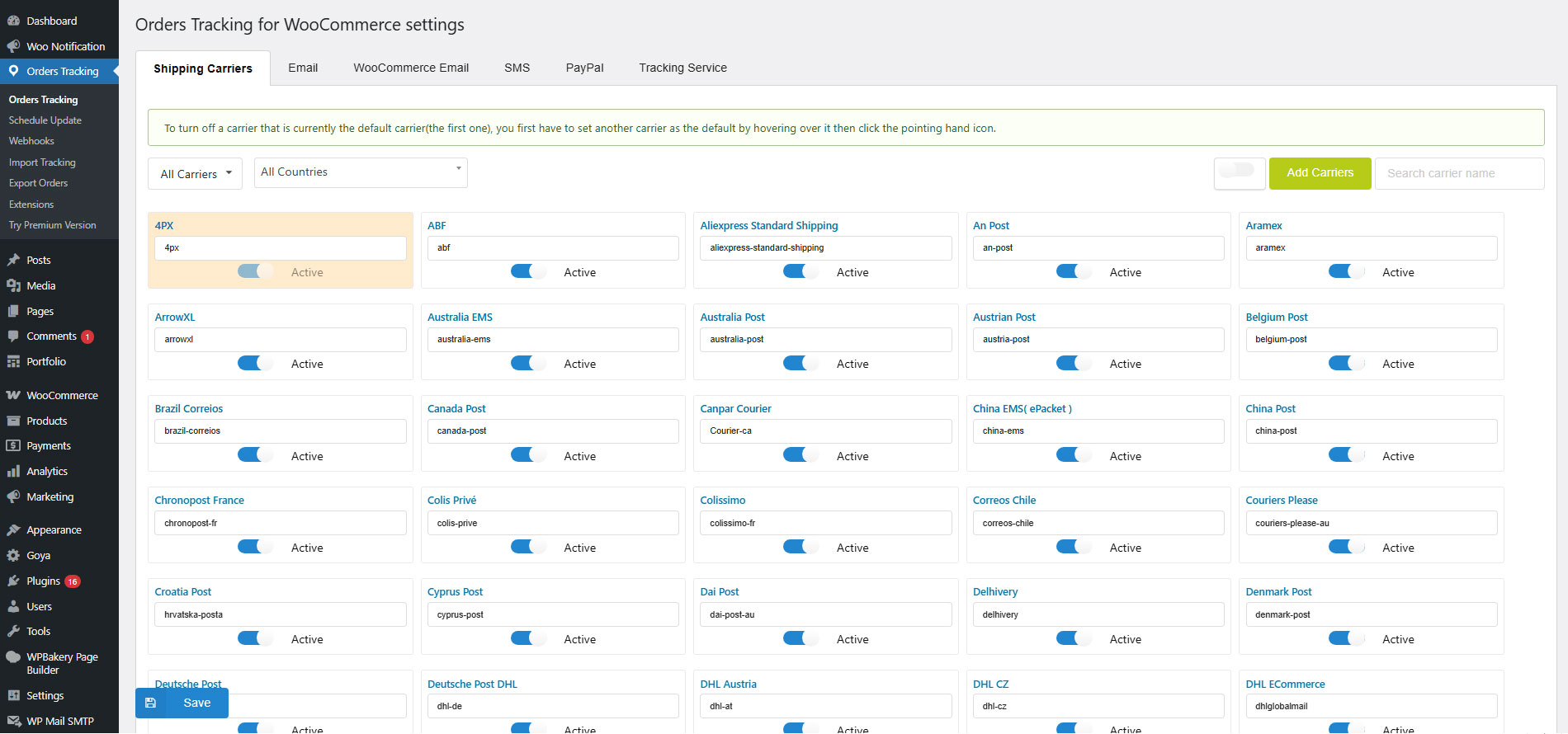
- Integrating over 90 shipping carriers globally, WooCommerce Orders Tracking provides extensive carrier options. You can also add your custom shipping carrier when needed.
- Integrated Carrier Selection: Choose from a list of 90+ carriers that suit your requirements.
- Automated Tracking URL: When inputting a tracking number, simply select the carrier and fill in the number. The plugin generates the tracking URL automatically.
- Toggle Active Carriers: Easily show or conceal specific shipping carriers as per your preference.
- Custom Carrier Addition: You can add custom carriers by specifying the carrier name, slug, and tracking URL.
2. Send order tracking information emails.
- Sending Tracking Emails: Choose to send a tracking email to the customer when adding a tracking number to their orders.
- Edit the tracking email: The tracking email can be customized with the email subject, heading, and content. The plugin provides shortcodes that display customer names, order IDs, shipping information, etc., in emails.
- Create orders tracking email template when combined with the WooCommerce Email Template Customizer plugin.
3. WooCommerce Emails in WooCommerce Orders Tracking
- Include the tracking information in the WooCommerce emails when the order status changes.
- Select a position in the WooCommerce emails to place the tracking information.
4. SMS feature in WooCommerce Orders Tracking
- The SMS functionality allows you to inform your customers by SMS with a tracking URL when the tracking info is changed.
- There are 3 SMS Providers for you to choose including Twilio, Nexmo, and Plivo.
- Text mode to check the connection
- Automatically send SMS to notify customers about updating tracking info of Aliexpress orders when combing with the ALD – Aliexpress Dropshipping and Fulfillment for WooCommerce.
5. PayPal feature in WooCommerce Orders Tracking
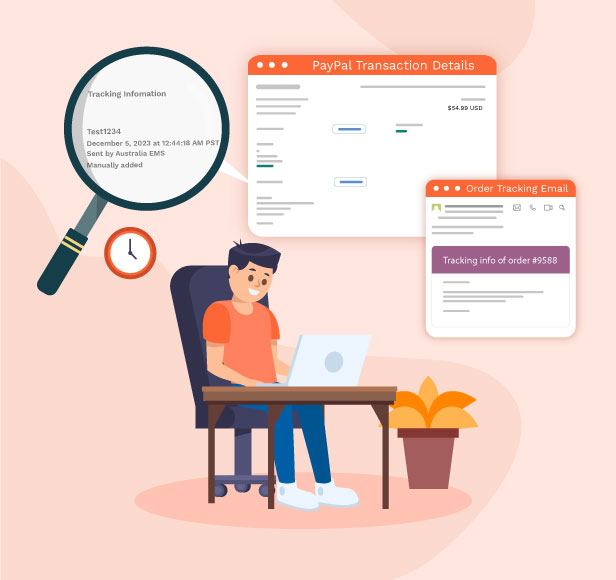
- Automatically add shipping information: Shipping information including the carrier name, tracking number, and shipment status will be added to your Paypal transaction details automatically.
- Paypal Sandbox supported: The plugin provides a sandbox mode option that allows you to test the feature with a Paypal Sandbox account before using it with your live account.
- Automatically add the tracking number to PayPal after AliExpress orders are synced by our ALD plugin (Installing and activating the ALD plugin is required)
Support many core PayPal plugins (Check the Compatibility list)
6. Tracking service and Google reCAPTCHA
- WooCommerce Orders Tracking integrates with TrackingMore, Cainiao, EasyPost, Aftership, Tracktry, and 17Track through API. The plugin will get the shipping information from these tracking services and transfer it to your customers. Please take carefully the red note below.
- TrackingMore, EasyPost, Aftership, 17Track, Tracktry: These options require a valid API/Access key to work. WooCommerce Orders Tracking will automatically get tracking information from these tracking services.
- Cainiao: This tracking service doesn’t need API to work.
- Google reCAPTCHA: This option helps you protect your website from spam and abuse.
Note: The tracking service is offered by a 3rd party, integrating in our plugin using API, and it may require a fee to use their services. Please visit the tracking service webpage to find out more information about their plans.
| Tracking Services | URL |
|---|---|
| TrackingMore | Price information |
| EasyPost | Price information |
| Tracktry | Price information |
| 17Track | Price information |
| Aftership | Price information |
7. Add/Edit tracking information
WooCommerce Orders Tracking lets you add/edit tracking info in particular orders – manually with each order in WooCommerce > Orders page, or do it in bulk with the function of exporting orders/importing tracking info with a CSV file
7.1. Export orders and Import tracking info using a CSV file
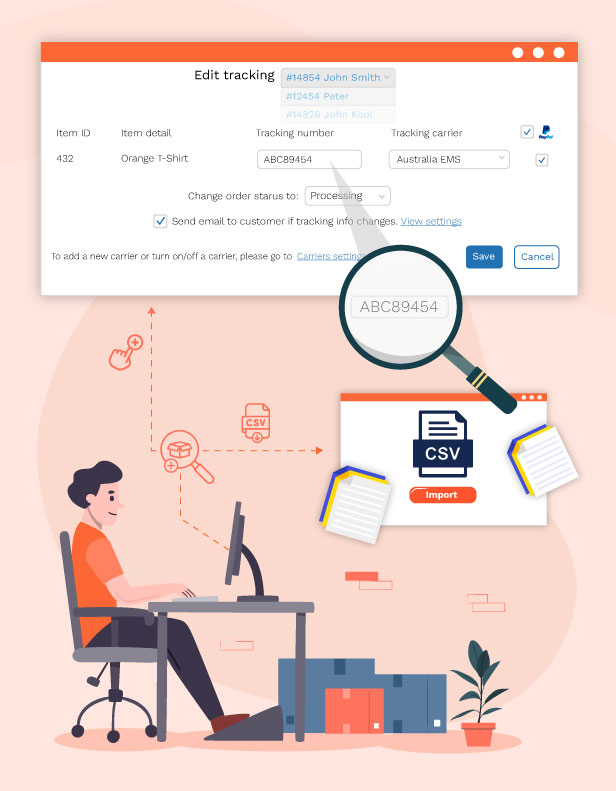
- The plugin provides the function of bulk importing the tracking info with CSV files. You can select orders export them to a CSV file, and add tracking info to the exported file. Then import that CSV file back and the tracking info will be added to your WooCommerce orders and Paypal transaction details.
- Order filters: Filters help you select the orders you want to export by created date, paid date, completed date, status, billing address, shipping address, payment method, and shipping method.
- Export fields: Select the order fields you want to export. Including Order ID, Order Item ID, Product ID, Variation ID, Product Name, Product Price, Quantity, and Product SKU…
- Import tracking info using CSV files: After editing the exported orders file add tracking info. You can import that file back. Tracking info will be automatically added to your WooCommerce orders.
7.2. Add/Edit the tracking info manually in WooCommerce Orders Tracking
- Add the tracking info: You can select the orders you want to add the tracking information in the WooCommerce > Orders
- The info you can change includes the tracking number, Tracking carrier, Shipping carrier, Changing order status, sending an email to the customer (if tracking info changes), and Adding the tracking number to the PayPal option.
- Bulk set tracking number: This option helps you save time when adding tracking numbers to orders that have many different items.
- Manage tracking by order; order items; or both: Control the tracking number at the item level in each order. Add trackings on the order list page.
8. Create an Order Tracking page in WooCommerce Orders Tracking
- An Order Tracking page is created automatically when the plugin is activated, but you can also select a page and make it the Order Tracking page with the shortcodes we provide.
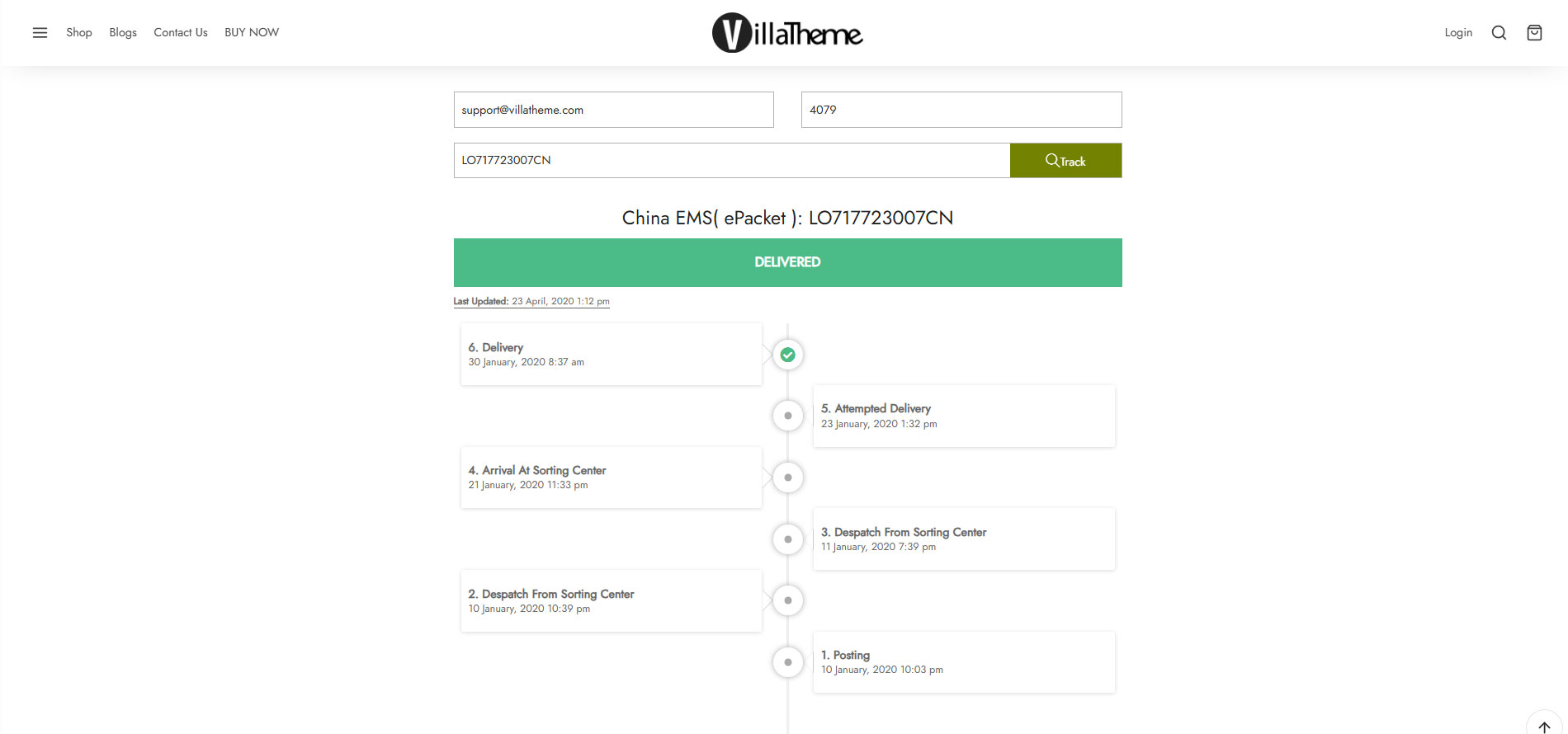
- The tracking page allows your customer to check the shipping information on your site (instead of going to the shipping carrier site).
- Get the timeline via AJAX.
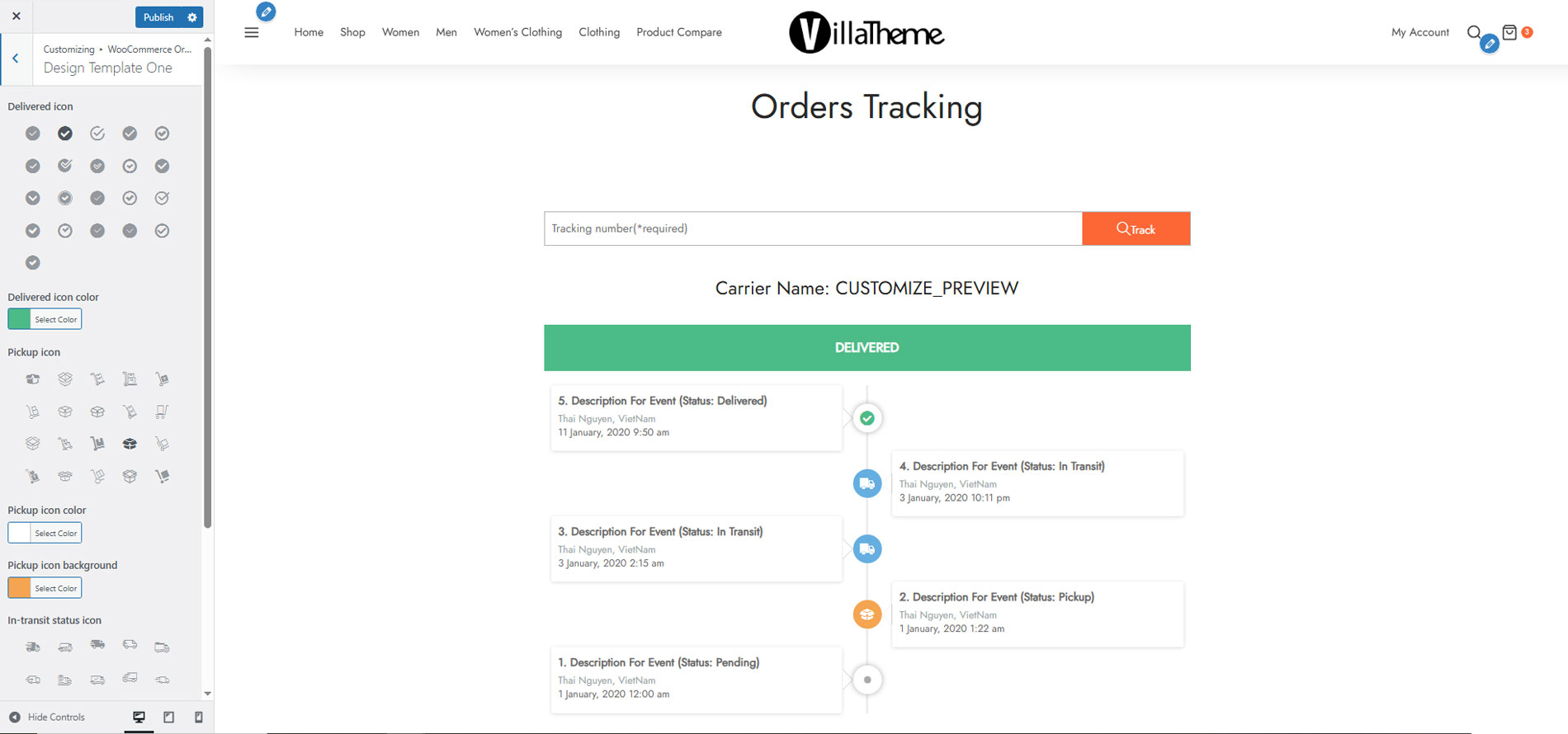
- Design the tracking page: The page has two templates and multiple design options for you to change its front end.
- Translate the timeline on the tracking page using the Google Cloud Translation API.
- Translate date time: Date time displays by default in English. It will be translated to your site’s locale through the translation date time option.
- Default tracking info and tracking number if new orders have not been updated tracking information after purchase.
9. Compatibility
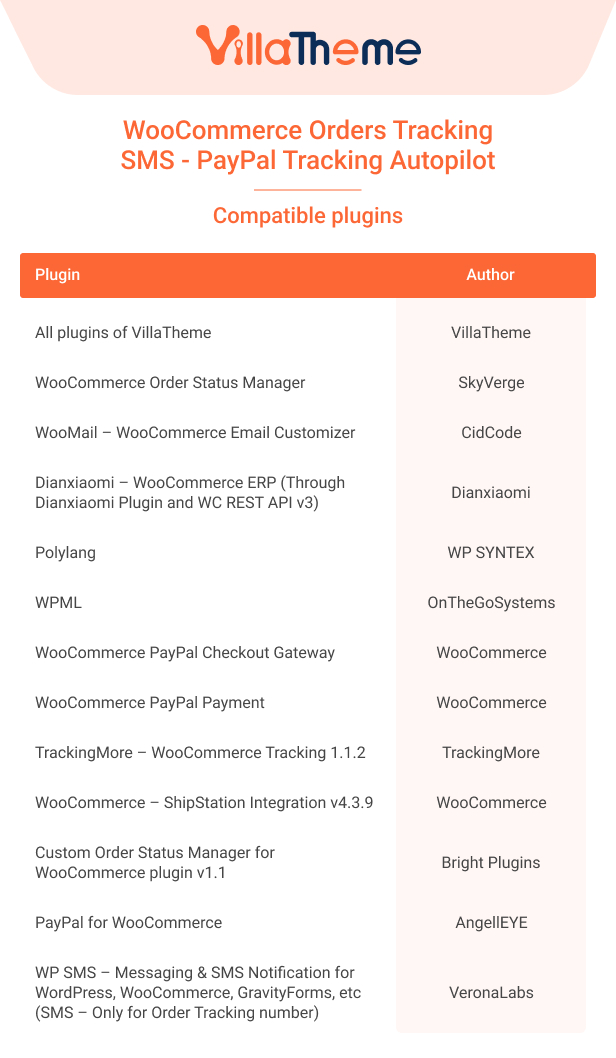
WooCommerce Orders Tracking integrates with Dianxiaomi, allowing tracking numbers to be automatically pushed from Dianxiaomi to WooCommerce orders via order notes. Once synced, tracking details are available in the order timeline and can be viewed by both store administrators and customers.
Beyond Dianxiaomi, WooCommerce Orders Tracking is built to work with many popular plugins, add-ons, extensions, ensuring compatibility across different fulfillment workflows. These integrations make it easy to connect your existing shipping, logistics, and order management tools without changing your current setup.
Below is the list of plugins/3rd parties which are compatible with WooCommerce Orders Tracking:
10. Comparison table of the Free and Premium version

Let’s watch this Preview to see what WooCommerce Orders Tracking can do
Go to details with this tutorial
And this video to learn some tips with it.