What is Recarto – WooCommerce Abandoned Cart Recovery – Send Cart Recovery Email Plugin – SMS?
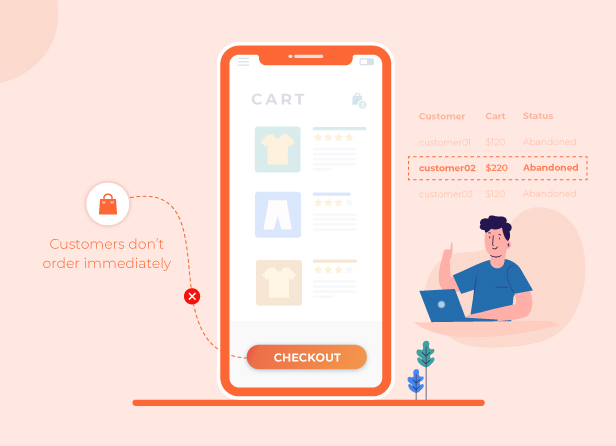
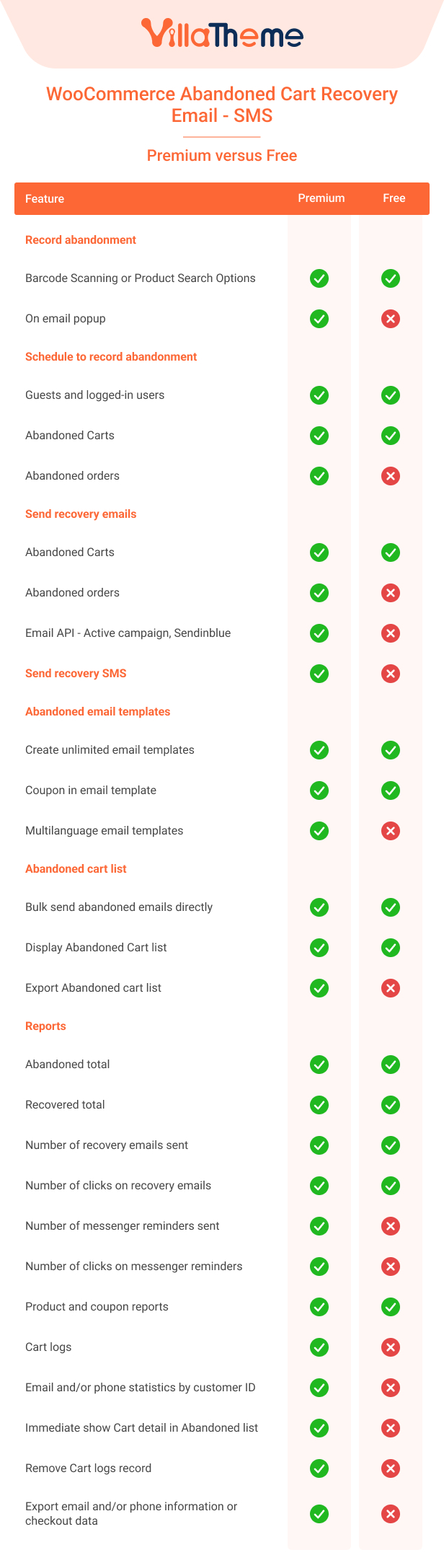
Recarto – WooCommerce Abandoned Cart Recovery – Send Cart Recovery Email Plugin – SMS is a WooCommerce extension that helps you to recover unfinished orders in your store. When a customer adds a product to the cart but does not complete checkout, after a scheduled time, the cart will be marked as “abandoned”. WooCommerce Abandoned Cart Recovery will start to send cart recovery emails or Facebook messages to the customer, reminding him/her to complete the order.
Capture WooCommerce Abandoned Cart
When a user adds a product to the cart but does not check out. After a selected time, the cart will be marked as “abandoned”. WooCommerce Abandoned Cart Recovery will capture the cart information including add-to-cart date, customer email address, added-to-cart items, cart total, cart status, and IP address. Then use this information to contact the customer, offer a discount, and request him/her to complete check out.
The plugin captures abandoned carts in two ways, both of which rely on collecting the customer’s email address:
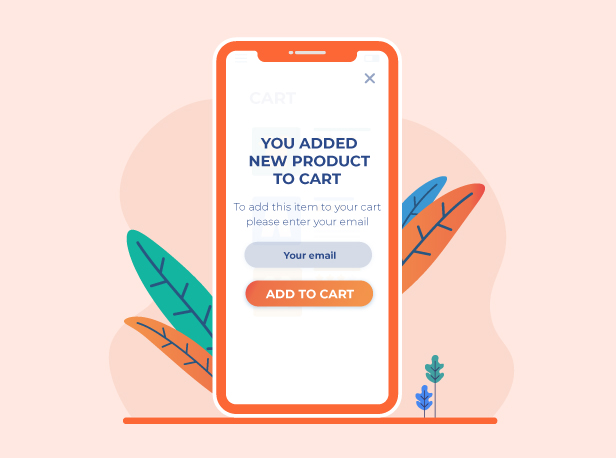
Email Popup: The customer’s email is captured via an optional popup shown on the storefront.
Checkout Email field in Billing address: The email is captured when the customer reaches the checkout page and enters their email address in the billing details form.
If the email popup is disabled, abandoned cart records are still created when customers add products to the cart but do not complete checkout. However, carts without a captured email address/phone number cannot be used for recovery emails or SMS.
Track member cart: track the abandoned cart of logged-in users on your site.
Abandoned Cart time for Members: set the time from when a member has the last action with his cart till when the cart is marked as abandoned.
Track guest cart: track abandoned carts of guests on your site.
Abandoned Cart time for Guest: set the time from when a guest user has the last action with the cart till when the cart is marked as abandoned.
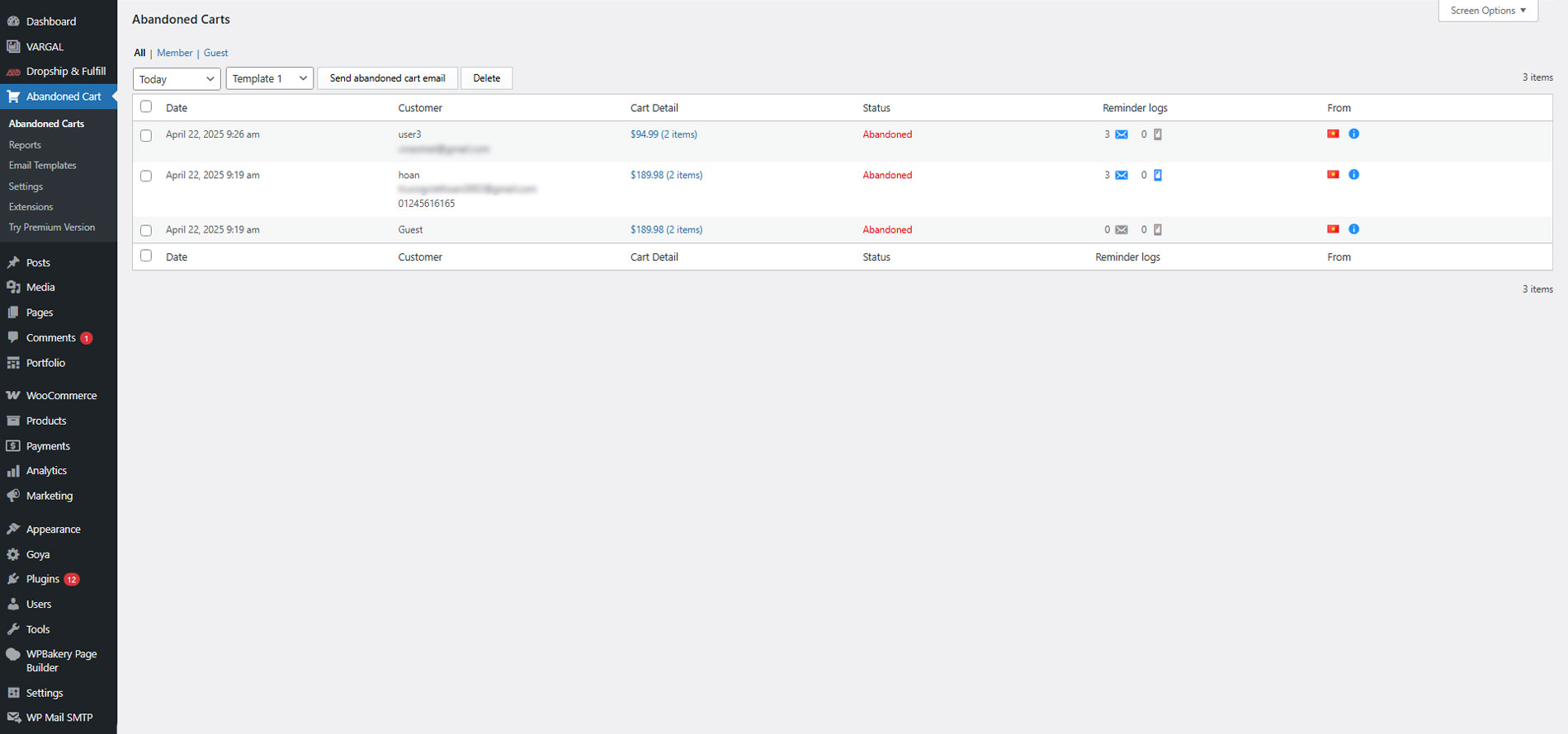
Abandoned Table: abandoned carts will be saved in the plugin back-end. And you can check the records at any time. The records provide information about time, username, email, item quantity, cart total price, items list, status, reminder logs, customer IP, and country.
Delete abandoned records: Abandoned cart records will be deleted after this scheduled time.
Cart status: The abandoned cart has 2 statuses abandoned and recovered.
Reminder logs: the reminder logs option allows you to check the email and FB messages sent abandoned cart owner.
Exclude: exclude the username of persons who you don’t want to track their cart.
Recover link to: Choose the recover link to the Cart page or Checkout page.
Check GDPR: If enabled, a GDPR notice will display after the email input field on the checkout page.
GDPR message: Enter the GDPR content on the checkout page.
Not provide message: If the customer refuses to receive the abandoned email, enter a text message…
A pop-up will appear when customers click add to cart for the first time, requesting them to fill in an email address to complete the add to cart action. After getting an email the pop-up will not reappear and users can add products to the cart normally. The email address will be automatically filled in the checkout form when the customer goes to the checkout page.
Appear on: Choose pages where you want the request email pop-up to appear: single product pages, shop page, cart page.
Required Email: choose if you want to require an email address to add products. If this option is turned off, customers can close the request email pop-up to add products to the cart.
Dismiss time: set a time for the pop-up to reappear after a customer closes it.
Redirect after adding to cart: when customers fill in an email and add the product to the cart. You can choose to redirect them to the cart or checkout page.
2 templates: the pop-up has 2 built-in templates for you to change the front-end layout.
Change front-end text: you can change the text message on the pop-up.
Change pop-up color: all pop-up text, background, and add-to-cart button colors can be changed in the plugin backend.
Send Recovery Emails with WooCommerce Abandoned Cart Recovery
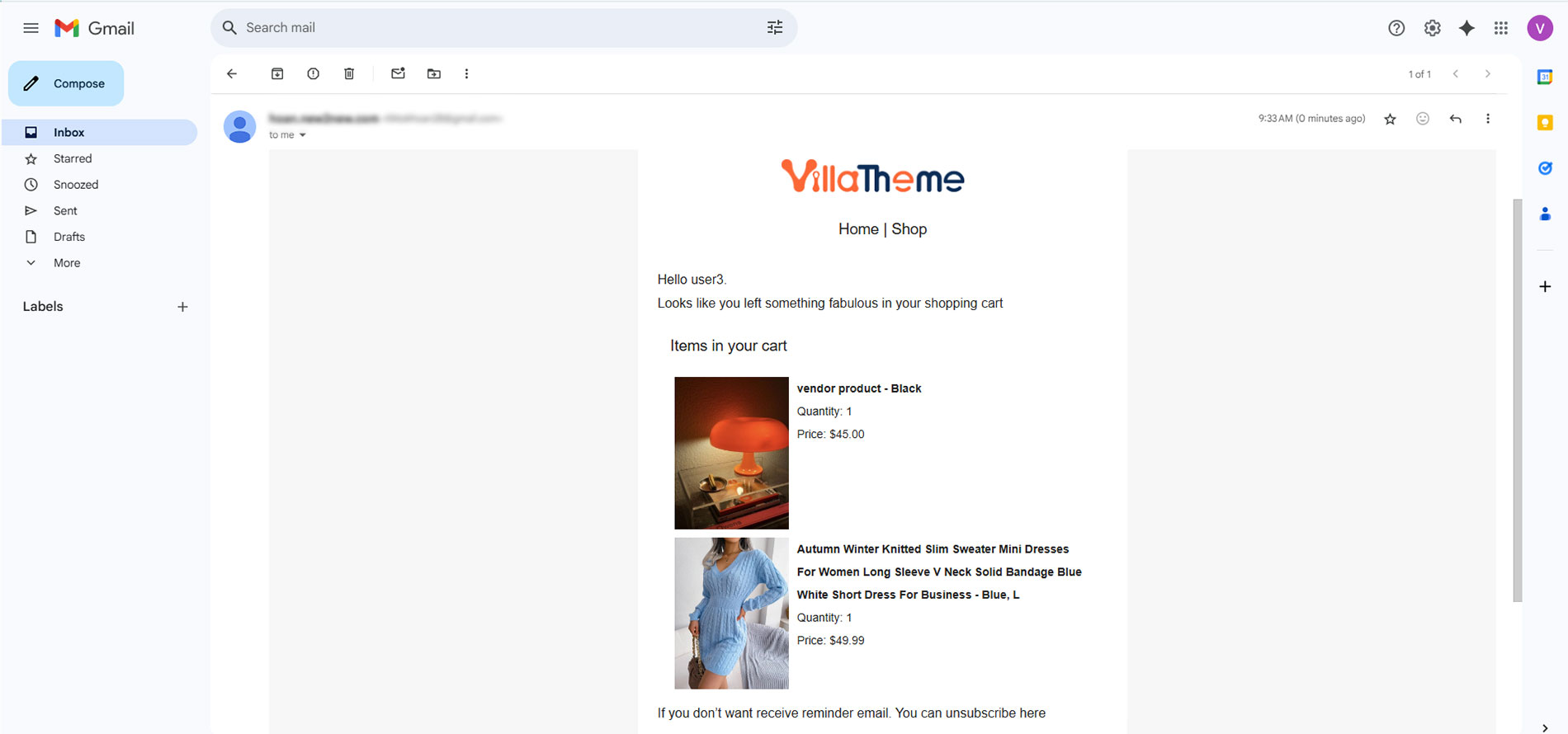
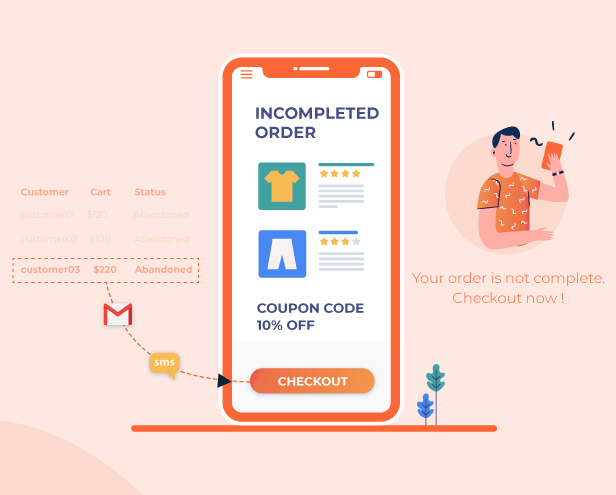
The plugin sends recovery for abandoned carts and abandoned orders. When a cart or an order is marked as abandoned, the plugin will send a recovery email to the email address that the customer filled in the request email popup. Ask them to finish checking out the cart and offer coupons if necessary.
Send recovery email to guests/members: choose if you want to send recovery cart email to guests and logged-in users.
Send recovery emails with abandoned orders: you can set the plugin to send recovery emails to owners of failed, canceled, on-hold, or pending payment orders.
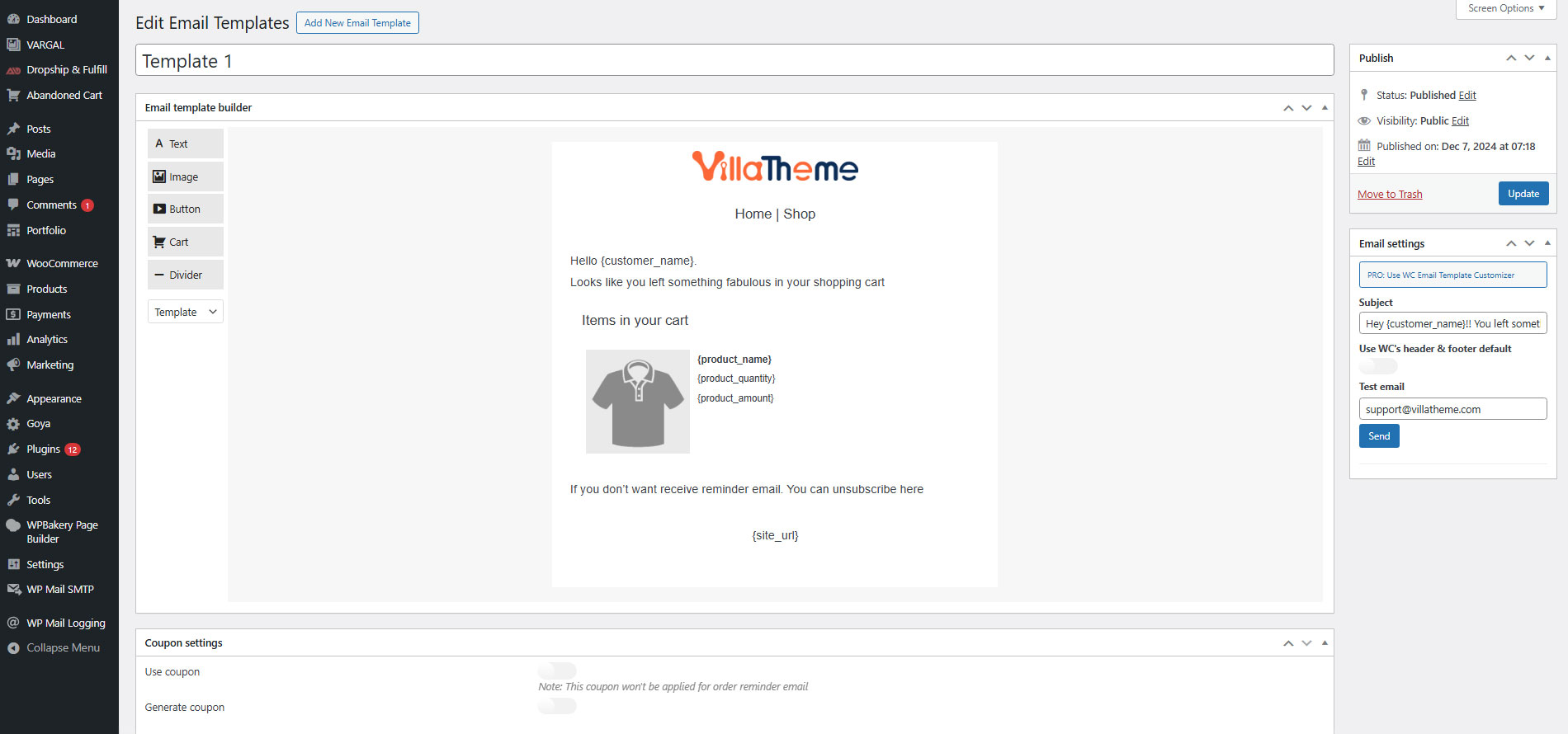
Email templates: you can create many email templates and schedule to send them at different times.
Send email rules: set up to send different recovery emails at different times.
Reply-to address: set up a reply to the email address. If customers reply to the recovery email, the reply email will come to this address. By default, it is the admin address.
Offer coupon: you can send coupons along with recovery emails. With each email template, you can choose to send an existing coupon. Or let the plugin generate unique coupons with given values. You can set up the generated coupon will all WooCommerce coupon options.
Send email manually: in the abandoned cart list, you can select some abandoned carts and an email template. And then send recovery emails to select abandoned cart owners.
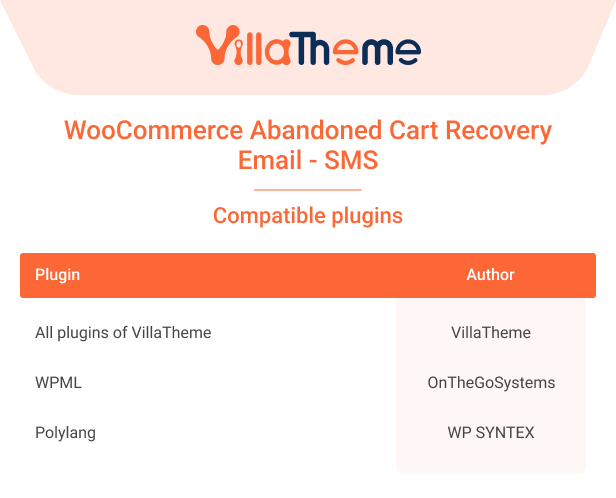
Compatible with WPML and Polylang: This feature helps to display email contents in multiple languages matched with the site’s language.
Email Marketing: Connect with email marketing platforms such as Active campaign, or Sendinblue to sync email data, and support other marketing strategies.
Send SMS with WooCommerce Abandoned Cart Recovery
You can send SMS messages to customers who have abandoned carts. When a customer fills in their telephone number on the checkout page but does not complete checkout. The WooCommerce Abandoned Cart Recovery plugin will send recovery SMS messages with a link to the checkout page to the phone number.
SMS providers: the plugin supports 4 SMS providers Twilio, Nexmo, Plivo, and Infobip.
Send SMS for abandoned carts: the plugin will send recovery SMS when customers filled phone numbers on the checkout page.
Send SMS for abandoned orders: the plugin will send recovery SMS when an order is created but marked as failed, pending payment, canceled, or on hold.
Create multiple messages: you can create multiple messages to send for abandoned carts and abandoned orders
Sending rules: schedule to send different messages at different times.
Shortcodes: the plugin provides a shortcode to display the customer name and link to the checkout page in the SMS.
Bit.ly config: the plugin uses the bit.ly link to shorten the checkout link. You need to register for a bit.ly API and get an Access token.
Abandoned Order status: This allows you to choose which orders will be sent recovery SMS based on status. You can choose from the list: failed, pending payment, canceled, or on-hold orders.
The report with WooCommerce Abandoned Cart Recovery
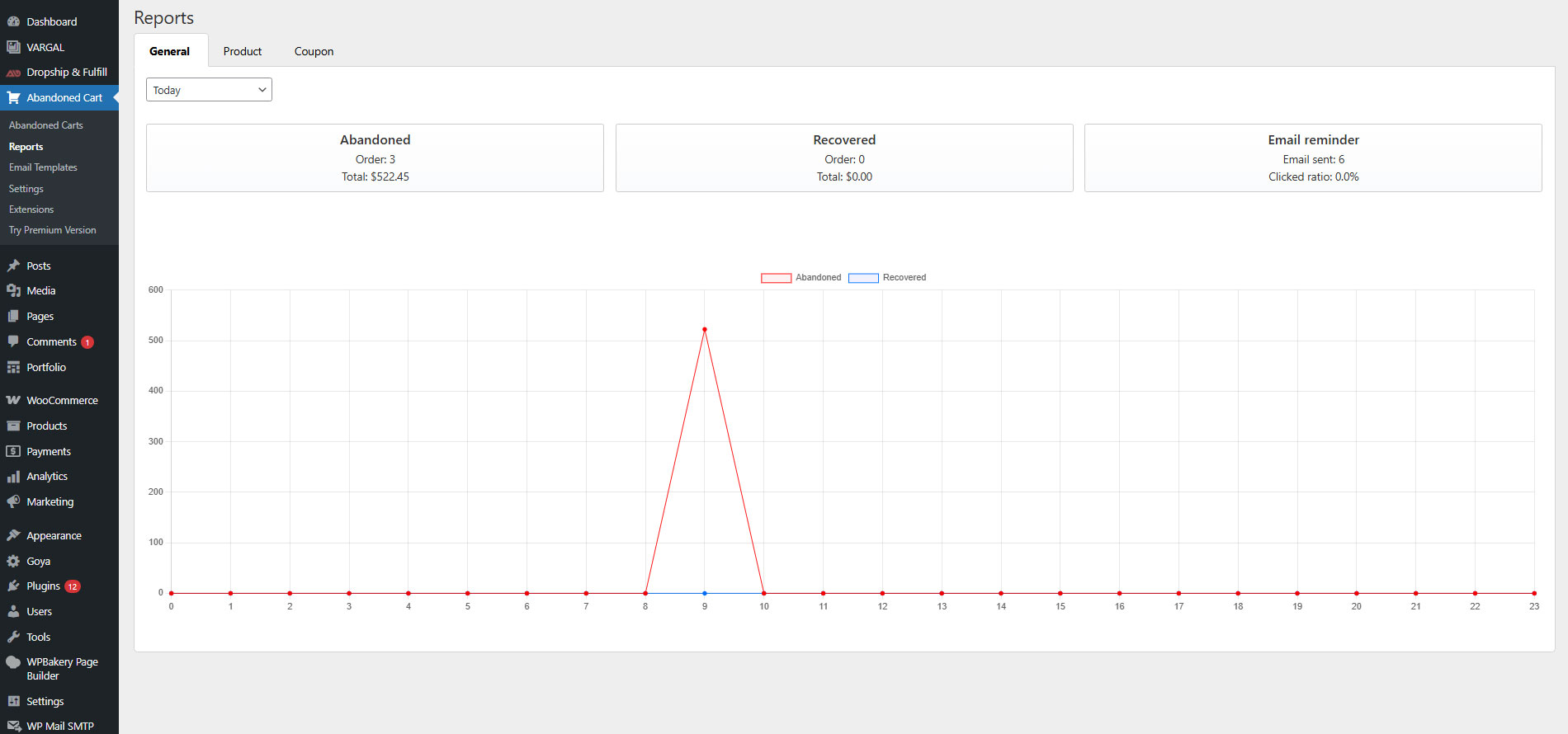
The plugin provides 4 types of reports for you to check the abandoned carts. Select the suitable report type and a time range to view the report of the abandoned cart in that time.
Auto-Update
During the support period, you can auto-update the plugin from your Dashboard.
*** WooCommerce Abandoned Cart Recovery Premium Changelog ***
2026.08.22 - version 1.2.0
- Fixed: Get email popup not opening on the shop page with WooCommerce block Add to cart buttons.
- Fixed: Get email popup not opening on shop/archive for variable products that only show Select options.
- Updated: Email popup closes on overlay click and Escape.
- Updated: Appear on settings explain when the email popup loads and when it opens.
- Fixed: Reports > General recovered totals, date range, and chart data.
- Added: 7 days time range on reports and lists, used as the default filter.
- Fixed: Reports > General and Abandoned order charts using the wrong timezone buckets.
- Fixed: Abandoned order report date range, HPOS totals, status matching, and Recovered chart label.
- Fixed: Email popup waiting for AJAX before Add to cart / page change.
- Fixed: Email popup not submitting when pressing Enter in the email field.
- Fixed: Cart emptying after email popup submit because guest session was overwritten.
- Fixed: Guest billing email not shown on the Abandoned Carts list (checkout block capture and Guest filter).
- Fixed: Abandoned Carts list hiding carts still inside the cut-off window and guests without a guest-table email join.
- Added: Option to automatically delete cart logs after a number of days.
- Fixed: Abandoned order reminder emails and SMS not sending when HPOS is enabled without posts sync.
- Fixed: Abandoned order SMS skipping orders that were missing reminder meta.
- Fixed: Abandoned order SMS using the wrong multilingual message rules.
- Fixed: Recover order link not recording email click tracking correctly.
- Fixed: Guest recover checkout filling state with city instead of state.
- Fixed: SMS recover links pointing to an invalid /wacv URL.
- Fixed: Checkout block capturing shipping phone instead of billing phone.
- Fixed: Abandoned cart database insert/update using incorrect field formats.
- Fixed: Fatal error when an unsupported SMS provider was still saved in settings.
- Fixed: Duplicate abandoned carts not removed by customer IP after checkout on HPOS.
- Fixed: Admin recovered-order email linked to the classic post editor instead of the HPOS order screen.
- Fixed: Guest recover crashed when guest info record was missing.
- Removed: Facebook Messenger checkbox, chatbot enqueue, reminder query, and leftover Messenger settings.
- Added: Detailed help text and tooltips on the Settings page (General, Email, Email popup, SMS, Update).
- Updated: Settings fields that depend on another option are shown only when the parent option is enabled.
- Fixed: Send abandoned order button missing on the HPOS WooCommerce Orders list.
- Fixed: Manual abandoned order email not sending and reminder count not updating on the Orders list.
- Added: Extension hooks (do_action / apply_filters) for Settings tabs, dependent fields, email/phone popup, guest info, and reminder emails/SMS. See docs/hooks.md.
- Updated: Abandoned cart snapshot skips unchanged carts on calculate_totals; cron sends in batches of 30 with an overlap lock.
- Updated: Abandoned cart, guest, and email-history tables get indexes; empty-cart SQL uses NOT IN; email product loads are primed in one cache query.
- Updated: Admin settings, reports, ajax, and updater load only in wp-admin; CRM classes load when sending. Dashboard widget uses per-day COUNT/SUM. Abandoned list joins member phone/country meta and primes product caches. Bot UA check uses one regex.
- Updated: Settings number fields use Semantic UI labeled/action inputs; the empty third column is removed.
- Updated: Abandoned Carts email icon and reminder-log popup colors: sent sky blue, opened yellow, clicked green.
- Added: System Status admin page with a support form that emails support@villatheme.com.
- Added: Compact JSON export/import of plugin settings on Settings > Update.
2026.08.20 - version 1.1.11
- Updated: Optimize code
- Updated: Compatibility with WC 11.0 and WP 7.1
2026.06.19 - version 1.1.10
- Update: VillaThem support
- Updated: Compatibility check with WP 7.0 and WC 10.8.1
2026.02.27 - version 1.1.9
- Updated: update support class
2025.11.17 - version 1.1.8
- Updated: Add filter for edit recover link
- Updated: Add email options coupon for abandoned order
- Updated: Add Cc/Bcc email options for abandoned cart email
- Updated: Add Enable options for product image, quantity, price in email template
2025.08.22 - version 1.1.7
- Updated: Minify some source code
- Updated: Add replace shortcode {wacv_customer_email} for email template
- Updated: Add option Exclude user role when send abandoned cart.
- Updated: Add option Send email exclude provider.
- Updated: Add report for Abandoned order.
- Updated: Add option Block IP record.
2025.07.01 - version 1.1.6
- Fixed: Error with order reminder process
- Fixed: Field style of product for email template
2025.03.07 - version 1.1.5
- Fixed: Save and check key button
- Updated: Compatible recover link with checkout block
- Updated: Load guest information in checkout block
2024.10.19 - version 1.1.4
- Removed: Remove Facebook messenger feature
- Fixed: Error when unsubscribe with abandoned order
- Fixed: Missing detail on email list
- Fixed: Missing order abandoned data when use High-Performance order storage (COT)
- Updated: Add an option to exclude button with class when trigger email popup
2024.07.12 - version 1.1.3
- Fixed: Wrong detail on report cart log
- Fixed: Error when create default template
- Fixed: Wrong data on save multi language email immediately content
2024.06.21 - version 1.1.2
- Updated: Add an option to select the type of phone number to load on the checkout page
- Updated: Add an option to Immediate show Cart detail in Abandoned list
- Updated: Add an option to Remove Cart logs record
- Updated: Add an option to Notification recover cart to custom email address
- Updated: Add an type to Export all Customer checkout data
- Updated: Add address state to Guest info record table
- Fixed: Save Guest postal code not correct
- Fixed: Show Abandoned order options with High-Performance order storage (COT)
2023.10.10 - version 1.1.1
- Fixed: Product price conflict in email when using Aelia Currency Switcher for WooCommerce
- Fixed: Product price conflict in email when using FOX - Currency Switcher Professional for WooCommerce
- Updated: Disable the popup when clicking add to cart button of a product out of stock
- Updated: Sort data in abandoned table
- Updated: Add Google reCaptcha for email popup
- Updated: Add option for popup immediate display on the cart page
- Updated: Add option to send an email immediately after inputting email on the email popup
2023.08.08 - version 1.1.0
- Fixed: Wrong cart item price in the email
- Updated: Add option to filter order by date to send abandoned order
- Updated: Change setting Information required to Email required, now is only required email field
- Updated: Add setting Phone number required to required phone number field
- Updated: Do not send an email when the cart/order total is 0
- Updated: Compatible with High-Performance order storage (COT)
2023.02.16 - version 1.0.11
- Fixed: Hide price option with Abandoned order
- Fixed: Error with checkout GDPR
- Fixed: Error with translate string
- Fixed: Tax value on report table
- Fixed: Load product error on report table
- Fixed: CSS style not loaded correctly in email
- Fixed: Sometime script loaded incorrectly on admin setting
- Updated: Add {customer_forename} shortcode on abandoned email template
- Updated: Add facebook capture video notice
- Updated: Add option to show saved cart item price in abandoned email
- Updated: Add option to load guest information on checkout
- Updated: Add nonce for ajax action
- Updated: Add popup conditional tags post type
- Updated: Add GetResponse to archive customer email
- Updated: Compatible with The Events Calendar and Events Ticket Plus
- Updated: Compatible with WP Event Manager
2022.08.27 - version 1.0.10
- Fixed: Send sms error
- Fixed: Error with generate coupon
- Fixed: Product link not correct in abandoned email
- Fixed: Display price on abandoned table incorrect
- Updated: Add option to edit email cart block
- Updated: Add GDPR notice on checkout page
- Updated: Add Infobip SMS provider
- Updated: Add Active Campaign, Sendinblue to archive customer email
2022.03.29 - version 1.0.9
- Fixed: Not display coupon with template of Email template customizer
- Updated: Update option to hide plugin action on shop order and order detail
2022.03.22 - version 1.0.8
- Fixed: No automatic add to cart after getting popup data
- Fixed: Send email order error
- Updated: Compatible with WP 5.9 and WC 6.3.0
- Updated: Update support file
2022.02.22 - version 1.0.7
- Updated: An option to remove the product link in the product detail in the abandoned emails
- Updated: Format phone number before saving in checkout page
- Updated: Compatible with WooCommerce 6.1
- Updated: Compatible with CURCY - WooCommerce Multi Currency
- Updated: Compatible with WPML
- Updated: Compatible with Polylang
- Updated: Add close text on email popup
- Fixed: Hide date picker on load Abandoned cart setting page
- Fixed: Export CSV loading infinities
- Fixed: Price in the report table
- Fixed: Save guest info with WooCommerce Block on checkout page
2021.07.21 - version 1.0.6.3
- Updated: Image size in email option
- Updated: Report recovered cart
2021.03.27 - version 1.0.6.2
- Fixed: Get customer name from email if customer name is empty.
- Fixed: Assign user information for login action.
- Fixed: Don't record cart log with admin role
- Fixed: Coupon date expire
- Updated: Calling country code for popup
- Updated: Unsubscribe option one time or forever
- Updated: Export unsubscribe email
- Updated: Use shortlink or not in SMS
2020.12.19 - version 1.0.6.1
- Fixed: Modify column in database
2020.11.25 - version 1.0.6
- Fixed: Check update request
- Updated: Unsubscribe page
- Updated: Export customer's emails
- Updated: Add GDPR option in email popup
- Updated: Compatible with WC Email Template Customizer
2020.07.17 - version 1.0.5.6
- Fixed: Send reminder email when purchased
- Updated: Connect Facebook with page_show_list permission
- Updated: Options skin for facebook checkbox
2020.04.28 - version 1.0.5.5
- Fixed: Handle recover link
- Updated: Optimize insert customer information
2020.04.08 - version 1.0.5.4
- Fixed: Bug in 1.0.5.3
- Fixed: Send reminder for abandoned order from date modify
- Fixed: Mark old reminder as complete
- Updated: Bit.ly API to v4.0
2020.04.03 - version 1.0.5.3
- Fixed: Abandoned cart show value 0
- Fixed: Not tracking from some bots
- Updated: Support
2020.01.07 - version 1.0.5.2
- Fixed: Exclude country code is not exist in validation list
- Fixed: Get country form IP in report page
2019.12.23 - version 1.0.5.1
- Fixed: Get phone in popup
- Added: SMS count length
- Fixed: Display real variation product in email, fb message reminder
2019.12.19 - version 1.0.5
- Updated: Popup appear with page id
- Updated: Mark information available in abandoned cart records
- Updated: Menu admin name
- Added: Add option show price include tax when send reminder email
- Added: Duplicate email template in row actions
- Added: Compatible with WooCommerce Coupon Box, WooCommerce Lucky Wheel, MailChimp subscribe form
- Added: Send test SMS
- Added: shortcode {coupon_code} in email template builder
- Added: Compatible with Coming Soon Page plugin
- Fixed: Nexmo check balance
- Fixed: Display flag on abandoned carts page
- Fixed: Get abandoned cart record
2019.10.17 - version 1.0.4.2
- Updated: Add Plivo SMS provider
2019.10.04 - version 1.0.4.1
- Fixed: Email padding
- Fixed: Email template color
- Fixed: Translate text in email
2019.10.01 - version 1.0.4
- Fixed: Add order meta data for count to send email
- Fixed: Request email popup with variation product
- Added: Add more option: request email popup appear on home page
- Added: Link to product on product report page
- Added: Checkbox plugin require
- Added: Checkbox plugin in popup request
- Added: Send SMS via nexmo provider
- Updated: Update email template
2019.08.25 - version 1.0.3.3
- Fixed: Facebook checkbox compatible with cache plugin
- Fixed: Redirect page after request email popup
- Fixed: Test mode for submit facebook review
- Added: Support multisite
2019.07.30 - version 1.0.3.2
- Fixed: Template when send email manual
- Fixed: CSS email template
2019.07.27 - version 1.0.3.1
- Fixed: Send SMS Cron
2019.07.27 - version 1.0.3
- Added: Twilio SMS
- Removed: Routee SMS
2019.07.22 - version 1.0.2
- Added: Send reminder via SMS
- Added: Send email reminder for abandoned order
2019.07.19 - version 1.0.1.1
- Fixed: Error when delete facebook app id or app secret
2019.07.18 - version 1.0.1
- Updated: Add auto update feature
- Updated: Compatible with WooCommerce Boost Sales
- Fixed: Conflict Add to cart button
2019.05.10 - version 1.0.0
- First release