Description
Have you heard of the phrase “WooCommerce free shipping over amount”? This term refers to a feature that can display the amount of free shipping left on the front end of a WooCommerce store. Use free shipping notifications on your website to attract customers’ purchases gain free shipping, and increase sales of shop owners.
So how did you display the free shipping for orders over a certain amount on your website? Let’s look at our plugin to see how it can help you display a free shipping bar on your WooCommerce website.
WooCommerce Free Shipping Bar to Boost Conversions
Encourage customers to purchase more products with a visually engaging free shipping bar displayed on your website. The plugin shows shoppers how much more they need to spend to unlock free shipping, helping increase average order value and improve conversion rates.
You can also customize the content, display position, and design of the free shipping bar to match your store branding and marketing campaigns.
Free Shipping Bar With Visual Progress Tracking
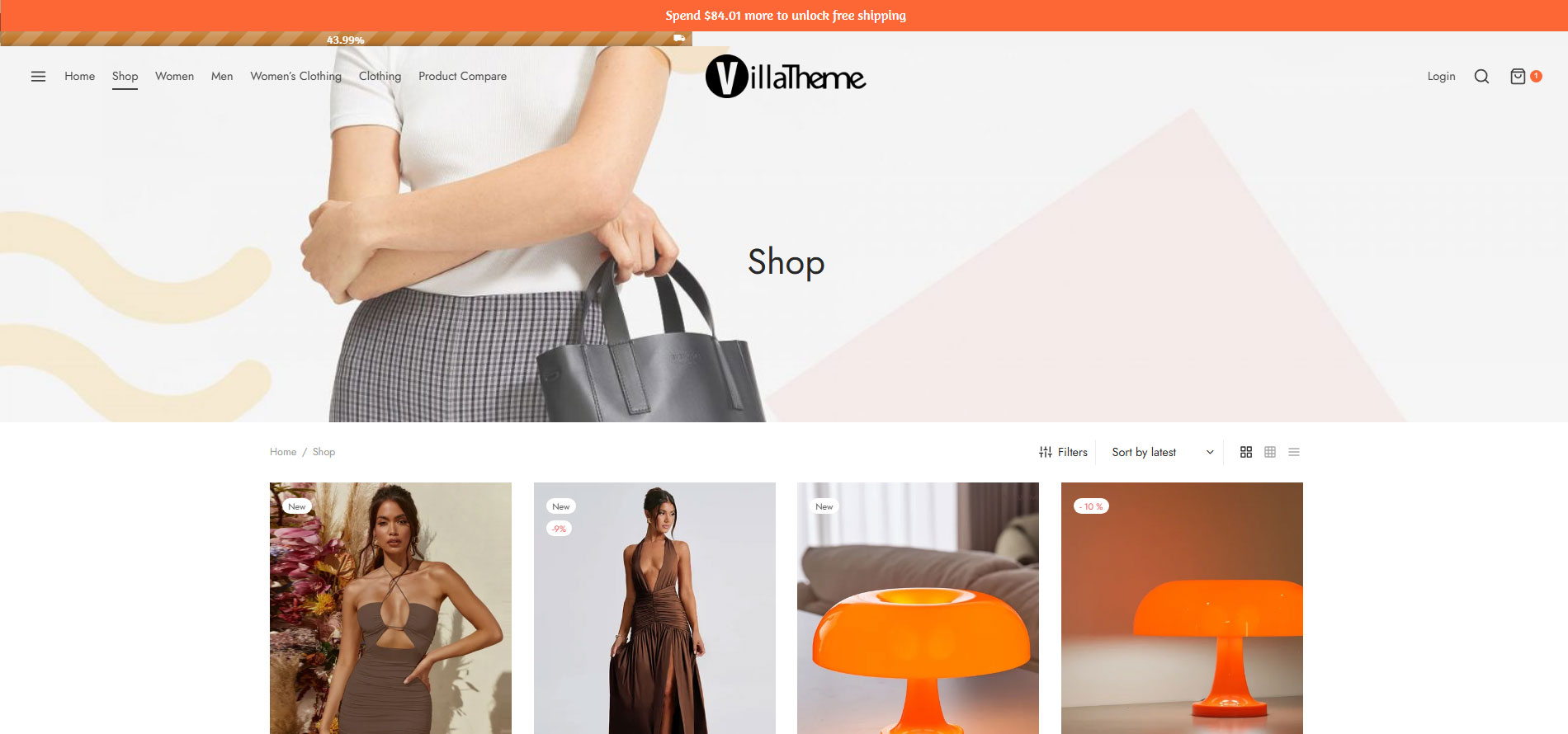
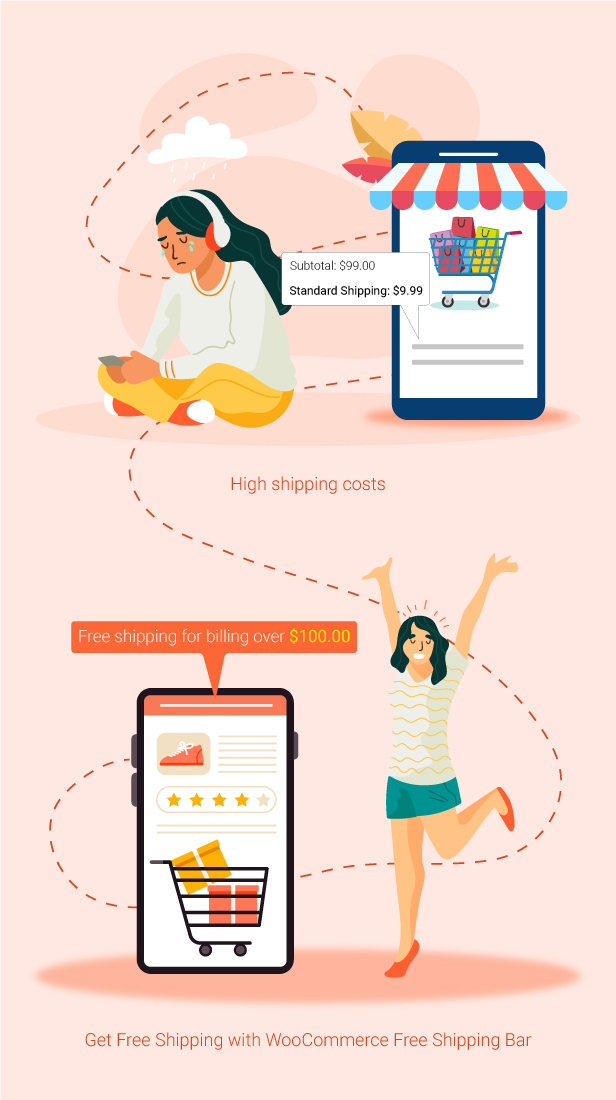
Display a free shipping bar with a visual progress bar that helps customers easily track how much more they need to spend to unlock free shipping. Showing shopping progress in real time encourages customers to add more items to their cart and naturally increase order value.
The plugin also allows you to customize the content, colors, and display styles to match your store branding and promotional campaigns.
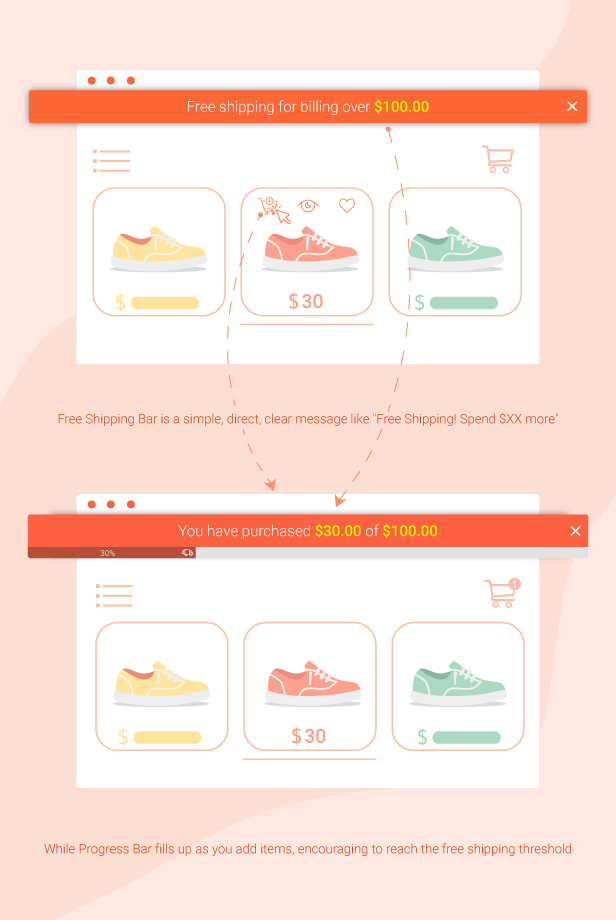
Customize Your Free Shipping Bar Design
Easily customize the colors, fonts, layouts, and display styles of your free shipping bar to match your store branding and marketing campaigns. A well-designed and eye-catching free shipping bar helps attract customer attention and encourages shoppers to add more products to unlock free shipping.
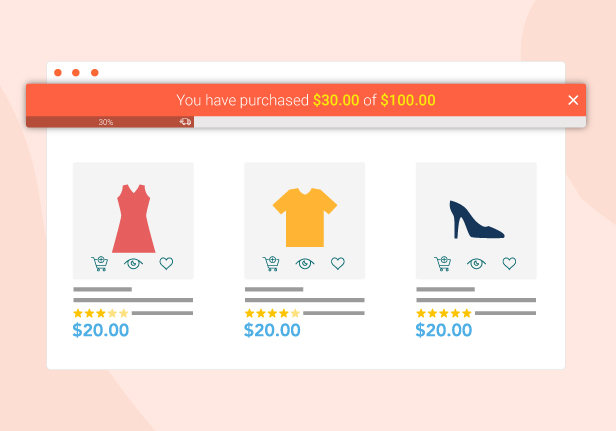
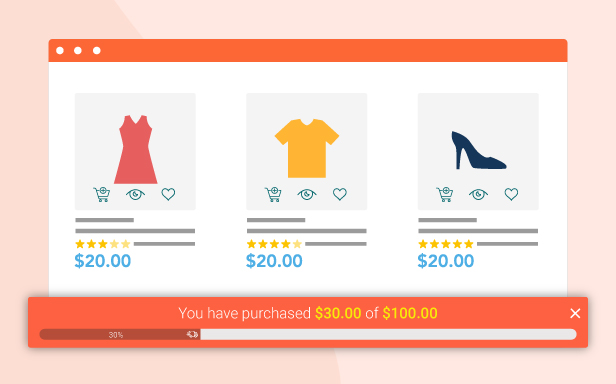
Dynamic Messages for Different Free Shipping States
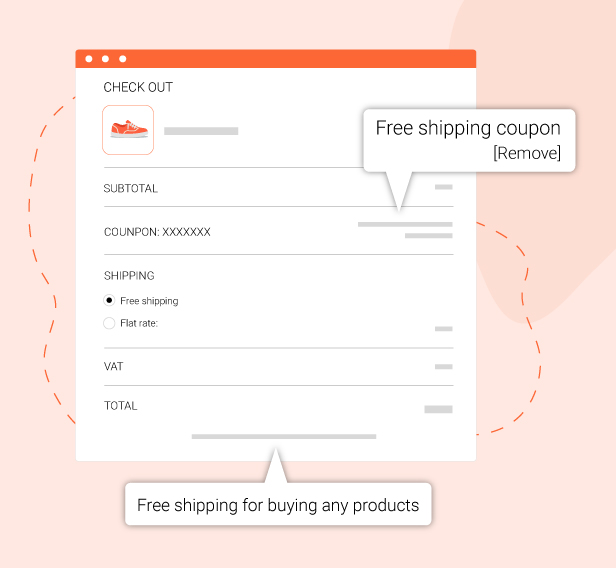
Display different messages based on customers’ progress toward unlocking free shipping. From showing the remaining amount needed, encouraging shoppers when they are close to the goal, to congratulating them once free shipping is unlocked, dynamic messages create a more engaging shopping experience.
This feature helps keep customers motivated throughout the shopping journey and encourages them to add more products to their cart.

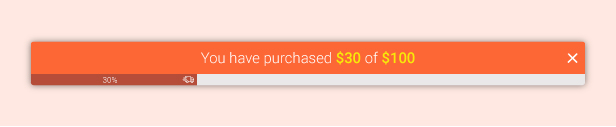

Multilingual Support for Global Customers
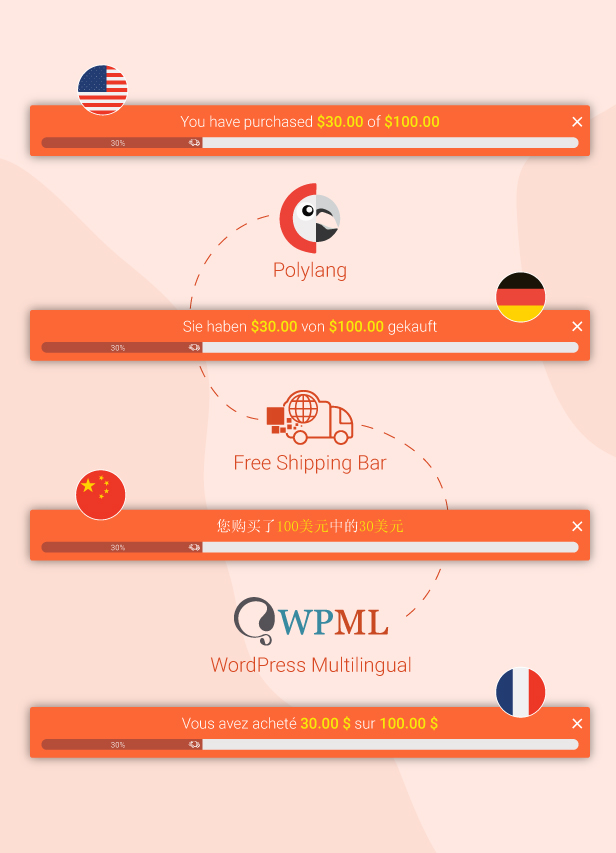
Fully compatible with WPML and Polylang, allowing you to display free shipping bars in multiple languages for international customers.
This feature creates a more localized shopping experience and helps your free shipping campaigns reach global audiences more effectively on multilingual websites.
Automatically Apply Free Shipping Based on Customer Location
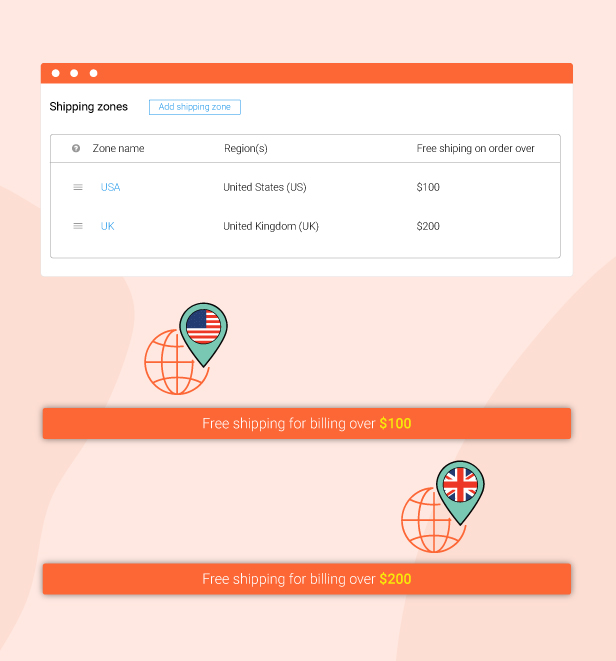
Automatically detect customer locations via IP and apply free shipping offers based on your configured shipping zones. This allows you to create location-based free shipping campaigns for different countries, regions, or target markets without requiring customers to configure anything manually.
The feature creates a smoother shopping experience for international customers while helping optimize shipping strategies and improve conversion rates for your store.
Flexible Control for Free Shipping Bar Display
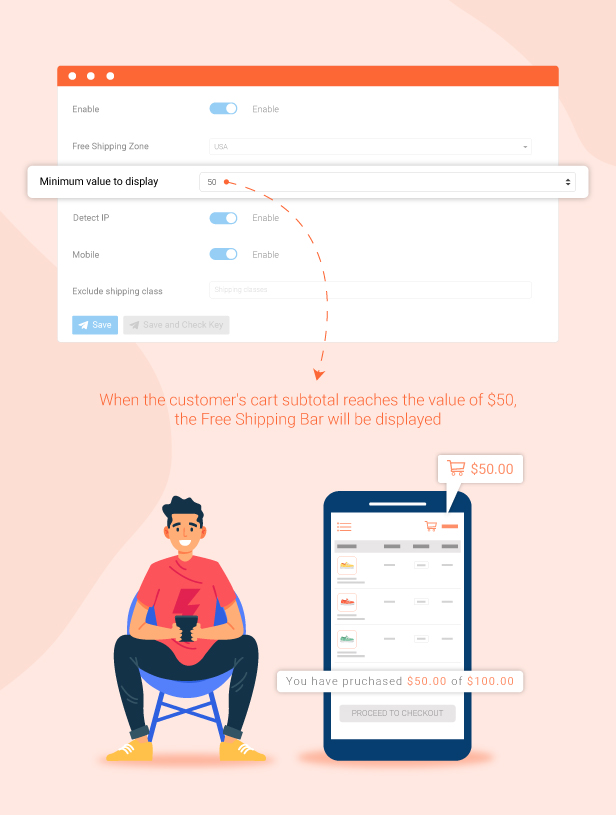
Set minimum cart subtotal conditions to control when the free shipping bar appears, ensuring customers only see free shipping offers when they are relevant to your store rules.
This feature helps create clearer and more effective free shipping campaigns while encouraging shoppers to increase their cart value to unlock free shipping faster.
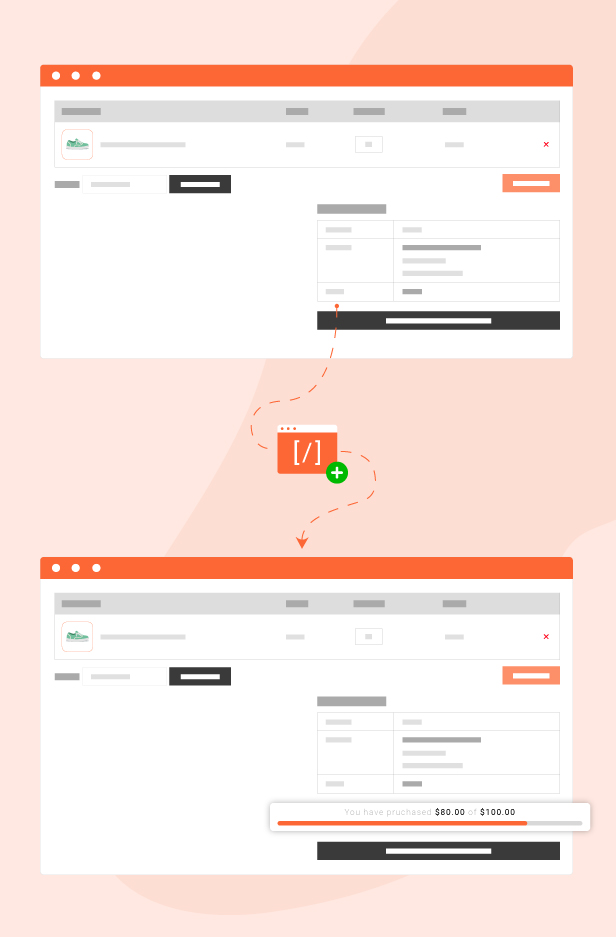
Display Free Shipping Bar Anywhere With Shortcodes
Easily integrate the free shipping bar anywhere on your website using simple shortcodes, giving you full flexibility to display free shipping offers on product pages, landing pages, blogs, or any section where you want to attract customer attention.
This feature helps maximize promotion visibility and creates a smoother shopping experience across your entire website.
Thank You for Using Our Plugin
If you enjoy using our plugin, we would truly appreciate a 5-star rating. Your support and positive feedback motivate us to keep improving the plugin, developing more useful features, and delivering a better experience for the WooCommerce community.

What is the WooCommerce Free Shipping Bar? Can it help to offer WooCommerce free shipping over amount?
The increase in sales and traffic to the website is very important for a website or an online store. Customers making a purchase usually enjoy the free shipping method. Woocommerce Free Shipping Bar – WooCommerce Free shipping plugin allows:
- Automatically detect customer’s IP and display shipping amount matched with shipping zones in WooCommerce.
- Display Free shipping bar and progress bar
- Variety of Free shipping bar and progress bar positions
- Design: You can design the shipping bar to match your theme or site’s style.
- Flexible custom messages on the shipping bar.
- Effect: Settings to let the shipping bar appear or hide after a certain time, or close the shipping bar button.
- Select the shipping class to exclude when calculating subtotal
- Other outstanding features.
* IMPORTANT NOTE:
Our plugin supports assigning the free shipping bar on certain pages using WP’s Conditional tags. To handle WP’s Conditional Tags, this plugin uses eval() which is very dangerous because it allows the execution of arbitrary PHP code. Therefore, please only fill this field with proper conditional tags that are validated and/or provided by trusted developers.
Automatically detect customer’s IP and display shipping amount matched with shipping zones in WooCommerce.
Detect IP: The plugin will detect customers’ countries based on their IP Addresses and display a free shipping bar respectively with that shipping zone at the country level.
Exclude shipping class: You can create shipping classes in WooCommerce and eliminate calculating free shipping for these shipping classes in this WooCommerce Free Shipping over amount plugin.
Display a Free shipping bar and progress bar to offer WooCommerce free shipping over amount
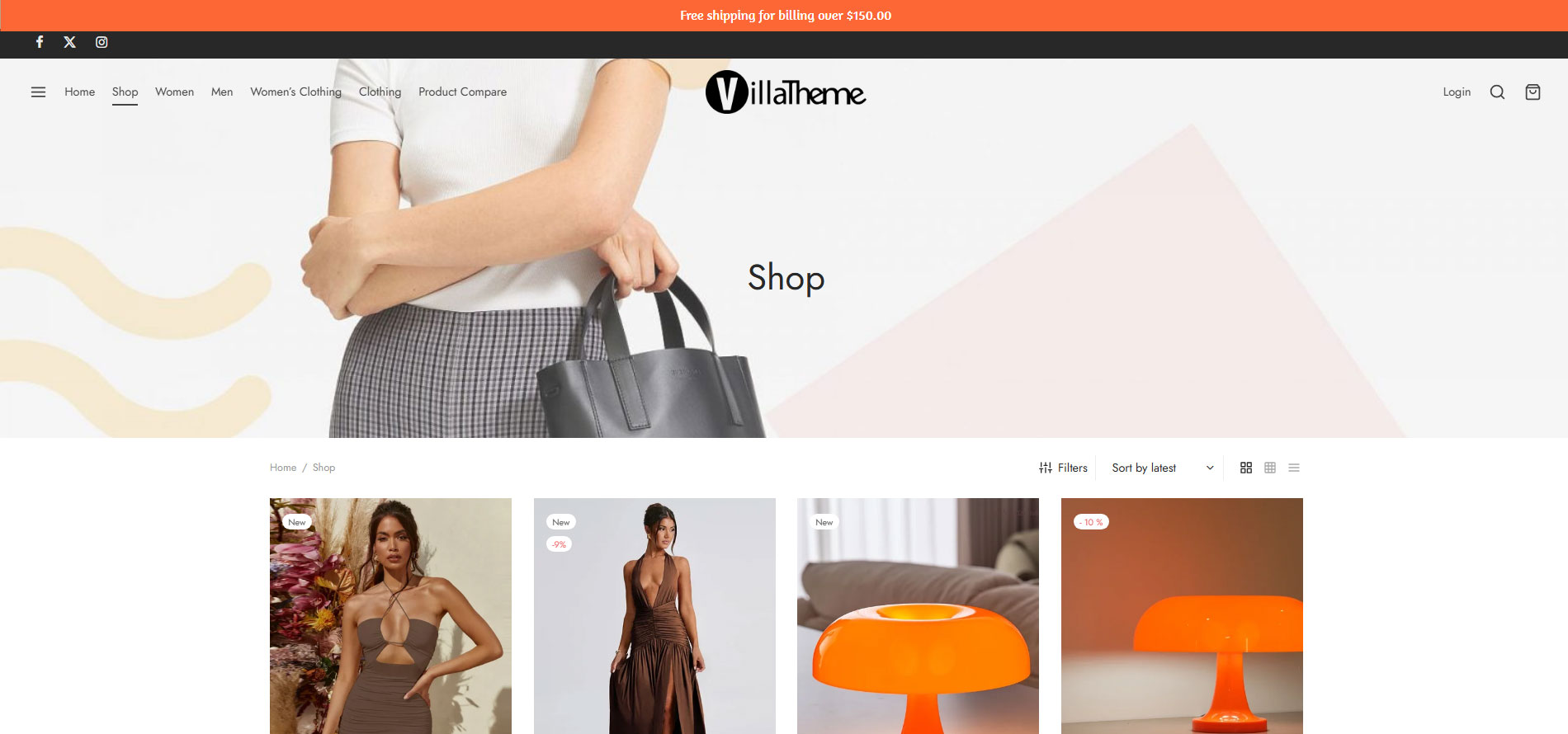
- Free shipping bar: Free shipping bar with various messages to reach to free shipping. You can select to display the free shipping bar on the top header or bottom.
- Progress bar: There is a progress bar that shows how much more by percentage a customer should purchase to qualify for free shipping. This progress bar will display along with the free shipping bar
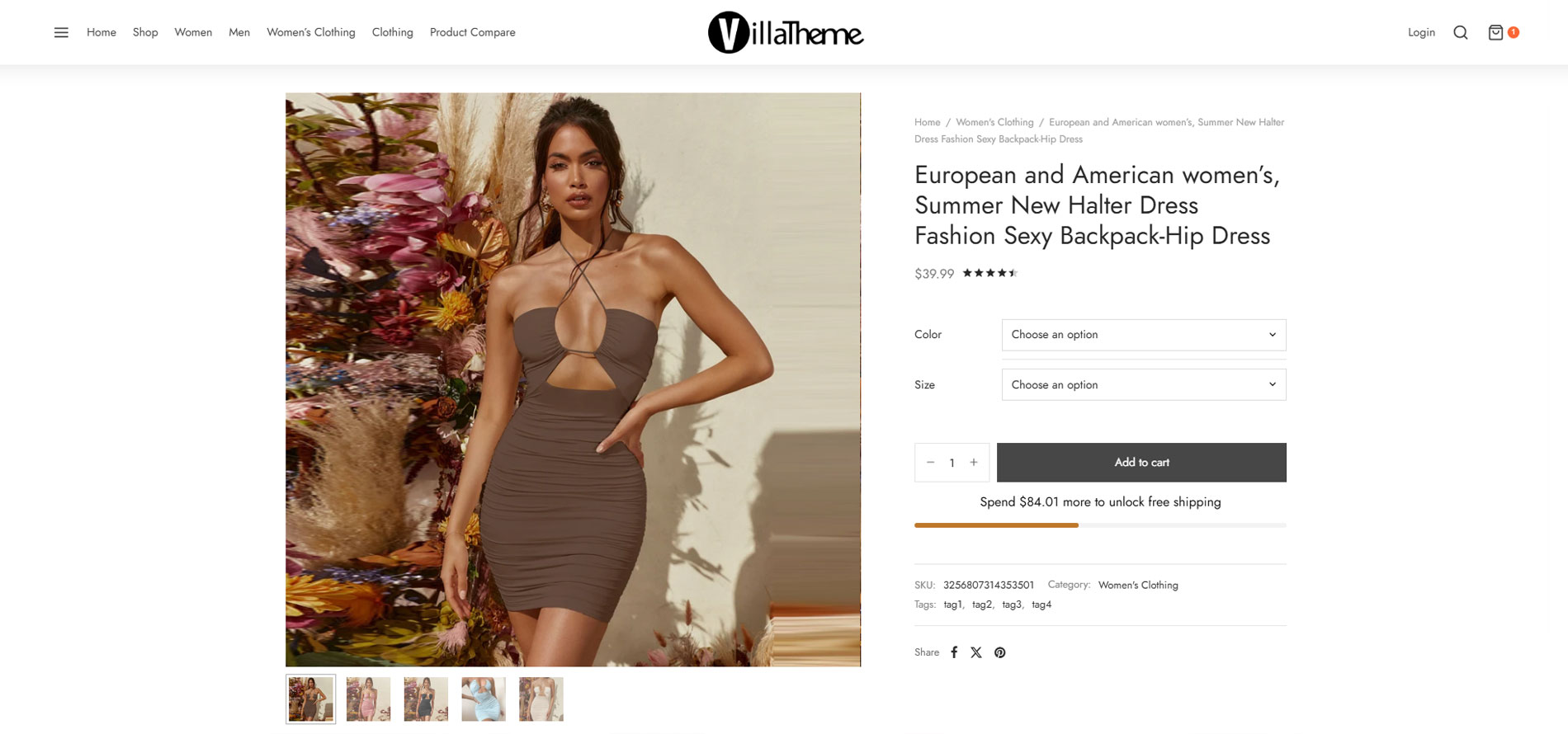
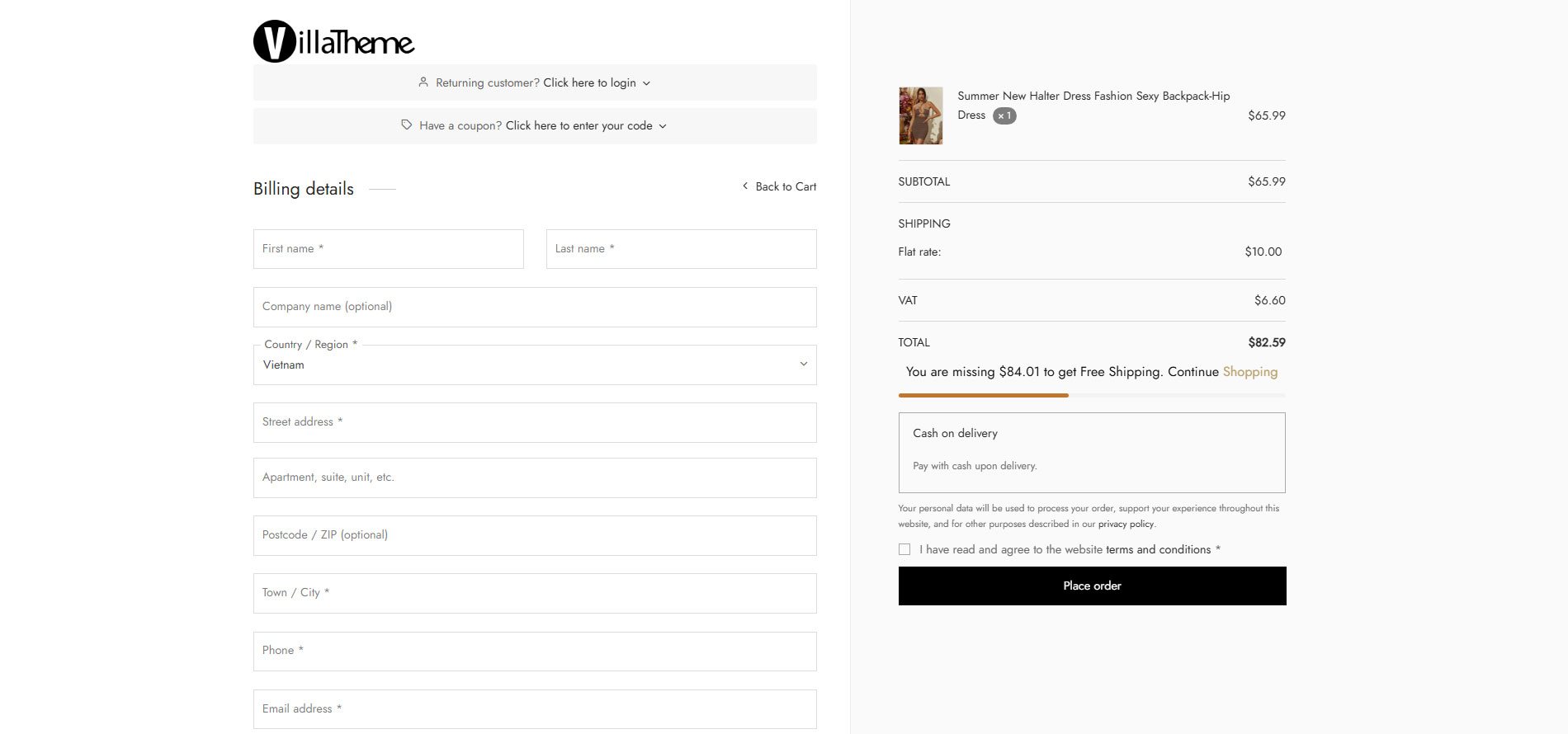
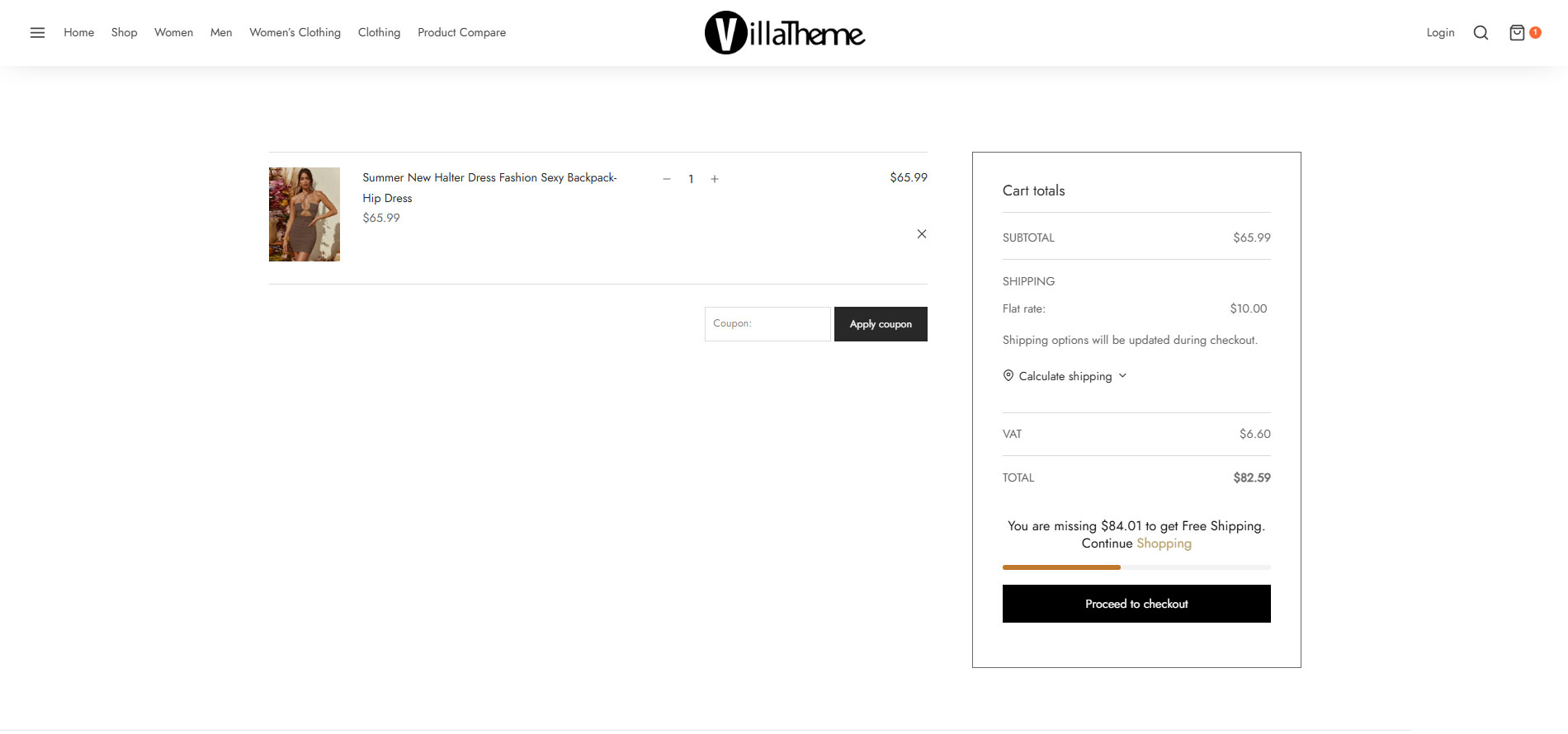
- Small progress bar: A small progress bar indicates how much more a customer should purchase to qualify for free shipping. A small progress bar can be displayed on the menu cart, sidebar cart, cart page, and checkout page.
Variety of Free shipping bar and progress bar positions to display WooCommerce free shipping over amount
- Shipping bar positions: There are 2 positions that you can select to show the shipping bar: on the top header or at the bottom
- Progress bar positions: There are 2 main positions of the progress bar in comparison with the shipping bar: inside or under.
- Progress bar positions on mini cart: There are 2 positions to choose from: on the header or at the bottom
Design with WooCommerce Free Shipping over amount
You can design to display WooCommerce Free Shipping over amount to match your theme or site’s style.
- Shipping bar: You can set the background color, text color, link color, font family, font size, and text-align of the shipping bar.
- Progress bar: You can set the background color, text color, font size, and bar effect (Plain, loading, border) of the progress bar.
- Custom CSS: Design the shipping bar and progress bar as you want.
Flexibly customize messages on the shipping bar to offer WooCommerce free shipping over amount
- Announce system: Content is shown in the main progress bar when users access the website. Use the available shortcode to add to this form. For example, we have a Free Shipping system for customers when they buy greater than or equal to
{min_amount} - Message purchased: Content is shown in the main progress bar when customers purchase something in comparison with the free shipping amount or display the amount left. The shortcodes are available including:
{total_amounts};{cart_amount};{min_amount};{missing_amount}For example, You have purchased{total_amounts}of{min_amount} - Message after purchasing: Content notification is shown in the main progress bar when the user adds a product to the cart. Use some available shortcodes to add to this form. Example: You have purchased
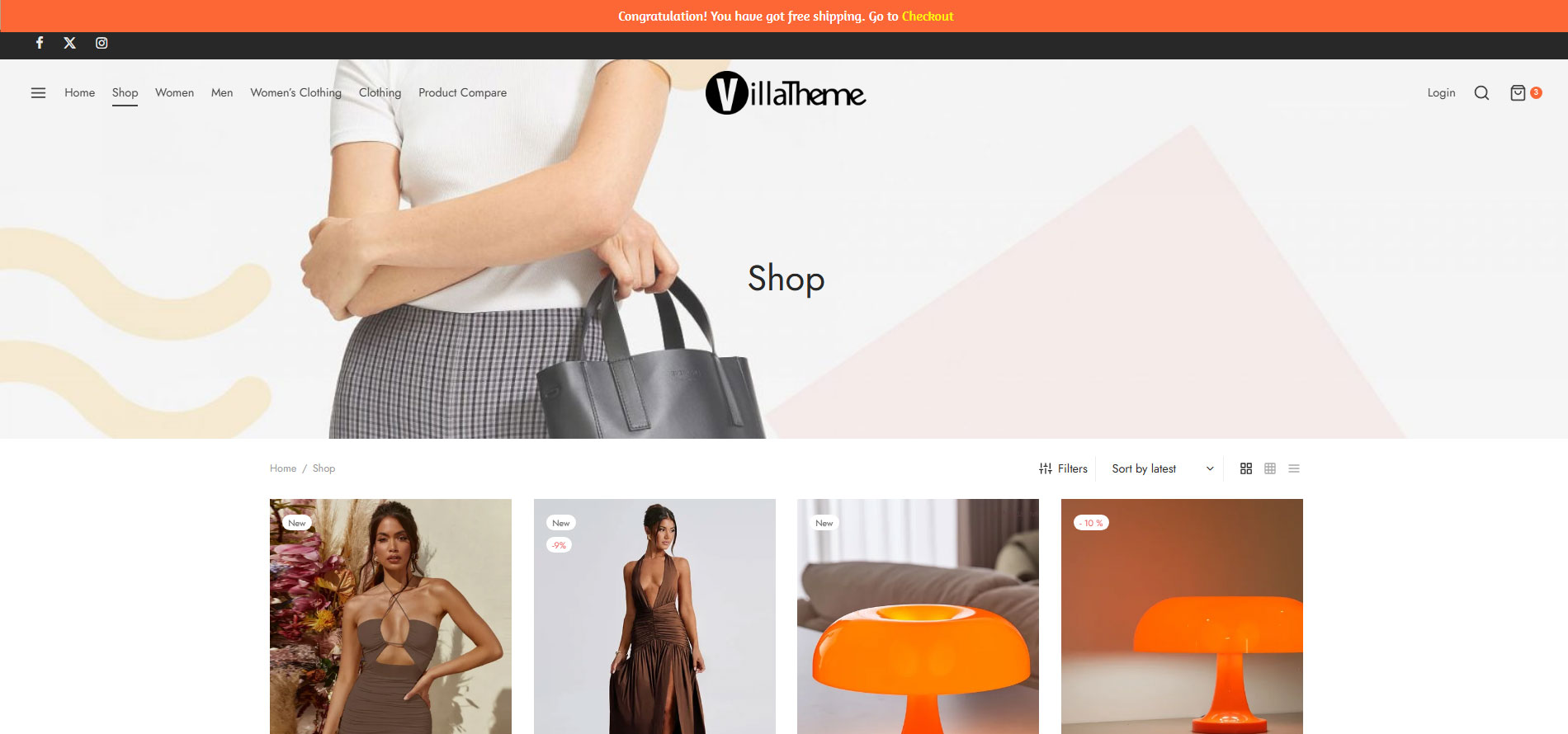
{total_amounts}of{min_amount}Free Shipping system. - Message if reach free shipping: Content notification is shown in the main progress bar when the user’s total amount is greater than or equal to a minimum order amount of Free Shipping zone and then users can directly go to the checkout page with available shortcodes. For example Congratulations! You have achieved enough to be able to get free shipping. Go to
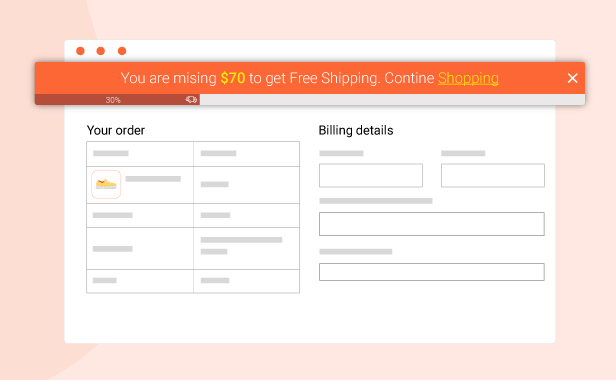
{checkout_page} - Message if not reach free shipping: Content is shown in the main progress bar of the checkout page when users missing amounts to receive Free Shipping. This total missing can be added with the available shortcodes. Example: You are missing
{missing_amount}achieved enough to be able to get Free Shipping. Continue{shopping} - Message Full Free Shipping: This message is used when the amount is zero
Effect
- Initial delay: Set a certain time to let the free shipping bar disappear
- Close shipping bar button: enable to close the shipping bar
- Time to display: Enable to set time progress bar display.
- Set time to disappear: Enter the values(s) you want to display in the progress bar, after that time, the progress bar will automatically hide.
- Show gift box: Enable this the plugin will show a gift box when customers add a product to the cart. When clicking on the box the progress bar will appear. Disable these options, the plugin will show only the progress bar.
Other outstanding features of WooCommerce Free Shipping over amount
- Gift icon: The icon to call out the WooCommerce Free Shipping over amount bar when it is hidden.
- Compatible with cache plugins.
- Assign: Select on which pages, the free shipping bar hides or shows.
- Responsive: The plugin works perfectly on any device.
- Easy to use.
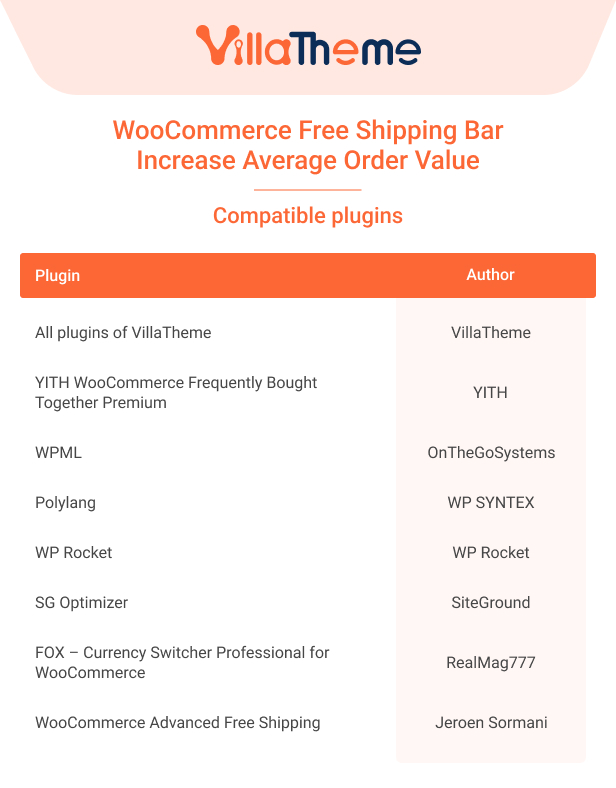
Compatibility table
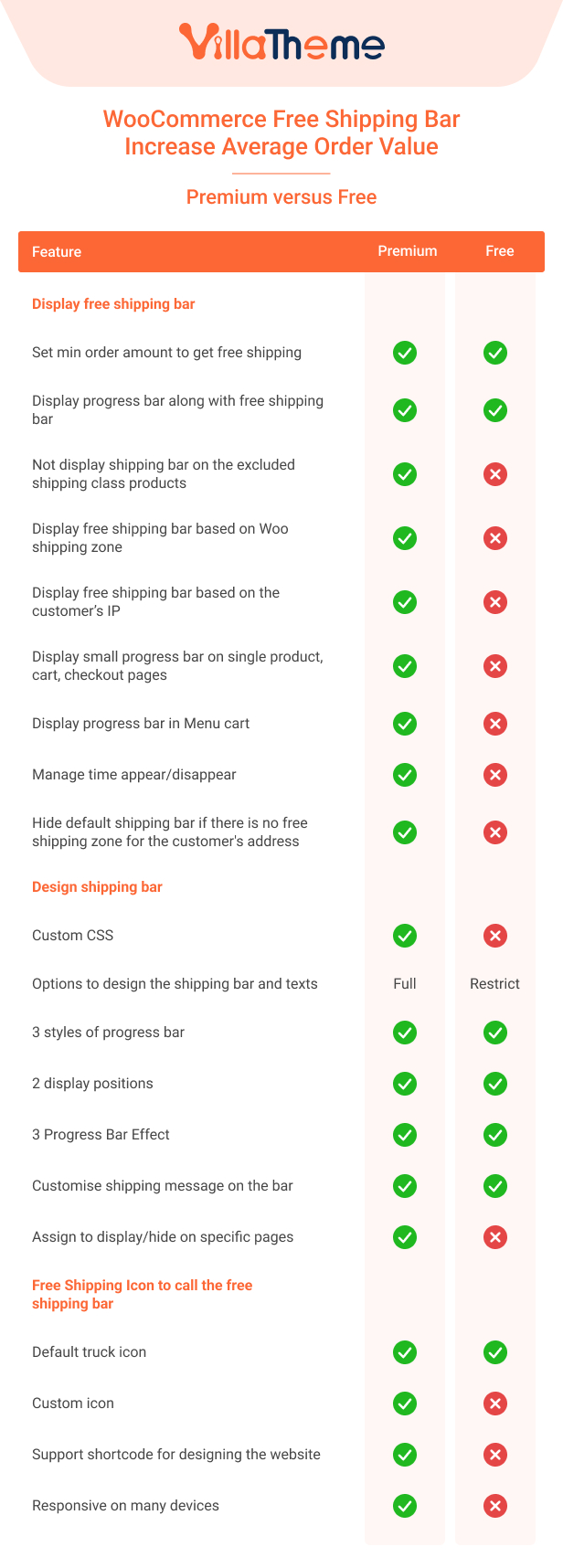
Comparison table of Free and Premium versions
You can follow this guide to configure WooCommerce Free Shipping over the amount.
Watch this short preview of WooCommerce Free Shipping for a better view.
And can learn how to use WooCommerce Free Shipping in this tutorial video: