
Description
Pofily – WooCommerce Product Filters
Pofily is designed for WooCommerce and helps you add filters to products. You can create filters based on your expectation and customers’ needs, for Taxonomy, Review, Price, Onsale/In stock product, Name, and Metadata. With various options of Filters the plugin provides, customers can search for products they need, with just a few manipulations. Users can design how to show filters on the front with Customize settings, choose a place to display filters by using shortcodes or adding rules and make the Filter look friendly and convenient to use for customers.
Create Multiple Filters to Help Customers Find Ideal Products
Easily create multiple product filters to help customers quickly find products that match their needs, preferences, and budget. You can filter by categories, price, attributes, brands, colors, sizes, and many other criteria to optimize the WooCommerce shopping experience.
This feature helps shoppers discover products faster, improves customer satisfaction, and supports better conversion rates for your store.

Display Filters With Modern Modal Layouts
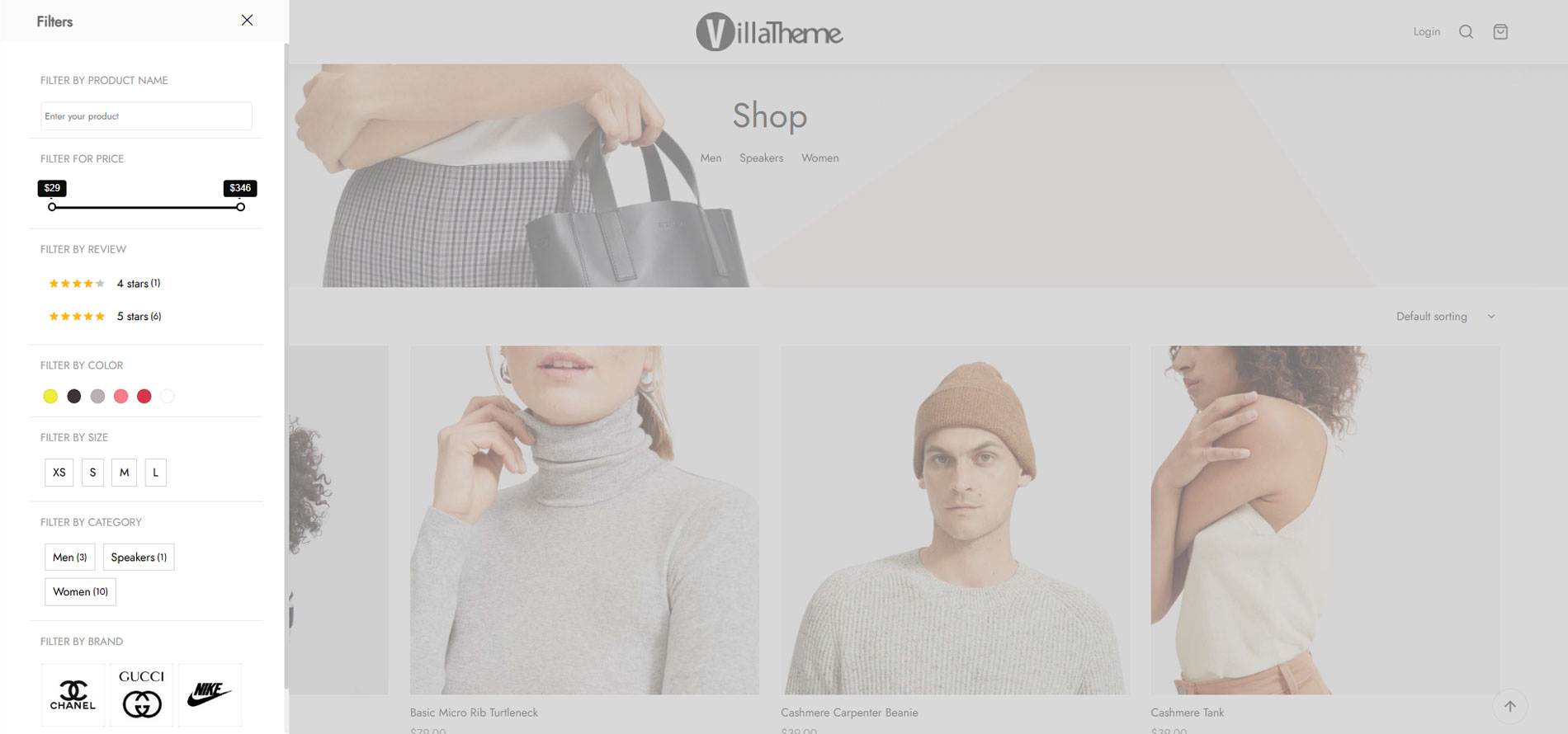
Show product filters in off-canvas or drop-down slider styles to create a cleaner, more modern, and user-friendly shopping experience. Filters can be displayed flexibly at the top of product listing pages, allowing customers to access filtering options quickly without cluttering the layout.
The simple yet visually appealing modal design improves usability, especially on mobile devices and stores with large product catalogs.


Beautiful and Easy-to-Use Sidebar Filters
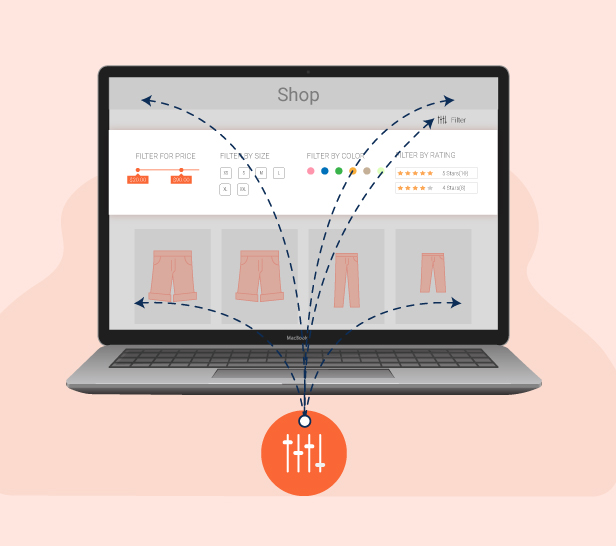
Display product filters beautifully in the sidebar using widgets with a clean, modern, and user-friendly layout. You can easily customize how filters appear to match your website design and help customers access product filtering options more conveniently.
This feature makes your store sidebar look more professional while improving the overall WooCommerce browsing experience.
Create Flexible Filters With Multiple Filter Types
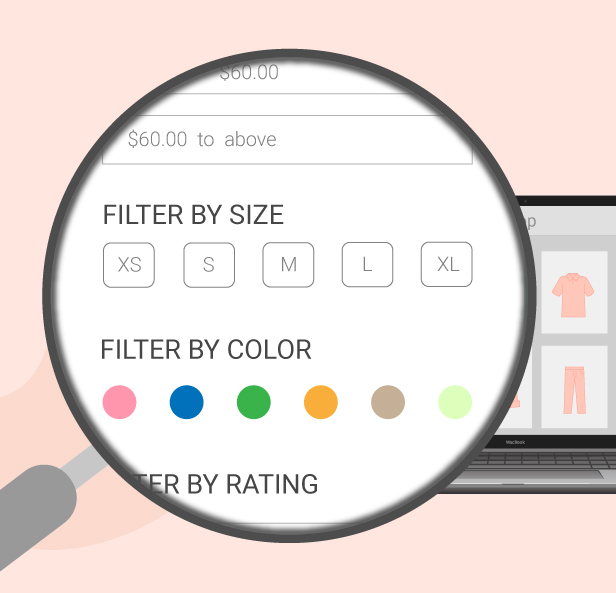
Easily create and customize product filters to match your store needs with various display and design options. The plugin provides 6 filter types to enhance product searching and help customers find products faster and more intuitively on WooCommerce.
You can flexibly adjust the filter design to fit your website style and create a more professional shopping experience for visitors.
Flexible Filter Menu Organization
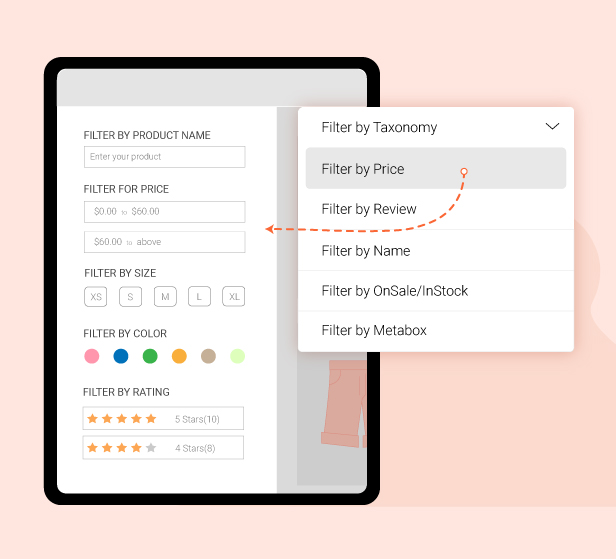
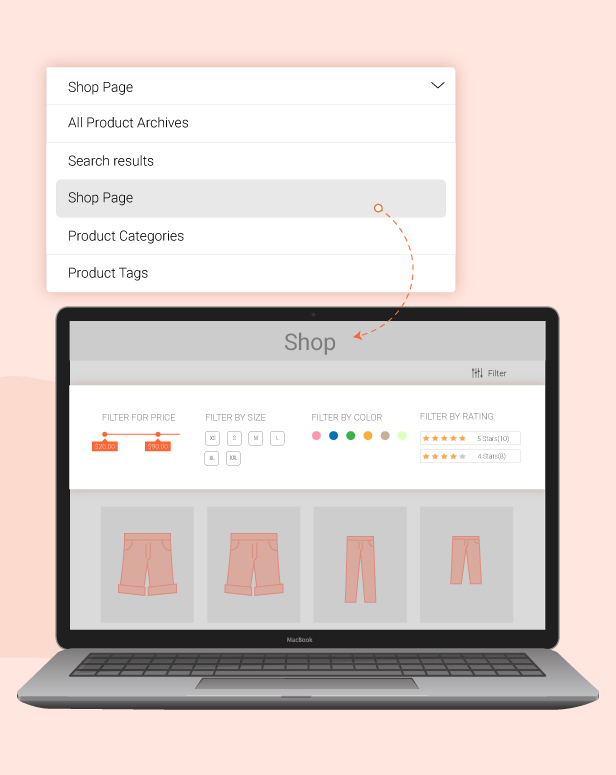
Easily set display rules to organize filter menus exactly the way you want for your website layout and shopping experience. You can control the order, positions, and visibility of each filter to help customers browse and search products more conveniently and intuitively.
This feature helps create a cleaner, more professional filtering system while improving the overall WooCommerce product browsing experience.
Drag and Drop Filter Blocks Easily
Quickly change the positions of Filter Blocks on the filter menu using simple drag-and-drop actions without complicated setup. This feature allows you to organize filters based on priority, improve product search experiences, and better match your website layout.
Managing filters becomes more flexible and convenient, especially for stores with large and complex product filtering systems.
With Pofily – WooCommerce Product Filters, you can:
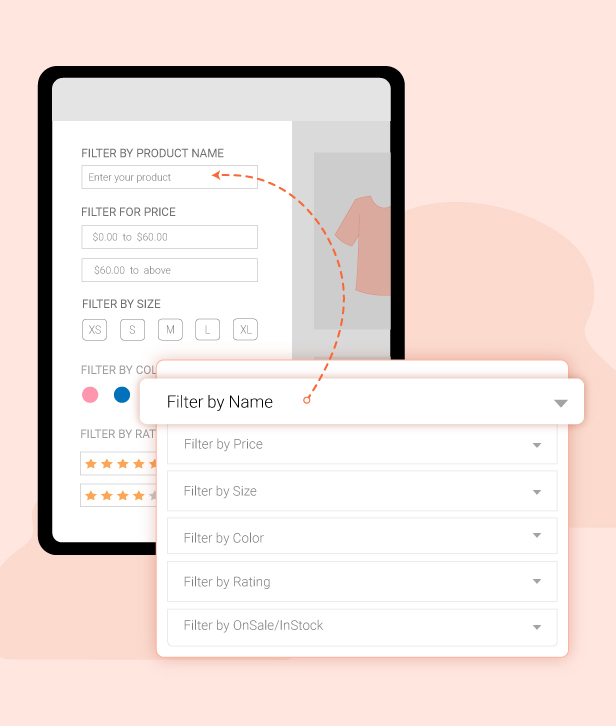
- Create multiple filter blocks as you want for different contents: Product tag, product category, product attribute, product price, product name, product review, product metadata, on-sale product, or in-stock product.
- Add/Remove terms with “Add all” and “Remove all” buttons. They are useful when you do not want to add terms manually. It helps to save time and works effectively with big data.
- Add “label” and “tooltip” if you want to replace the original name of the terms, Label and Tooltip can help. Set the labels that match your expectations and make them look friendly to customers
- Customize how you want with all WooCommerce product filters: make them display as checkboxes, selections, buttons, images, color swatches, range, or range sliders.
- Decide to show WooCommerce product filters with a modal or on the sidebar (widget)
- Design WooCommerce product filters with style, colors, sizes, directions, icons, and many more…
- Create a Filter Menu to add WooCommerce product filters
- Set rules to apply product filters. This is useful when you want to show the filters separately.
- Allow customers to choose multiple WooCommerce product filters at once, or only choose one filter each time they use.
- Effortlessly change the position of the filter display by dragging and dropping. Move them to the place you want in the Filter Menu
- Use the “View more” button if there are too many terms.
- Use the “Clear” button that works for each WooCommerce product filter separately
- Use the “Clear Filter” button that works for all active filters, helps customers remove all selected filters, and start again
- Enable “Active Filters” to help customers know which filters they chose.
What can Pofily offer?
Show filters of Pofily – WooCommerce Product Filters in Modal
Users can decide whether to show WooCommerce product filters in the modal window or not. If you disable this feature, the filters appear on the sidebar of the widget. If enabled, users can customize the modal appearance to match their expectations, with various available customizing options.
- Show product filters in the Modal window with an Off-canvas style or Top product loop style
- Manage the position and the style of the Modal icon with Icon position and Modal icon style
- Change the position, effect, and column layout of the Modal
- Choose a style: Theme style or Custom style
- Style the filter area with the color of the Title, Background, and Accent color
- Set a default color for the Color swatches type (Taxonomy)
- Customize label with default, hovered, and active status: font size, border width, border radius, background color, text color
Create filters using Pofily – WooCommerce Product Filters to facilitate convenient product searches for customers.
Administrators can generate various WooCommerce product filters catering to different search requirements according to customer preferences. Each product filter offers customizable design options and can be modified. Users can also produce multiple versions with the same filter type.
- Create multiple filter blocks for particular searching purposes with different options: Taxonomy, Price, Review, OnSale/In stock, Name, Metabox.
- Choose Taxonomy to apply the filter: Categories, Product tags, Attribute (Color, Size,…), …
- Show Filter as checkboxes, buttons, color swatches, images, ranges, range slider, search field (with Name)
- Customize terms or values with labels to replace the original name.
- Customize terms/values with a tooltip when hovering the mouse over the term/value.
- Show/hide the name of the terms
- Customize the range with Min and Max values.
- Create as many ranges as you want with Range type.
- Create a range slider with a Min – Max value and a Step Slider.
- Enable/Disable to show filter as a toggle
- Enable/Disable to show the number of items.
- Enable/Disable to allow customers to choose multiple selections.
- Enable/Disable to show the “View more” button.
- Enable/Disable to show the “Clear” button.
- Select Order by Name, Slug, or ID and choose Order type between ASC or DESC (for Taxonomy)
- Select the “Display type” – Vertical or Horizontal – for the Button type
- With Filter By Metadata, we provide meta keys of Products available in the database. Manage the settings and the plugin will display the corresponding metavalue
Customize and arrange front-end menus using Pofily – WooCommerce Product Filters.
Generate menus to showcase WooCommerce product filters, adding numerous filters as needed, and establishing regulations to determine their display areas. For instance, you can configure a rule to exhibit the initial menu on the Shop Page and set the second menu to only appear within a specific category or tag. Therefore, when customers visit the Shop page, the first menu will be visible, and upon selecting that designated category/tag, the second menu will be displayed. Both menus can contain the same filters.
- Choose and add blocks you want the menu to display on your website with created blocks
- Drag and drop to change the position of the Filter that appeared in the menu.
- Set rules to display the Filter Menu at Display Conditions
- Enable/Disable to show the “Apply Filter” button
- Enable/Disable to show menu in a modal window
Pofily – WooCommerce Product Filters supports displaying Filter Menus using shortcodes
We offer a shortcode option when creating a Filter Menu. This shortcode allows you to display the Filter Menu in the desired location to suit your requirements. Simply copy the shortcode and paste it into the preferred location.


Preview Pofily – WooCommerce Product Filters