Description
WooCommerce Instagram Shop – WooCommerce Lookbook will be a new opportunity for newbie start-ups in the middle of the digital shift and the rise of online business. If you are thinking about an Instagram shop with WooCommerce, or starting an online business on WooCommerce and Instagram platforms, the WooCommerce Lookbook plugin should not be ignored. WooCommerce Instagram Shop will come true if you start setting up the special goals and let’s run into business with this plugin.
WooCommerce Lookbook allows you to create realistic lookbooks of your products and helps your customers visualize how products look in real life.
Interactive Lookbook with Shoppable Product Tags
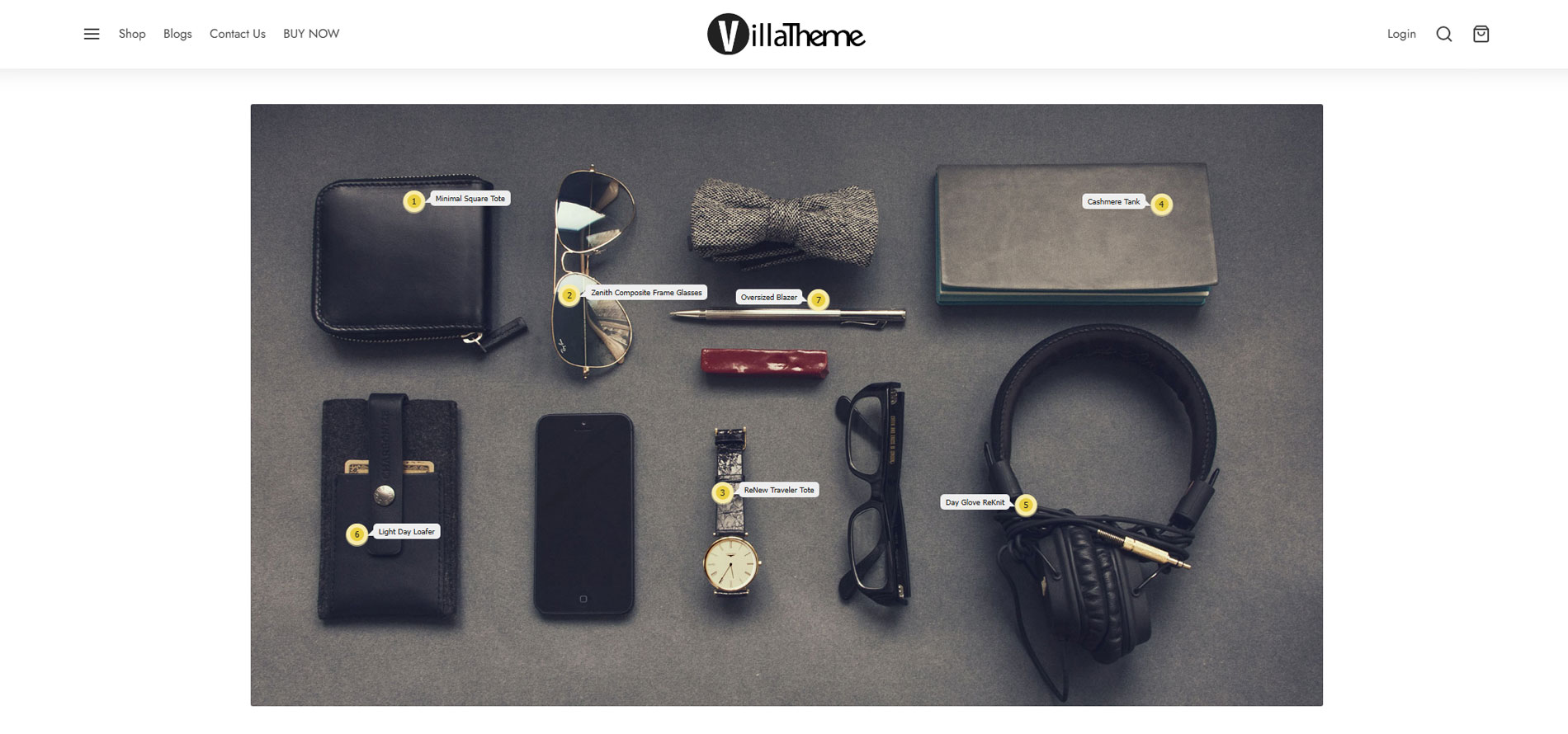
A Lookbook allows you to turn images into interactive shopping experiences by adding product tags directly on the photo. When users click on each hotspot, they can instantly view and purchase the related products. It’s not limited to outfits this can be used for fashion, home decor, electronics, or any visual setup to help customers easily explore and shop what they see.

Unlimited WooCommerce Lookbooks Creation
WooCommerce LookBook allows you to create unlimited lookbooks using images combined with your WooCommerce products. You can design visually engaging shopping pages where each image becomes interactive, helping customers easily explore and discover products in a more intuitive and inspiring way.
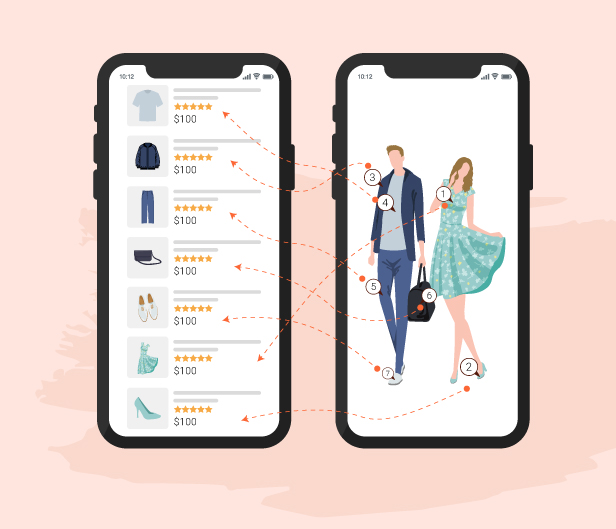
Drag & Drop Product Nodes for Lookbooks
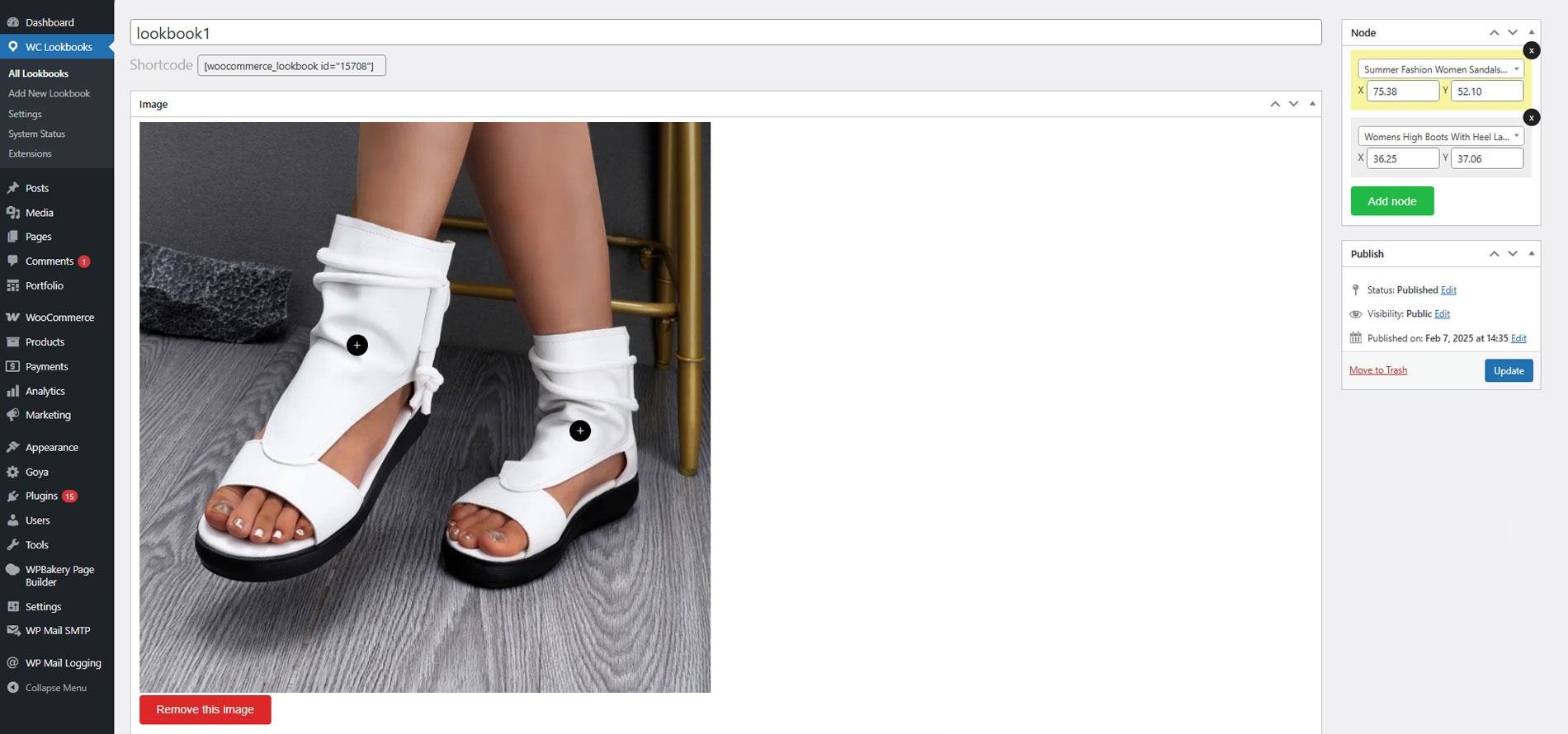
Easily create interactive lookbooks by dragging and dropping product nodes directly onto images. Each node can be used to mark a product, allowing customers to click and view details instantly. This makes it simple to build engaging, shoppable visuals without any technical skills.
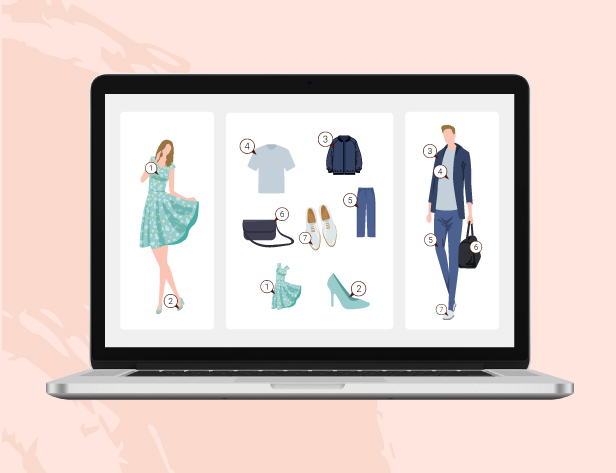
Quick View Popup with Add to Cart for Lookbook Products
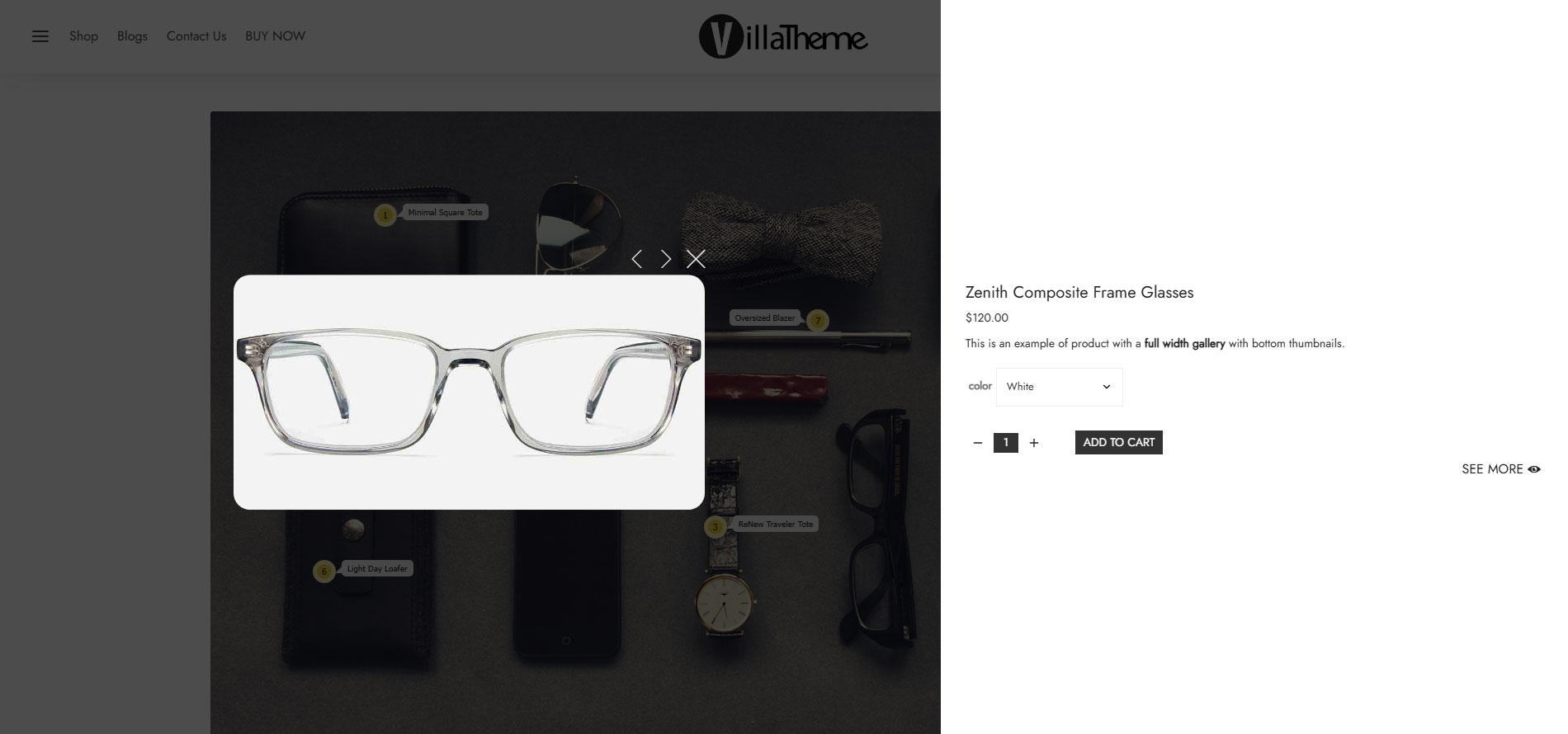
When customers click on product nodes in the lookbook, a quick view popup will appear showing product details. From this popup, they can immediately add items to cart without leaving the page, making the shopping experience faster and more seamless.
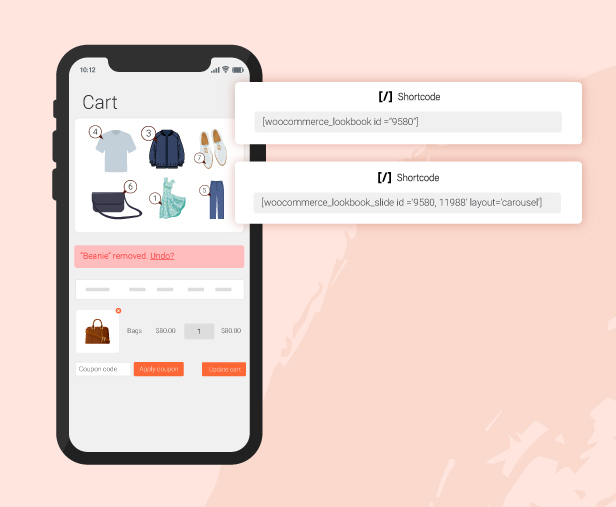
Flexible Lookbook Placement with Shortcodes
Easily display your lookbooks or sliders anywhere on your website using shortcodes. You can place them on pages, posts, or custom sections, giving you full flexibility to showcase interactive shopping content wherever it fits best.
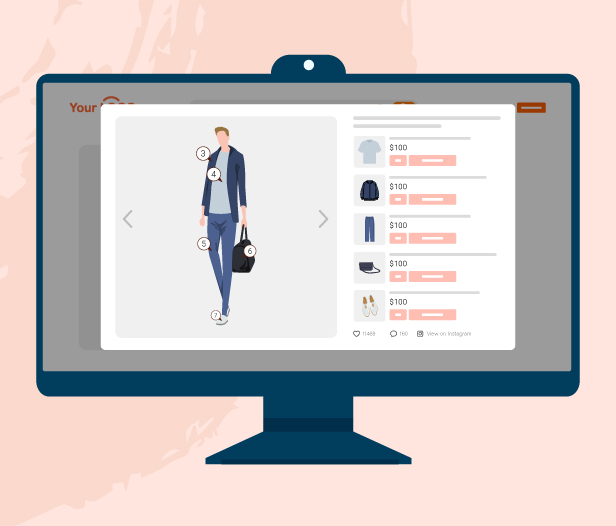
Instagram Image Sync for Shoppable Lookbooks
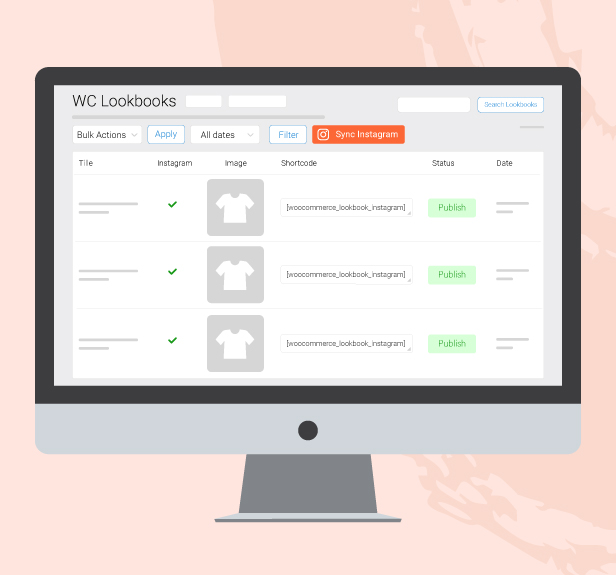
Automatically sync images from your Instagram and turn them into interactive lookbooks. After importing, you can easily add product tags to each image, helping you transform your Instagram content into a seamless shopping experience on your website.
Other Features
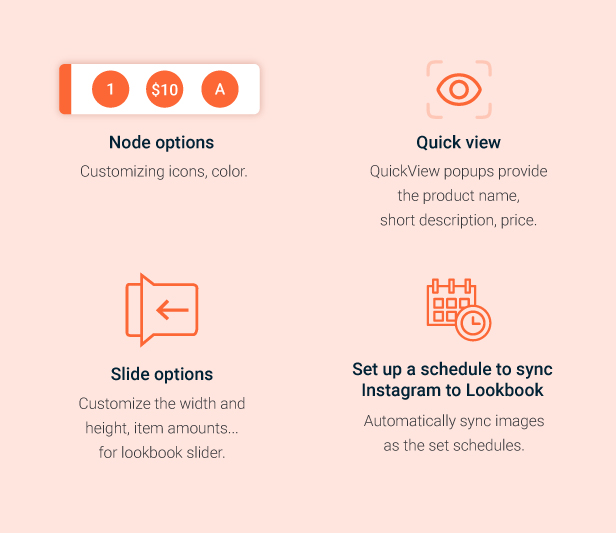
Other features include flexible node display options such as numbering, plus icons, product prices, or letters. Quick View popups display product name, short description, and price for faster interaction. You can also customize slider settings like width, height, and number of items per view. In addition, the plugin supports scheduling automatic synchronization from Instagram to Lookbook, so images are updated and imported automatically based on your set schedule.
Fully Responsive Lookbook Design
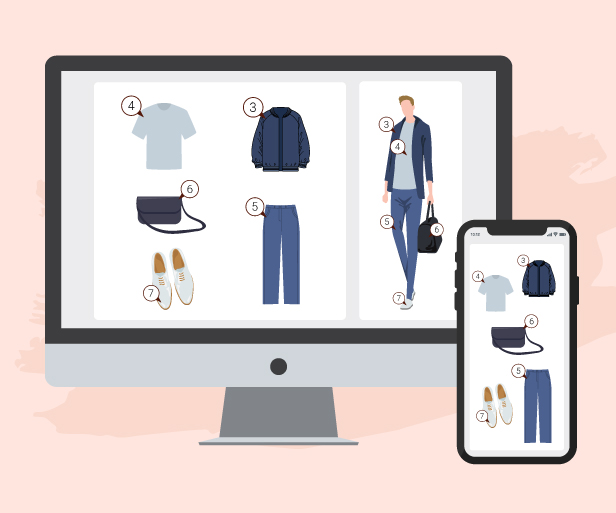
Ensure your Lookbooks display perfectly on all devices, including desktop, tablet, and mobile. The layout automatically adapts to different screen sizes, keeping images, nodes, and interactions smooth and user-friendly for the best shopping experience everywhere.
FEATURES OF WOOCOMMERCE LOOKBOOK
- WooCommerce Lookbook and Slider for WooCommerce Instagram shop
- Quickview
- WooCommerce Instagram Shop
- Video tutorial
- Design
- Other features for WooCommerce Instagram Shop
- Shortcodes
- Compatibility
WooCommerce Lookbook and Slider for WooCommerce Instagram shop
- Create Lookbooks: Create Lookbooks by using nodes to mark products’ positions on photos. By clicking on nodes, customers can see product information with name, short description, price… Customers will also be able to add products to their cart from Lookbooks.
- Add node: Add unlimited nodes and drag and drop them to mark product positions on Lookbooks.
- Drag and drop: Easy to select node position by using the drag and drop feature. Hold the mouse over nodes and move it to the product position on pictures.
- Slides: You can combine lookbooks and display them on the front end as a slide.
- Autoplay: Automatically plays the slide with a specified auto-move duration.
- Autoplay duration: Select a specified time to move to the next lookbook with the autoplay slides option.
- Lookbooks in the single product page: Automatical find lookbooks that include the product and display that lookbook in the product description.
- Link Redirect: If this option is enabled, clicking on a node will redirect to the single product page.
- External Link: An option for External/Affiliate products, clicking on a node will redirect to the external link instead of the single product page.
- Shortcodes: Use shortcodes to put the lookbook anywhere you want on your sites.
Quickview
- Quickview: By clicking on nodes, customers will open a QuickView popup. The QuickView popup provides them with the product name, short description, and price.
- Add to Cart: There is also an Add to Cart button on the QuickView popup, allowing customers to select a quantity and add the product to the cart.
WooCommerce Instagram Shop
- Shop by Instagram: Sync published pictures from any Instagram account to your WooCommerce Instagram shop plugin and use it to create lookbooks and slides. Enter an Instagram username to sync pictures from that account to WooCommerce Lookbook. You will be able to sync 12 pictures at one time.
- Link to Instagram: Enable the “View on Instagram” button on the Quickview popup, the button will lead to the original Instagram page that you used to create the Lookbook.
- Carousel/Gallery display: Display Instagram lookbooks on the front end in Carousel or Gallery style.
- Instagram sync schedule time: Let the plugin automatically sync photos from Instagram.
- Instagram synced picture status: Select visible status for lookbook synced from Instagram pending, publish, or a draft.
- Image Quantity: Select how many images will be synced from Instagram.
Design
- Node Icon: Select your favorite node icon with four options default, number, marker, and alphabet.
- Nodes color: Design nodes with main color, background color, border color
- Product title: Choose to display or hide the product titles above the nodes on Lookbooks.
- Title color: Design product titles with text color and background color.
- Quickview pop-up design: Design a QuickView popup with text color, background color, and border radius.
- Close button: Select to display or hide the Close button on the Quickview popup.
- See more button: Select to display or hide the see more button on the Quickview popup. The See More button will lead to the single product page.
- Slide size: Customize the slide size with width and height.
- Slide Pagination/Navigation: Enable or disable the slide pagination/navigation on the front end.
- Custom Script: Add your own CSS code to fully customize the lookbook as you want.
- Loading Icon: Select your favorite loading icon with ten available icons to be selected.
Other features for WooCommerce Instagram Shop
- Easy to use: Easy to find out how to use this plugin with a friendly user interface
- Support RTL: support the Right to Left website fully.
- Auto-update: Use the Envato purchase code to enable the auto-update feature. Each purchase code can be used to activate auto-update for one domain.
Shortcodes
Using shortcodes to display lookbooks on front-ends as a single lookbook image, gallery, or carousel.
- Carousel of Instagram photos
[woocommerce_lookbook_instagram style='carouse' row='number' limit='x'] - Gallery of Instagram photos
[woocommerce_lookbook_instagram style='gallery' row='number' limit='x'] - Single lookbook
[woocommerce_lookbook id='111'] - Gallery of lookbooks
[woocommerce_lookbook_slide id="123,456" layout ="gallery"] - Carousel of lookbooks
[woocommerce_lookbook_slide id="123,456" layout ="carousel"]
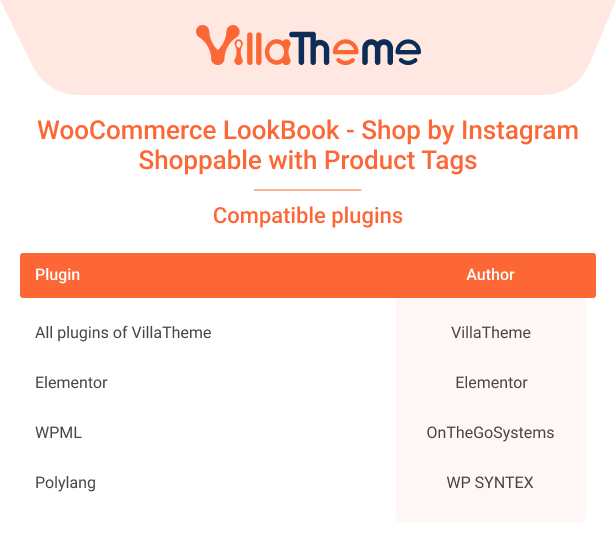
Compatibility table
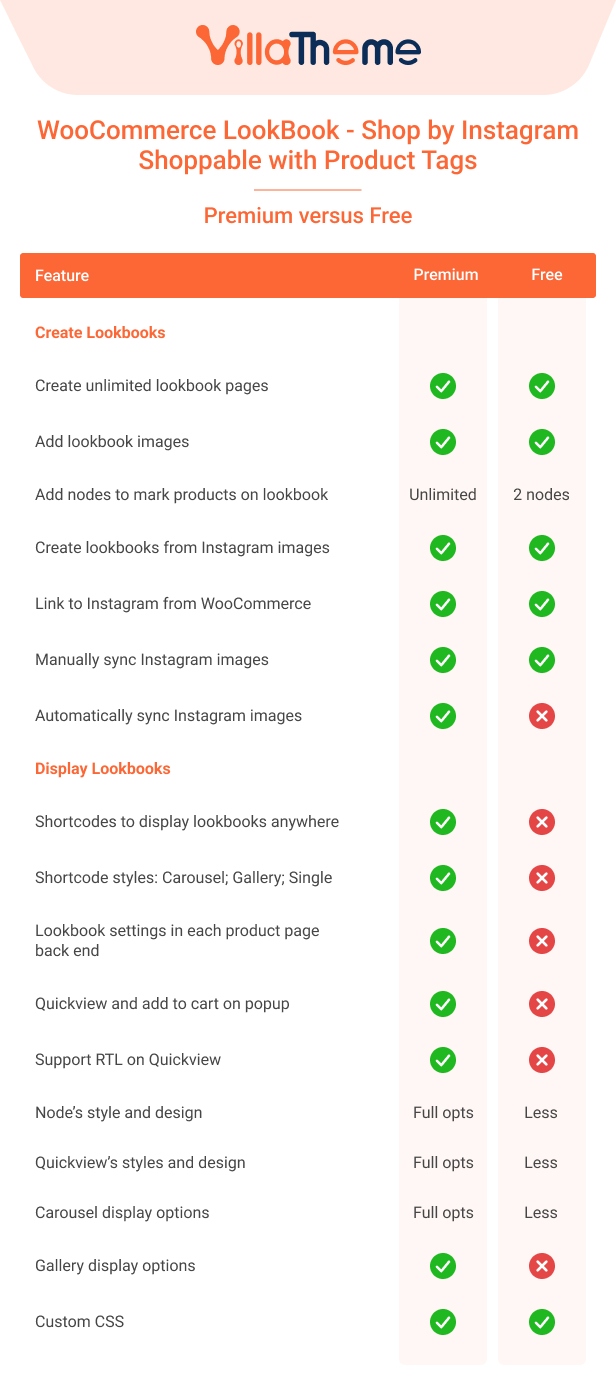
Comparison table of Free and Premium versions